
HP M428fdn
HP LaserJet Pro MFP M428fdn Monochrome All-in-One Printer User Manual
Model: M428fdn
1. Úvod
The HP LaserJet Pro MFP M428fdn is a monochrome all-in-one printer designed for business environments. It offers print, scan, copy, and fax functionalities. This device features an intuitive touchscreen control panel, automatic two-sided printing, and the ability to print directly from a USB drive. It incorporates HP Wolf Pro Security for data protection and includes features to promote energy efficiency and reduce paper waste.
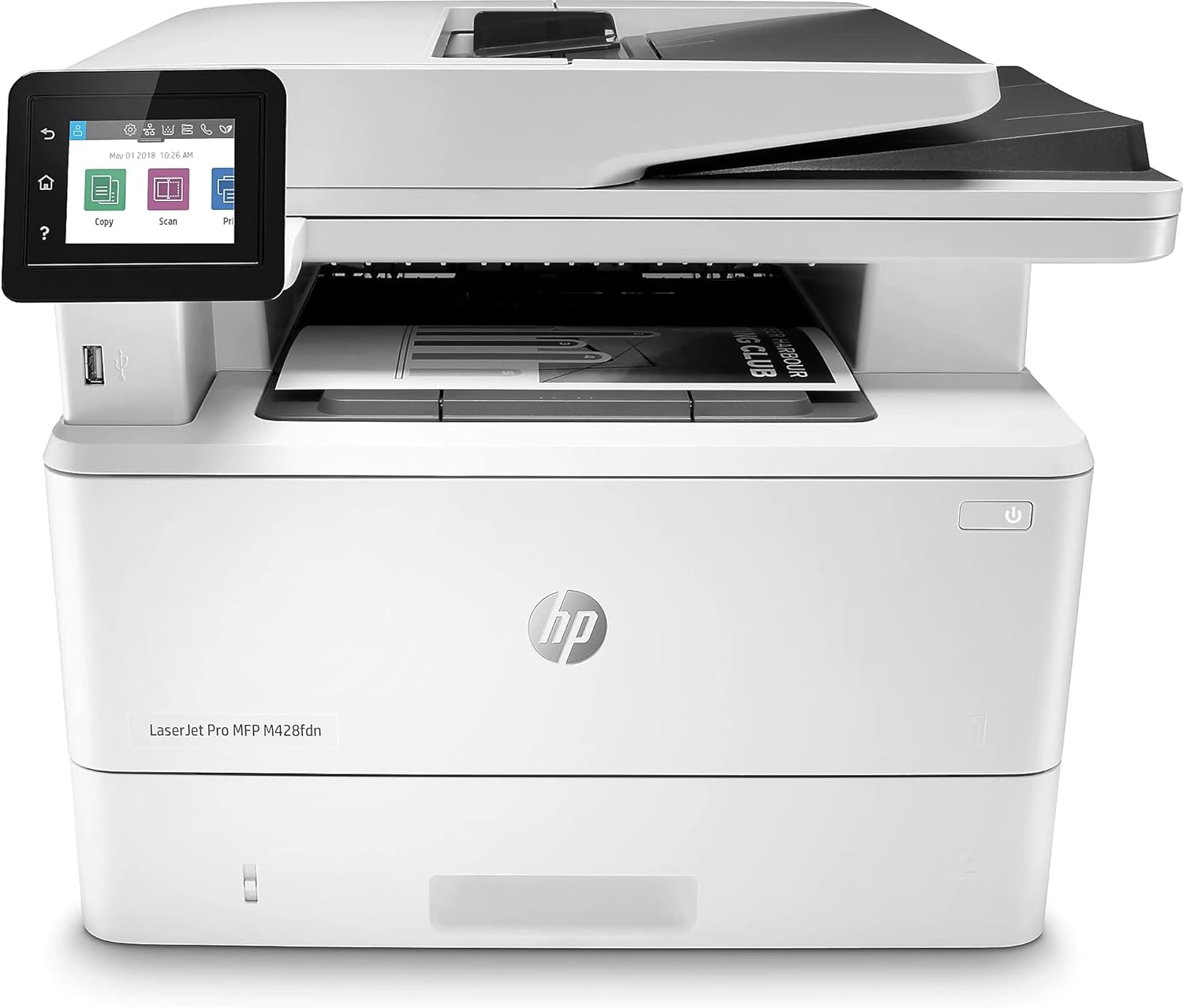
Obrázek 1: Přední strana view of the HP LaserJet Pro MFP M428fdn printer.
2. Co je v krabici
Po vybalení ověřte, zda jsou přítomny všechny komponenty:
- HP LaserJet Pro M428fdn Printer
- Preinstalled HP Black LaserJet Toner Cartridge (58A for AMS, yield ~3,000 pages)
- Průvodce Začínáme
- Leták podpory
- Průvodce zárukou
- Regulační leták
- Napájecí kabel
- Telefonní kabel
3. Pokyny k nastavení
3.1 Vybalení a umístění
- Vyjměte tiskárnu z obalu a odstraňte veškerý balicí materiál, pásky a ochranné fólie.
- Umístěte tiskárnu na stabilní, rovný povrch s dostatečným větráním.
- Ensure sufficient space around the printer for paper trays and access to ports.
3.2 Připojení napájení a sítě
- Připojte napájecí kabel k tiskárně a poté do uzemněné elektrické zásuvky.
- For network connectivity, connect an Ethernet cable from your network router or switch to the Ethernet port on the back of the printer.
- Optionally, connect a USB 2.0 cable from your computer to the USB port on the back of the printer for direct connection.
- Connect the phone cord to the fax port if fax functionality will be used.

Obrázek 2: Zadní view of the printer, illustrating USB 2.0 (for PC connection), USB port (for job storage), Fax port, and Ethernet port.
3.3 Vkládání papíru
- Otevřete vstupní zásobník papíru.
- Upravte vodítka papíru na správný formát papíru.
- Load paper into the tray, ensuring it is flat and within the guides. The printer supports various media types including plain paper, card stock, envelopes, glossy photo paper, and labels.
- Close the paper input tray. The total input capacity is 350 sheets (standard tray). An optional 550-sheet tray is available.
3.4 První zapnutí a instalace softwaru
- Stisknutím tlačítka napájení zapněte tiskárnu.
- Follow the on-screen prompts on the 2.7-inch color touchscreen for initial setup, including language selection and network configuration.
- Install the necessary printer drivers and software on your computer. These can typically be found on the HP support webweb pro váš konkrétní model.
4. Provoz
The HP LaserJet Pro MFP M428fdn offers multiple functions accessible via its touchscreen control panel.
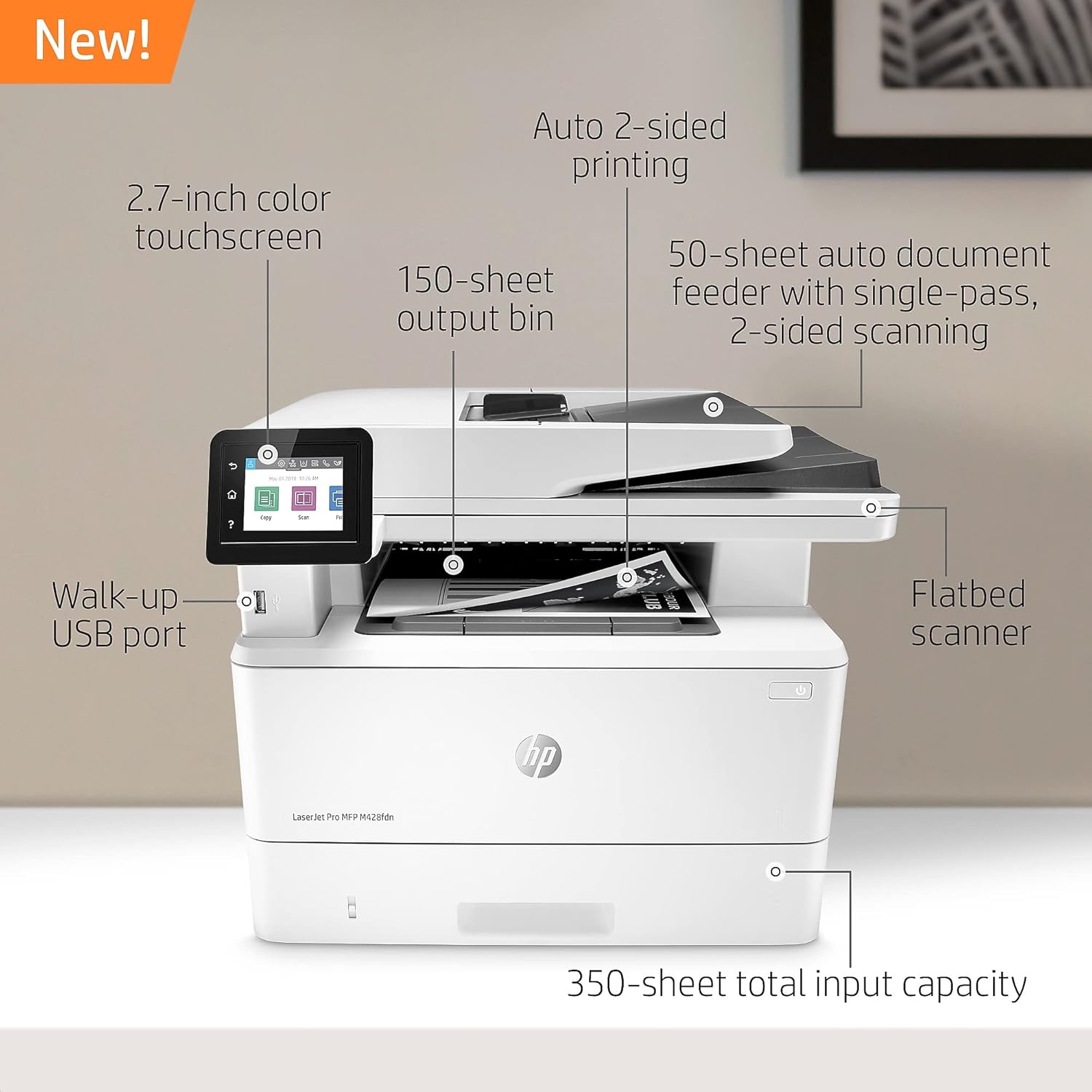
Figure 3: Key features of the printer, including the 2.7-inch color touchscreen, 150-sheet output bin, 50-sheet auto document feeder, flatbed scanner, walk-up USB port, and 350-sheet total input capacity.
4.1 Tisk
The printer supports print speeds of up to 40 pages per minute (ppm) for monochrome documents and features automatic two-sided printing.
- V počítači otevřete dokument nebo obrázek, který chcete vytisknout.
- Vyberte možnost tisku z aplikace.
- Choose the HP LaserJet Pro MFP M428fdn from the list of available printers.
- Adjust print settings such as paper size, orientation, and duplex printing options as needed.
- Klikněte na tlačítko „Tisk“.
Walk-Up USB Printing
You can print Microsoft Office-formatted files and PDFs directly from a USB drive. Insert the USB drive into the walk-up USB port on the front of the printer and follow the instructions on the touchscreen.

Figure 4: A user inserting a USB drive into the front port for direct printing.
4.2 Skenování
The printer features a flatbed scanner and a 50-sheet automatic document feeder (ADF) with single-pass, two-sided scanning capabilities.
- Place your document on the flatbed scanner glass or load multiple pages into the ADF.
- On the printer's touchscreen, select the 'Scan' option.
- Choose your scan destination (e.g., computer, network folder, email, USB drive).
- Upravte nastavení skenování, jako je rozlišení, barevný režim a file formát.
- Spusťte skenování.
4.3 Kopírování
The printer can copy documents at speeds up to 38 ppm for black and white. It supports automatic two-sided copying.
- Place your document on the flatbed scanner glass or load multiple pages into the ADF.
- On the printer's touchscreen, select the 'Copy' option.
- Zadejte požadovaný počet kopií.
- Adjust settings such as two-sided copying, lightness/darkness, and paper type.
- Stiskněte tlačítko „Spustit kopírování“.
4.4 Faxování
The printer includes fax functionality. Ensure the phone cord is connected to the fax port and a telephone line.
- Place your document on the flatbed scanner glass or load multiple pages into the ADF.
- On the printer's touchscreen, select the 'Fax' option.
- Zadejte faxové číslo příjemce.
- Upravte všechna potřebná nastavení faxu.
- Stiskněte tlačítko „Odeslat fax“.

Figure 5: A hand interacting with the printer's touchscreen, demonstrating ease of use for workflow automation.
5. Údržba
5.1 Výměna tonerové kazety
Use Original HP 58A/58X toner cartridges for optimal performance and to avoid issues such as reprints or wasted supplies. The printer is designed to work only with cartridges containing original HP chips or circuitry.
- Když je hladina toneru nízká, na ovládacím panelu se zobrazí zpráva.
- Otevřete dvířka pro přístup k tonerové kazetě.
- Vyjměte starou tonerovou kazetu jejím vytažením rovně ven.
- Vybalte novou tonerovou kazetu HP a jemně s ní zatřepejte, aby se toner rovnoměrně rozprostřel.
- Vložte novou kazetu do slotu, dokud nezacvakne na místo.
- Zavřete dvířka pro přístup k tonerové kazetě.
5.2 Čištění tiskárny
Regular cleaning helps maintain print quality and extends the life of the printer.
- Vnější: Otřete vnější povrchy měkkým hadříkem, který nepouští vlákna dampzalité vodou.
- Sklo skeneru: Sklo skeneru očistěte měkkým hadříkem a neabrazivním čističem skla.
- Válečky ADF: Refer to the printer's internal menu or the HP support website for specific instructions on cleaning the Automatic Document Feeder rollers if paper feed issues occur.
6. Řešení problémů
This section addresses common issues you might encounter with your HP LaserJet Pro MFP M428fdn printer.
6.1 General Printing Issues
- Tiskárna nereaguje: Ensure the printer is powered on and connected to the network or computer. Check all cables. Restart both the printer and the computer.
- Zaseknutý papír: Follow the on-screen instructions to clear paper jams. Always pull paper in the direction of the paper path to avoid tearing.
- Špatná kvalita tisku: Check toner levels. Ensure you are using appropriate paper for your print job. Clean the printer if necessary.
6.2 Problémy s připojením k síti
- Unable to Connect to Network: Verify the Ethernet cable is securely connected. Check network settings on the printer's touchscreen. Ensure your network router is functioning correctly.
- Scanning to Network Folder Issues: The M428fdn may have limitations with scanning directly to Network Attached Storage (NAS) devices. Consider scanning to a USB drive or a computer on the network as an alternative.
6.3 Toner Cartridge Compatibility
This printer utilizes dynamic security features. Periodic firmware updates may be applied. The printer is designed to function exclusively with cartridges that incorporate an original HP chip. Cartridges using non-HP chips or circuitry may not operate or may cease to operate. For more information, visit www.hp.com/learn/ds.
7. Specifikace
| Funkce | Detail |
|---|---|
| Název modelu | M428fdn |
| Funkce | Tisk, skenování, kopírování, faxování |
| Technologie tisku | Laser (monochromatický) |
| Maximální rychlost tisku (černobíle) | Až 40 str./min |
| Maximální rychlost kopírování (černobíle) | 38 ppm |
| Oboustranný tisk | Automatický |
| Typ skeneru | Archový podávání, plochý podávání |
| Automatický podavač dokumentů (ADF) | 50 sheets, single-pass 2-sided scanning |
| Maximální vstupní kapacita listu | 900 (s volitelným zásobníkem) |
| Výstupní kapacita listů | 150 listů |
| Ovládací panel | 2.7palcový barevný dotykový displej |
| Technologie připojení | Ethernet, USB 2.0 |
| Kompatibilní zařízení | Laptops, PC (Android, iOS via app) |
| Kapacita paměti | 512 MB |
| Maximální velikost média | 8.5 x 14 palce |
| Podporovaná tištěná média | Card stock, Envelopes, Glossy photo paper, High-resolution paper, Labels, Plain paper |
| Spotřeba energie | 510 watts (active printing) |
| Rozměry produktu (D x Š x V) | 12.72 cm x 15.35 cm x 16.54 cm |
| Hmotnost položky | 27.8 libry |
8. Záruka a podpora
The HP LaserJet Pro MFP M428fdn comes with a one-year limited hardware warranty. For assistance, HP provides 24-hour, 7 days a week web support. Refer to the included warranty guide or the HP support webna webu pro úplné podmínky.
9. Důležité informace
9.1 Právní prohlášení
This printer employs dynamic security measures, which may be updated periodically through firmware updates. The printer is designed to operate exclusively with cartridges containing an original HP chip. Cartridges that utilize non-HP chips or circuitry may not function as intended or may cease to function. For further details, please visit www.hp.com/learn/ds.
9.2 Visible Screen Diagonal
The visible screen diagonal of the control panel is 3 inches (7 cm).
Ask a question about this manual
Ask about setup, troubleshooting, compatibility, parts, safety, or missing instructions. Manuals+ will review the question and use this page’s manual context to help answer it.