
Superior Electronics SUPTRB019
Superior Electronics Ready5 Smart Universal Remote Control
Model: SUPTRB019
Zavedení
This manual provides detailed instructions for the Superior Electronics Ready5 Smart Universal Remote Control, Model SUPTRB019. This remote is designed for immediate use with a wide range of LG, Samsung, Sony, Philips, and Panasonic televisions, eliminating the need for complex programming.
Mezi klíčové vlastnosti patří:
- Universal compatibility with major TV brands (LG, Samsung, Sony, Philips, Panasonic).
- Ready-to-use functionality; no programming required.
- Full Smart TV compatibility for enhanced control.
- Dedicated quick access buttons for popular streaming services like Netflix and Prime Video.
- Ergonomic design with intuitive button layout for comfortable and immediate operation.
- Vyrobeno z odolných materiálů pro dlouhotrvající výkon.

Image: The Superior Electronics Ready5 Smart Universal Remote Control shown in its retail packaging, highlighting its "Ready to Use" feature and compatibility with various TV brands.
Nastavení
1. Vložení baterií
The remote control requires two (2) AAA batteries (not included). Follow these steps to insert them correctly:
- Najděte kryt prostoru pro baterie na zadní straně dálkového ovladače.
- Posuňte kryt dolů nebo stiskněte západku (pokud je k dispozici) a otevřete přihrádku.
- Insert two AAA batteries, ensuring that the positive (+) and negative (-) terminals align with the indicators inside the compartment. Incorrect polarity can prevent the remote from functioning.
- Zasuňte kryt přihrádky na baterie zpět na místo, dokud bezpečně nezacvakne.

Obrázek: Zadní view of the remote control, illustrating the location of the battery compartment for easy access and battery insertion.
2. První použití
The Superior Electronics Ready5 Smart remote control is designed for immediate use with compatible LG, Samsung, Sony, Philips, and Panasonic TVs. Once the batteries are correctly inserted, the remote is ready to operate your television without any additional programming or setup. Simply point the remote at your TV and begin using its functions.
Návod k obsluze
This section details the primary functions of the buttons on your Ready5 Smart remote control.

Obrázek: Přední strana view of the Superior Electronics Ready5 Smart remote control, displaying all buttons and their layout for easy identification.
Funkce tlačítka Overview
| Tlačítko | Funkce |
|---|---|
| Výkon (●) | Zapíná nebo vypíná televizor. |
| Vstup | Vybere vstupní zdroj (HDMI, AV atd.). |
| Smart Video / NET.TV | Direct access to Smart TV features or specific streaming apps. |
| 3D | Aktivuje nebo deaktivuje 3D režim (pokud jej televizor podporuje). |
| Průvodce | Zobrazuje elektronického programového průvodce. |
| Menu | Otevře hlavní nabídku televizoru. |
| Subt. | Zapíná nebo vypíná titulky. |
| Fav | Přístup k seznamu oblíbených kanálů. |
| Info | Zobrazuje informace o aktuálním programu nebo vstupu. |
| Navigation (Up, Down, Left, Right, OK) | Prochází menu a potvrzuje výběr. |
| Zadní | Vrátí se na předchozí obrazovku nebo nabídku. |
| Výstup | Ukončí aktuální menu nebo aplikaci. |
| Vol +/- | Slouží ke zvýšení nebo snížení hlasitosti. |
| Ztlumit | Ztlumí nebo zapne zvuk televizoru. |
| Ch +/- | Změní kanál nahoru nebo dolů. |
| Číselná klávesnice (0-9) | Přímé zadávání čísel kanálů nebo číselných vstupů. |
| Seznam | Zobrazí seznam kanálů nebo médií. |
| Netflix | Přímo spouští aplikaci Netflix. |
| Prime Video | Přímo spouští aplikaci Amazon Prime Video. |
| Barevná tlačítka (červená, zelená, žlutá, modrá) | Functions vary depending on the TV model and current menu/application. |
| Media Control (Play, Pause, Stop, Rewind, Fast Forward, Record) | Controls media playback (e.g., USB, streaming apps). |
Smart TV and Streaming Access
The Ready5 Smart remote is designed to seamlessly integrate with your Smart TV's functionalities. Use the navigation buttons to browse Smart TV menus and applications. The dedicated Netflix and Prime Video buttons provide instant access to these popular streaming platforms, allowing you to start watching your favorite content with a single press.
Údržba
Čištění dálkového ovladače
To ensure optimal performance and longevity of your remote control, follow these cleaning guidelines:
- Před čištěním vždy vyjměte baterie.
- K otření povrchu dálkového ovladače použijte měkký, suchý hadřík.
- Pro odolnou špínu lehceampOmyjte hadřík vodou nebo jemným, neabrazivním čisticím prostředkem. Zabraňte nadměrné vlhkosti.
- Nepoužívejte agresivní chemikálie, abrazivní čisticí prostředky ani rozpouštědla, protože by mohly poškodit povrchovou úpravu dálkového ovladače nebo jeho vnitřní součásti.
- Ensure the remote is completely dry before reinserting batteries.
Péče o baterie a jejich výměna
Replace batteries when the remote's response becomes sluggish or it stops functioning. Always replace both batteries at the same time with new AAA batteries. Do not mix old and new batteries, or different types of batteries. Dispose of used batteries responsibly according to local regulations.
Odstraňování problémů
If you encounter issues with your Ready5 Smart remote control, refer to the following common problems and solutions:
Dálkové nereaguje
- Zkontrolujte baterie: Ujistěte se, že jsou baterie vloženy správně se správnou polaritou (+/-) a nejsou vybité. V případě potřeby je vyměňte za nové baterie typu AAA.
- Přímá viditelnost: Ujistěte se, že mezi dálkovým ovladačem a infračerveným přijímačem televizoru nejsou žádné překážky. Namiřte dálkový ovladač přímo na televizor.
- Vzdálenost: Ujistěte se, že jste v efektivním provozním dosahu (až 10 metrů).
- Napájení TV: Confirm that your TV is powered on and not in standby mode.
Konkrétní tlačítka nefungují
- Obecná funkčnost: If most buttons work but a few do not, it might indicate a specific TV model's lack of support for that particular function via universal remote, or a dirty contact under the button.
- Smart TV/Streaming Buttons: Ensure your TV is a Smart TV and has the respective applications (Netflix, Prime Video) installed and updated.
Problémy s kompatibilitou
The Ready5 Smart remote is pre-programmed for LG, Samsung, Sony, Philips, and Panasonic TVs manufactured from 2000 onwards. If your TV is from a different brand or an older model, full functionality may not be guaranteed. No programming is required for the listed compatible brands.
Specifikace
| Funkce | Detail |
|---|---|
| Název modelu | Ready5 Smart |
| Číslo modelu | SUPTRB019 |
| Značka | Špičková elektronika |
| Kompatibilní zařízení | LG, Samsung, Sony, Philips, Panasonic Televisions (models from 2000 onwards) |
| Technologie připojení | Infračervený (IR) |
| Zdroj napájení | 2 x AAA baterie (nejsou součástí balení) |
| Maximální dosah | 10 metrů (přibližně 33 stop) |
| Rozměry produktu | 5 x 1.5 x 19 cm (přibližně 1.97 x 0.59 x 7.48 palce) |
| Hmotnost | 100 gramů (přibližně 3.53 unce) |
| Barva | Černý |
| Speciální funkce | Universal, immediately ready for use (no programming) |
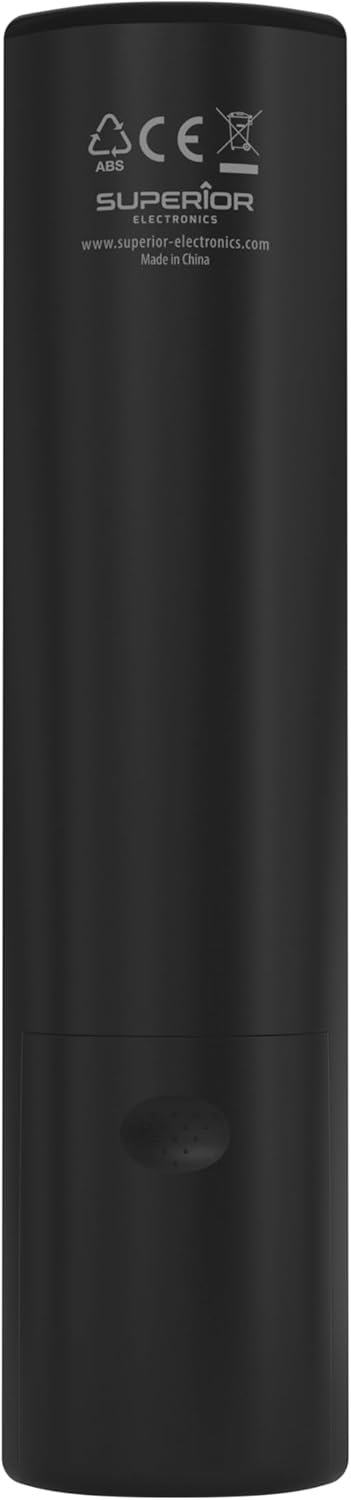
Image: The remote control with its approximate dimensions (4.8 cm width, 19.5 cm length) highlighted for reference.
Informace o záruce
Specific warranty details for the Superior Electronics Ready5 Smart Universal Remote Control are typically provided with your purchase documentation or can be found on the official Superior Electronics webwebu. Úplné informace o záručním krytí a podmínkách naleznete v těchto zdrojích.
Podpora
For further assistance, technical support, or additional product information, please visit the official Superior Electronics website or contact their customer service department. Contact details are usually available on the product packaging or the manufacturer's webmísto.
Manufacturer: Superior Electronics
Pro více informací můžete navštívit Superior Electronics Store on Amazon.
Ask a question about this manual
Ask about setup, troubleshooting, compatibility, parts, safety, or missing instructions. Manuals+ will review the question and use this page’s manual context to help answer it.