
1. Úvod
This manual provides essential information for the safe and efficient use of your TCL 32B400 32-inch HD LCD TV. Please read it thoroughly before operating the television and retain it for future reference.
The TCL 32B400 features a direct-lit LED backlight for uniform high brightness and image quality. Its VA panel technology delivers superior contrast, allowing for natural expression of subtle light and dark details. Equipped with a dual tuner, this TV supports terrestrial digital, BS digital, and 110-degree CS digital broadcasts, enabling simultaneous recording of one program while watching another. It supports various recording functions including instant, scheduled, daily/weekly repeat, and event recording. Connectivity options include two HDMI Ver1.4a input terminals (Port 1 supports ARC) and one USB2.0 input/output terminal, allowing connection to Blu-ray/DVD players/recorders and external speakers via ARC.

Obrázek 1: Přední strana view of the TCL 32B400 TV.
2. Nastavení
2.1 Vybalení a kontrola komponent
Opatrně vyjměte všechny součásti z obalu. Ujistěte se, že jsou přítomny všechny níže uvedené položky:
- Dálkové ovládání x1
- AAA baterie 2x
- miniB-CAS card x1
- Napájecí kabel 1x
- Tip-over prevention parts set x1
- Stojan x2
- Screws (ST4, 20mm) x4 (for 32-inch model)
- Návod k použití
- Rychlý průvodce
- Záruční list

Obrázek 2: Dodávané příslušenství.
2.2 Instalace stojanu
- Umístěte televizor obrazovkou dolů na měkký, rovný povrch, abyste zabránili jeho poškození.
- Align the stands with the corresponding slots on the bottom of the TV.
- Secure each stand using the provided screws (ST4, 20mm).
2.3 Propojovací kabely
Connect the necessary cables to the appropriate ports on the TV. Refer to the connection diagram below.
- Napájecí kabel: Zapojte napájecí kabel do napájecího vstupu televizoru a poté do zásuvky ve zdi.
- Anténa: Connect your terrestrial digital antenna cable to the 'Antenna Input' port. For BS/CS broadcasts, connect the satellite antenna cable to the 'BS/CS 110°' port.
- Zařízení HDMI: Connect external devices like Blu-ray players or game consoles to the HDMI input ports. HDMI Port 1 supports Audio Return Channel (ARC).
- Zařízení USB: Connect external USB storage devices for recording to the USB port.
- miniB-CAS Card: Insert the miniB-CAS card into its dedicated slot.

Figure 3: Connection terminals overview.
2.4 Počáteční nastavení
After connecting all cables and powering on the TV, follow the on-screen instructions to complete the initial setup, including channel tuning and network configuration (if applicable).
3. Návod k obsluze
3.1 Základní obsluha
- Zapnutí/vypnutí: Stiskněte tlačítko napájení na dálkovém ovladači nebo na televizoru.
- Výběr kanálu: Use the 'CH +/-' buttons or number buttons on the remote control.
- Nastavení hlasitosti: Use the 'VOL +/-' buttons on the remote control.
- Vstupní zdroj: Press the 'Input' button on the remote to select between HDMI, TV, and other connected sources.
3.2 Nahrávání programů
Your TCL 32B400 TV supports recording to an external USB Hard Disk Drive (HDD) thanks to its dual tuner. This allows you to record one program while watching another.
- Connect a compatible external USB HDD to the TV's USB port.
- Format the HDD if prompted by the TV.
- To record, select the desired program and use the recording options in the TV menu (e.g., instant recording, scheduled recording via EPG).

Figure 4: Dual tuner allows watching one program while recording another.
3.3 Nastavení obrazu a zvuku
V nabídce televizoru můžete upravit nastavení obrazu (jas, kontrast, barva, ostrost) a zvuku (basy, výšky, vyvážení, zvukový režim) podle svých preferencí.
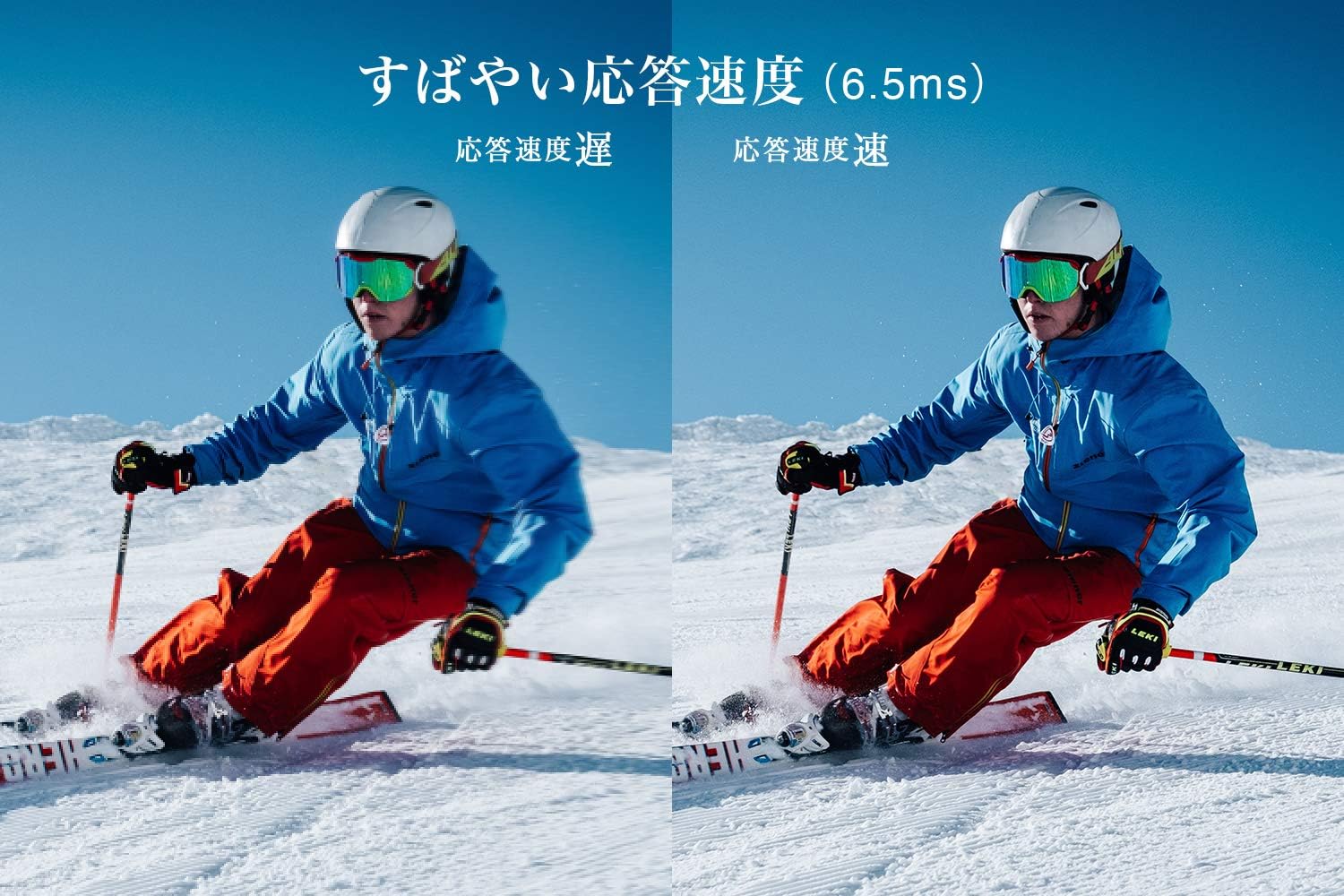
Figure 5: The TV features a fast response speed of 6.5ms for clear motion.
4. Údržba
4.1 Čištění obrazovky
Jemně otřete obrazovku měkkým, suchým hadříkem, který nepouští vlákna. V případě odolných skvrn lehceampen the cloth with water or a specialized screen cleaner (ensure it's suitable for LCD screens) and wipe carefully. Avoid applying excessive pressure.
4.2 Čištění těla televizoru
Wipe the TV body with a soft, dry cloth. Do not use abrasive cleaners, waxes, or solvents as they can damage the finish.
4.3 Obecná péče
- Nevystavujte televizor přímému slunečnímu záření nebo extrémním teplotám.
- Zajistěte dostatečné větrání kolem televizoru, aby nedošlo k jeho přehřátí.
- Během bouřek nebo pokud nebudete televizor delší dobu používat, odpojte jej ze zásuvky.
5. Řešení problémů
If you encounter issues with your TV, refer to the following common troubleshooting steps. If the problem persists, contact customer support.
5.1 Bez napájení
- Zkontrolujte, zda je napájecí kabel bezpečně připojen k televizoru i k elektrické zásuvce.
- Ověřte, zda zásuvka funguje, zapojením jiného zařízení.
- Stiskněte tlačítko napájení na samotném televizoru, nejen na dálkovém ovladači.
5.2 No Picture/No Signal
- Ujistěte se, že je vybrán správný vstupní zdroj (např. HDMI 1, TV).
- Zkontrolujte všechna kabelová připojení (HDMI, anténa), zda nejsou uvolněná nebo poškozená.
- Pokud používáte externí zařízení, ujistěte se, že je zapnuté a funguje správně.
- Perform a channel scan if you are watching broadcast TV.
5.3 Žádný zvuk
- Zkontrolujte úroveň hlasitosti a ujistěte se, že televizor není ztlumený.
- Pokud používáte externí reproduktory, ujistěte se, že jsou správně připojeny a zapnuté.
- Zkontrolujte nastavení zvuku v nabídce televizoru.
5.4 Dálkové ovládání nefunguje
- Vyměňte baterie za nové.
- Ujistěte se, že mezi dálkovým ovladačem a infračerveným senzorem televizoru nejsou žádné překážky.
6. Specifikace
| Funkce | Specifikace |
|---|---|
| Velikost displeje | 32 palců |
| Technologie displeje | LCD |
| Rezoluce | HD (1366 x 768) |
| Obnovovací frekvence | 60 Hz |
| Poměr stran | 16:9 |
| Kontrastní poměr | 3000:1 |
| Viewúhel | 178/178 degrees (JEITA standard, CR>=10) |
| Typ podsvícení | Přímo svítící LED |
| Rychlost odezvy | 6.5 ms |
| Rozměry (se stojanem) | Š731 x V491 x H186 mm |
| Rozměry (bez podstavce) | Š731 x V436 x H76 mm |
| Hmotnost (se stojanem) | 4.4 kg |
| Hmotnost (bez podstavce) | 4.3 kg |
| Nástěnný držák (VESA) | 100x100mm |
| Roční spotřeba energie | 45 kWh/rok |
| HDMI porty | 2 (HDMI Ver1.4a, Port 1 supports ARC) |
| USB porty | 1 (USB2.0) |
| Typ tuneru | Terrestrial Digital, BS Digital, 110-degree CS Digital (Dual Tuner) |
| Modelový rok | 2019 |

Figure 6: TV dimensions and recommended viewvzdálenost.

Figure 7: VA panel technology provides superior contrast and depth.
7. Záruka a podpora
7.1 Záruka výrobce
Na tento produkt se vztahuje jednoletá záruka výrobce od data zakoupení. Uschovejte si prosím doklad o koupi pro případ uplatnění záruky.
7.2 Zákaznická podpora
For any inquiries, technical assistance, or repair requests, please contact TCL customer support. Our dedicated Japanese staff are available to assist you.
- Telefon: 0120-955-517
- Provozní doba: 9:00 - 18:00 (Weekdays and Holidays, excluding year-end and New Year holidays)
- Webmísto: https://www.tcl.com/jp/ja/services.html
Nationwide repair service is available.
Figure 8: TCL Customer Support details.