
SHHHMOUSE SHHH2659Black
SHHHMOUSE Silent Wireless Mouse User Manual
Model: SHHH2659Black | Brand: SHHHMOUSE
1. Úvod
Thank you for choosing the SHHHMOUSE Silent Wireless Mouse. This manual provides essential information for setting up, operating, and maintaining your new mouse. Designed for quiet operation and ergonomic comfort, this mouse enhances your productivity without disturbing those around you.
Klíčové vlastnosti:
- Quiet Mouse Wireless: Enjoy silent clicks with a noiseless clicking mechanism for a peaceful working environment.
- Ergonomický komfort: Experience a comfortable grip that reduces strain during extended work sessions.
- Precision Elevated: Advanced optical sensor for high-precision cursor control.
- Plug & Play: Seamless connection via USB receiver, no extra software or drivers required.
- Prodloužená doba používání: Up to 18 months of battery life for prolonged use.
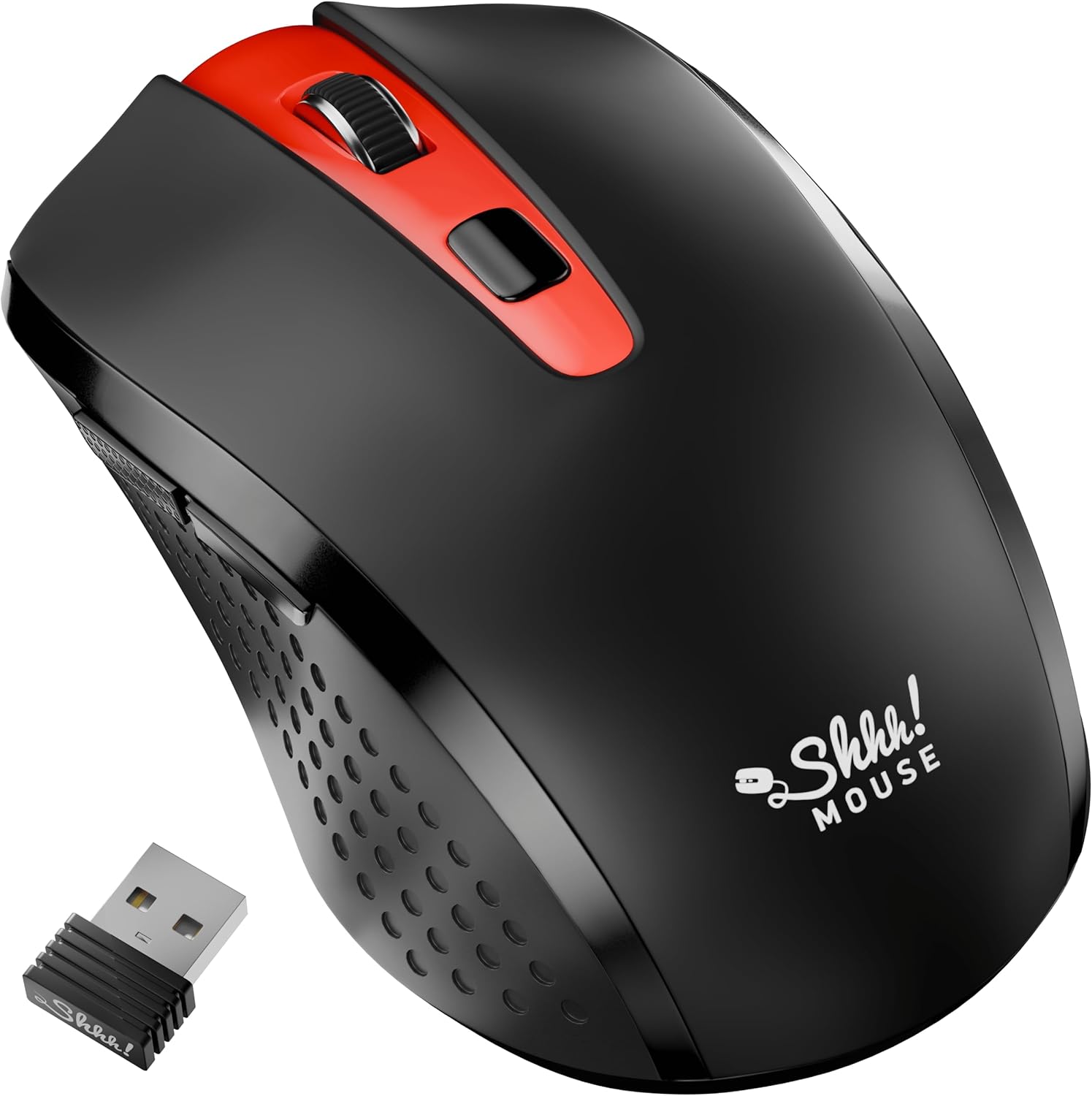
2. Co je v krabici
Ověřte, zda jsou v balení přítomny všechny položky:
- 1 x SHHHMOUSE Silent Wireless Mouse
- 1 x přijímač USB
- 1 x AA baterie
3. Průvodce nastavením
Follow these steps to set up your SHHHMOUSE Silent Wireless Mouse:
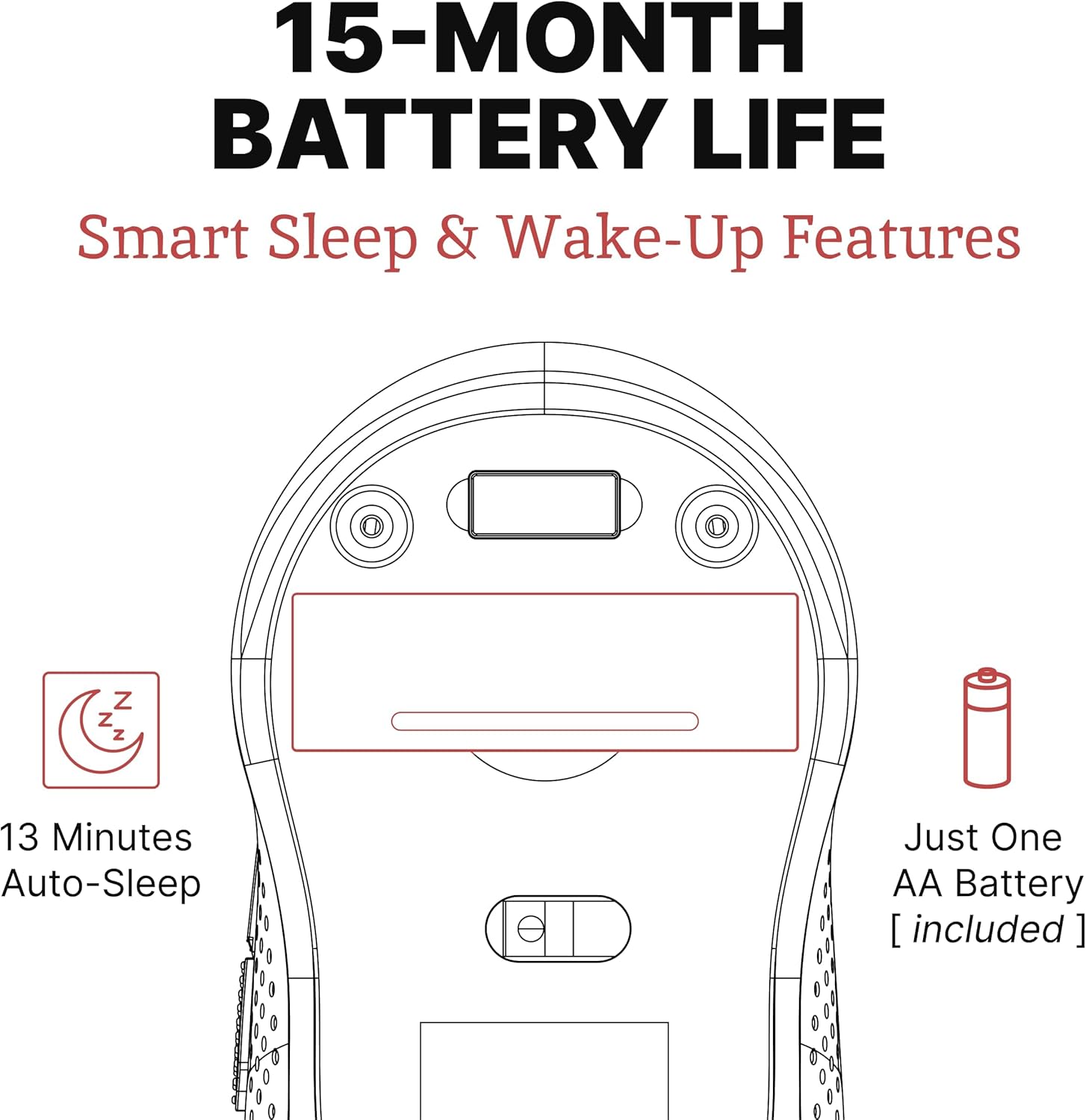
- Vložte baterii: Open the battery compartment on the underside of the mouse. Insert the provided AA battery, ensuring correct polarity.
- Vyhledejte USB přijímač: The tiny USB receiver is typically stored inside the battery compartment for safe keeping during transport. Remove it.
- Připojení přijímače: Plug the USB receiver into an available USB port on your laptop, desktop, or Chromebook.
- Zapnutí: Zapněte myš pomocí vypínače umístěného na spodní straně.
- Automatické připojení: Myš by se měla automaticky připojit k vašemu zařízení. Obvykle nejsou vyžadovány žádné další ovladače.


Video nastavení:
Video 1: "New Silent Portable Wireless Shhhmouse i440" - This video demonstrates the unboxing and initial setup of the mouse, including battery insertion and USB receiver connection.
4. Ovládání myši
Funkce tlačítek:
- Kliknutí levým/pravým tlačítkem myši: Standard mouse functions for selection and context menus. These are ultra-silent buttons.
- Rolovací kolečko: Used for vertical scrolling. Also functions as a middle click button. Features an anti-slip design.
- Přepínač DPI: Located near the scroll wheel, this button allows you to adjust the mouse sensitivity (DPI).
- Boční tlačítka: Typically configured for 'Page Up' and 'Page Down' functions, useful for web prohlížení a navigace v dokumentech.

Adjusting DPI (Sensitivity):
Press the DPI switch button to cycle through different sensitivity levels (e.g., 800, 1200, 1600 DPI). Choose the setting that best suits your task and preference for cursor speed.

Smart Sleep & Wake-Up Features:
To conserve battery life, the mouse will enter a smart sleep mode after 13 minutes of inactivity. To wake it up, simply click any button or move the mouse.
5. Údržba
Výměna baterie:
When the mouse's performance degrades or the low power indicator (if present) illuminates, it's time to replace the battery. Open the battery compartment on the underside, remove the old AA battery, and insert a new one, observing polarity.
Čištění:
Pro udržení optimálního výkonu myš pravidelně čistěte. K otření vnějšího povrchu používejte měkký, suchý hadřík. Pro optický senzor použijte vatový tampon lehce navlhčenýampnavlhčete lihem a zajistěte, aby se do vnitřku myši nedostala žádná tekutina.
6. Řešení problémů
| Problém | Možná příčina | Řešení |
|---|---|---|
| Myš neodpovídá | Low battery; USB receiver disconnected; Mouse power off. | Replace battery; Re-insert USB receiver; Turn on mouse power switch. |
| Nesprávný pohyb kurzoru | Znečištěný optický senzor; Nevhodný povrch; Rušení. | Clean optical sensor; Use on a smooth, opaque surface; Move mouse closer to receiver or away from other wireless devices. |
| Krátká výdrž baterie | Frequent use; Battery type. | Ensure mouse enters sleep mode when idle; Use high-quality alkaline batteries. |
7. Specifikace
| Funkce | Detail |
|---|---|
| Značka | SHHHMOUSE |
| Číslo modelu | SHHH2659Black |
| Technologie připojení | USB Wireless (2.4G) |
| Technologie detekce pohybu | Optický |
| Speciální funkce | Soundless Clicks |
| Úrovně DPI | Adjustable (e.g., 800, 1200, 1600) |
| Typ baterie | 1 x AA baterie (součástí balení) |
| Průměrná životnost baterie | Až 15 měsíců |
| Hmotnost položky | 2.29 unce |
| Rozměry produktu (DxŠxV) | 4.22 x 2.5 x 0.04 palce |
| Kompatibilita hardwarové platformy | Windows XP/Vista/Win7, Mac 10.x, Chromebook, PC, Laptop |
| Barva | Černá a červená |
8. Záruka a podpora
SHHHMOUSE products are designed for durability and reliability. For specific warranty information, please refer to the warranty card included with your product or visit the official SHHHMOUSE webmísto.
For further assistance or technical support, please contact SHHHMOUSE customer service through the contact information provided on the product packaging or the brand's official webmísto.
Podrobná uživatelská příručka (PDF) je také k dispozici ke stažení: Stáhněte si uživatelskou příručku
Ask a question about this manual
Ask about setup, troubleshooting, compatibility, parts, safety, or missing instructions. Manuals+ will review the question and use this page’s manual context to help answer it.