
Zavedení
This manual provides comprehensive instructions for the setup, operation, maintenance, and troubleshooting of your Zyxel AC750 Dual-band Wireless Router, model EMG1702-T10A. Please read this manual thoroughly before using the device to ensure proper installation and optimal performance.
Bezpečnostní informace
- Varování: Nevystavujte zařízení vodě nebo vlhkosti.
- Zajistěte dostatečné větrání kolem routeru, abyste zabránili přehřátí.
- Používejte pouze napájecí adaptér dodaný se zařízením.
- Udržujte zařízení mimo přímé sluneční světlo a zdroje tepla.
- Nepokoušejte se zařízení otevírat ani opravovat sami. Veškerý servis svěřte kvalifikovanému personálu.
Obsah balení
Ověřte, zda váš balíček obsahuje následující položky:
- Zyxel AC750 Dual-band Wireless Router (EMG1702-T10A)
- Napájecí adaptér
- Ethernetový kabel
- Rychlý průvodce
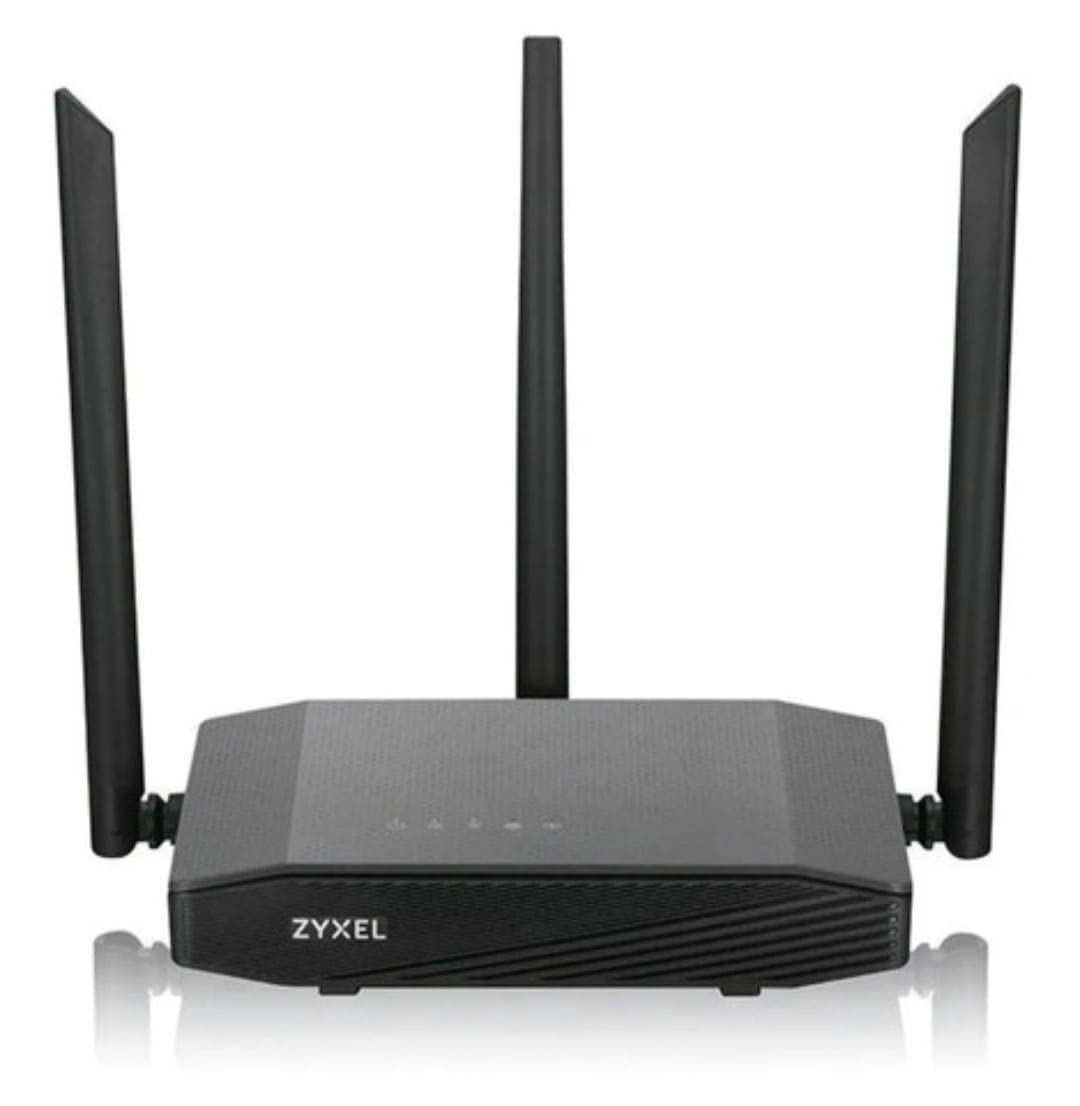
Image: Zyxel AC750 Dual-band Wireless Router with its power adapter and Ethernet cable.
Průvodce nastavením
1. Hardwarové připojení
- Umístění routeru: Place the router in a central location in your home or office, away from obstructions and potential sources of interference (e.g., microwaves, cordless phones).
- Připojení internetového kabelu: Connect one end of an Ethernet cable from your modem's LAN port to the WAN port (usually blue) on the Zyxel router.
- Připojte napájení: Plug the power adapter into the router's power jack and then into a wall outlet.
- Zapnutí: Press the power button on the router. Wait for the power LED to turn solid green, indicating the device is ready.
Image: Rear panel of the Zyxel AC750 router, highlighting the WAN port, LAN ports, and power input.
2. Počáteční konfigurace
- Připojení k routeru:
- Kabelové: Připojte počítač k jednomu z LAN portů routeru (žlutý) pomocí ethernetového kabelu.
- Bezdrátový: On your computer or mobile device, search for the Wi-Fi network name (SSID) printed on the label at the bottom of the router. Connect using the provided Wi-Fi password.
- Přístup k rozhraní routeru: Otevřete a web prohlížeč a zadejte http://192.168.1.1 (or the address specified on the router label) into the address bar and press Enter.
- Přihlášení: Zadejte výchozí uživatelské jméno a heslo (obvykle admin/1234 or admin/heslo, check the router label).
- Spusťte Průvodce nastavením: Follow the on-screen instructions of the setup wizard to configure your internet connection and wireless settings. It is highly recommended to change the default Wi-Fi name (SSID) and password for security.
Návod k obsluze
Správa bezdrátové sítě
Your Zyxel AC750 router supports dual-band Wi-Fi (2.4 GHz and 5 GHz). You can manage these networks through the web rozhraní.
- Změna SSID a hesla: Navigate to the "Wireless" or "Wi-Fi Settings" section in the router's web interface. Here you can modify the network names (SSIDs) and passwords for both 2.4 GHz and 5 GHz bands.
- Síť pro hosty: Enable a guest network for visitors to provide internet access without sharing your main network's password. This feature is typically found under "Guest Network" settings.
- Řízení přístupu: Manage which devices can connect to your network by setting up MAC address filtering in the "Security" or "Access Control" section.
Pokročilé funkce
- Port Forwarding: Configure port forwarding to allow external devices to access services on your local network, such as gaming servers or security cameras.
- Nastavení firewallu: Adjust firewall rules to enhance network security.
- Rodičovská kontrola: Set up parental controls to restrict internet access for specific devices or during certain times.
Údržba
- Aktualizace firmwaru: Pravidelně kontrolujte podporu Zyxelu webweb pro aktualizace firmwaru. Aktualizace firmwaru může zlepšit výkon, přidat nové funkce a opravit bezpečnostní zranitelnosti.
- Čištění: Gently wipe the router's exterior with a soft, dry cloth. Do not use liquid cleaners or aerosols. Ensure ventilation holes are free from dust.
- Restartování routeru: Pokud máte problémy se sítí, zkuste restartovat router odpojením napájecího adaptéru na 10 sekund a jeho opětovným zapojením.
- Obnovení továrního nastavení: To restore the router to its factory default settings, press and hold the reset button (usually a small pinhole button) for about 10 seconds while the router is powered on. Use a paperclip or similar object. Poznámka: Tímto se smažou všechna vaše vlastní nastavení.
Odstraňování problémů
| Problém | Možná příčina | Řešení |
|---|---|---|
| Žádný přístup k internetu | Problém s modemem, nesprávné nastavení routeru, odpojený kabel. |
|
| Slabý signál Wi-Fi | Router placement, interference, outdated firmware. |
|
| Nelze přistupovat k routeru Web Rozhraní | Incorrect IP address, network connection issue, browser cache. |
|
Specifikace
| Funkce | Detail |
|---|---|
| Model | EMG1702-T10A |
| Značka | Zyxel |
| Wi-Fi standard | IEEE 802.11ac/n/a 5 GHz, IEEE 802.11n/g/b 2.4 GHz |
| Rychlost Wi-Fi | AC750 (300 Mbps 2.4 GHz + 433 Mbps 5 GHz) |
| Antény | 3 externí antény |
| Ethernetové porty | 1x WAN, 4x LAN (10/100 Mb/s) |
| Frekvenční pásmo | Dvoupásmové (2.4 GHz a 5 GHz) |
| Kompatibilní zařízení | Gaming Consoles, Tablets, Smart TVs |
Informace o záruce
Zyxel products are covered by a limited warranty. The specific terms and duration of the warranty may vary by region and product. Please refer to the warranty card included with your product or visit the official Zyxel webstránky s podrobnými informacemi o záruce a registrací.
Uschovejte si účtenku jako doklad o koupi pro případ reklamace.
Technická podpora
If you encounter any issues that cannot be resolved using the troubleshooting guide, please contact Zyxel technical support.
- Webmísto: Navštivte oficiální podporu Zyxelu website for FAQs, drivers, firmware, and contact information.
- Telefon: Refer to the support contact numbers provided in your product packaging or on the Zyxel webstránky pro váš region.
When contacting support, please have your product model (EMG1702-T10A) and serial number ready.