
1. Úvod
The Bewinner Fixed Wireless Terminal (FWT) is designed to provide voice services using a GSM mobile phone SIM card, eliminating the need for traditional ground wire lines. This device allows you to use standard telephone landline operations with the flexibility of a mobile network. It supports international and domestic, local, fixed/mobile voice services and is suitable for various applications including telephone landlines, alarm systems, and recording boxes.
This manual provides detailed instructions for the proper installation, operation, and maintenance of your Bewinner FWT.
2. Bezpečnostní informace
- Před použitím zařízení si pečlivě přečtěte všechny pokyny.
- Nevystavujte zařízení vodě, vlhkosti ani extrémním teplotám.
- Používejte pouze dodaný napájecí adaptér. Použití nesprávného adaptéru může poškodit zařízení a vést ke ztrátě záruky.
- Udržujte zařízení mimo přímé sluneční světlo a zdroje tepla.
- Nepokoušejte se zařízení otevírat ani opravovat sami. Veškerý servis svěřte kvalifikovanému personálu.
- Zajistěte dostatečné větrání kolem zařízení, aby nedošlo k přehřátí.
3. Obsah balení
Zkontrolujte prosím balení, zda neobsahuje následující položky:
- Bewinner Fixed Wireless Terminal Main Unit
- Napájecí adaptér (DC 12V)
- GSM anténa
- Telephone Line Cables (RJ11)

Obrázek 3.1: Contents of the Bewinner Fixed Wireless Terminal package, including the main unit, power adapter, antenna, and telephone cables.
4. Konec produktuview
4.1 Indikátory na předním panelu
The front panel of the Bewinner FWT features several LED indicators that display the device's status:
- MOC: Indikuje, že je zařízení zapnuté.
- INUSE: Indicates the telephone line is in use.
- MLUVÍCÍ: Indicates an active call.
- MODUL: Indicates the GSM module status.
- SIM: Indicates the SIM card status.
- Indikátory síly signálu: Multiple LEDs to show the strength of the GSM signal.

Obrázek 4.1: Přední view of the Bewinner FWT, highlighting the LED indicators for power, usage, call status, module, SIM, and signal strength.
4.2 Porty na zadním panelu
Zadní panel nabízí všechny potřebné připojovací porty:
- DC 12V: Port napájení.
- ON/OFF: Vypínač.
- PHONE1 / PHONE2: RJ11 ports for connecting standard telephones or alarm systems.
- USB: Micro USB port (for potential data/configuration, typically not user-accessible for basic operation).
- první: Tlačítko reset.
- MRAVENEC: SMA connector for the external GSM antenna.
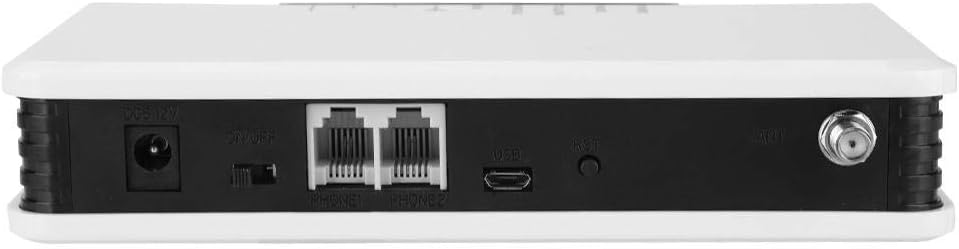
Obrázek 4.2: Zadní view of the Bewinner FWT, showing the DC power input, ON/OFF switch, PHONE1/PHONE2 ports, USB port, Reset button, and antenna connector.
5. Pokyny k nastavení
Follow these steps to set up your Bewinner Fixed Wireless Terminal:
5.1 Instalace SIM karty
- Ensure the device is powered off using the ON/OFF switch on the rear panel.
- Locate the SIM card slot on the bottom of the device. It is usually covered by a small flap or a swing-up mechanism.
- Carefully insert your activated GSM SIM card into the slot. Ensure the SIM card is correctly oriented according to the diagram near the slot. The SIM card slot typically swings up to allow insertion.
- Close the SIM card slot securely.

Obrázek 5.1: Dno view of the Bewinner FWT, indicating the location of the SIM card slot. Ensure the SIM card is activated by your mobile carrier before insertion.
5.2 Připojení antény
- Locate the ANT connector on the rear panel of the device.
- Screw the provided GSM antenna onto the ANT connector clockwise until it is finger-tight.
- Position the antenna vertically for optimal signal reception.
5.3 Připojení napájení
- Connect the power adapter to the DC 12V input port on the rear panel.
- Zapojte napájecí adaptér do standardní elektrické zásuvky.
5.4 Connecting a Telephone
- Using a standard RJ11 telephone cable, connect your telephone or alarm system to either the PHONE1 or PHONE2 port on the rear panel of the FWT.
5.5 Zapnutí
- Přepněte vypínač ZAP/VYP na zadním panelu do polohy „ZAP“.
- Observe the LED indicators on the front panel. The POWER LED should illuminate. The SIM and MODULE LEDs should also light up, and the signal strength indicators should show the network signal. This process may take a few moments as the device registers with the GSM network.
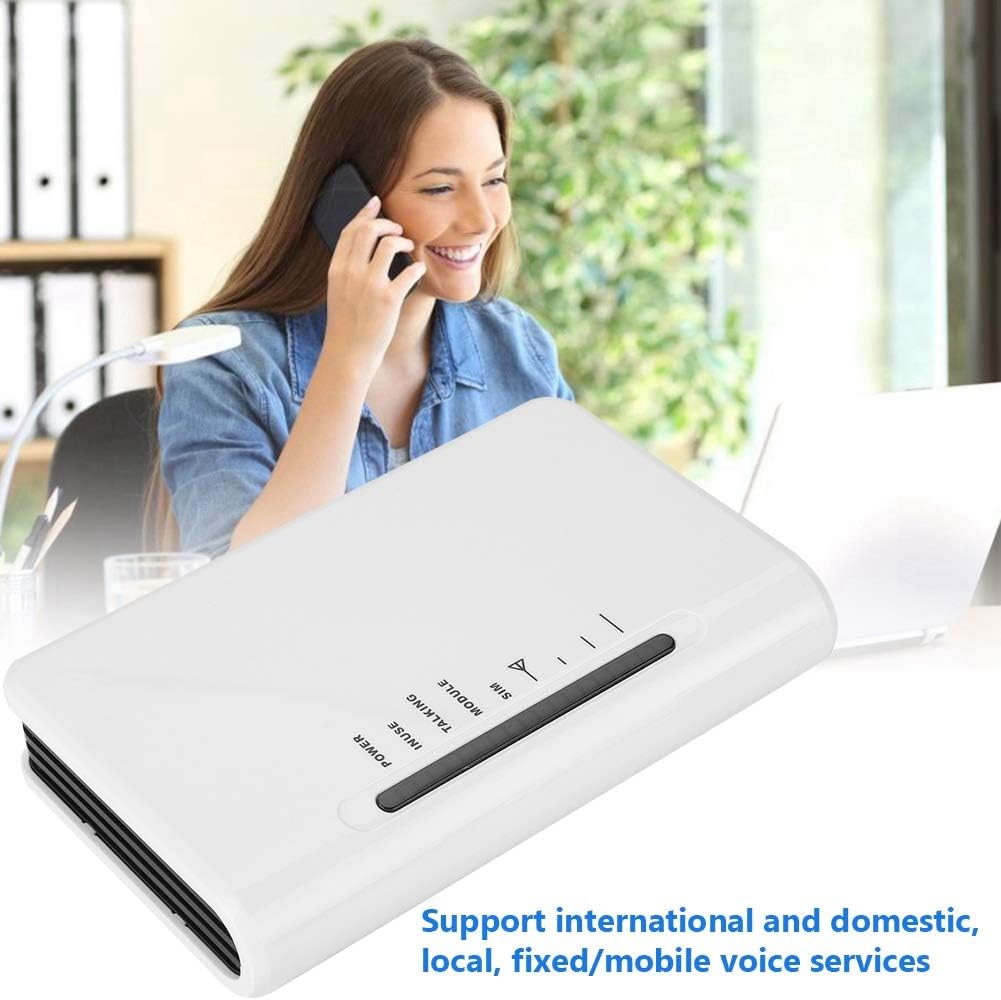
Obrázek 5.2: The Bewinner FWT in an operational setting, demonstrating its use for making calls via a connected telephone.
6. Návod k obsluze
6.1 Uskutečnění hovoru
- Pick up the handset of the connected telephone. You should hear a dial tone.
- Vytočte požadované telefonní číslo.
- The TALKING LED will illuminate during an active call.
6.2 Přijetí hovoru
- When an incoming call is received, the connected telephone will ring.
- Hovor přijmete zvednutím sluchátka.
6.3 Významy LED indikátorů
| Indikátor | Postavení | Popis |
|---|---|---|
| MOC | On | Zařízení je zapnuto. |
| INUSE | On | Telephone line is active (off-hook). |
| MLUVÍCÍ | On | An active call is in progress. |
| MODUL | Zapnuto/Bliká | Indicates GSM module status (e.g., searching for network, registered). |
| SIM | Zapnuto/Bliká | Indicates SIM card status (e.g., detected, error). |
| Síla signálu | Varying LEDs | Indicates the strength of the GSM network signal. More LEDs lit means stronger signal. |
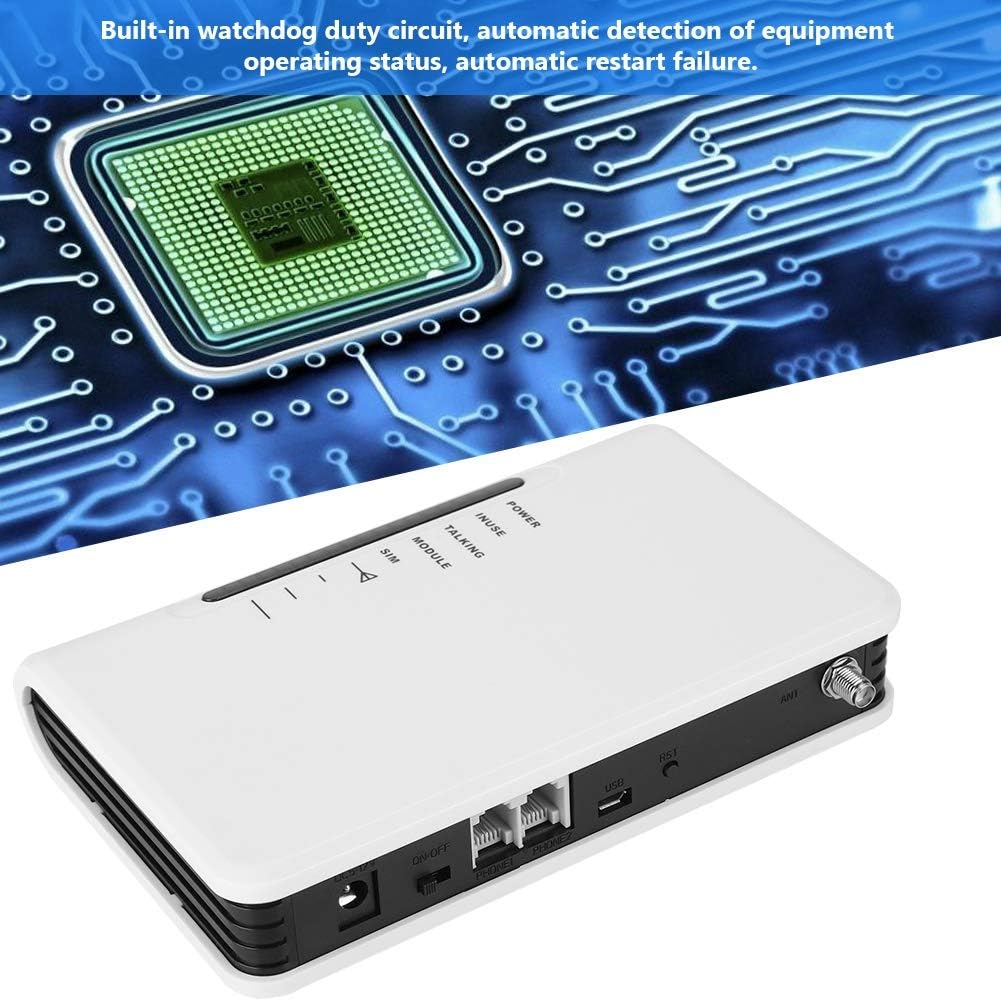
Obrázek 6.1: The Bewinner FWT displaying various LED statuses, including signal, standby, and working status.
7. Údržba
- Čištění: K čištění vnější strany zařízení používejte měkký, suchý hadřík. Nepoužívejte tekuté čisticí prostředky ani aerosoly.
- Skladování: Pokud zařízení skladujete delší dobu, odpojte jej od napájení a uložte jej na chladném a suchém místě.
- Watchdog Circuit: The device includes a built-in watchdog duty circuit for automatic detection of operating status and automatic restart in case of failure, minimizing the need for manual intervention.
8. Řešení problémů
| Problém | Možná příčina | Řešení |
|---|---|---|
| Žádná síla | Power adapter not connected; Power switch off; Faulty adapter/outlet. | Ensure power adapter is securely connected and plugged into a working outlet. Turn the ON/OFF switch to 'ON'. |
| Žádný oznamovací tón | SIM card not inserted or activated; Poor GSM signal; Telephone not connected properly. | Check SIM card insertion and activation status. Ensure antenna is connected and positioned for best signal. Verify telephone cable connection to PHONE1/PHONE2 port. |
| Poor Call Quality / Cannot Hear | Weak GSM signal; Network congestion; Device compatibility issues with specific network bands. | Relocate the FWT to an area with better signal strength (check signal LEDs). Ensure your SIM card's network provider supports the device's GSM bands (850/900/1800/1900Mhz). Note that some networks (e.g., in the US) may no longer support 2G devices. |
| Nelze uskutečňovat/přijímat hovory | SIM card not activated; SIM card balance low; Network issues; Device not registered on network. | Verify SIM card activation and account balance with your mobile carrier. Check signal strength. Restart the device. |
| Device restarts automatically | Normal operation of watchdog circuit; Temporary system error. | This may be the built-in watchdog circuit functioning. If restarts are frequent and disruptive, contact support. |
9. Specifikace
| Funkce | Detail |
|---|---|
| Značka | Bewinner |
| Číslo modelu | Bewinner42sg1ohuke-01 |
| Frekvenční pásma GSM | Quad-Band GSM 850/900/1800/1900Mhz |
| Zdroj napájení | DC |
| svtage | 12 Volts, 5 Volts (Input/Output) |
| Wattage | 2 wattů |
| Rozměry produktu | 10L x 10W x 10H millimetres (approx. 1 x 1 x 1 cm) |
| Hmotnost položky | 399 g |
| Kompatibilní zařízení | PC (for potential configuration, not typical user operation), Standard Telephones, Alarm Systems |
| Úroveň hluku | 104 decibelů |
| UPC | 753874206541 |

Obrázek 9.1: Bottom label of the Bewinner FWT, displaying the model number, serial number, and checkboxes for supported network technologies (GSM, CDMA, WCDMA, 4G).
Poznámka: Specifications are subject to change without notice. The "Noise level" specification of 104 Decibels may be a general specification for a component within the device or a misinterpretation; the device itself is not expected to produce such high noise during normal operation.
10. Záruka a podpora
Informace o záruce a technickou podporu naleznete v dokumentaci dodané s vaším nákupem nebo se obraťte na svého prodejce. Uschovejte si doklad o koupi pro případné reklamace.