
1. Úvod
This manual provides instructions for the proper use and maintenance of your AnyTone Speaker Microphone. This accessory is designed to enhance communication convenience for compatible two-way radios by integrating a speaker and microphone into a single handheld unit.
The speaker microphone features a 3.5mm earphone socket for private listening and a robust clip for secure attachment to clothing or gear.
2. Obsah balení
Ověřte, zda jsou v balení přítomny všechny položky:
- 1 x AnyTone Speaker Microphone
3. Kompatibilita
This speaker microphone is compatible with the following radio models and types:
- AnyTone AT-D878UV Plus
- AnyTone AT-D878UV
- AnyTone AT-D868UV
- Other radios utilizing a Kenwood K-type speaker microphone connector.
The connector features a 1 x 3.5mm pin and 1 x 2.5mm pin configuration.
4. Nastavení
To connect the speaker microphone to your radio:
- Ujistěte se, že je rádio vypnuté.
- Locate the speaker microphone jack on your compatible radio.
- Align the two-pin connector of the speaker microphone with the radio's jack. The connector has one 3.5mm pin and one 2.5mm pin.
- Gently insert the connector until it is fully seated. Do not force the connection.
- Power on your radio. The speaker microphone is now ready for use.
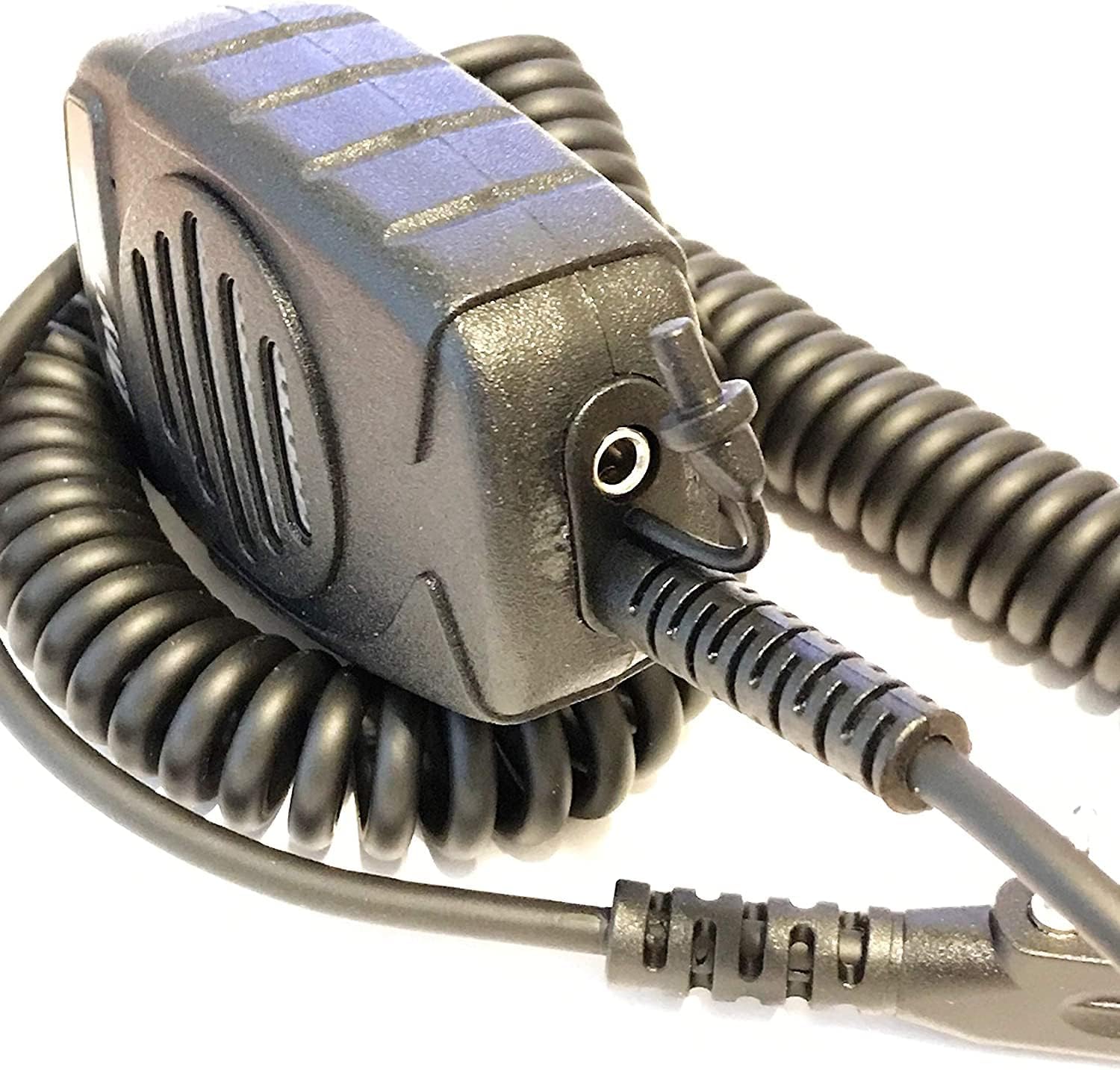
Obrázek 1: Strana view of the speaker microphone, highlighting the coiled cable and the 3.5mm earphone jack.
5. Provoz
5.1 Vysílání
Pro přenos vašeho hlasu:
- Hold the speaker microphone approximately 2-5 cm (1-2 inches) from your mouth.
- Stiskněte a podržte tlačítko PTT (Push-To-Talk), které se nachází na boku mikrofonu.
- Mluvte zřetelně do mikrofonu.
- Uvolněním tlačítka PTT ukončíte vysílání a vrátíte se do režimu příjmu.

Obrázek 2: Přední strana view of the speaker microphone, illustrating the speaker and microphone placement.
5.2 Příjem
Incoming audio will be heard through the speaker on the front of the microphone. Adjust the volume using your radio's volume control.
5.3 Using the Earphone Socket
For private listening, connect a standard 3.5mm earphone (not included) into the earphone socket located on the underside of the speaker microphone. When an earphone is connected, audio will be routed to the earphone and will not play through the speaker.
5.4 Using the Clip
The speaker microphone features a strong, rotatable clip on the back for convenient attachment to clothing, straps, or other gear. This allows for hands-free operation and keeps the microphone easily accessible.

Obrázek 3: Zpět view of the speaker microphone, showing the integrated clip.
6. Údržba
To ensure the longevity and optimal performance of your speaker microphone:
- Čištění: Vnější povrch otřete měkkým, damp tkanina. Nepoužívejte agresivní chemikálie nebo abrazivní čisticí prostředky.
- Skladování: Store the microphone in a dry environment, away from extreme temperatures and direct sunlight.
- Zacházení: Avoid dropping the microphone or subjecting it to strong impacts. Do not pull on the coiled cable excessively.
- Vystavení vodě: This device is not waterproof. Avoid exposure to rain, splashes, or immersion in water.
7. Řešení problémů
If you experience issues with your speaker microphone, refer to the following common problems and solutions:
- Z reproduktoru není žádný zvuk:
- Ensure the connector is fully inserted into the radio's jack.
- Zkontrolujte úroveň hlasitosti rádia.
- Verify that no earphone is plugged into the 3.5mm socket, which would mute the speaker.
- Test the microphone with another compatible radio if available.
- Others Cannot Hear My Voice (No Transmission):
- Ensure the PTT button is fully pressed and held during transmission.
- Confirm the microphone is connected correctly to the radio.
- Check your radio's settings for microphone input or transmission power.
- Zkreslený zvuk:
- Adjust the radio's volume to an appropriate level.
- Ensure you are speaking at a consistent distance from the microphone.
- Check for any physical damage to the microphone or cable.
If problems persist, consult your radio's user manual or contact AnyTone customer support.
8. Specifikace
| Číslo modelu | KKshop |
| Barva | Černý |
| Velikost špendlíku | 1 x 3.5mm, 1 x 2.5mm (Kenwood K-type) |
| Hmotnost produktu | 5 oz (135g) |
| Rozměry produktu (D x Š x V) | 3 x 2.25 x 1.25 palce (7.62 x 5.72 x 3.18 cm) |
| Velikost | 36 mm (1.42 palce) |
| SPL (hladina akustického tlaku) | 140 dB +/- 2dB |
| Frekvenční rozsah | 420 Hz - 20 kHz |
| Impedance | 8 ohmy +/- 15 % |
| Zvukový výstup | 1W |
| Typ | Všesměrový |
| Frekvenční rozsah | 100 Hz - 160 kHz |
| Citlivost | -54 dB +/- 2dB |
| Impedance | 2.2K ohm |
| svtage | DC 1 - 10 V |
9. Záruka a podpora
For warranty information or technical support, please refer to the documentation provided with your original radio purchase or visit the official AnyTone webwebu. Konkrétní záruční podmínky se mohou lišit v závislosti na regionu a prodejci.
Výrobce: Qixiang Electron Science & Technology Co.,Ltd.