
1. Úvod
The Hohem iSteady X is a lightweight, foldable 3-axis smartphone gimbal stabilizer designed to capture smooth and stable video footage with your mobile device. This manual provides detailed instructions for setup, operation, maintenance, and troubleshooting to ensure optimal performance.
2. Co je v krabici
Upon unboxing your Hohem iSteady X, verify that all components are present:
- Hohem iSteady X Gimbal Stabilizer
- Mini stojan na stativ
- Nabíjecí kabel (USB-C)
- Řemínek na zápěstí
- Skladovací pouzdro
- Rychlý průvodce
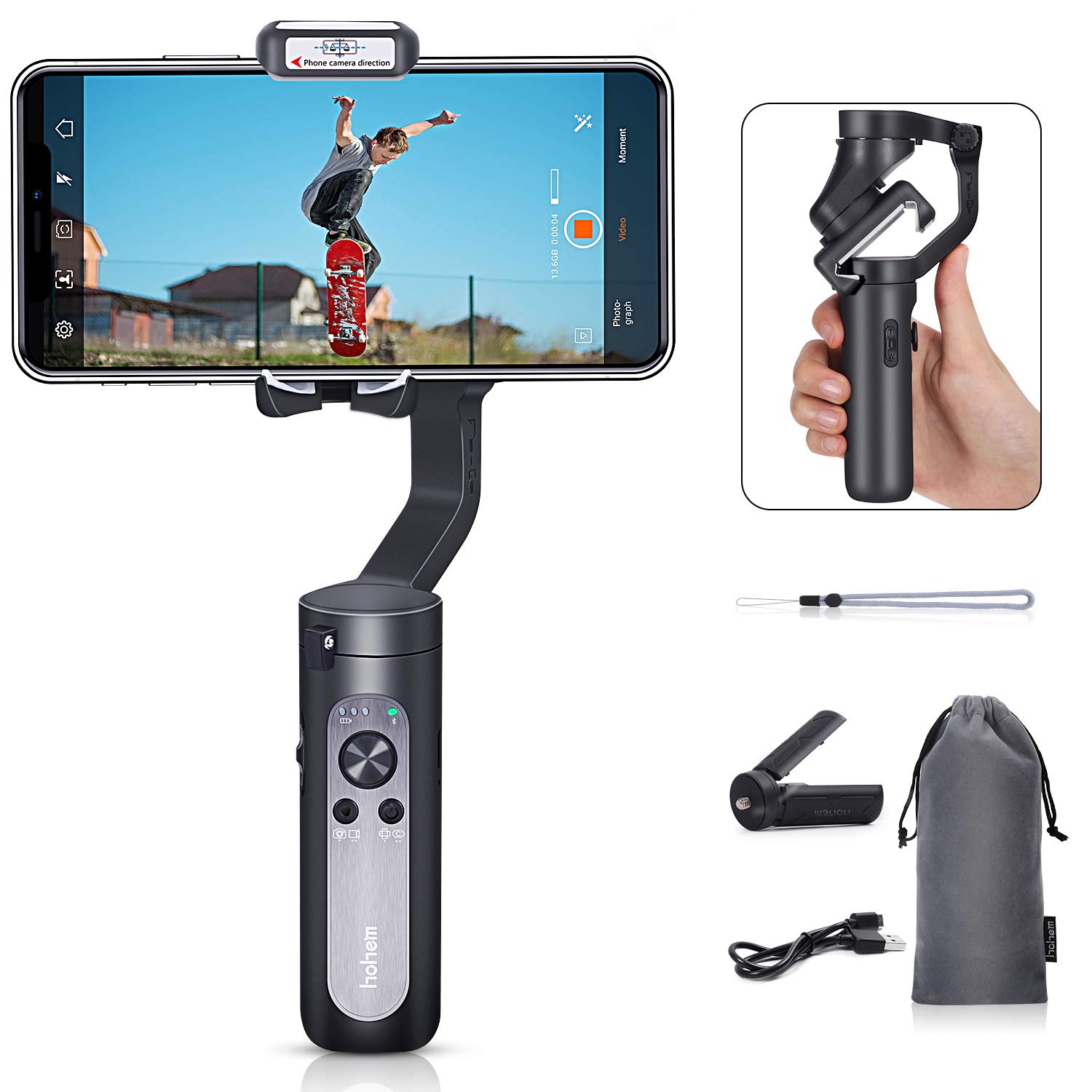
Figure 2.1: Contents of the Hohem iSteady X package, including the gimbal, mini tripod, charging cable, wrist strap, and storage pouch.
3. Nastavení
3.1 Rozložení gimbalu
The iSteady X is designed to be compact when folded. To unfold, gently extend the gimbal arm until it locks into its operational position. Ensure all motor buckles are unlocked before powering on.

Figure 3.1: Visual guide for unfolding the gimbal, securing the smartphone, and unlocking the motor axes.
3.2 Montáž a vyvážení smartphonu
- Ensure your smartphone is removed from its case for proper balancing.
- Place your smartphone securely in the phone clamp.
- Upravte polohu telefonu v rámci clamp to achieve a balanced state. The phone should remain level when the gimbal is powered off.
3.3 Stažení a aktivace aplikace
Before first use, the iSteady X requires activation via the Hohem Pro app. Download the app from your smartphone's app store (iOS App Store or Google Play Store).
- Povolte na svém smartphonu Bluetooth.
- Launch the Hohem Pro app.
- The app will detect the iSteady X. Tap 'Connect' and then 'Pair' when prompted for Bluetooth pairing.
- Follow the on-screen instructions to complete the activation process. Do not turn off the phone or gimbal during activation.
4. Návod k obsluze
4.1 Základní ovládací prvky
Gimbal má intuitivní ovládání na rukojeti:
- Vypínač: Long press to power on/off. Single press to switch between photo/video mode. Double press to switch between horizontal/vertical shooting.
- joystick: Ovládá pohyby otáčení a naklápění.
- Posuvník zoomu (T/W): Controls digital zoom within the Hohem Pro app.
- Spouštěcí tlačítko: Press and hold to enter All Lock mode. Double press to recenter the gimbal. Triple press to enter Inception mode.
4.2 Režimy snímání
The Hohem Pro app offers various shooting modes to enhance your video creation:
- Standard Follow Mode (Tilt/Pan Follow): The camera follows your hand movements on both tilt and pan axes, maintaining a steady horizon.
- Režim sledování posunu: The camera only follows your pan (horizontal) movements.
- All Lock Mode: The camera remains fixed in its current orientation, ignoring all movements.
- POV (bod pohledu) View) Režim: The camera follows all three axes (pan, tilt, roll) for dynamic first-person perspective shots.
- Horizontal & Vertical Switch: Easily switch between landscape and portrait orientations for different platforms.
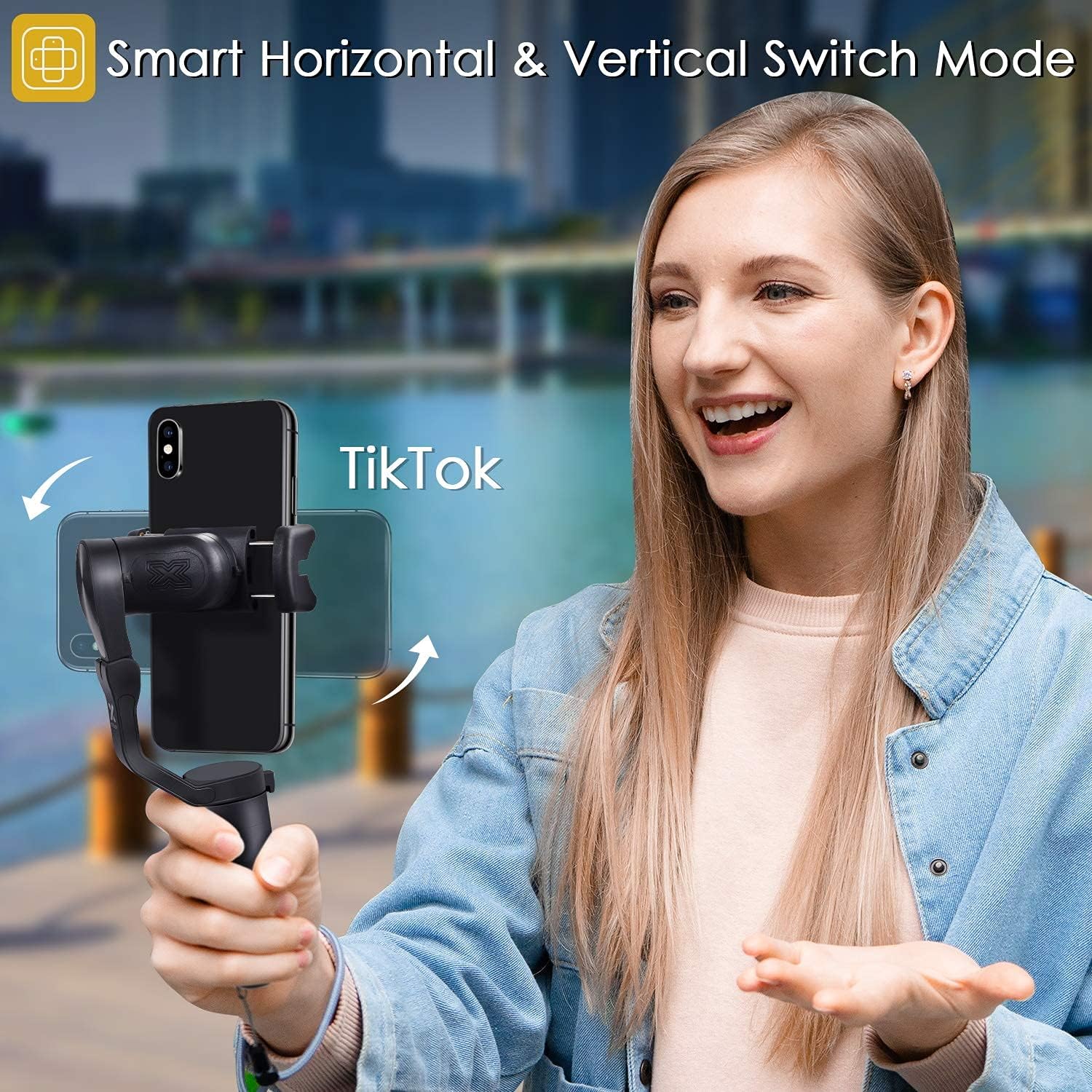
Figure 4.1: The gimbal supports smart switching between horizontal and vertical shooting modes.
- Sledování obličeje: The gimbal automatically tracks a detected face, keeping it centered in the frame.

Figure 4.2: The Hohem Pro app enables smart face-tracking for hands-free recording.
- Časosběrný záznam pohybu: Capture time-lapse videos with dynamic camera movement.

Figure 4.3: The Motion Timelapse feature allows for creative time-lapse videos with programmed movements.
- Auto Low-Angle Shots: The gimbal can automatically adjust to capture stable low-angle footage.

Figure 4.4: The gimbal facilitates smooth auto low-angle shots.
- Auto Inception Mode (270° Roll): Create cinematic spinning shots with a 270-degree roll.

Figure 4.5: Auto Inception Mode allows for dynamic 270-degree rotating video effects.
- Režim selfie tyče: The gimbal can be used as an extended selfie stick for wider shots.

Figure 4.6: The gimbal can be quickly switched to selfie stick mode for convenient self-portraits or group shots.
5. Údržba
- Udržujte gimbal čistý a bez prachu a nečistot. K čištění používejte měkký, suchý hadřík.
- Nevystavujte gimbal extrémním teplotám nebo vlhkosti.
- Store the gimbal in its provided pouch when not in use to prevent damage.
- Pravidelně nabíjejte baterii, i když ji nepoužíváte často, abyste ji udrželi v dobrém stavu.
6. Řešení problémů
- Gimbal se nezapíná: Ensure the battery is charged. Connect to the charging cable and try again.
- Gimbal není vyvážený: Remove the smartphone case. Re-center the smartphone in the clamp.
- Problémy s připojením Bluetooth: Ensure Bluetooth is enabled on your phone. Restart the Hohem Pro app and try connecting again. If issues persist, restart both the phone and the gimbal.
- Nestabilní jídlotage: Ensure the smartphone is properly balanced. Check for any obstructions to the gimbal's movement.
7. Specifikace
| Funkce | Specifikace |
|---|---|
| Rozměry produktu | 7.04 x 3.11 x 1.53 inches (folded: 179mm x 79mm x 39mm) |
| Hmotnost položky | 8 unce (227 gramů) |
| Baterie | Jsou vyžadovány 2 lithium-iontové baterie (součástí balení) |
| Kompatibilní zařízení | mobilní telefon |
| Barva | Černý |
| ASIN | B07R2J372X |
| UPC | 749390448534 |
8. Záruka a podpora
For warranty information and customer support, please refer to the official Hohem webwebu nebo se obraťte přímo na jejich zákaznický servis. Uschovejte si účtenku jako doklad o koupi.