
1. Úvod
The Walfront GT8907 is a handheld digital anemometer designed for precise measurement of wind speed, temperature, and air volume. This device is suitable for various applications including industrial settings, environmental monitoring, HVAC system analysis, and outdoor activities. It features a high-definition large screen display for clear readings and soft rubber buttons for comfortable operation. This manual provides detailed instructions for the proper setup, operation, and maintenance of your GT8907 anemometer.

Figure 1: Walfront GT8907 Anemometer with its wind fan probe connected, displaying wind speed and temperature.
2. Obsah balení
Po obdržení zkontrolujte obsah balení, abyste se ujistili, že jsou přítomny všechny položky:
- Walfront GT8907 Digital Anemometer Unit
- Wind Fan Probe (connected via cable)
- USB Cable (for data transfer, if applicable)
- Uživatelská příručka (tento dokument)
- Přepravní pouzdro
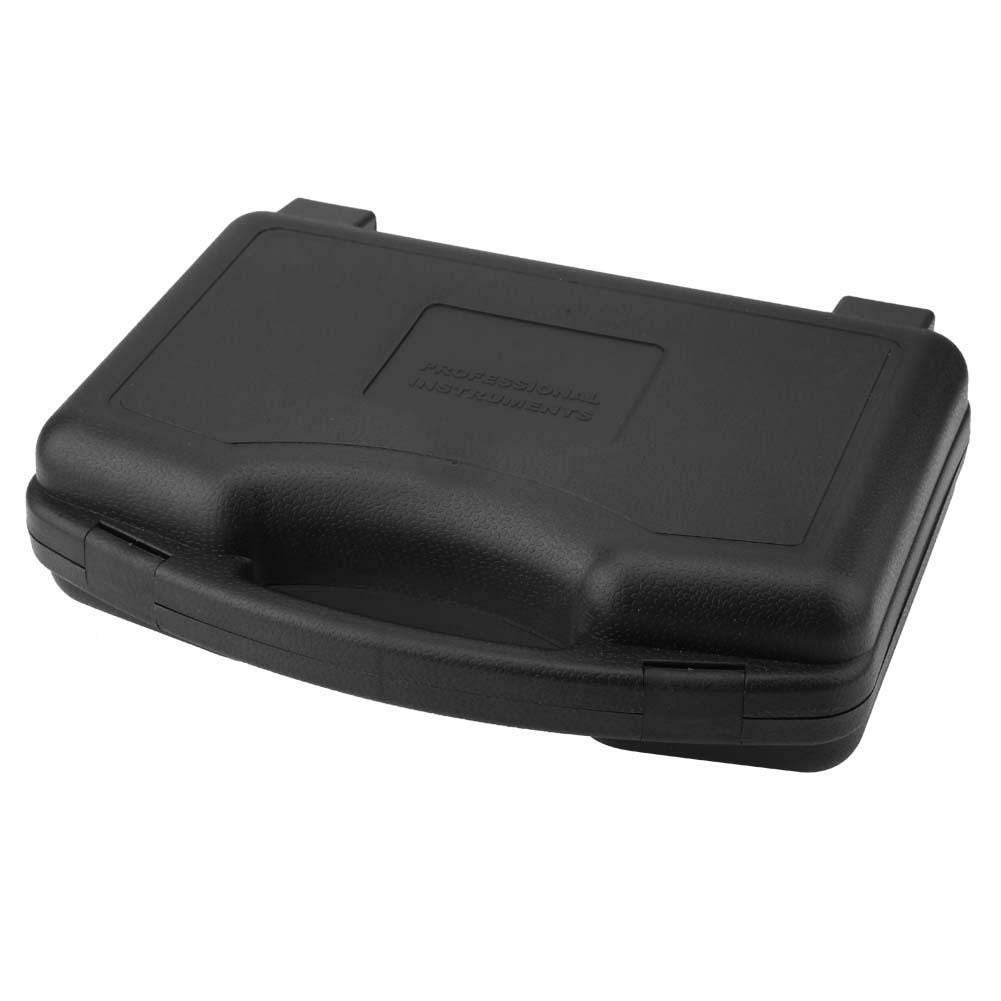
Figure 2: The protective carrying case for the GT8907 anemometer, designed for safe storage and transport.
3. Zařízení skončiloview
Familiarize yourself with the components and controls of the GT8907 anemometer:

Figure 3: Detailed diagram of the GT8907 anemometer, highlighting the main unit's screen and buttons, and the wind fan probe with its telescopic rod and handle.
- Obrazovka: High-definition LCD display for readings.
- Tlačítko zámku: To hold current readings.
- Mode Switch / Enter Button: To cycle through measurement modes and confirm selections.
- Air Volume Switch: To switch to air volume measurement.
- ON/OFF / Unit Button: Power on/off the device; short press to change units.
- Setting Area: For configuring measurement area for air volume.
- Tlačítko Uložit: To save data.
- Read Data Button: To recall saved data.
- Delete Data Button: To delete saved data.
- Wind Fan: Otáčí se pro měření rychlosti větru.
- Teleskopická tyč: Extends the wind fan for reaching measurement points.
- Zacházet s: Ergonomic grip for the wind fan probe.
4. Nastavení
4.1 Instalace baterie
The GT8907 anemometer requires four (4) 1.5V AAA batteries (not included). Follow these steps to install the batteries:
- Locate the battery compartment cover on the back of the main unit.
- Posuňte kryt dolů nebo stiskněte západku pro jeho otevření.
- Insert four AAA batteries, ensuring correct polarity (+ and -) as indicated inside the compartment.
- Nasaďte zpět kryt přihrádky na baterie a ujistěte se, že bezpečně zacvakne na místo.

Figure 4: The open battery compartment of the GT8907, showing the correct orientation for inserting four AAA batteries.
4.2 Připojení sondy
Ensure the wind fan probe is securely connected to the main unit via its cable. The connector should fit snugly into the port on the top of the main unit.
5. Návod k obsluze
5.1 Zapnutí/vypnutí
- Chcete-li zařízení zapnout, stiskněte a podržte tlačítko ON/OFF tlačítko.
- Chcete-li zařízení vypnout, stiskněte a podržte tlačítko ON/OFF button again. The device also features an auto-power-off function to conserve battery life.
5.2 Změna měrných jednotek
Když je zařízení zapnuté, krátce stiskněte JEDNOTKA button (which is also the ON/OFF button) to cycle through available wind speed units (m/s, Ft/min, Knots, Km/h, Mph) and temperature units (°C, °F).
5.3 Wind Speed and Temperature Measurement
The device automatically displays wind speed and temperature upon power-on. Extend the telescopic rod of the wind fan probe and position the fan in the airflow you wish to measure. Ensure the fan is facing directly into the wind for accurate readings.

Figure 5: The GT8907 anemometer in use, showing its digital display with wind speed and temperature readings against a backdrop of wind turbines.
5.4 Air Volume Measurement (CFM/CMM)
- Stiskněte tlačítko VEL/FLOW button to switch to air volume measurement mode.
- Stiskněte tlačítko AREA/SAMPLE button to enter the area setting mode.
- Use the arrow buttons (if available, or other designated buttons) to adjust the measurement area (e.g., duct dimensions). Refer to the on-screen prompts.
- Stiskněte ENTER to confirm the area setting.
- Position the wind fan probe in the airflow. The device will display the air volume in CFM (Cubic Feet per Minute) or CMM (Cubic Meters per Minute).
5.5 Funkce Data Hold
Stiskněte tlačítko DRŽET button to freeze the current readings on the display. Press it again to release the hold function and resume live measurements.
5.6 Ukládání a vyvolání dat
- To save a reading, press the ULOŽIT tlačítko.
- To recall saved data, press the ČÍST button. Use navigation buttons (if available) to browse through saved records.
- To delete saved data, press the DEL tlačítko.
6. Údržba
6.1 Čištění
Wipe the device and probe with a soft, dry cloth. Do not use abrasive cleaners or solvents. Ensure the wind fan is free from dust and debris for accurate operation.
6.2 Výměna baterie
When the low battery indicator appears on the display, replace all four AAA batteries as described in Section 4.1. Remove batteries if the device will not be used for an extended period to prevent leakage.
6.3 Skladování
Store the anemometer in its protective carrying case in a cool, dry place, away from direct sunlight and extreme temperatures. Ensure the wind fan probe is retracted or protected to prevent damage.
7. Řešení problémů
- Zařízení se nezapne:
- Zkontrolujte, zda jsou baterie správně vloženy se správnou polaritou.
- Vyměňte za nové baterie AAA.
- Nepřesné údaje:
- Ensure the wind fan is clean and rotates freely.
- Verify the probe is securely connected to the main unit.
- Confirm the device is set to the correct measurement unit.
- Ensure the wind fan is positioned directly in the airflow.
- Displej je tmavý nebo prázdný:
- Vyměňte baterie.
- Ujistěte se, že zařízení není vystaveno extrémním teplotám.
8. Specifikace
| Parametr | Specifikace |
|---|---|
| Model | GT8907 |
| Rozsah měření rychlosti větru | 0.0 - 45.0 m/s; 0.0 - 8800 Ft/min; 0.0 - 88.0 Knots; 0.0 - 140.0 Km/h; 0.0 - 100 Mph |
| Rozlišení rychlosti větru | 0.01 (m/s, Knots, Mph); 0.01/0.1/1 (Ft/min); 0.01 (Km/h) |
| Wind Speed Precision | ±3% ±0.1 (m/s); ±3% ±20 (Ft/min); ±3% ±0.2 (Knots); ±3% ±0.4 (Km/h); ±3% ±0.2 (Mph) |
| Air Volume Measurement Range (CFM) | 0 - 999900 ft³/min |
| Air Volume Measurement Range (CMM) | 0 - 999900 m³/min |
| Rozsah měření teploty | 0 - 45°C / 32 - 113°F |
| Rozlišení teploty | 0.1 °C / 0.18 °F |
| Přesnost teploty | ± 1.0 ° C / ± 1.8 ° F |
| Rozsah měření vlhkosti | 10 - 90% RH (without condensation) |
| Rozlišení vlhkosti | 0.1% RH |
| Přesnost vlhkosti | ±5 % |
| Teplota pracovního prostředí | 0–50 °C (32–122 °F) |
| Vlhkost pracovního prostředí | 40 - 80% RH |
| Skladovací podmínky Teplota | -40 - 60°C (-40 - 140°F) |
| Storage Condition Humidity | <80% RH |
| Napájení | 4x 1.5V AAA baterie |
| Hmotnost | Přibližně 1214 g / 42.8 oz |
| Rozměry (D x Š x V) | 3.94 x 3.94 x 3.94 cm (hlavní jednotka) |
9. Záruka a podpora
Walfront products are designed for reliability and performance. For warranty information or technical support, please refer to the contact details provided with your purchase or visit the official Walfront webUschovejte si účtenku jako doklad o koupi pro případ reklamace.
For further assistance, you may contact Walfront customer service through their official channels. Please have your model number (GT8907) and purchase details ready.