
1. Nastavení
The Apple Mighty Mouse A1152 is a wired USB mouse designed for straightforward connection and immediate use. Follow these steps to connect your mouse to your computer:
- Vyhledejte v počítači volný port USB.
- Insert the USB connector of the Mighty Mouse into the USB port.
- Your computer should automatically detect and configure the mouse. No additional drivers are typically required for basic functionality on compatible operating systems.

Obrázek 1: Nahoře view of the Apple Mighty Mouse A1152, showing its smooth white surface and the scroll ball.

Obrázek 2: Přední strana view of the Apple Mighty Mouse A1152, highlighting the USB cable connection.
2. Operating Your Apple Mighty Mouse A1152
The Apple Mighty Mouse A1152 features a unique design that integrates multiple functions into its seamless shell. Here’s how to use its primary features:
- Kliknutí levým tlačítkem myši: Press the left side of the mouse's top shell.
- Kliknutí pravým tlačítkem myši: Press the right side of the mouse's top shell. The touch-sensitive technology allows for a four-button mouse experience within a single-button design.
- Scroll Ball: The revolutionary 360-degree Scroll Ball located on the top of the mouse allows for scrolling in any direction (up, down, left, right, and diagonally) within documents, web stránky a aplikace.
- Boční tlačítka: The force-sensing side buttons can be programmed for various functions, such as launching applications or Exposé (on Mac OS X). Customization options are available through your computer's system preferences.
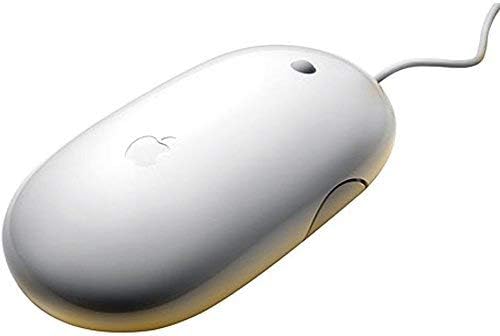
Obrázek 3: Strana view of the Apple Mighty Mouse A1152, showing the force-sensing side buttons.
3. Údržba
To ensure optimal performance and longevity of your Apple Mighty Mouse A1152, regular cleaning is recommended:
- Čištění exteriéru: Použijte měkký hadřík, který nepouští vlákna dampened with water to wipe the exterior of the mouse. Avoid using harsh chemicals or abrasive materials.
- Cleaning the Scroll Ball: Over time, dust and debris can accumulate around the scroll ball, affecting its smooth operation. To clean it, turn the mouse upside down and firmly roll the scroll ball across a clean, lint-free cloth. This action helps dislodge any trapped particles. Repeat this process in different directions if necessary.
- USB kabel: Inspect the USB cable periodically for any signs of wear or damage. If the cable is damaged, discontinue use and seek a replacement.
4. Řešení problémů
If you encounter issues with your Apple Mighty Mouse A1152, try the following troubleshooting steps:
- Myš nereaguje:
- Ujistěte se, že je kabel USB bezpečně zapojený do funkčního portu USB v počítači.
- Zkuste zapojit myš do jiného USB portu.
- Restartujte počítač.
- Scroll Ball Not Working Smoothly:
- Perform the scroll ball cleaning procedure described in the Maintenance section.
- Ensure there is no excessive dirt or debris obstructing the scroll ball's movement.
- Tlačítka nereagují:
- Check your computer's mouse settings or system preferences to ensure the buttons are configured correctly.
- Ensure the mouse surface is clean and free from obstructions that might interfere with the touch-sensitive top shell.
- Problémy s kompatibilitou:
- The Mighty Mouse A1152 is compatible with Mac OS X (programmability requires v10.4.2 Tiger or later), Windows 2000, and Windows XP. Ensure your operating system meets these requirements.
Pokud tyto kroky problém nevyřeší, podívejte se prosím do části Záruka a podpora, kde vám pomohou.
5. Specifikace
| Funkce | Popis |
|---|---|
| Značka | Jablko |
| Číslo modelu | A1152 (MB112LL/B) |
| Technologie připojení | Wired USB 2.0 (compatible with USB 1.1) |
| Technologie detekce pohybu | Optický |
| Množství tlačítek | 4 (programmable via touch-sensitive top shell and force-sensing side buttons) |
| Posouvání | Revolutionary 360-degree Scroll Ball |
| Orientace rukou | Právo |
| Kompatibilní operační systémy | Mac OS X v10.4.2 Tiger or later, Windows 2000, Windows XP |
| Hmotnost položky | 0.12 kg |
| Barva | Bílý |
6. Záruka a podpora
Informace o záruce: This Apple Mighty Mouse A1152 comes with a 90-day limited warranty. Please retain your proof of purchase for any warranty claims.
Zákaznická podpora: For further assistance, technical support, or warranty inquiries, please contact the seller or refer to Apple's official support resources. Ensure you have your product model number (A1152) and any relevant purchase details ready when contacting support.