
1. Úvod
Haloview CA109 is a wireless 720P high-definition license plate rear view camera designed to assist with vehicle backing maneuvers. This camera provides a clear view of the area behind your vehicle and is compatible with Haloview MC7108 and MC5111 systems. Its compact design and adjustable angle offer versatile installation and optimal viewIng.
2. Komponenty produktu
The CA109 package includes the following items:
- CA109 License Plate Camera
- License Plate Mount Bracket
- Konverzní kabel fotoaparátu
- Anténa fotoaparátu
3. Nastavení a instalace
The CA109 camera offers straightforward installation with no cutting or drilling required for standard license plate mounting. Ensure your vehicle is turned off before beginning installation.
3.1. Montáž kamery
The camera is designed to mount directly onto a standard US license plate using the provided bracket. Position the camera to ensure it does not obstruct the license plate numbers or tags.

Image: The CA109 camera shown mounted on a standard US license plate.
For vehicles equipped with Furrion pre-wired brackets, the B-F02 Backup Camera Bracket Adapter (sold separately) can be used for an integrated mounting solution.
3.2. Připojení napájení
Connect the camera to a 12-volt power source. This typically involves wiring it to your vehicle's reverse lights for activation when backing up, or to a constant power source if continuous monitoring is desired. Use the camera conversion cable for proper connection.
Poznámka: For some newer vehicle models, particularly certain GM vehicles, a voltage control module may be required to ensure stable power supply to the camera. Consult your vehicle's manual or a professional if experiencing power-related issues.
3.3. Instalace antény
Attach the camera antenna securely to the designated port on the camera. Ensure the antenna is positioned for optimal signal transmission. The wireless signal range is up to 984 feet (line of sight).
3.4. Camera Dimensions
Refer to the diagram below for the physical dimensions of the CA109 camera and its mounting bracket.
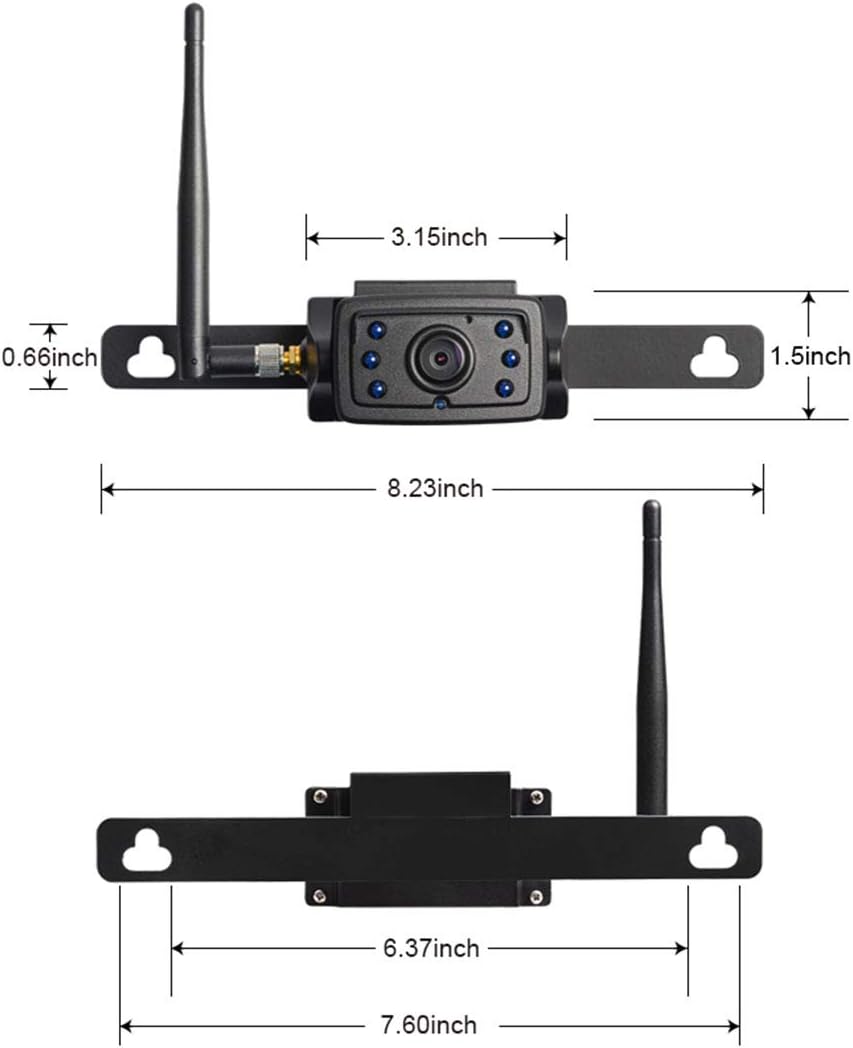
Image: Detailed dimensions of the CA109 camera and its mounting components.

Image: The CA109 camera installed on a vehicle's tailgate, showing the camera and a monitor displaying its view.
4. Návod k obsluze
Once installed and powered, the CA109 camera transmits video wirelessly to a compatible Haloview monitor (MC7108 or MC5111 system).
4.1. Nastavení úhlu kamery
The camera lens can be adjusted by up to 70 degrees vertically to achieve the optimal viewing angle for your specific vehicle and application. Loosen the adjustment screws, set the desired angle, and then tighten the screws to secure the position.

Image: The CA109 camera illustrating its 70-degree adjustable viewúhel.
4.2. Viewoblast
The camera features a 120-degree wide-angle lens, capturing a broad view of the area behind your vehicle. This wide field of view is particularly useful for backing up and hitching trailers.
4.3. Noční vidění
Equipped with 6 infrared (IR) LED lights, the CA109 provides night vision capabilities, allowing for clear visibility in low-light conditions.
5. Údržba
Haloview CA109 camera is designed for durability and minimal maintenance.
5.1. Čištění
Pravidelně čistěte objektiv a kryt fotoaparátu měkkým hadříkemamp cloth to remove dirt, dust, or debris that may obstruct the view. Vyhněte se používání agresivních chemikálií nebo abrazivních materiálů.
5.2. Voděodolnost
The camera boasts an IP69K rating, indicating high resistance to dust and high-pressure, high-temperature water jets. This ensures reliable operation in various weather conditions.
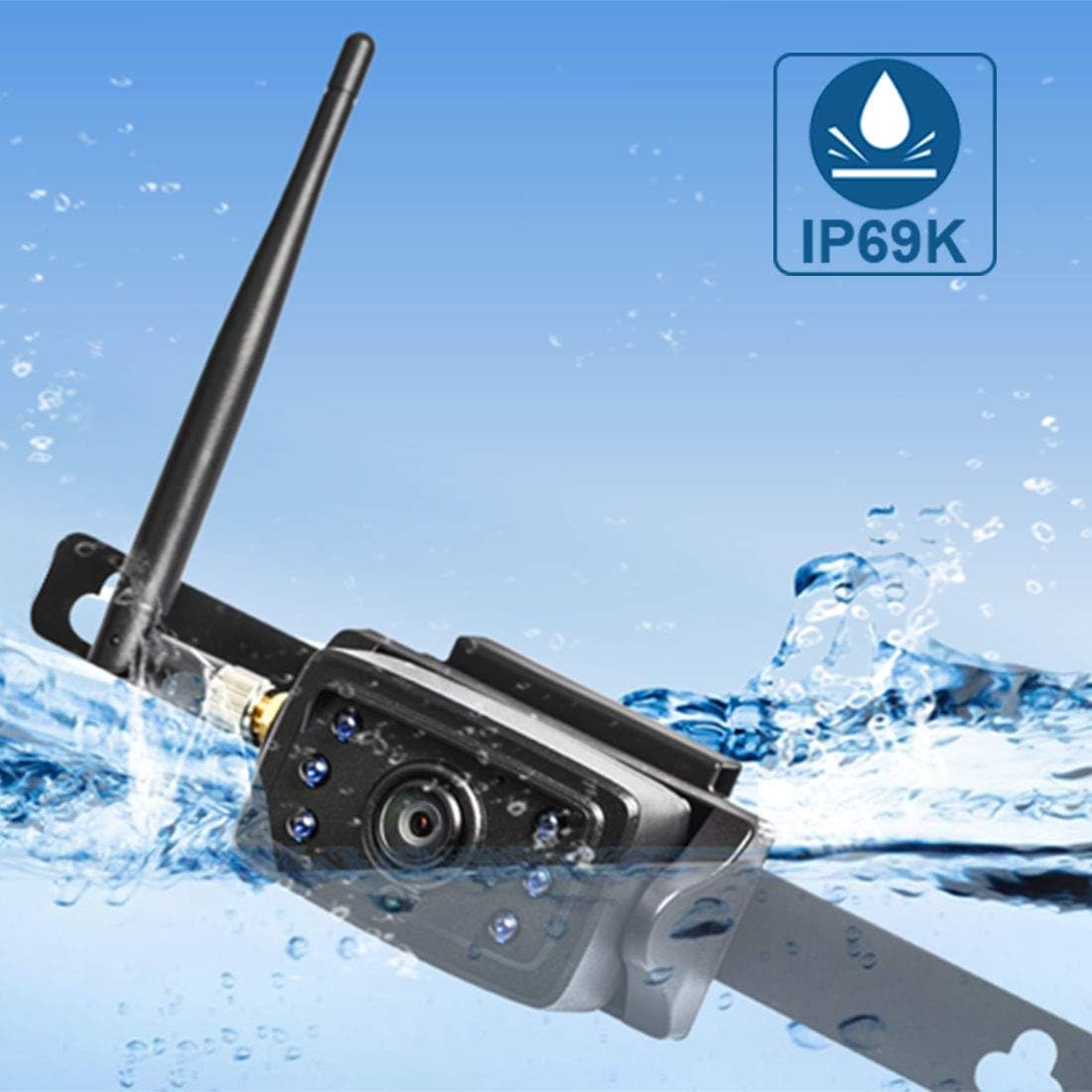
Image: The CA109 camera demonstrating its IP69K water resistance rating.
6. Řešení problémů
If you encounter issues with your CA109 camera, refer to the following common troubleshooting steps:
- Žádný obraz na monitoru:
- Ensure the camera is receiving power. Check all cable connections.
- Verify the camera is properly paired with your Haloview monitor. Refer to your monitor's manual for pairing instructions.
- Check the antenna connection on the camera and ensure it is not obstructed.
- Špatná kvalita obrazu:
- Vyčistěte čočku fotoaparátu.
- Ensure there are no obstructions between the camera and the monitor that could interfere with the wireless signal.
- Zkontrolujte, zda se v blízkosti nenacházejí silné zdroje elektromagnetického rušení.
- Přerušovaný signál:
- Reposition the camera antenna for better line of sight.
- Ensure the camera is within the effective wireless range (up to 984ft line of sight).
- Check power connections for stability.
- Kamera se nezapíná:
- Confirm the 12V power source is active.
- Zkontrolujte napájecí kabel, zda není poškozen.
- If installing on a newer vehicle, consider if a voltage control module is necessary.
7. Specifikace
Klíčové technické specifikace pro Haloview CA109 camera:
| Funkce | Specifikace |
|---|---|
| Značka | Svatozářview |
| Číslo modelu | CA109 |
| Rozlišení záznamu videa | 720p |
| Efektivní rozlišení | 720 XNUMX pixelů |
| Pole View | 120 stupňů |
| Skutečný úhel View | 170 stupňů |
| Typ objektivu | Široký úhel |
| Technologie optických senzorů | Infračervený CMOS |
| Velikost optického senzoru | 1/4 palce |
| svtage | 12 voltů |
| Typ konektoru | Bezdrátový |
| Typ instalace | Povrchová montáž |
| Kompatibilní zařízení | Monitor (MC7108, MC5111 systems) |
| Hodnocení Lux | 0.2 Lux |
| Hmotnost položky | 421 gramů |
8. Záruka a podpora
For warranty information, please refer to the documentation included with your purchase or visit the official Haloview webZáruční podmínky se mohou lišit.
For technical support, product inquiries, or further assistance, please contact Haloview zákaznický servis prostřednictvím jejich oficiálních webmísto: