
1. Konec produktuview
The Amazon Echo Dot Demo 2 is a compact smart speaker designed to bring the convenience of Alexa into your home. This device offers improved speaker quality for richer sound and is equipped with features suitable for family use, including parental controls and kid-friendly content.

Image 1.1: The Amazon Echo Dot Demo 2 device in Gray.
2. Průvodce nastavením
Follow these steps to set up your Echo Dot Demo 2:
- Rozbalte zařízení: Carefully remove the Echo Dot (3rd generation), power adapter (15W), and Quick Start Guide from the box.
- Zapnutí: Plug the included power adapter into the Echo Dot and then into a wall outlet. The light ring on the device will turn blue, then orange, indicating it is ready for setup.
- Stáhněte si aplikaci Alexa: On your mobile device (Fire OS, Android, or iOS), download and install the Amazon Alexa app. The app is also accessible via a web prohlížeč.
- Připojení k Wi-Fi: Open the Alexa app and follow the on-screen instructions to connect your Echo Dot to your Wi-Fi network. The device supports dual-band Wi-Fi (802.11 a/b/g/n/ac on 2.4 and 5 GHz networks). It does not support ad-hoc (peer-to-peer) Wi-Fi networks. Amazon Wi-Fi simple setup can assist in connecting smart devices easily.
- Konfigurace nastavení: Once connected, the app will guide you through personalizing settings, including linking your Amazon account and setting up parental controls if desired.
Your Echo Dot Demo 2 is now ready for use.
3. Návod k obsluze
The Echo Dot Demo 2 is voice-controlled via Alexa. Here are some key operating features:
3.1. Voice Commands and Interaction
Simply say "Alexa" followed by your command or question. Exampzahrnují:
- „Alexo, pusť hudbu.“
- "Alexa, tell me a story."
- „Alexo, nastav časovač na 10 minut.“
- „Alexo, jaké je počasí?“

Image 3.1: A child interacting with the Echo Dot Demo 2 by asking a question.
3.2. Audio and Entertainment
The device features improved speaker quality for a richer and louder sound experience. You can pair it with a second Echo Dot for stereo sound. It supports various audio services and content suitable for children, including over 1,000 Audible books and thousands of songs via Amazon Kids+ (formerly FreeTime Unlimited).
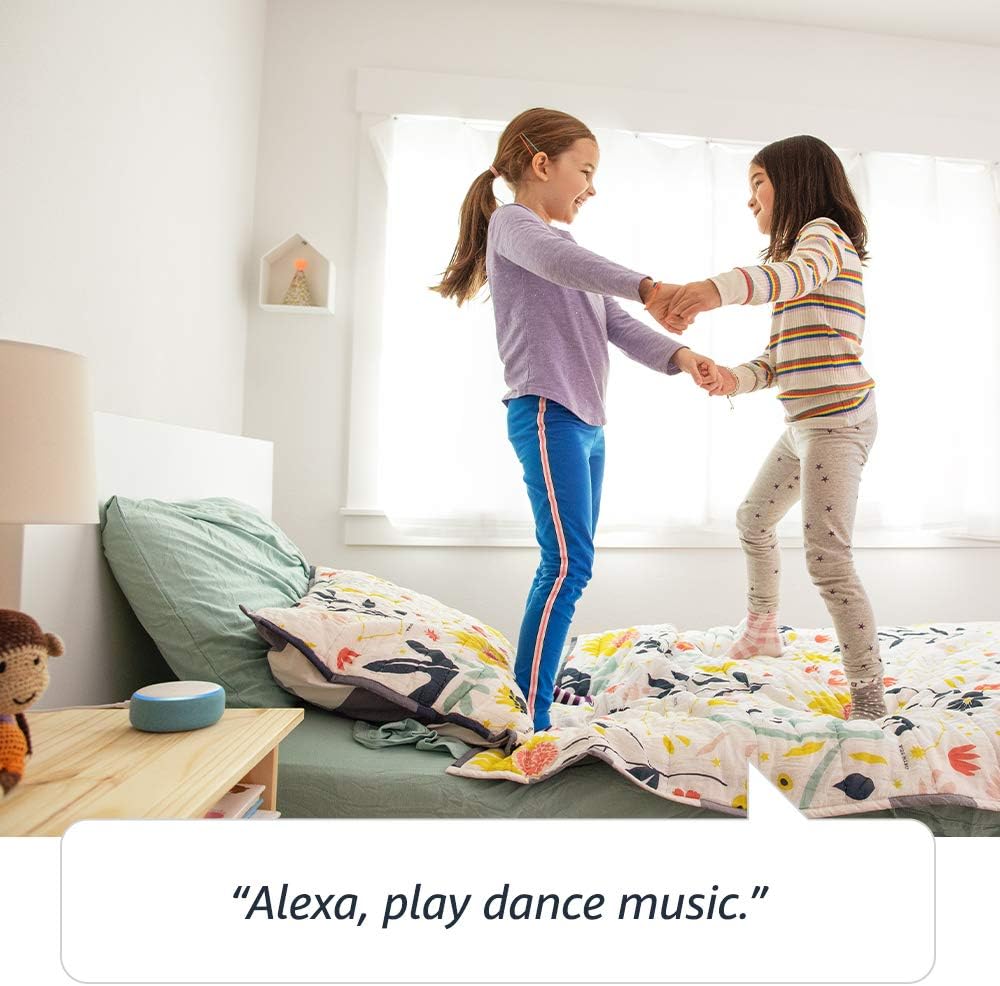
Image 3.2: Children enjoying music played through the Echo Dot Demo 2.
3.3. Sdělení
The Echo Dot Demo 2 allows for communication with approved friends and family. You can also use the Drop In feature to connect with other Echo devices within your household.

Image 3.3: Connecting with other Echo devices throughout the house.
3.4. Kontroly soukromí
The device is designed with multiple layers of privacy controls. These include wake word technology, streaming indicators, and a microphone off button. You can also view and delete your voice recordings. For more details, visit the Alexa Privacy Hub.

Image 3.4: Press the mic off button to disconnect the microphones for privacy.
3.5. Připojení Bluetooth
The Echo Dot supports Advanced Audio Distribution Profile (A2DP) for streaming audio from your mobile device to the Echo Dot or from the Echo Dot to your Bluetooth speaker. Audio/Video Remote Control Profile (AVRCP) allows for voice control of connected mobile devices. Bluetooth speakers requiring PIN codes are not supported.
3.6. Bedtime Routines
The Echo Dot can assist with bedtime routines by playing lullabies or reading stories.

Image 3.5: The Echo Dot can read bedtime stories.
4. Údržba
To ensure the longevity and optimal performance of your Echo Dot Demo 2, follow these maintenance guidelines:
- Čištění: Use a soft, dry, lint-free cloth to clean the exterior of the device. Do not use abrasive cleaners, liquids, or sprays.
- Umístění: Place the device on a stable, flat surface away from direct sunlight, heat sources, and moisture. Avoid placing it near strong electromagnetic fields.
- Moc: Always use the original power adapter provided with the device. Disconnect the power adapter during electrical storms or when unused for extended periods.
- Větrání: Zajistěte dostatečné větrání zařízení. Neblokujte žádné větrací otvory.
5. Řešení problémů
If you encounter issues with your Echo Dot Demo 2, try the following troubleshooting steps:
- Bez napájení:
- Ujistěte se, že je napájecí adaptér bezpečně zapojený do zařízení Echo Dot i do funkční zásuvky.
- Zkuste adaptér zapojit do jiné zásuvky.
- Žádné připojení k Wi-Fi:
- If Alexa indicates it cannot connect to the internet, check your home Wi-Fi network.
- Restartujte Wi-Fi router a modem.
- Open the Alexa app and navigate to device settings to reconfigure the Wi-Fi connection.
- Ujistěte se, že je zařízení v dosahu vašeho Wi-Fi routeru.
- Alexa neodpovídá:
- Ensure the microphone is not muted (the light ring will be red if muted). Press the microphone off button to unmute.
- Mluvte jasně a přímo do zařízení.
- Try restarting the Echo Dot by unplugging it from the power outlet for a few seconds and then plugging it back in.
- Žádný zvuk:
- Check the volume level by saying "Alexa, volume up."
- If connected to an external speaker via Bluetooth or 3.5mm cable, ensure the external speaker is powered on and functioning correctly.
For further assistance, refer to the Amazon Alexa app or contact Amazon Customer Service.
6. Specifikace
| Funkce | Detail |
|---|---|
| Velikost | 3.9” x 3.9” x 1.7” (99 mm x 99 mm x 43 mm) |
| Hmotnost | 10.6 unce (300 gramů) |
| Wi-Fi připojení | Dual-band Wi-Fi supports 802.11 a/b/g/n/ac (2.4 and 5 GHz) networks. Does not support ad-hoc (peer-to-peer) Wi-Fi networks. |
| Připojení Bluetooth | A2DP support for audio streaming; AVRCP for voice control of connected mobile devices. Bluetooth speakers requiring PIN codes are not supported. |
| Zvuk | Built-in speaker, 3.5 mm stereo audio output (cable not included). |
| Systémové požadavky | Alexa App compatible with Fire OS, Android, iOS devices, and web prohlížeče. |
| Zahrnuto v krabici | Echo Dot (3rd generation), 15W power adapter, Quick Start Guide. |
| Generace | Echo Dot Kids Edition - 2019 release |
| Věkové rozmezí | Ages 3 and up. Not for children under 3 years. |
| Funkce ochrany osobních údajů | Wake word technology, streaming indicators, microphone off button, ability to view and delete voice recordings. |
7. Záruka a podpora
7.1. Informace o záruce
Your Echo Dot Demo 2 includes a 2letá záruka bez starostí. If the device breaks, you can return it for a free replacement. Use of the Echo Dot Kids Edition is subject to specific terms, which can be found on the Amazon webmísto.
7.2. Funkce usnadnění
The Alexa app and Alexa-enabled products offer several features for customers with accessibility needs related to vision, hearing, mobility, and speech. More information on Alexa accessibility can be found on the Amazon webmísto.
7.3. Zákaznická podpora
For any questions, technical assistance, or warranty claims, please contact Amazon Customer Service through the Alexa app or the Amazon support webmísto.