
Zavedení
This manual provides essential information for the proper use and maintenance of your Easytry123 replacement remote control. This remote is designed to function with various Hitachi 3LCD projector models, offering a convenient way to control your projector's features. Please read these instructions carefully before use.
Kompatibilita
This replacement remote control is compatible with the following Hitachi 3LCD Projector models:
- CP-X275WA
- CP-X300
- CP-X301
- CP-X3010
- CP-X308
- CP-X320W
- CP-X325W
- CP-X3010EN
- CP-X3010Z
- CP-X3011N
Note: While designed for broad compatibility, some advanced or specific functions of your original projector remote may not be fully supported by this replacement unit.
Obsah balení
Váš balíček by měl obsahovat následující položku:
- 1 x Easytry123 Replacement Remote Control
Baterie nejsou součástí dodávky a je nutné je zakoupit samostatně.
Nastavení
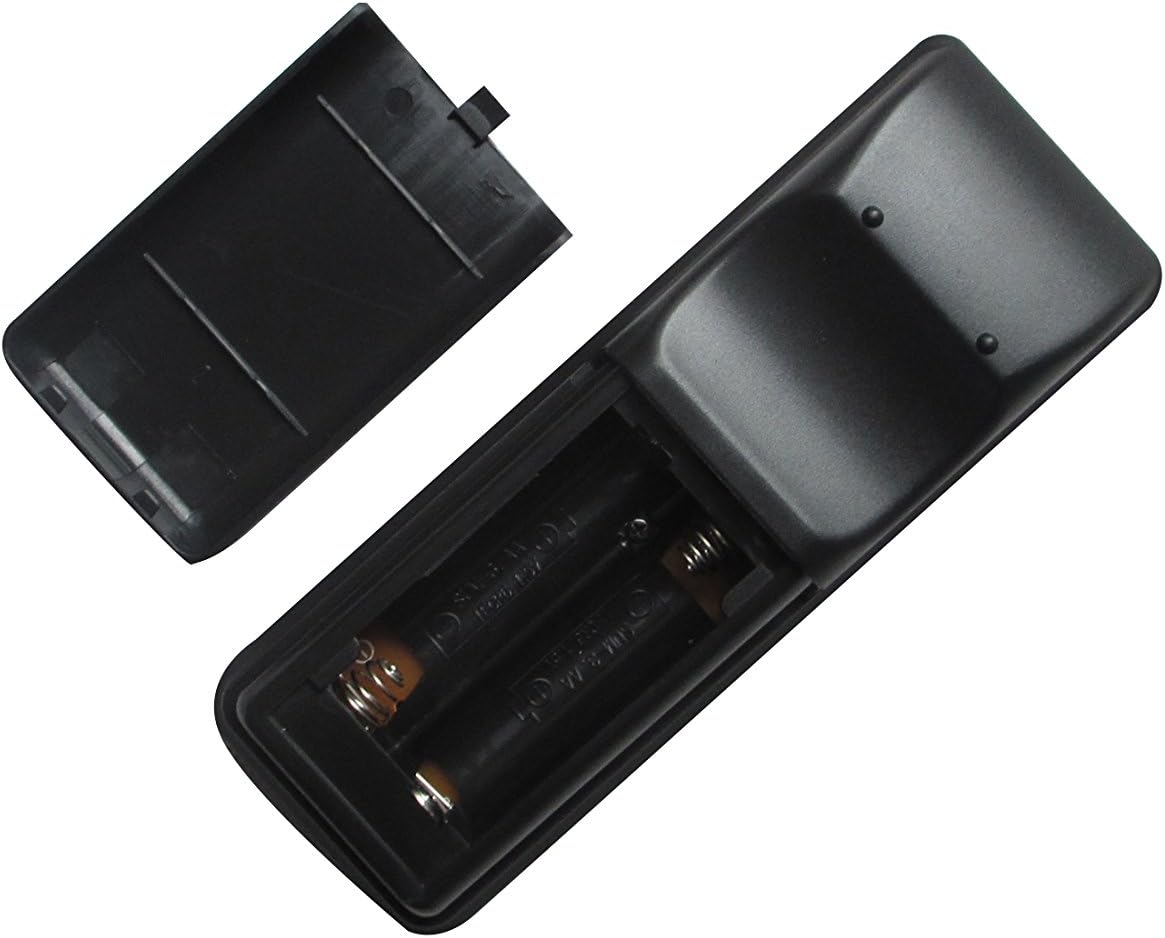
Instalace baterií
- Najděte přihrádku na baterie na zadní straně dálkového ovladače.
- Posuňte kryt přihrádky na baterie dolů nebo stiskněte západku a zvedněte jej pro otevření.
- Vložte dvě (2) baterie typu AA a ujistěte se, že kladný (+) a záporný (-) pól správně odpovídají označením uvnitř přihrádky.
- Nasaďte kryt přihrádky na baterie tak, že jej zasunete zpět na místo, dokud bezpečně nezacvakne.

Image: The remote control with its battery cover removed, revealing the two AA battery slots. Observe the correct polarity markings (+/-) inside the compartment for proper battery insertion.
After installing the batteries, the remote control is ready for use. No additional pairing or programming is typically required for this replacement unit.
Návod k obsluze
Point the remote control directly at the infrared receiver on your Hitachi projector. Ensure there are no obstructions between the remote and the projector.
Obrázek: Přední strana view of the Easytry123 replacement remote control, displaying its array of function buttons for projector operation.
Základní funkce:
- Zapnutí/vypnutí: Stiskněte tlačítko MOC tlačítko pro zapnutí nebo vypnutí projektoru.
- Výběr vstupu: Použijte VSTUP or dedicated input buttons (e.g., HDMI, VGA) to cycle through available input sources.
- Navigace v nabídce: Použijte MENU button to access the projector's on-screen display (OSD) menu. Use the arrow keys (NAHORU DOLU VLEVO VPRAVO) pro navigaci a ENTER/OK pro potvrzení výběru.
- Ovládání hlasitosti: If your projector supports audio output, use the VOL+ a VOL- tlačítka pro nastavení hlasitosti.
- Poměr stran: Some remotes include an ASPEKT button to change the display aspect ratio.
Údržba
Čištění dálkového ovladače
Pro čištění dálkového ovladače jemně otřete jeho povrch měkkým, suchým hadříkem. V případě odolných nečistot lehceamphadřík vodou. Nepoužívejte agresivní chemikálie, abrazivní čisticí prostředky ani nadměrnou vlhkost, protože by mohly poškodit dálkový ovladač.
Výměna baterie
Replace the batteries when the remote control's responsiveness decreases or it stops functioning. Always replace both batteries at the same time with new AA batteries. Do not mix old and new batteries, or different types of batteries.
Skladování
When not in use for extended periods, remove the batteries from the remote control to prevent leakage and potential damage. Store the remote in a cool, dry place away from direct sunlight and extreme temperatures.
Odstraňování problémů
- Dálkové ovládání nereaguje:
- Zkontrolujte, zda jsou baterie vloženy správně se správnou polaritou.
- Vyměňte baterie za nové.
- Ujistěte se, že mezi dálkovým ovladačem a infračerveným přijímačem projektoru nejsou žádné překážky.
- Confirm the remote is pointed directly at the projector.
- Některé funkce nefungují:
- This replacement remote may not support all advanced or specific functions of your original projector remote. Refer to your projector's original manual for specific function requirements.
- Projector turns on/off unexpectedly:
- Ensure no other infrared devices are interfering with the projector's receiver.
Specifikace
- Značka: Easytry123
- Kompatibilní zařízení: Hitachi 3LCD Projectors (listed models)
- Technologie připojení: Infračervený (IR)
- Typ ovladače: Ovládání tlačítkem
- Zdroj napájení: 2 x AA baterie (nejsou součástí balení)
- Speciální funkce: Ergonomický design

Obrázek: Zadní view of the Easytry123 replacement remote control, showing its ergonomic shape and battery compartment.