1. Konec produktuview
The JBL TUNE 110 In-Ear Headphones are designed to deliver JBL Pure Bass Sound in a lightweight, comfortable, and compact form factor. These wired headphones feature 9mm drivers for powerful audio reproduction and include a convenient one-button remote with a built-in microphone for easy control of music playback and calls. The tangle-free flat cable ensures hassle-free use and storage.

Image 1.1: The JBL TUNE 110 In-Ear Headphones in Blue, showcasinjejich elegantní design.
2. Co je v krabici
Upon unboxing your JBL TUNE 110 In-Ear Headphones, you should find the following components:
- JBL TUNE 110 In-Ear Headphones
- Multiple sizes of ear tips (typically Small, Medium, Large) to ensure a comfortable and secure fit.
- A carrying pouch for convenient storage and portability.
Video 2.1: Úředník u konceview of the JBL TUNE 110 In-Ear Headphones, demonstrating key features and components.
3. Nastavení
Follow these steps to set up your JBL TUNE 110 In-Ear Headphones:
- Vyberte ušní nástavce: Choose the ear tips that provide the most comfortable and secure fit for your ears. A good seal is crucial for optimal sound quality and bass performance. Gently attach them to the earbuds.
- Vložení sluchátek do uší: Carefully insert the earbuds into your ear canals. Ensure they are seated snugly.
- Připojit k zařízení: Plug the 3.5mm audio jack into the headphone port of your audio device (smartphone, tablet, laptop, etc.).

Obrázek 3.1: Boční strana view of the JBL TUNE 110 earbud, illustrating its in-ear design.
4. Návod k obsluze
The JBL TUNE 110 features a convenient one-button remote for easy control:
- Přehrát/pozastavit hudbu: Press the button once to play or pause your music.
- Přijmout/ukončit hovor: Jedním stisknutím tlačítka přijmete příchozí hovor nebo ukončíte probíhající hovor.
- Odmítnout hovor: Stiskněte a podržte tlačítko přibližně 2 sekundy pro odmítnutí příchozího hovoru.
- Další skladba: Dvakrát rychle stiskněte tlačítko pro přechod na další skladbu.
- Předchozí skladba: Stiskněte tlačítko třikrát rychle pro návrat na předchozí skladbu.
- Hlasový asistent: Press and hold the button for approximately 3 seconds to activate your device's voice assistant (if supported).
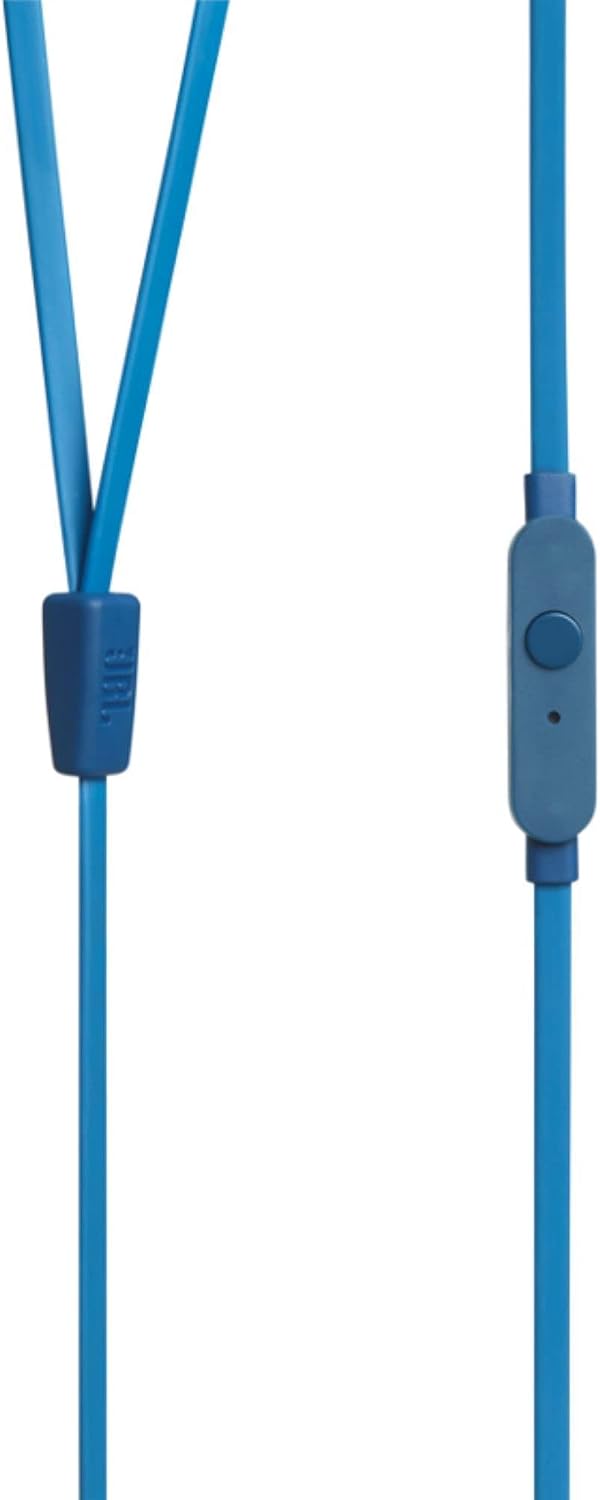
Image 4.1: Close-up of the one-button remote control and built-in microphone on the JBL TUNE 110 cable.
5. Vlastnosti
- Zvuk JBL Pure Bass: Experience powerful and clear bass, a signature of JBL audio.
- 9mm měniče: Equipped with dynamic 9mm drivers for high-quality sound reproduction.
- One-Button Remote with Microphone: Seamlessly manage music playback and hands-free calls.
- Plochý kabel odolný proti zamotávání: Designed to prevent tangles, making the headphones easy to store and use.
- Lehký a pohodlný: Ergonomically designed for extended listening comfort.
- Pasivní potlačení hluku: The in-ear design provides a degree of passive noise isolation.
6. Specifikace
| Funkce | Specifikace |
|---|---|
| Značka | JBL |
| Název modelu | JBL TUNE 110 |
| Číslo modelu | JBLT110BLUAM |
| Technologie připojení | Kabelové |
| Jack pro sluchátka | Zásuvka 3.5 mm |
| Velikost ovladače | 9mm dynamický ovladač |
| Impedance | 16 ohmů |
| Kontrola hluku | Pasivní potlačení hluku |
| Hmotnost položky | 0.32 unce (cca 9 gramů) |
| Rozměry produktu | 2.36 x 1.18 x 6.89 palce |
| Materiál | Plast |
| Barva | Modrý |
| Funkce kabelu | Tangle Free |
7. Údržba
Proper care will extend the life and performance of your headphones:
- Tipy pro čištění uší: Regularly remove the silicone ear tips and wash them with mild soap and water. Ensure they are completely dry before reattaching.
- Čištění sluchátek do uší: Gently wipe the earbuds with a soft, dry cloth. Avoid using harsh chemicals or abrasive materials.
- Péče o kabely: Although the cable is tangle-free, avoid excessive pulling or sharp bends to prevent internal damage. When not in use, coil the cable neatly.
- Skladování: Store your headphones in the provided carrying pouch to protect them from dust, dirt, and physical damage.
8. Řešení problémů
If you encounter any issues with your JBL TUNE 110 headphones, refer to the following common solutions:
- Žádný zvuk:
- Ujistěte se, že je 3.5mm jack zcela zasunut do audio portu vašeho zařízení.
- Zkontrolujte úroveň hlasitosti na vašem audio zařízení.
- Vyzkoušejte sluchátka s jiným zvukovým zařízením, abyste vyloučili problém s daným zařízením.
- Špatná kvalita zvuku / Nedostatek basů:
- Verify that the ear tips are correctly sized and provide a good seal in your ear canal.
- Ensure the ear tips are clean and free from debris.
- Mikrofon nefunguje:
- Confirm the 3.5mm jack is fully inserted.
- Zkontrolujte nastavení zvukového vstupu zařízení a ujistěte se, že je vybrán externí mikrofon.
- Vyzkoušejte mikrofon s jiným zařízením nebo aplikací.
9. Záruka a podpora
JBL products are manufactured to high standards and undergo rigorous quality control. For detailed warranty information, product registration, and technical support, please visit the official JBL website or contact your local JBL customer service center. Keep your proof of purchase for warranty claims.