
1. Úvod
Thank you for choosing the X-Sense Wireless Weather Station. This device provides accurate indoor and outdoor temperature and humidity readings, along with a weather forecast, all displayed on a large, backlit LCD screen. It features an atomic clock for precise timekeeping and supports up to three remote sensors for comprehensive monitoring. Please read this manual thoroughly before use to ensure proper setup and operation.
2. Obsah balení
Po otevření balení ověřte, zda jsou všechny součásti přítomny a v dobrém stavu.
- Main Display Unit (LCD Screen)
- Wireless Remote Sensor (Transmitter)
- AA Batteries (2 for main unit, 2 for sensor)
- Montážní materiál (šrouby, hmoždinky)
- Uživatelská příručka

Obrázek 2.1: Package contents of the X-Sense Wireless Weather Station.
3. Konec produktuview
3.1 Hlavní zobrazovací jednotka
The main display unit features a large, backlit LCD screen that shows indoor and outdoor temperature and humidity, time, date, and weather forecast icons. It can be placed on a tabletop using its integrated stand or mounted on a wall.

Obrázek 3.1: Main Display Unit with active screen.

Obrázek 3.2: Large Backlit LCD for easy readability.
3.2 Bezdrátový dálkový senzor
The wireless remote sensor measures outdoor temperature and humidity and transmits data to the main unit. It is designed to operate in ultra-low temperatures and has an IPX5 waterproof rating, making it suitable for outdoor placement. The sensor has a wireless range of up to 500 feet (150 meters) in open areas.
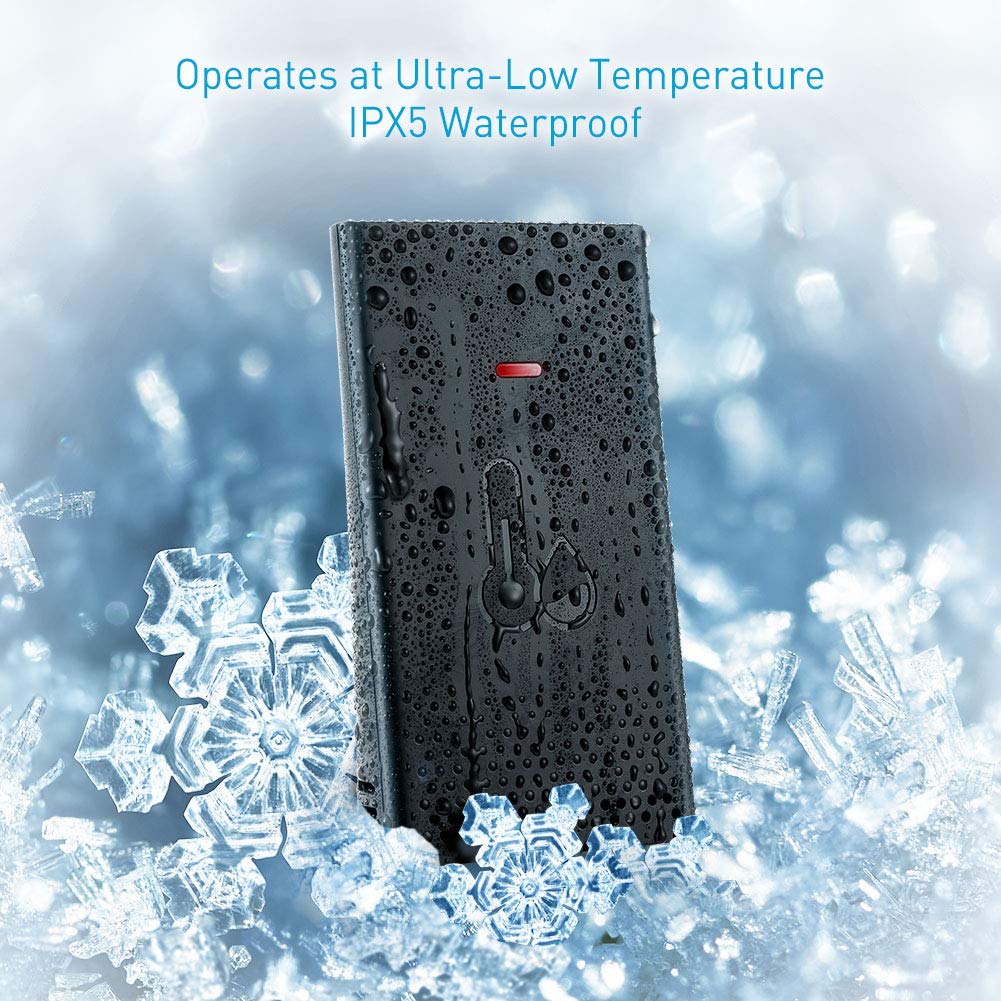
Obrázek 3.3: Wireless Remote Sensor with IPX5 waterproof rating.

Obrázek 3.4: Wireless range and multiple sensor placement options.
4. Nastavení
4.1 Instalace baterie
- Hlavní zobrazovací jednotka: Otevřete přihrádku na baterie na zadní straně hlavní jednotky. Vložte 2 baterie typu AA a dbejte na správnou polaritu (+/-). Přihrádku zavřete.
- Bezdrátový dálkový senzor: Open the battery compartment on the back of the remote sensor. Insert 2 AA batteries, ensuring correct polarity (+/-). Close the compartment.
The main unit will power on and begin searching for the remote sensor. The sensor's LED indicator may flash during transmission.
4.2 Umístění snímače
For accurate readings and optimal wireless transmission, consider the following:
- Place the remote sensor in a shaded area, away from direct sunlight and heat sources, to prevent inaccurate temperature readings.
- Ensure the sensor is protected from heavy rain or snow, despite its IPX5 rating, to prolong its lifespan.
- Mount the sensor vertically using the provided screws and wall anchors, or place it on a stable surface.
- Keep the sensor within the 500 ft (150 m) wireless range of the main unit. Obstacles like thick walls, metal structures, or electronic devices can reduce the effective range.
4.3 Párování senzoru
The main unit should automatically connect to the remote sensor after battery installation. If the outdoor readings are not displayed or appear incorrect:
- Bring the remote sensor close to the main unit.
- Press and hold the "CHANNEL" button on the main unit for a few seconds to initiate a new search for the sensor.
- Stiskněte tlačítko „TX“ uvnitř přihrádky na baterie dálkového senzoru pro ruční odeslání signálu.
- The main unit should display the outdoor temperature and humidity within a few minutes.
5. Návod k obsluze
5.1 Nastavení času a data (atomové hodiny)
The X-Sense Weather Station features an atomic clock that automatically synchronizes with the WWVB radio signal for precise timekeeping. This process may take several hours, especially during initial setup or after battery replacement. Ensure the main unit is placed near a window for better signal reception.
- Manual Time Zone Setting: If the atomic clock signal is not received or you are outside the standard reception area, you may need to manually set the time zone. Refer to the detailed instructions in the full user manual for specific button presses to adjust the time zone offset.
- Letní čas (DST): The unit typically adjusts for DST automatically once the atomic clock signal is received.

Obrázek 5.1: High accuracy and radio-controlled clock feature.
5.2 Zobrazení teploty a vlhkosti
- The main unit displays both indoor temperature and humidity (labeled "IN") and outdoor temperature and humidity (labeled "OUT" or with a sensor icon).
- Jednotky spínací teploty: Press the "°C/°F" button (usually located on the back or side) to toggle between Celsius and Fahrenheit.
- Více senzorů: If you have additional remote sensors (sold separately), press the "CHANNEL" button to cycle through the readings from each connected sensor.
5.3 Předpověď počasí
The weather station provides a forecast for the next 12-24 hours based on changes in atmospheric pressure. The forecast is represented by graphical icons such as sunny, partly cloudy, cloudy, rainy, or snowy. This is a prediction and may not always match actual weather conditions.
5.4 Provoz podsvícení
The main unit features a backlight for improved visibility in low-light conditions. Press the designated backlight button (often located on the back or top of the unit) to activate it. The backlight typically stays on for a few seconds before turning off automatically to conserve battery power.
6. Údržba
- Čištění: Otřete displej a senzor měkkým hadříkemamp tkanina. Nepoužívejte abrazivní čisticí prostředky nebo rozpouštědla.
- Výměna baterie: Vyměňte baterie v hlavní jednotce i v dálkovém senzoru, když se na displeji zobrazí indikátor slabé baterie. Vždy vyměňujte všechny baterie najednou za nové stejného typu.
- Skladování: Pokud budete přístroj skladovat delší dobu, vyjměte všechny baterie, abyste zabránili jejich vytečení.
7. Řešení problémů
| Problém | Možná příčina | Řešení |
|---|---|---|
| Žádné údaje o venkovní teplotě/vlhkosti. | Sensor not paired, out of range, or low battery. | Ensure batteries are fresh in the sensor. Bring sensor closer to the main unit. Re-pair the sensor (see Section 4.3). |
| Inaccurate outdoor readings. | Snímač vystavený přímému slunečnímu záření, zdrojům tepla nebo vlhkosti. | Relocate the sensor to a shaded, protected area. Allow time for readings to stabilize. |
| Atomic clock not setting automatically. | Weak WWVB signal, interference, or incorrect time zone. | Place the main unit near a window. Avoid electronic interference. Manually set the time zone if necessary. Allow up to 24 hours for signal acquisition. |
| Displej je tmavý nebo prázdný. | Slabé baterie v hlavní jednotce. | Vyměňte baterie v hlavní zobrazovací jednotce. |
| Backlight difficult to activate. | Button placement on the back. | Familiarize yourself with the button location. This is a design characteristic. |
8. Specifikace
- Značka: X-Sense
- Model: B07PDMC1TF
- Zdroj napájení: Battery Powered (2 AA for main unit, 2 AA for sensor)
- Technologie připojení: Bezdrátový
- Bezdrátový dosah: Až 150 m (1 640 stop) ve volném prostoru
- Speciální vlastnosti: Adjustable Brightness, Humidity Monitor, Atomic Clock
- Technologie senzoru: Ultrazvukový
- Typ displeje: LCD
- Barva: Černý
- Rozměry produktu: 5.4 x 5.24 x 1.09 cm (hlavní jednotka)
- Hmotnost položky: 1.13 libry
- Waterproof Rating (Sensor): IPX5
- První dostupné datum: 19. února 2019
9. Záruka a podpora
For warranty information or technical support, please refer to the contact details provided on the X-Sense official webnebo záruční list dodaný s vaším produktem. Uschovejte si účtenku jako doklad o koupi.


