
1. Úvod
The TP-Link Archer T2U Plus is an AC600 High Gain Wireless Dual Band USB Adapter designed to provide high-speed Wi-Fi connectivity for desktop PCs and laptops. It supports both 2.4 GHz and 5 GHz bands, offering flexible connectivity options and enhanced range with its 5dBi high-gain antenna. This manual provides instructions for setting up, operating, and maintaining your adapter.

Image: The TP-Link Archer T2U Plus AC600 High Gain Wireless Dual Band USB Adapter.
2. Obsah balení
Ověřte, zda váš balíček obsahuje následující položky:
- AC600 High Gain Wireless Dual Band USB Adapter (Archer T2U Plus)
- Průvodce rychlou instalací
- Zdrojový CD (s ovladači a nástroji)

Image: The retail packaging for the Archer T2U Plus, showing the adapter and its key features.
3. Systémové požadavky
Before installation, ensure your system meets the following requirements:
- An available USB port (USB 2.0 or higher recommended).
- Operating System: Windows 11/10/8.1/8/7/XP or Mac OS 10.15 and earlier.
- CD-ROM drive (for driver installation from Resource CD) or internet access (for driver download).

Image: Icons representing compatible operating systems: Windows 10, Windows 8.1, Windows 8, Windows 7, Windows XP, and Mac OS.
4. Nastavení a instalace ovladačů
4.1 Instalace hardwaru
- Vložte adaptér: Plug the Archer T2U Plus USB adapter into an available USB port on your computer. Ensure it is securely seated.
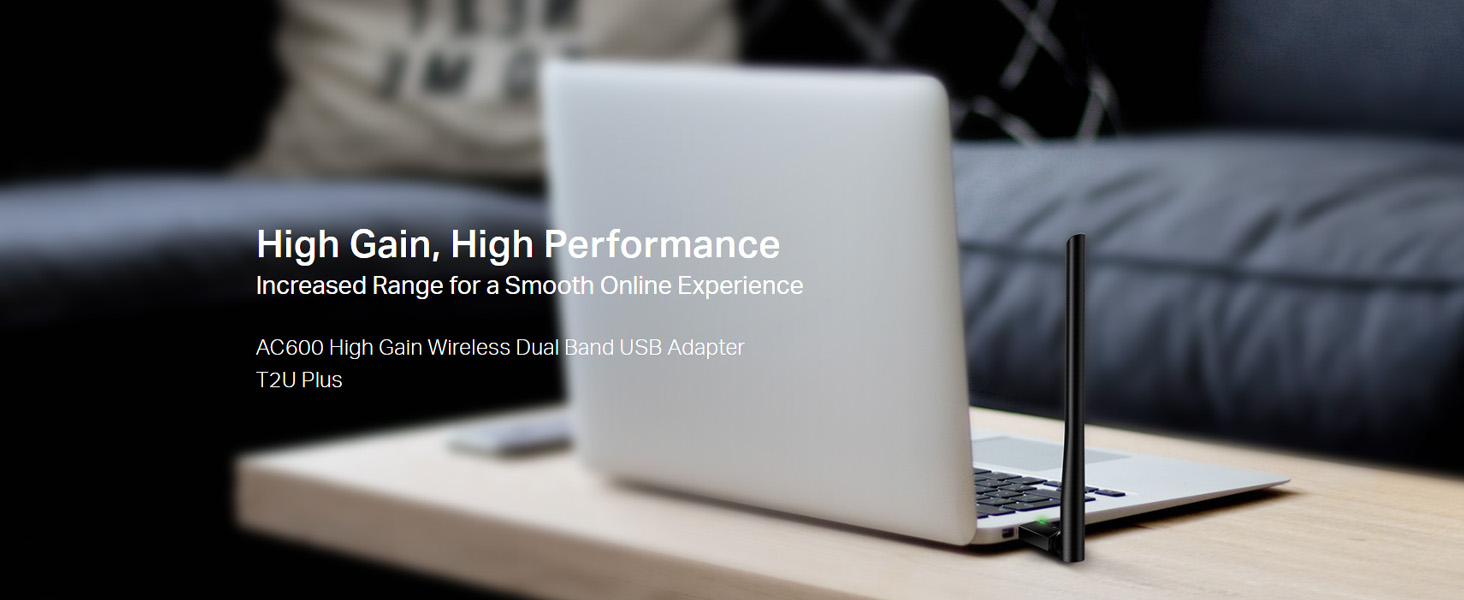
Image: The Archer T2U Plus adapter connected to a laptop's USB port, demonstrating its compact form factor.
4.2 Instalace ovladače
The adapter requires a driver to function correctly. You can install it using the provided Resource CD or by downloading it from the TP-Link webmísto.
Option A: Using the Resource CD
- Insert the Resource CD into your computer's CD-ROM drive.
- Follow the on-screen instructions to run the setup wizard.
- Select the Archer T2U Plus model and proceed with the driver installation.
- Pokud k tomu budete vyzváni, restartujte počítač.
Option B: Downloading Drivers Online
- Navštivte oficiální podporu TP-Link webweb (www.tp-link.com/support/download/).
- Hledat "Archer T2U Plus" and download the latest driver compatible with your operating system.
- Extrahujte stažené file (if compressed) and run the setup executable.
- Follow the installation wizard and restart your computer if required.
5. Návod k obsluze
5.1 Připojení k síti Wi-Fi
- After successful driver installation, the adapter will be detected by your operating system.
- Click the Wi-Fi icon in your system tray (Windows) or menu bar (Mac OS).
- Select your desired Wi-Fi network (SSID) from the list of available networks.
- Enter the network password (security key) if prompted and click Připojit.
- The adapter will establish a connection to the Wi-Fi network.
5.2 Dual Band Functionality
The Archer T2U Plus supports both 2.4 GHz and 5 GHz Wi-Fi bands. The 5 GHz band offers faster speeds and less interference, ideal for streaming and gaming, while the 2.4 GHz band provides wider coverage.
- Pásmo 2.4 GHz: Up to 200 Mbps data rate, suitable for general web prohlížení a e-mail.
- Pásmo 5 GHz: Up to 433 Mbps data rate, ideal for HD video streaming and online gaming.
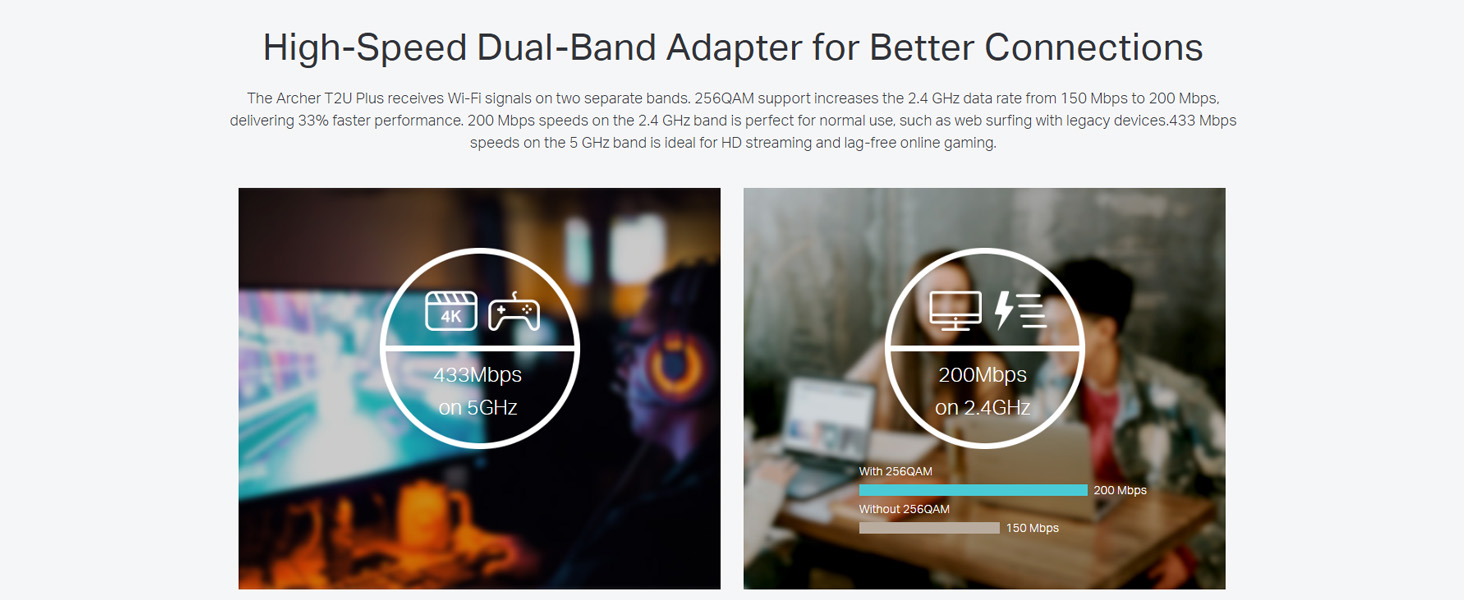
Image: A visual representation comparing the data rates and typical uses for the 2.4 GHz (200 Mbps) and 5 GHz (433 Mbps) bands.
5.3 Nastavení antény
The adapter features an adjustable, multi-directional 5dBi high-gain antenna to optimize signal reception and transmission.
- Rotate and adjust the antenna in various directions to find the optimal position for signal strength and performance in your environment.
- Experiment with different angles to achieve the best possible Wi-Fi range and stability.

Image: The Archer T2U Plus adapter illustrating its adjustable antenna, capable of rotating up to 180 degrees and tilting 90 degrees for optimal signal.
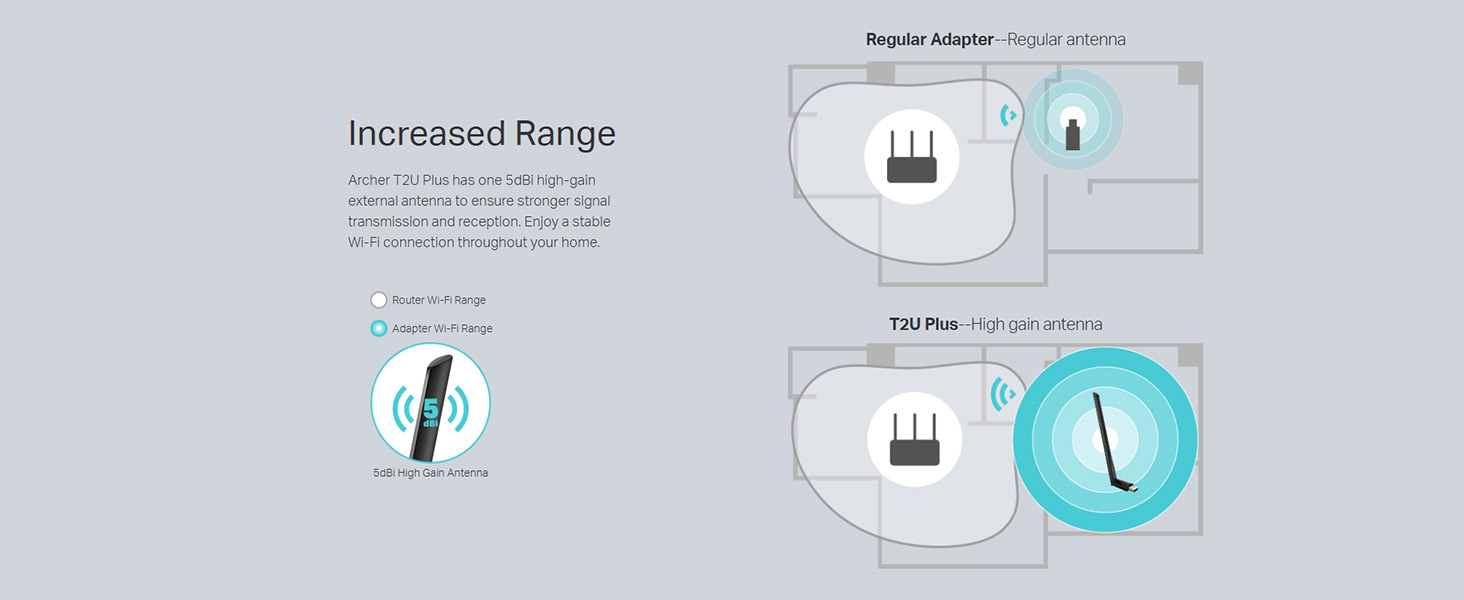
Image: A diagram comparing the Wi-Fi coverage area of a regular adapter with a standard antenna versus the extended range provided by the Archer T2U Plus's high-gain antenna.
6. Údržba
6.1 Aktualizace ovladačů
Pravidelně kontrolujte podporu TP-Link website for updated drivers. Keeping your drivers current ensures optimal performance, compatibility, and security.
6.2 Čištění
To maintain the adapter's performance, keep it clean and free from dust. Use a soft, dry cloth to wipe the device. Avoid using liquid cleaners or solvents.
7. Řešení problémů
If you encounter issues with your Archer T2U Plus adapter, refer to the following common troubleshooting steps:
- Žádné připojení k Wi-Fi:
- Ujistěte se, že je adaptér bezpečně zapojený do portu USB.
- Ověřte, zda jsou ovladače správně nainstalovány. V případě potřeby je znovu nainstalujte.
- Zkontrolujte, zda je váš router zapnutý a vysílá signál Wi-Fi.
- Zkuste se připojit k jinému portu USB.
- Pomalá rychlost Wi-Fi:
- Ensure you are connected to the 5 GHz band if your router supports it, for faster speeds.
- Adjust the antenna position for better signal reception.
- Snižte rušení přesunutím adaptéru dále od ostatních elektronických zařízení.
- Aktualizujte ovladače adaptéru na nejnovější verzi.
- Adaptér nebyl detekován:
- Zkuste zapojit adaptér do jiného USB portu.
- Restartujte počítač.
- Manually install the drivers from the Resource CD or TP-Link webmísto.
8. Specifikace
| Značka | TP-Link |
| Model | Archer T2U Plus |
| Hardwarové rozhraní | USB, USB 2.0 |
| Rychlost přenosu dat | 600 Megabits Per Second (200 Mbps on 2.4 GHz, 433 Mbps on 5 GHz) |
| Typ antény | 5dBi High-Gain External Antenna |
| Kompatibilní operační systémy | Windows 11/10/8.1/8/7/XP, Mac OS 10.15 and earlier |
| Rozměry produktu (D x Š x V) | 5.8L x 1.8W x 17.3H centimetrů |
| Hmotnost položky | 12 gramů |
| Barva | Černý |
9. Záruka a podpora
9.1 Informace o záruce
Tento produkt je dodáván s a 3-letá záruka od data nákupu. Uschovejte si prosím doklad o koupi pro případ reklamace. Záruka se vztahuje na výrobní vady a poruchy za běžných podmínek používání.
9.2 Technická podpora
For technical assistance, driver downloads, or further inquiries, please contact TP-Link support:
- Bezplatná podpora: 1800-209-4168
- E-mailová podpora: support.in@tp-link.com
- Webmísto: www.tp-link.com/in/support/