
Zavedení
This manual provides instructions for the safe and effective use of your T&G TG504 Portable Bluetooth Speaker. Please read it thoroughly before use and retain it for future reference. This speaker is designed for portable audio playback with wireless Bluetooth connectivity and water resistance.
Konec produktuview
The T&G TG504 is a cylindrical, portable Bluetooth speaker featuring a robust design and a built-in microphone for hands-free calling. It offers high-definition sound with bass boost and multiple connectivity options.
Klíčové vlastnosti:
- Portable and Cylindrical Design
- Water Resistant Construction
- Built-in Microphone for Calls
- Bezdrátové připojení Bluetooth
- AUX and USB Port for versatile playback
- Bass Boost and High Definition Sound
- Battery Powered for on-the-go use
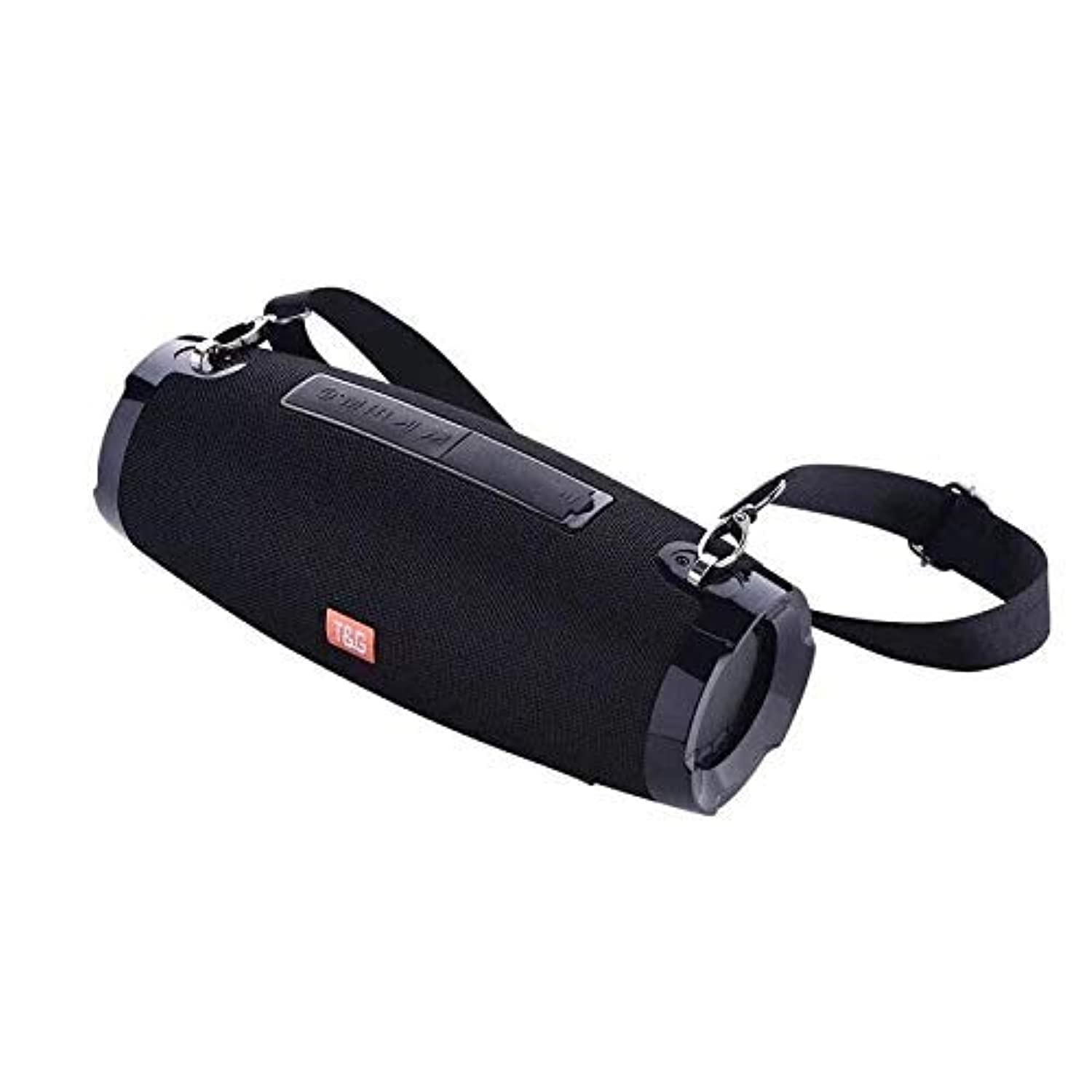
This image shows the T&G TG504 Portable Bluetooth Speaker. It features a black cylindrical design with a mesh grille covering the speaker. The T&G brand logo is visible in orange on the front. The speaker has attachment points on the sides, suggesting portability.
Obsah balení
- Přenosný Bluetooth reproduktor T&G TG504
- AUX kabel
- USB nabíjecí kabel
- Uživatelská příručka
Ovládací prvky a indikátory
Familiarize yourself with the speaker's controls and ports for optimal operation.
- Vypínač: Stisknutím a podržením zapnete nebo vypnete reproduktor.
- Tlačítko Přehrát/Pozastavit: Stisknutím spustíte nebo pozastavíte zvuk.
- Zvýšení hlasitosti (+): Stisknutím zvýšíte hlasitost. Podržením přejdete na další skladbu.
- Snížit hlasitost (-): Stisknutím snížíte hlasitost. Podržením přejdete na předchozí skladbu.
- Tlačítko režimu (M): Stisknutím přepínáte mezi režimy Bluetooth, AUX a USB.
- Volací tlačítko: Press to answer or end a phone call. Hold to reject a call.
- AUX port: Pro kabelové připojení k audio zařízením.
- USB port: For playing music from a USB drive or charging other devices (if supported).
- Nabíjecí port: Pro připojení nabíjecího kabelu USB.
- LED indikátor: Zobrazuje stav napájení, stav nabíjení a stav párování Bluetooth.
Nastavení
1. Nabíjení reproduktoru
- Připojte menší konec nabíjecího kabelu USB k nabíjecímu portu reproduktoru.
- Připojte větší konec nabíjecího kabelu USB k napájecímu adaptéru USB (není součástí balení) nebo k portu USB počítače.
- LED indikátor bude zobrazovat stav nabíjení (např. červeně během nabíjení, zhasnuto při plném nabití).
- Před prvním použitím nechte baterii plně nabít přibližně 3–4 hodin.
2. Zapnutí/vypnutí
- To power on, press and hold the Power button until the LED indicator lights up and you hear an audible prompt.
- To power off, press and hold the Power button again until the LED indicator turns off and you hear an audible prompt.
3. Párování Bluetooth
- Ensure the speaker is powered on and in Bluetooth pairing mode (LED indicator will typically flash blue). If not, press the Mode button to switch to Bluetooth mode.
- Na svém mobilním zařízení (chytrý telefon, tablet, notebook) povolte Bluetooth.
- Hledat available Bluetooth devices. The speaker will appear as "TG504" or similar.
- Select "TG504" to connect. Once paired, the LED indicator will turn solid blue, and you will hear a confirmation sound.
- Reproduktor se po zapnutí automaticky znovu připojí k poslednímu spárovanému zařízení, pokud je zařízení v dosahu a je povoleno připojení Bluetooth.
4. Připojení přes AUX
- Connect one end of the provided AUX cable to the speaker's AUX port.
- Connect the other end of the AUX cable to the headphone jack of your audio device.
- Reproduktor se automaticky přepne do režimu AUX, nebo budete možná muset stisknout tlačítko Mode pro výběr AUX.
Návod k obsluze
Přehrávání hudby
- Režim Bluetooth: Once paired, start playing music on your connected device. Audio will stream through the speaker.
- Režim AUX: Spusťte přehrávání hudby na připojeném audio zařízení.
- Režim USB: Vložte USB flash disk s MP3 files into the USB port. The speaker will automatically detect and play music. Press the Mode button to switch to USB mode if needed.
- Use the Play/Pause button on the speaker or your device to control playback.
Nastavení hlasitosti
- Press the Volume Up (+) button to increase the volume.
- Press the Volume Down (-) button to decrease the volume.
- Volume can also be adjusted from your connected device.
Handling Calls (Bluetooth Mode)
- Přijmout hovor: When a call comes in, press the Call button once to answer.
- Ukončit hovor: During a call, press the Call button once to end the call.
- Odmítnout hovor: When a call comes in, press and hold the Call button to reject it.
- Znovu vytočit poslední číslo: In standby mode, double-press the Call button to redial the last number.
Hlasové ovládání
The speaker supports voice control. Depending on your connected device, you may be able to activate your device's voice assistant (e.g., Siri, Google Assistant) by pressing and holding the Play/Pause button (or a dedicated voice button if available) for a few seconds.
Údržba
Čištění
- Otřete reproduktor měkkým, suchým hadříkem.
- Nepoužívejte abrazivní čisticí prostředky, alkohol ani chemická rozpouštědla.
Skladování
- Reproduktor skladujte na chladném a suchém místě mimo dosah přímého slunečního záření a extrémních teplot.
- Pokud baterii skladujete delší dobu, pravidelně ji nabíjejte, abyste prodloužili její životnost.
Péče o odolnost proti vodě
- Před vystavením reproduktoru vodě se ujistěte, že jsou všechny kryty portů bezpečně uzavřeny.
- Do not submerge the speaker in water. Water resistance protects against splashes and light rain, not full immersion.
- Po kontaktu s vodou reproduktor před nabíjením nebo otevřením krytů portů otřete do sucha.
Odstraňování problémů
Pokud narazíte na problémy s reproduktorem, podívejte se do následující tabulky, kde najdete běžné problémy a jejich řešení.
| Problém | Možná příčina | Řešení |
|---|---|---|
| Reproduktor se nezapne | Slabá baterie; Tlačítko napájení nebylo správně stisknuto | Nabijte reproduktor; Stiskněte a podržte tlačítko napájení po dobu 3–5 sekund. |
| Nelze spárovat přes Bluetooth | Speaker not in pairing mode; Device Bluetooth off; Speaker too far from device | Ensure speaker LED is flashing blue; Turn on Bluetooth on your device; Move speaker closer to device (within 10 meters). |
| Žádný zvuk | Příliš nízká hlasitost; Vybrán nesprávný režim; Zařízení nepřehrává zvuk | Zvyšte hlasitost reproduktoru a zařízení; Stisknutím tlačítka Režim vyberte správný vstup; Ujistěte se, že se na zařízení přehrává zvuk. |
| Zkreslení zvuku | Volume too high; Low battery; Interference | Reduce volume; Charge the speaker; Move away from other wireless devices. |
| Mikrofon nefunguje | Not in call mode; Microphone blocked | Ensure you are on a call; Check for obstructions around the microphone. |
Specifikace
| Název modelu | TG504 |
| Značka | T&G |
| Barva | Černý |
| Tvar | Válcový |
| Hmotnost položky | 735 grams (approx. 1 kg / 2.2 pounds) |
| Maximální výstupní výkon reproduktoru | 10 wattů |
| Technologie připojení | Bluetooth, Auxiliary (AUX) |
| Technologie bezdrátové komunikace | Bluetooth |
| Vodě odolný | Ano |
| Zdroj napájení | Napájení z baterie |
| Kontrolní metoda | Hlas |
| Režim zvukového výstupu | Surround |
| Typ montáže | Stolní deska |
| Kompatibilní zařízení | Tablet, Laptop, Smartphone |
| Speciální funkce | Bass Boost, High Definition Sound, Water Resistant, USB Port |
| Zahrnuté komponenty | AUX kabel |
Bezpečnostní informace
- Nevystavujte reproduktor extrémním teplotám, přímému slunečnímu záření ani vysoké vlhkosti.
- Vyvarujte se pádu reproduktoru nebo jej nevystavujte silným nárazům.
- Udržujte reproduktor mimo dosah dětí a domácích zvířat.
- Do not attempt to disassemble, repair, or modify the speaker yourself. This will void the warranty and may cause damage or injury.
- Use only the specified charging cable and a compatible power adapter.
- Do not use the speaker near water sources if port covers are not securely closed.
- Delší poslech při vysoké hlasitosti může způsobit poškození sluchu.
Záruka a podpora
Specific warranty details are not provided in the product information. For warranty claims or technical support, please refer to the retailer or manufacturer's official website where you purchased the product. Keep your proof of purchase for any warranty-related inquiries.