
MEE audio EP-X5G2-GM
MEE audio X5-G2-2019 Wireless In-Ear Sport Headphones
Uživatelská příručka
Model: EP-X5G2-GM
1. Nastavení
1.1 Obsah balení
Ověřte, zda jsou v balení produktu přítomny všechny položky:
- X5 Wireless In-Ear Headset
- Micro-USB nabíjecí kabel
- Ušní nástavce (4 velikosti)
- Ušní ploutve
- Uživatelská příručka

Image: Retail packaging of the MEE audio X5-G2-2019 headphones, showing the product and accessories.
1.2 Nabíjení sluchátek
Before first use, fully charge the headphones. Connect the supplied Micro-USB charging cable to the charging port on the control module and plug the other end into a USB power source (e.g., computer USB port or wall adapter). The LED indicator will show charging status.
1.3 Nošení sluchátek
The X5-G2-2019 headphones are designed for a secure and comfortable fit. Experiment with the different sizes of eartips and ear fins to find the best seal and stability for your ears. The ergonomic design ensures they stay in place during physical activity.
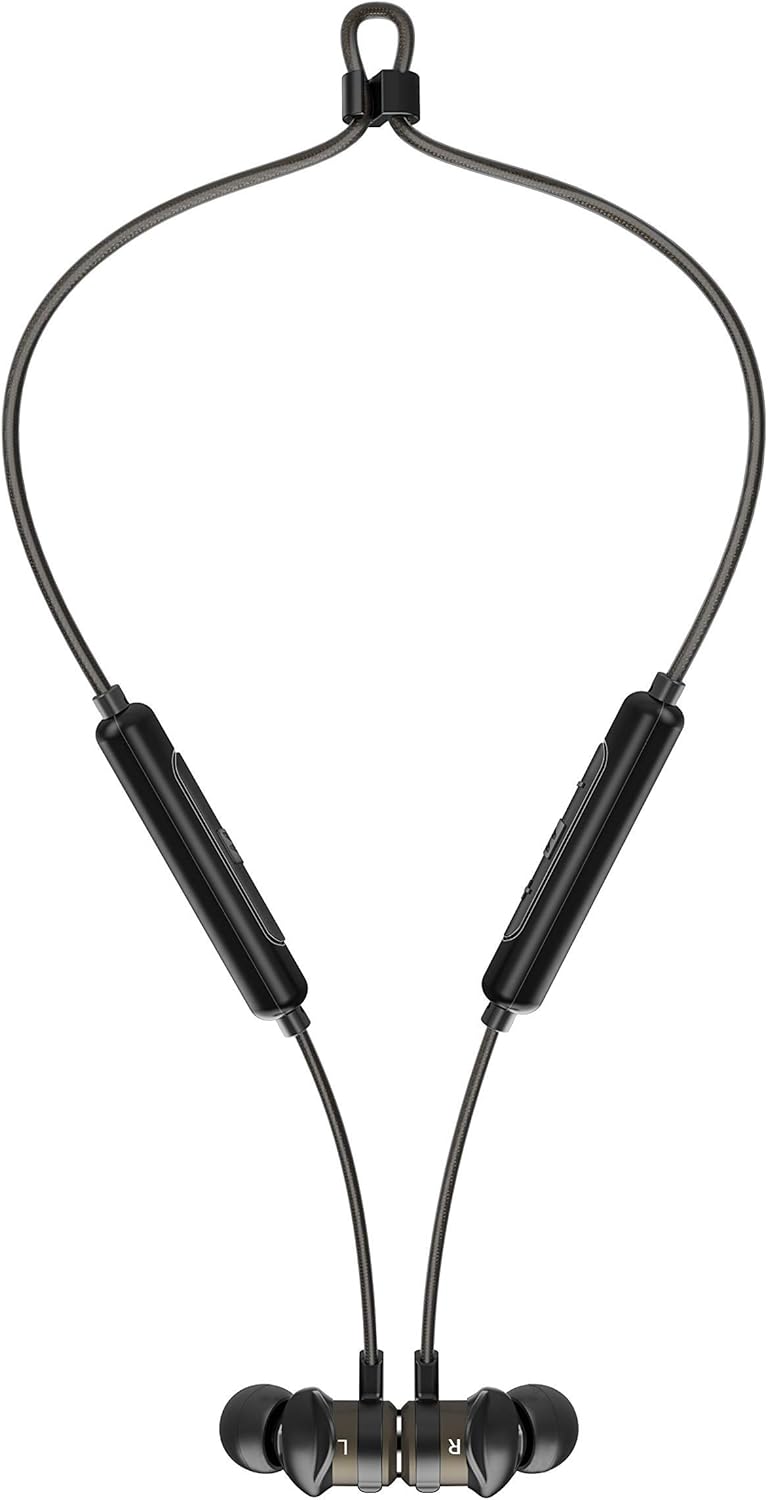

Image: The headphones shown worn around the neck and with earpieces magnetically connected for secure storage.
1.4 Párování Bluetooth
- Ujistěte se, že jsou sluchátka nabitá a vypnutá.
- Stiskněte a podržte multifunkční tlačítko na řídicím modulu, dokud LED indikátor nezačne blikat modře a červeně, což signalizuje režim párování.
- Na svém zařízení (chytrém telefonu, tabletu atd.) povolte Bluetooth a vyhledejte nová zařízení.
- Select "MEE audio X5-G2-2019" from the list of available devices.
- Po připojení bude LED indikátor pravidelně modře blikat.
2. Ovládání sluchátek
2.1 Ovládací prvky Overview
The X5-G2-2019 features an integrated remote and microphone for convenient control of calls and music playback.

Image: Close-up of the MEE audio X5-G2-2019 headphones showing the inline control module with volume and multi-function buttons.
- Multifunkční tlačítko: Zapnutí/vypnutí, přehrávání/pozastavení, příjem/ukončení hovorů.
- Zvýšení hlasitosti (+): Zvýšení hlasitosti, další skladba (dlouhé stisknutí).
- Snížit hlasitost (-): Snížení hlasitosti, předchozí skladba (dlouhé stisknutí).
2.2 Zapnutí/vypnutí
- Zapnutí: Stiskněte a podržte multifunkční tlačítko, dokud LED dioda nezačne modře blikat.
- Vypnout: Press and hold the multi-function button until the LED flashes red and turns off.
2.3 Přehrávání hudby
- Přehrát/pozastavit: Stiskněte jednou multifunkční tlačítko.
- Další skladba: Dlouze stiskněte tlačítko pro zvýšení hlasitosti (+).
- Předchozí skladba: Dlouze stiskněte tlačítko pro snížení hlasitosti (-).
2.4 Správa hovorů
- Přijmout/ukončit hovor: Stiskněte jednou multifunkční tlačítko.
- Odmítnout hovor: Stiskněte a podržte multifunkční tlačítko.
3. Údržba
3.1 Čištění
Clean the headphones regularly with a soft, damp cloth. Do not use harsh chemicals or abrasive materials. Remove eartips and clean them separately with mild soap and water if necessary, ensuring they are completely dry before reattaching.
3.2 Skladování
When not in use, store the headphones in a cool, dry place away from direct sunlight and extreme temperatures. The magnetic earpieces allow for tangle-free storage around your neck or in a pouch.
3.3 Odolnost proti vodě a potu
The MEE audio X5-G2-2019 headphones feature an IPX5 sweat and weather-resistant design, protecting them from splashes and sweat. Do not submerge the headphones in water or expose them to running water.
4. Řešení problémů
4.1 Běžné problémy a řešení
- Bez napájení: Ujistěte se, že jsou sluchátka plně nabitá. Připojte je ke zdroji napájení a zkontrolujte indikátor nabíjení.
- Nelze spárovat: Ensure the headphones are in pairing mode (flashing blue and red). Turn off and on your device's Bluetooth. Try forgetting the device on your phone and re-pairing.
- Žádný zvuk: Check the volume level on both the headphones and your connected device. Ensure the headphones are properly paired and connected.
- Špatná kvalita zvuku: Ensure the eartips provide a good seal in your ear. Move closer to your connected device to avoid interference.
5. Specifikace
| Značka | Zvuk MEE |
| Název modelu | EP-X5G2-GM |
| Číslo modelu | EP-X5G2-GM |
| Technologie připojení | Kabelové, bezdrátové |
| Technologie bezdrátové komunikace | Bluetooth |
| Umístění uší | In-Ear |
| Form Factor | In-Ear |
| Jack pro sluchátka | Micro USB |
| Barva | Gunmetal |
| Rozměry produktu | 2 x 2 x 2 cm; 50 gramů |
| Baterie | 1 Lithium-Polymer Battery required (included) |
| Výdrž baterie (přehrávání hudby) | Až 8.5 hodin |
| Výdrž baterie (doba hovoru) | Až 9 hodin |
| Hodnocení odolnosti proti vodě | IPX5 (Sweat and Weather Resistant) |
| Zahrnuté komponenty | X5 Wireless In-Ear Headset, Micro-USB charging cable, Eartips (4 sizes), Ear fins, User Manual |
6. Záruka a podpora
6.1 Informace o záruce
MEE audio products are covered by a manufacturer's warranty. Please refer to the warranty card included in your product packaging or visit the official MEE audio webPodrobné záruční podmínky platné pro váš region naleznete na webových stránkách.
6.2 Zákaznická podpora
For technical assistance, troubleshooting, or warranty claims, please contact MEE audio customer support through their official website. Have your product model number (EP-X5G2-GM) and purchase information ready when contacting support.
Ask a question about this manual
Ask about setup, troubleshooting, compatibility, parts, safety, or missing instructions. Manuals+ will review the question and use this page’s manual context to help answer it.