
1. Úvod
The ENHANCE Infiltrate USB Gaming Mouse is designed for an enhanced gaming experience, featuring customizable controls and dynamic lighting. This manual provides instructions for setting up, operating, and maintaining your gaming mouse.

Image: The ENHANCE Infiltrate USB Gaming Mouse, showcasing its ergonomic design and sleek black finish.
2. Klíčové vlastnosti
- Multi-Color LED Light: Dynamic rainbow lighting pattern illuminates the mouse accents, slowly fading between colors.
- Nastavení DPI za chodu: Quickly select from 4 DPI intervals (800, 1200, 1600, 2400) using the dedicated DPI button.
- Ergonomic Design with Smooth Rubber Grip: The top features a sleek rubber coating, while the side includes two extra thumb buttons with a textured grip for comfort.
- 6 programovatelných tlačítek: Customize your gaming experience with additional buttons for macros or specific functions.
- Design Plug & Play: Connects easily to your PC via a gold-plated USB connector for immediate use.
- Durable Braided Cable: Designed for longevity and resistance to tangles.
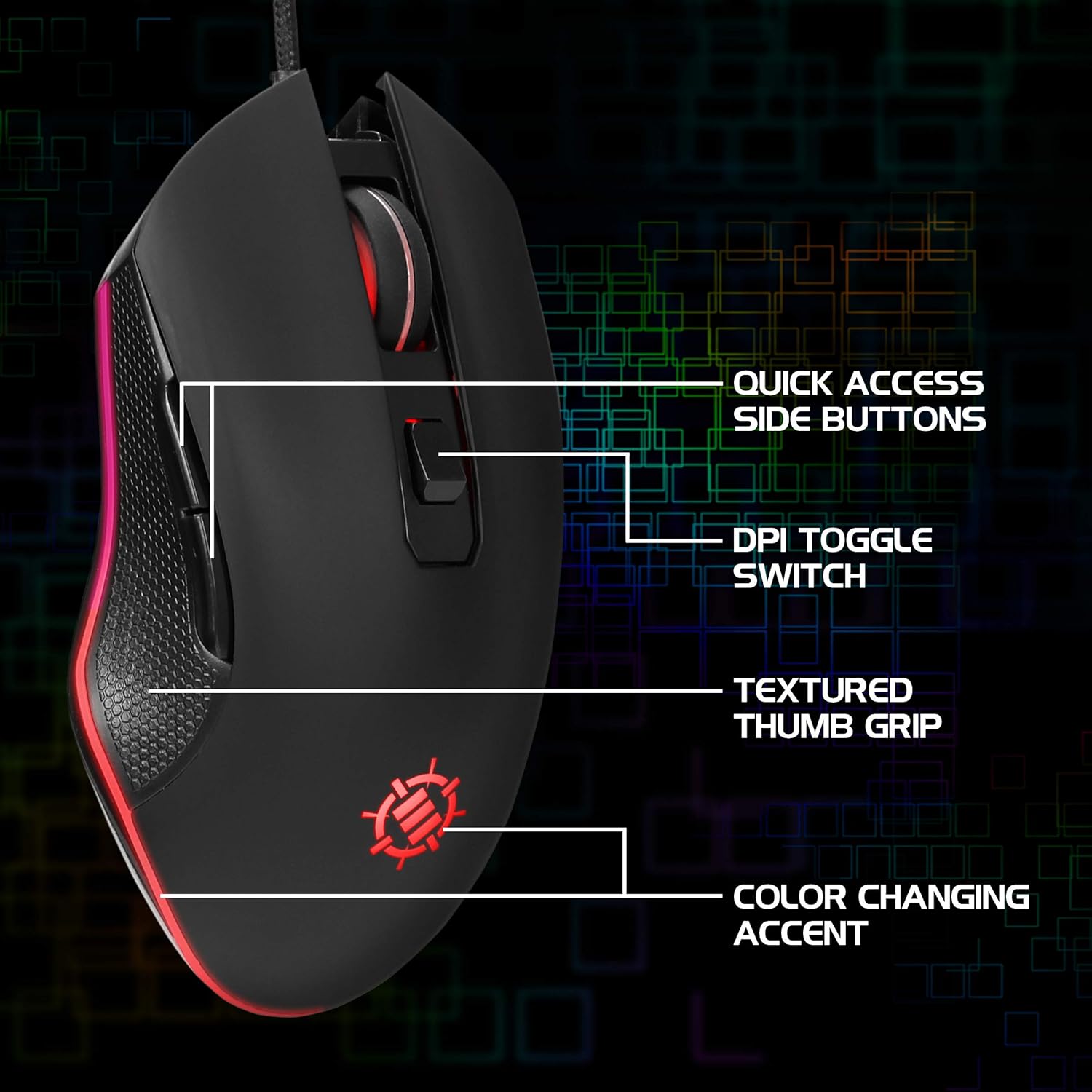
Image: Diagram highlighting key features of the ENHANCE Infiltrate mouse, including quick access side buttons, DPI toggle switch, textured thumb grip, and color-changing accent.
3. Průvodce nastavením
- Rozbalte myš: Carefully remove the ENHANCE Infiltrate USB Gaming Mouse from its packaging.
- Připojení k počítači: Locate an available USB port on your computer. Insert the gold-plated USB connector of the mouse into the USB port. The mouse is plug-and-play, so no additional drivers are typically required for basic functionality.
- Počáteční uznání: Váš operační systém by měl automaticky detekovat a nainstalovat potřebné ovladače. Tento proces může chvíli trvat.
- Ověřte funkčnost: Once installed, the mouse's LED lighting should activate, and you should be able to move the cursor on your screen.

Obrázek: Detailní záběr view of the heavy-duty braided cable and gold-plated USB connector, ready for connection.
For a visual guide on connecting and using the mouse, please watch the official product video below.
Video: Official product video demonstrating the ENHANCE Infiltrate USB Gaming Mouse, including connection and feature highlights.
4. Návod k obsluze
4.1 Základní funkce myši
The ENHANCE Infiltrate mouse functions like a standard USB mouse. It includes left-click, right-click, and a scroll wheel with a clickable middle button.

Image: A hand demonstrating the ergonomic grip of the ENHANCE Infiltrate Gaming Mouse on a gaming mouse pad.
4.2 Nastavení DPI
The mouse features a dedicated DPI button located behind the scroll wheel. Press this button to cycle through four preset DPI (Dots Per Inch) sensitivity levels:
- 800 DPI
- 1200 DPI
- 1600 DPI
- 2400 DPI
Each DPI setting may correspond to a different LED color on the mouse, providing visual feedback for the current sensitivity level.
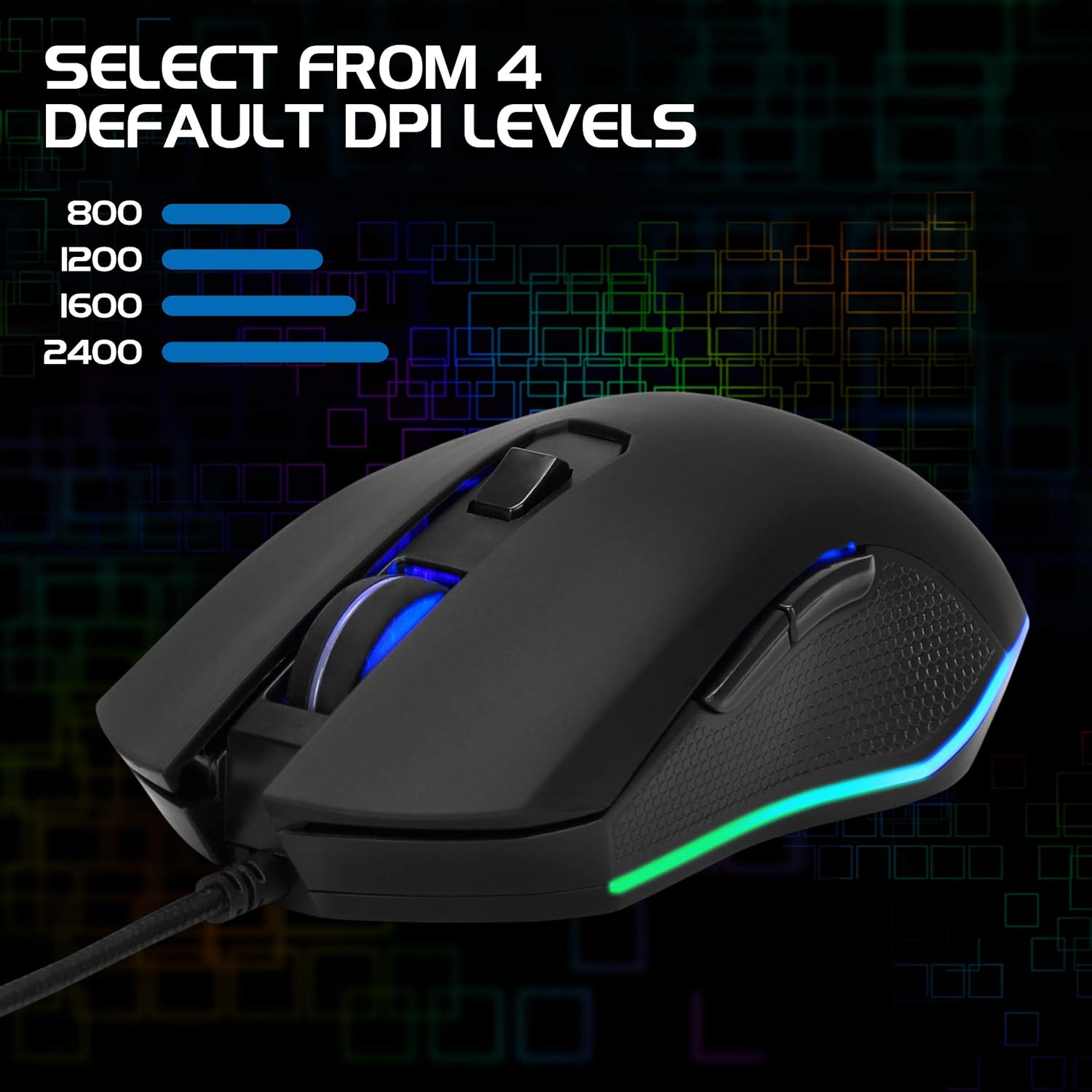
Image: The ENHANCE Infiltrate Gaming Mouse illustrating the four selectable DPI levels (800, 1200, 1600, 2400) and their corresponding LED indicators.
4.3 Multi-Color LED Lighting
The Infiltrate mouse features dynamic multi-color LED lighting that cycles through a rainbow pattern. This lighting is automatic and provides an aesthetic enhancement to your gaming setup.

Image: The ENHANCE Infiltrate Gaming Mouse displaying its sleek color-changing lighting accents.

Obrázek: Side profile of the ENHANCE Infiltrate Gaming Mouse, showcasing its blue LED lighting.
4.4 programovatelná tlačítka
The mouse includes 6 programmable buttons. For advanced customization and programming of these buttons, please refer to your operating system's mouse settings or any third-party software compatible with generic gaming mice. Specific software for this model is not provided by the manufacturer.
5. Údržba
- Čištění: K otření povrchu myši použijte měkký, suchý hadřík. V případě odolných nečistot použijte lehceamp Lze použít hadřík, který zajistí, aby se do vnitřních součástí nedostala vlhkost.
- Optický senzor: Periodically clean the optical sensor area on the underside of the mouse with a cotton swab to ensure optimal tracking performance.
- Péče o kabely: Abyste předešli poškození, vyhněte se ostrým ohybům nebo nadměrnému tahání za opletený USB kabel.
- Skladování: Pokud myš nepoužíváte, skladujte ji v čistém a suchém prostředí mimo dosah extrémních teplot.
6. Řešení problémů
- Myš nereaguje:
- Ujistěte se, že je kabel USB bezpečně zapojený do funkčního portu USB v počítači.
- Zkuste zapojit myš do jiného USB portu.
- Restartujte počítač.
- Vyzkoušejte myš na jiném počítači, abyste zjistili, zda je problém s myší nebo s vaším systémem.
- Pohyb kurzoru je nepravidelný nebo skokatý:
- Vyčistěte optický senzor na spodní straně myši.
- Ujistěte se, že myš používáte na čistém, nereflexním povrchu. Doporučuje se podložka pod myš.
- Check for any software conflicts or outdated drivers on your computer.
- LED světla nefungují:
- Ověřte, zda je myš správně připojena k počítači.
- The LED lighting is automatic and should activate upon connection. If not, try a different USB port or computer.
- Tlačítko DPI nemění citlivost:
- Ensure the mouse is fully recognized by your computer.
- Pevně stiskněte tlačítko DPI.
7. Specifikace
| Značka | ZVÝŠIT |
| Číslo modelu | ENINMNU100BOEW |
| Hardwarová platforma | Mac, PC |
| Hmotnost položky | 4.4 unce |
| Rozměry produktu (DxŠxV) | 4.92 x 2.68 x 1.56 palce |
| Barva | Černý |
| Zdroj napájení | Elektrický kabel (USB) |
| Technologie připojení | USB |
| Speciální funkce | Ergonomický design |
| Technologie detekce pohybu | Optický |
| Úrovně DPI | 800, 1200, 1600, 2400 |
8. Záruka a podpora
The ENHANCE Infiltrate USB Gaming Mouse is backed by a 3-letá záruka výrobce. Tato záruka se vztahuje na vady materiálu a zpracování při běžném používání.
For warranty claims or technical support, please contact ENHANCE customer service. Keep your proof of purchase for warranty validation.
For further assistance, visit the official ENHANCE Gaming webwebu nebo kontaktujte jejich kanály podpory.