
Zavedení
The Turtle Beach Battle Buds In-Ear Gaming Headset is engineered for versatile gaming across multiple platforms, including mobile devices, PC, Xbox, and PlayStation consoles. This lightweight headset combines in-ear comfort with clear audio and communication capabilities, making it ideal for gaming on the go or at home. This manual provides essential information for setting up, operating, maintaining, and troubleshooting your Battle Buds headset.
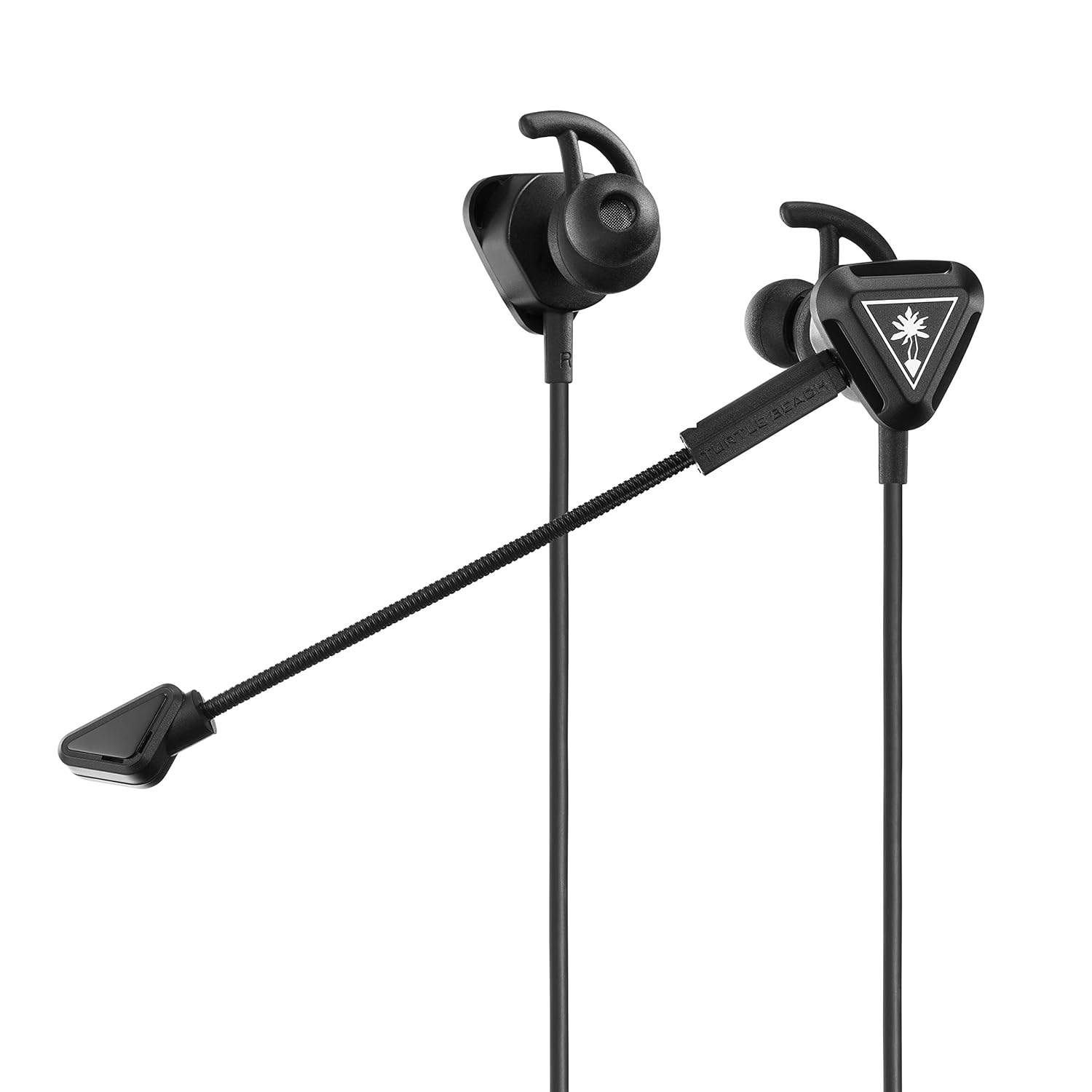
Image: The Turtle Beach Battle Buds In-Ear Gaming Headset, showcasing its compact design and detachable microphone.
Obsah balení
Ověřte prosím, zda jsou ve vašem balení obsaženy všechny níže uvedené položky:
- Turtle Beach Battle Buds In-Ear Gaming Headset
- Removable High-Sensitivity Boom Microphone
- Pouzdro na přenášení
- Ear Bud Tips (three sizes: Small, Medium, Large)
- Stabilizer Wings (three sizes: Small, Medium, Large)
- Rychlý průvodce
- Samolepka Turtle Beach

Image: All components of the Battle Buds headset package, including the headset, detachable microphone, carrying pouch, and various ear tip and stabilizer sizes.
Nastavení
1. Výběr správné velikosti
For optimal sound quality and comfort, select the ear bud tips and stabilizer wings that best fit your ears. Experiment with the three included sizes (Small, Medium, Large) to find the most secure and comfortable fit. A proper seal in your ear canal is crucial for bass response and noise isolation.

Image: A selection of three different sizes of ear bud tips and stabilizer wings, demonstrating the customization options for fit.
2. Připevnění mikrofonu
The Battle Buds feature a removable high-sensitivity boom microphone for clear voice chat during gaming. To attach, simply align the microphone's 3.5mm jack with the port on the left earbud and push firmly until it clicks into place. Ensure it is fully inserted for proper function.

Obrázek: Detailní záběr view of the removable high-sensitivity boom microphone, highlighting its connection point to the earbud.
3. Připojení k vašemu zařízení
The Battle Buds connect via a standard 3.5mm jack. Plug the headset's 3.5mm connector into the compatible audio port on your gaming controller (Xbox, PlayStation), PC, mobile device, or Nintendo Switch. Ensure the connection is secure.

Image: A diagram illustrating the multiplatform compatibility of the Battle Buds, showing connections to Xbox, PlayStation, mobile, and PC devices.
Návod k obsluze
Inline ovládací prvky
The Battle Buds feature a convenient inline controller for easy access to essential functions:
- Hlavní kolečko hlasitosti: Adjust the overall audio volume by sliding the wheel up or down.
- Přepínač ztlumení mikrofonu: Toggle this switch to quickly mute or unmute your microphone. When muted, your voice will not be transmitted.
- Multifunkční tlačítko: On supported devices (e.g., mobile phones), this button can be used to answer/end calls, play/pause music, or skip tracks. Refer to your device's manual for specific functionality.

Obrázek: Podrobný view of the inline controller, showing the master volume wheel and the mic mute switch.
Použití mikrofonu
The Battle Buds offer two microphone options:
- Removable Boom Mic: For optimal clarity during gaming, use the high-sensitivity boom microphone. Position it close to your mouth for the best voice pickup.
- Built-in Inline Mic: When the boom mic is detached, the headset automatically switches to the built-in inline microphone. This is suitable for casual use, mobile calls, or when the boom mic is not desired.

Image: A person wearing the Turtle Beach Battle Buds headset, demonstrating the position of the detachable boom microphone for clear communication.
Údržba
Proper care will extend the life of your Battle Buds headset:
- Čištění: Gently wipe the earbuds, tips, and cable with a soft, dry cloth. For stubborn dirt, a slightly damp Lze použít hadřík, ale dbejte na to, aby se do mřížek reproduktoru ani mikrofonu nedostala vlhkost. Nepoužívejte agresivní chemikálie ani abrazivní čisticí prostředky.
- Skladování: When not in use, store the headset in the included carrying pouch to protect it from dust, dirt, and tangles. Avoid wrapping the cable too tightly.
- Péče o kabely: Do not pull on the cable to disconnect the headset. Always grasp the 3.5mm plug. Avoid sharp bends or kinks in the cable.
Odstraňování problémů
If you encounter issues with your Battle Buds, please refer to the following common problems and solutions:
| Problém | Možná příčina | Řešení |
|---|---|---|
| Žádný zvuk nebo nízká hlasitost |
|
|
| Mikrofon nefunguje |
|
|
| Uncomfortable fit or falling out |
|
|
If these solutions do not resolve your issue, please visit the Turtle Beach support webstránky pro další pomoc.
Specifikace
| Funkce | Detail |
|---|---|
| Název modelu | Battle Buds |
| Číslo modelu | TBS-4002-01 |
| Technologie připojení | Drátový (3.5 mm) |
| Reproduktory | 10 mm s neodymovými magnety |
| Frekvenční odezva | 20Hz – 20kHz |
| Design sluchátek | In-Ear |
| Návrh mikrofonu | Removable Unidirectional Boom Microphone & Built-In Inline Microphone |
| Inline ovládací prvky | Master Volume Wheel, Mic Mute, Multifunction Button |
| Kompatibilní zařízení | Xbox (Series X, Series S, One), PlayStation (PS5, PS4, PS4 Pro), PC, Mobile |
| Materiál | Plast |
| Hmotnost položky | 0.8 unce (cca 22.7 gramů) |
| Rozměry produktu | 1.5 x 0.75 x 1.1 palce |
| UPC | 731855040025 |
| Datum vydání | 1. března 2019 |

Obrázek: Detailní záběr view of the Battle Buds' 10mm speakers, highlighting their design.
Záruka a podpora
Turtle Beach products are designed for durability and performance. For information regarding warranty coverage, product registration, or technical support, please visit the official Turtle Beach webweb. Najdete zde nejčastější dotazy, ovladače ke stažení a kontaktní informace na zákaznický servis.
Oficiální podpora Turtle Beach: www.turtlebeach.com/pages/support


