
Zavedení
This manual provides comprehensive instructions for the setup, operation, and maintenance of your TeknoGame GC Wired Game Controller. This controller is designed for use with Nintendo Wii and Nintendo GameCube systems, offering a classic gaming experience.
Please read this manual thoroughly before using the product to ensure proper functionality and longevity.
Konec produktuview

Obrázek 1: Přední view of the TeknoGame GC Wired Game Controller, showcasing its clear casing, button layout, and the GameCube-style connector cable.
The TeknoGame GC Wired Game Controller features a transparent design, allowing visibility of its internal components. It includes a standard GameCube controller layout with an analog stick, C-stick, D-pad, A/B/X/Y buttons, Start/Pause button, and L/R/Z shoulder buttons. The controller connects via a wired cable with a GameCube compatible plug.
Pokyny pro nastavení
- Identify the Controller Port: Locate the GameCube controller ports on your Nintendo Wii console (under a flap on the top side) or directly on your Nintendo GameCube console.
- Připojte ovladač: Insert the controller's plug firmly into an available GameCube controller port. Ensure the plug is oriented correctly to avoid damage.
- Zapnutí konzole: Turn on your Nintendo Wii or GameCube console.
- Test funkčnosti: Navigate the console's menu or start a game to confirm the controller is responsive.

Obrázek 2: Shora dolů view of the controller, highlighting the button layout and transparent design.
Obsluha ovladače
The TeknoGame GC Wired Game Controller functions identically to an original GameCube controller. Refer to your game's specific instructions for button assignments and control schemes.
- Analogová páčka: Used for primary character movement or menu navigation.
- C-tyčinka: Often used for camera control, secondary actions, or smash attacks in fighting games.
- D-Pad: Used for menu navigation or specific in-game actions.
- Tlačítka A, B, X, Y: Hlavní akční tlačítka a jejich funkce se liší podle hry.
- Tlačítko Start/Pauza: Pauses the game or accesses in-game menus.
- Tlačítka L/P: Analog shoulder buttons, often used for shielding, aiming, or other context-sensitive actions.
- Tlačítko Z: Digital shoulder button, typically used for specific actions like grabbing or targeting.
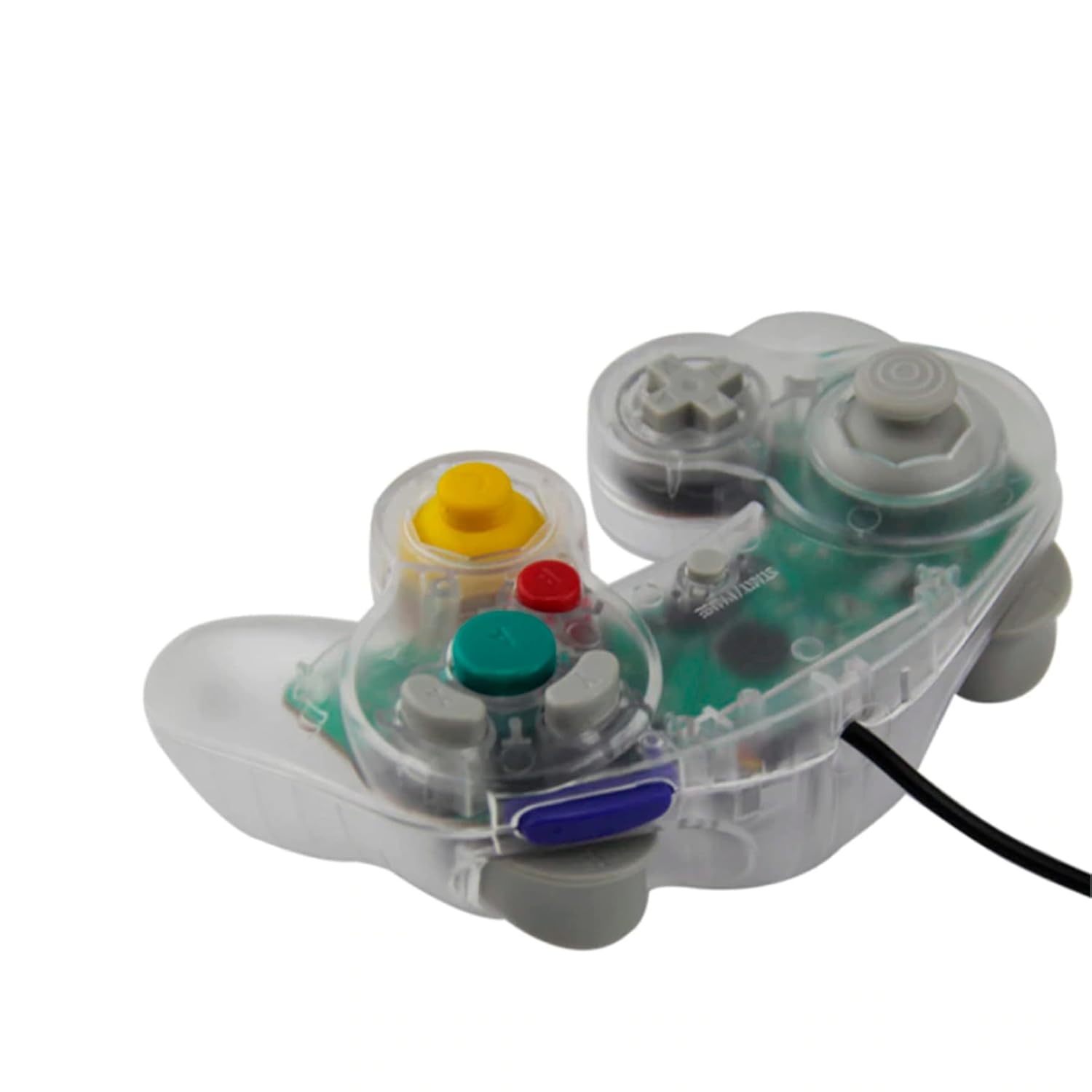
Obrázek 3: Strana view of the controller, illustrating its ergonomic shape and the attached wired cable.
Péče a údržba
- Čištění: Use a soft, dry cloth to clean the controller's surface. For stubborn dirt, slightly damphadřík vodou. Nepoužívejte agresivní chemikálie ani abrazivní čisticí prostředky.
- Skladování: Ovladač skladujte na chladném a suchém místě mimo dosah přímého slunečního záření a extrémních teplot. Neomílejte kabel příliš těsně kolem ovladače, abyste předešli jeho poškození.
- Zacházení: Do not drop the controller or subject it to strong impacts. Avoid pulling the cable forcefully when disconnecting from the console; always grasp the plug.
Odstraňování problémů
| Problém | Možná příčina | Řešení |
|---|---|---|
| Ovladač nereaguje. | Loose connection, incorrect port, console not powered on. |
|
| Buttons or sticks are unresponsive/stiff. | Debris under buttons, internal component issue. |
|
| Controller disconnects intermittently. | Loose cable connection, damaged cable. |
|
Specifikace
- Model: GC Wired Game Controller
- Značka: Teknogame
- Kompatibilita: Nintendo Wii, Nintendo GameCube
- Konektivita: Wired (GameCube port)
- Rozměry: Přibližně 8 x 8 x 3 palce
- Hmotnost: Přibližně 8.8 unce
Záruka a podpora
For warranty information or technical support, please refer to the contact details provided with your purchase or visit the official Teknogame webmísto.