
1. Úvod
Děkuji za nákupasing the DACOM GF7 TWS V4.2 Bluetooth Earbuds. This manual provides detailed instructions on how to set up, operate, and maintain your earbuds to ensure optimal performance and longevity. Please read this manual thoroughly before using the product and retain it for future reference.
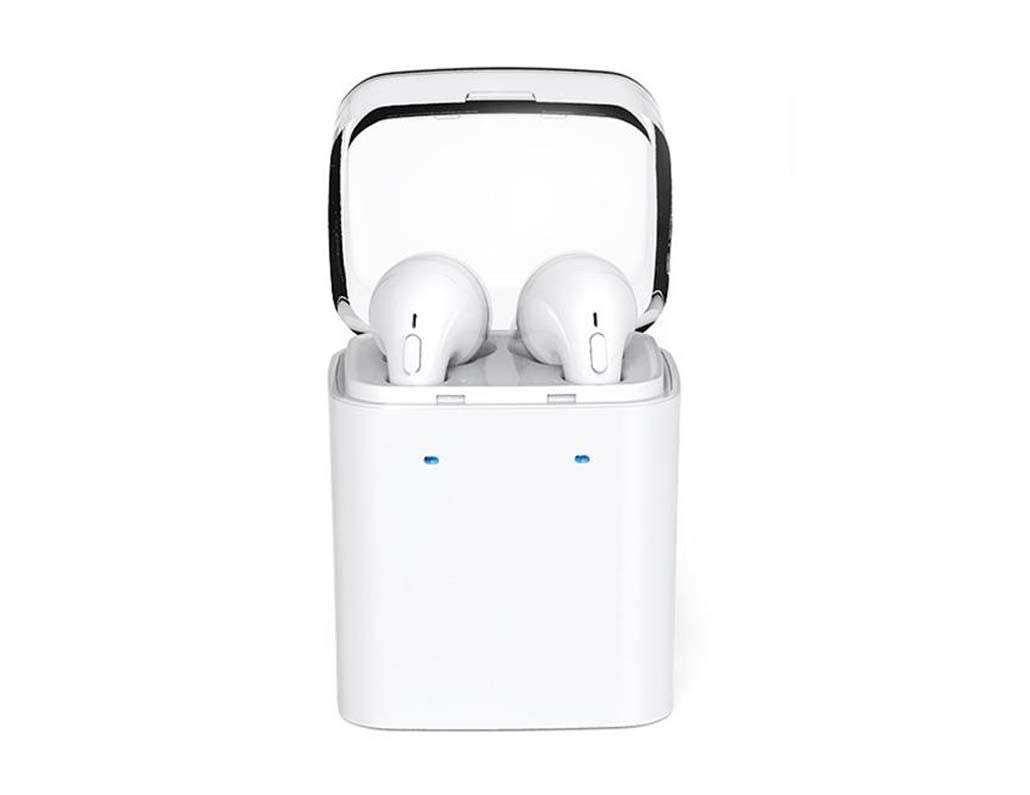
Image 1.1: DACOM GF7 TWS V4.2 Bluetooth Earbuds in their charging case.
2. Obsah balení
Po vybalení zkontrolujte obsah balení. Pokud některé položky chybí nebo jsou poškozené, kontaktujte svého prodejce.
- DACOM GF7 TWS V4.2 Bluetooth Earbuds (Left and Right)
- Přenosné nabíjecí pouzdro
- USB nabíjecí kabel
- Náušníky (různé velikosti)
- Uživatelská příručka (tento dokument)
3. Konec produktuview
Familiarize yourself with the components of your DACOM GF7 TWS V4.2 Earbuds and charging case.

Image 3.1: Detailed diagram showing the Multifunction Button (MFB), Indicator Light, Microphone (Mic), Air Gate, DC5V Charge Jack Cover, Headphone Charging Indicator Light, USB Charging Input Port, and the Charging Indicator Light of the bottom on the DACOM GF7 TWS V4.2 Earbuds and Charging Case.
- Multifunkční tlačítko (MFB): Used for power, playback, call management, and voice assistant activation.
- Kontrolka: Displays pairing status, charging status, and power status.
- Mikrofon: Built-in microphone for calls and voice commands.
- Vzdušná brána: Acoustic vent for sound performance.
- DC5V Charge Jack Cover: Protects the charging port on the earbuds.
- Headphone Charging Indicator Light: Shows charging status of individual earbuds within the case.
- USB Charging Input Port: For charging the portable charging case.
- Charging Indicator Light of the bottom: Zobrazuje stav nabíjení pouzdra.
4. Nastavení
4.1. Nabíjení sluchátek a nabíjecího pouzdra
- Nabíjení pouzdra: Connect the USB charging cable to the USB Charging Input Port on the charging case and the other end to a 5V USB power adapter (not included). The Charging Indicator Light at the bottom of the case will illuminate to indicate charging. Once fully charged, the indicator light may change color or turn off.
- Nabíjení sluchátek: Place the earbuds into their respective slots in the charging case. Ensure the earbuds are properly seated. The Headphone Charging Indicator Light on the case will show the charging status of the earbuds. The earbuds' indicator lights will also show charging status (e.g., red while charging, off when fully charged).
- Před prvním použitím plně nabijte sluchátka i nabíjecí pouzdro.
4.2. Párování Bluetooth
- Zapnutí: Take both earbuds out of the charging case. They will automatically power on and attempt to pair with each other. You will hear an audible prompt indicating they are connected to each other.
- Režim párování: Once the earbuds are paired with each other, one earbud's indicator light will flash red and blue alternately, indicating it is in pairing mode and ready to connect to your device.
- Připojit k zařízení: On your smartphone or Bluetooth-enabled device, go to the Bluetooth settings and search for available devices. Select "DACOM GF7 TWS" (or similar name) from the list.
- Úspěšné připojení: Once connected, the earbud's indicator light will stop flashing, and you will hear a confirmation sound.
- Automatické opětovné připojení: Po počátečním spárování se sluchátka po vyjmutí z nabíjecího pouzdra automaticky připojí k poslednímu spárovanému zařízení, za předpokladu, že je na vašem zařízení povoleno Bluetooth.
5. Návod k obsluze
The DACOM GF7 TWS V4.2 Earbuds feature a Multifunction Button (MFB) for various controls.
5.1. Zapnutí/vypnutí
- Zapnutí: Take the earbuds out of the charging case. They will power on automatically. Alternatively, press and hold the MFB on both earbuds for approximately 3 seconds until you hear a power-on prompt.
- Vypnout: Place the earbuds back into the charging case. They will power off automatically. Alternatively, press and hold the MFB on both earbuds for approximately 5 seconds until you hear a power-off prompt.
5.2. Přehrávání hudby
- Přehrát/pozastavit: Single press the MFB on either earbud.
- Další skladba: Double press the MFB on the right earbud.
- Předchozí skladba: Double press the MFB on the left earbud.
5.3. Správa hovorů
- Přijmout/ukončit hovor: Single press the MFB on either earbud.
- Odmítnout hovor: Press and hold the MFB on either earbud for approximately 2 seconds.
5.4. Hlasový asistent
- Aktivovat Voice Assistant: Triple press the MFB on either earbud to activate your device's voice assistant (e.g., Siri, Google Assistant).
5.5. Potlačení hluku
- The DACOM GF7 TWS V4.2 features active noise cancellation. Specific activation methods may vary. Refer to the product's quick start guide or manufacturer's website for precise instructions if not detailed here. Typically, a long press or specific tap sequence on an MFB or dedicated button activates/deactivates ANC.
6. Údržba
Správná údržba zajistí dlouhou životnost a výkon vašich sluchátek.
- Čištění: Pravidelně čistěte sluchátka a nabíjecí pouzdro měkkým, suchým hadříkem, který nepouští vlákna. Nepoužívejte agresivní chemikálie ani abrazivní materiály.
- Tipy do uší: Remove and clean the ear tips periodically with a damp hadříkem a jemným mýdlem, poté opláchněte a před opětovným nasazením důkladně osušte.
- Skladování: Pokud sluchátka nepoužíváte, uložte je do nabíjecího pouzdra, abyste je chránili před prachem a poškozením.
- Vyhněte se vlhkosti: Chraňte sluchátka a nabíjecí pouzdro před vodou, nadměrnou vlhkostí a extrémními teplotami.
7. Řešení problémů
Pokud narazíte na problémy se sluchátky, podívejte se na následující běžné problémy a jejich řešení.
| Problém | Řešení |
|---|---|
| Sluchátka se k sobě nespárují. |
|
| Sluchátka se nepřipojují k zařízení. |
|
| Z sluchátek není slyšet žádný zvuk. |
|
| Nabíjecí pouzdro nebo sluchátka se nenabíjejí. |
|
8. Specifikace
| Název značky | DACOM |
| Název modelu | GF7 TWS |
| Číslo modelu | 7 TWS |
| Barva | Bílý |
| Sluchátka Form Factor | In-Ear |
| Kontrola hluku | Aktivní potlačení hluku |
| Technologie připojení | Bezdrátové (Bluetooth) |
| Technologie bezdrátové komunikace | Bluetooth V4.2 (inferred from title) |
| Zahrnuté komponenty | Ušní polštářky |
| Speciální funkce | Noise Cancellation, Microphone Included |
| Kontrolní metoda | Dotek |
| Kompatibilní zařízení | Všechna zařízení |
| Materiál | PU Metal Eraser (likely referring to ear tip material or casing finish) |
9. Bezpečnostní informace
Please read and follow these safety guidelines to prevent injury or damage to your device.
- Do not disassemble, repair, or modify the product. This may cause fire, electric shock, or complete damage to the product.
- Keep the product away from extreme temperatures (hot or cold), direct sunlight, and sources of heat.
- Nevystavujte výrobek vodě nebo jiným kapalinám.
- Nepoužívejte výrobek delší dobu při vysoké hlasitosti, abyste předešli poškození sluchu.
- Používejte pouze dodané nebo doporučené nabíjecí kabely a adaptéry.
- Uchovávejte mimo dosah dětí a domácích zvířat. Malé části mohou představovat nebezpečí udušení.
- Be aware of your surroundings when using the earbuds, especially in traffic or other potentially dangerous situations.
10. Záruka a podpora
DACOM products are designed and manufactured to the highest quality standards. For detailed warranty information, please refer to the warranty card included with your purchase or visit the official DACOM webmísto.
For technical support, troubleshooting assistance, or to inquire about replacement parts, please contact DACOM customer service through their official webwebu nebo kontaktních informací uvedených na obalu produktu.
- Online podpora: Visit the official DACOM webweb s nejčastějšími dotazy, články podpory a kontaktními formuláři.
- E-mailová podpora: Refer to your product packaging for customer service email addresses.