
1. Úvod
This manual provides instructions for the Easytry123 replacement infrared (IR) remote control, model Easytry5173. This remote is designed to function as a direct replacement for various Integra A/V receiver models. It operates using infrared signals, requiring a clear line of sight to your receiver. Please ensure your receiver model is listed as compatible before use.
2. Nastavení
2.1 Instalace baterie
The remote control requires two (2) AA batteries for operation. Follow these steps to install the batteries:
- Najděte kryt prostoru pro baterie na zadní straně dálkového ovladače.
- Stiskněte jazýček a posuňte kryt dolů, abyste otevřeli přihrádku.
- Vložte dvě baterie typu AA a ujistěte se, že kladný (+) a záporný (-) pól jsou zarovnány se značkami uvnitř přihrádky.
- Zasuňte kryt přihrádky na baterie zpět na místo, dokud bezpečně nezacvakne.
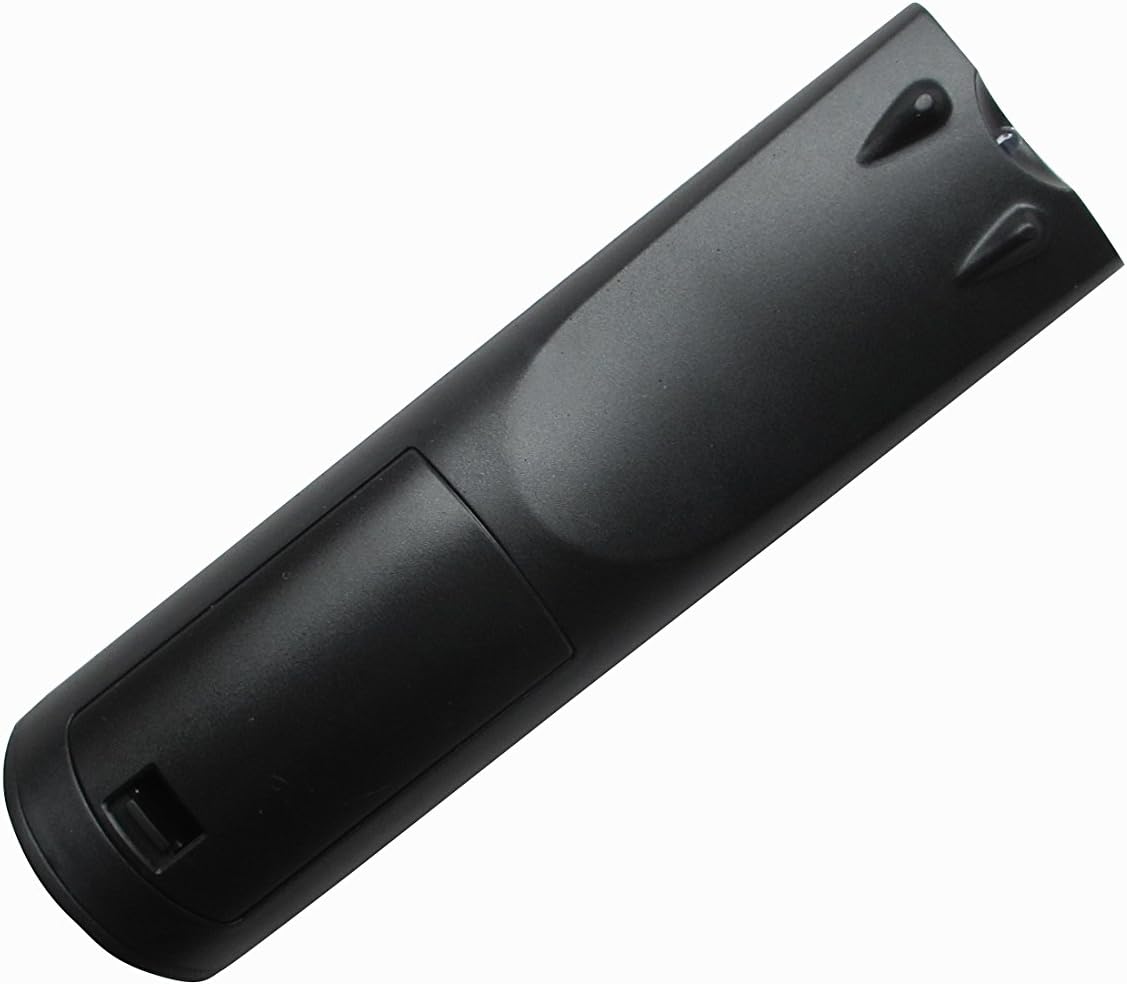
Obrázek 1: Zpět view dálkového ovladače s přihrádkou na baterie.
2.2 První použití
This Easytry123 remote control is an infrared replacement unit and typically does not require programming. Once batteries are installed, point the remote directly at your Integra A/V receiver and press the power button to test functionality. If the remote does not respond, ensure there are no obstructions between the remote and the receiver's IR sensor.
3. Návod k obsluze
The Easytry123 remote control provides essential functions for your Integra A/V receiver. Familiarize yourself with the button layout:

Obrázek 2: Přední strana view dálkového ovladače s rozložením tlačítek.
- Vypínač: Zapíná nebo vypíná přijímač.
- Výběr zdroje/vstupu: Buttons labeled SOURCE, TV, DVD, CD, NET, USB, etc., allow you to switch between different audio/video inputs on your receiver.
- Ovládání hlasitosti: Use the VOL +/- buttons to adjust the audio output level.
- Navigační tlačítka: The directional arrows (up, down, left, right) and ENTER button are used to navigate menus on your receiver's display.
- Nabídka/Nastavení: Accesses the receiver's main menu or setup options.
- Ovládání přehrávání: Buttons like PLAY, PAUSE, STOP, REWIND, FAST FORWARD are for controlling connected media devices (e.g., DVD/Blu-ray player).
- Numerická klávesnice: For direct input of numbers, such as radio station frequencies or track numbers.
- Výběr režimu: Buttons like STEREO, MODE, etc., may allow selection of audio modes.
Note: The exact functionality of some buttons may depend on your specific Integra A/V receiver model and its connected devices. Refer to your receiver's original manual for detailed information on its features.
4. Údržba
4.1 Čištění
K čištění dálkového ovladače použijte měkký, suchý hadřík. V případě odolných nečistot lehceampOtřete hadřík vodou nebo jemným, neabrazivním čisticím prostředkem. Nepoužívejte agresivní chemikálie ani neponořujte dálkový ovladač do kapaliny.
4.2 Výměna baterie
Replace batteries when the remote's response becomes sluggish or stops working. Always replace both batteries at the same time with new AA batteries. Do not mix old and new batteries, or different types of batteries.
4.3 Skladování
Pokud dálkový ovladač nebudete delší dobu používat, vyjměte baterie, abyste zabránili jejich vytečení a možnému poškození zařízení.
5. Řešení problémů
- Dálkové ovládání nereaguje:
- Ujistěte se, že jsou baterie správně vloženy a nejsou vybité. V případě potřeby je vyměňte.
- Check for any obstructions between the remote's IR emitter and the receiver's IR sensor.
- Make sure you are within the effective operating range (up to 10 meters) and pointing the remote directly at the receiver.
- Některé funkce nefungují:
- Verify that your Integra A/V receiver model is listed as compatible with this replacement remote.
- Certain advanced functions or specific device controls may not be fully replicated by a universal replacement remote. Refer to your receiver's original manual for specific button functions.
- Receiver not turning on/off:
- Confirm the receiver is plugged into a power source and is not in standby mode due to a power outage.
6. Specifikace
| Značka: | Easytry123 |
| Název modelu: | Easytry5173 |
| Technologie připojení: | Infračervený (IR) |
| Maximální rozsah: | 10 metrů |
| Počet baterií: | 2 |
| Typ baterie: | AA (Alkaline recommended) |
| Kompatibilní zařízení: | Integra A/V Receivers (DTR-8.4, DTR-50.5, RC-549M, RC-550M, DTR-7.4, DTR-20.1, DTR-20.2, DTC-9.9, DHC-9.9, DTR-40.3) |
7. Záruka a podpora
7.1 Informace o záruce
Specific warranty details for this replacement remote control are typically provided at the point of purchase. Please refer to your purchase documentation or contact the seller for information regarding warranty coverage and terms.
7.2 Zákaznická podpora
For further assistance or inquiries regarding the Easytry123 replacement remote control, please contact the seller or manufacturer directly through the platform where the product was purchased. Provide your order number and a detailed description of the issue for efficient support.