
Zavedení
This manual provides essential instructions for the setup, operation, and maintenance of your Easytry123 replacement remote control for Perfect AIRE air conditioning units. Please ensure your air conditioner model matches the compatible models listed to guarantee proper functionality.
1. Nastavení
1.1. Instalace baterie
Dálkový ovladač vyžaduje dvě baterie AAA (nejsou součástí balení). Pro jejich instalaci postupujte takto:
- Najděte kryt prostoru pro baterie na zadní straně dálkového ovladače.
- Posuňte kryt dolů nebo stiskněte západku a zvedněte jej pro otevření.
- Vložte dvě baterie typu AAA a ujistěte se, že kladný (+) a záporný (-) pól správně shodují s označením uvnitř přihrádky.
- Nasaďte kryt přihrádky na baterie tak, že jej zasunete zpět na místo, dokud bezpečně nezacvakne.

Obrázek: Zadní view dálkového ovladače s odstraněným krytem baterií, zobrazující přihrádku na dvě baterie AAA.
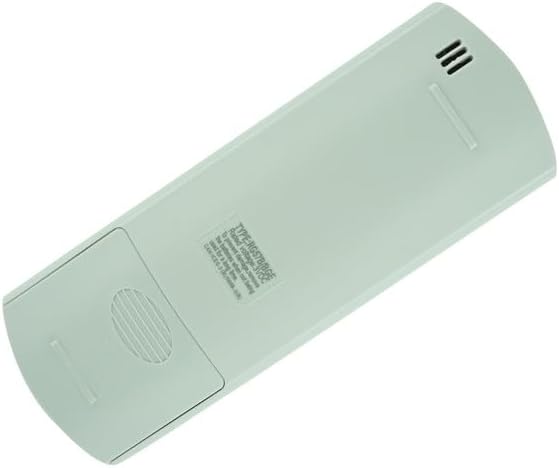
Obrázek: Zadní view of the remote control with the battery cover in place.
2. Návod k obsluze
This remote control is designed for direct use with compatible Perfect AIRE air conditioner models. No programming is typically required.
2.1. Rozložení dálkového ovladače

Obrázek: Přední strana view dálkového ovladače, zobrazující LCD obrazovku a různá funkční tlačítka.
2.2. Funkce tlačítek
- ON/OFF (Yellow button): Press to turn the air conditioner unit on or off.
- MODE: Cycles through operating modes: Auto, Cool, Dry, Heat (if applicable), Fan.
- FAN: Adjusts the fan speed (Auto, Low, Medium, High).
- TEPLOTA ▲ / ▼: Zvyšuje nebo snižuje nastavenou teplotu.
- ZKRATKA: Activates a pre-set favorite setting.
- ČASOVAČ ZAPNUTÝ: Sets a timer for the unit to turn on automatically.
- ČASOVAČ VYPNUTÍ: Sets a timer for the unit to turn off automatically.
- SPÁT: Activates sleep mode for quiet operation and energy saving.
- SWING: Ovládá funkci otáčení lamel pro směr proudění vzduchu.
- NÁSLEDUJTE MĚ: Activates a function where the remote's sensor measures the temperature at its location and adjusts the AC accordingly.
- LED: Turns the display light on the indoor unit on or off.
Note: Not all functions may be available on every air conditioner model. Refer to your air conditioner's manual for specific feature compatibility.
3. Údržba
3.1. Čištění
Dálkový ovladač otírejte měkkým, suchým hadříkem. Nepoužívejte tekuté čisticí prostředky ani abrazivní materiály.
3.2. Výměna baterie
Replace batteries when the remote's response becomes sluggish or the display fades. Always replace both batteries simultaneously with new AAA batteries.
3.3. Skladování
Pokud dálkový ovladač nebudete delší dobu používat, vyjměte baterie, abyste zabránili jejich vytečení a poškození.
4. Řešení problémů
- Dálkové ovládání nereaguje: Ensure batteries are correctly installed and not depleted. Point the remote directly at the air conditioner's receiver. Remove any obstructions between the remote and the unit.
- Problémy se zobrazením: If the remote's display is dim or blank, replace the batteries.
- Unit not responding to specific functions: Verify that your air conditioner model supports the specific function. Some buttons may be specific to certain AC models.
If issues persist, contact the seller for further assistance.
5. Specifikace
- Čísla modelů: RG57H4/BGEFU1, RG57H4B/BGEFU1
- Kompatibilní zařízení: Perfect AIRE Air Conditioners (specific models as listed)
- Zdroj napájení: 2 x AAA baterie (nejsou součástí balení)
- Speciální vlastnosti: Fahrenheit display, Infrared Replacement
- Značka: Easytry123
Poznámka: Specifikace se mohou změnit bez předchozího upozornění.
6. Záruka a podpora
This product is a replacement remote control. Specific warranty information is not provided with the product. For any support inquiries or issues, please contact the original seller directly.