
1. Úvod
The AAXA P2-A is a compact, portable pico projector featuring Android OS, Wi-Fi, and Bluetooth connectivity. Designed for versatility, it supports Full HD 1080P resolution, making it suitable for various applications including home cinema, presentations, and mobile entertainment. This manual provides essential information for setting up, operating, maintaining, and troubleshooting your P2-A projector.
2. Co je v krabici
Prosím, ověřte, zda jsou v balení přítomny všechny položky:
- AAXA P2-A Android Smart LED Pico Projector
- mini-HDMI Cable
- AV kabel
- USB kabel
- karta microSD
- Dálkové ovládání
- Napájecí adaptér
3. Konec produktuview
Familiarize yourself with the physical features and connection ports of your AAXA P2-A projector.
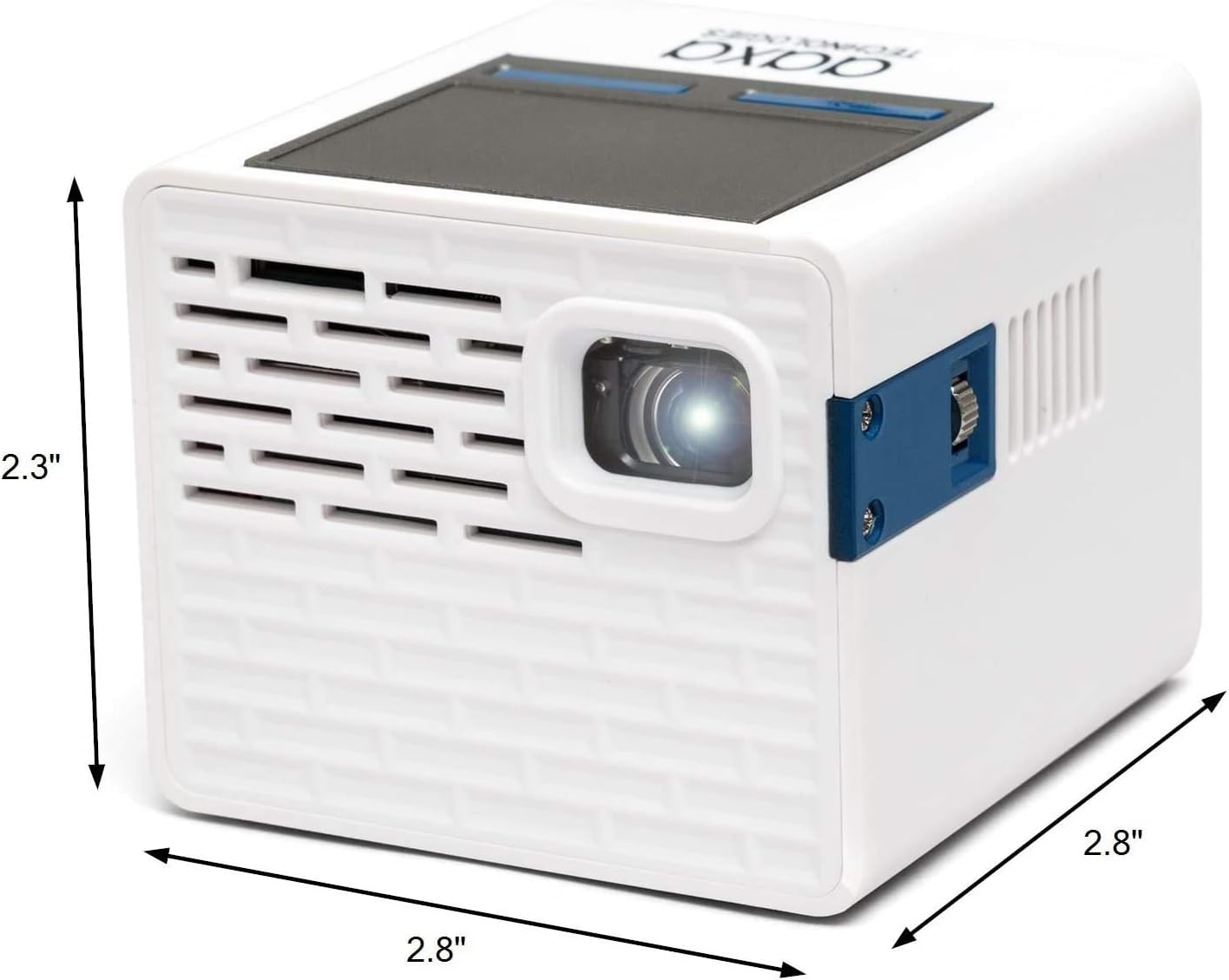
Figure 3.1: AAXA P2-A Pico Projector dimensions. The projector measures approximately 2.8 inches in width, 2.8 inches in depth, and 2.3 inches in height, highlighting its compact design.

Obrázek 3.2: Přesview of the AAXA P2-A Pico Projector's ports and controls. This image displays the Trackpad, MicroSD slot, Focus Wheel, Bluetooth/WiFi (built-in), IR Remote Sensor, HDMI port, Video In, AV port, MicroUSB (for firmware reflash only), 3.5mm Audio Out, Composite A/V, Speakers, USB port, DC Power input, and Power Button.
4. Nastavení
4.1 Počáteční umístění
Place the projector on a stable, flat surface. For optimal image quality, position the projector perpendicular to the projection surface (wall or screen). Ensure there are no obstructions blocking the lens or ventilation ports.

Figure 4.1: The AAXA P2-A Pico Projector shown mounted on a small tripod, demonstrating a common setup for stable projection and adjustable positioning.
4.2 Zapnutí/vypnutí
- Připojte napájení: Plug the included power adapter into the DC Power port on the projector and then into a wall outlet.
- Zapnutí: Stiskněte a podržte tlačítko napájení na projektoru nebo na dálkovém ovladači, dokud se zařízení nezapne.
- Vypnout: Press and hold the Power Button again until the shutdown prompt appears, then confirm. Alternatively, use the power option in the Android interface.
4.3 Nastavení zaostření
Locate the Focus Wheel on the side of the projector. Rotate the wheel until the projected image appears sharp and clear on your screen or wall.
5. Návod k obsluze
5.1 Navigace
The P2-A can be navigated using the integrated touchpad on top of the unit or the included remote control. For enhanced control, a USB mouse and keyboard can be connected.
5.2 Android OS and Apps
The projector runs on an Android operating system, allowing you to download and use various applications. Connect to a Wi-Fi network to access online content and app stores.

Figure 5.1: The AAXA P2-A Pico Projector displaying the Netflix application interface, demonstrating its capability to run streaming apps directly via its Android OS.
5.3 Smartphone Mirroring
The P2-A supports smartphone mirroring. This feature typically requires Airplay for iOS devices or a compatible third-party Android app. Refer to the projector's settings or AAXA's official website for specific instructions and recommended applications.
6. Konektivita
The AAXA P2-A offers multiple connectivity options for various devices:
- HDMI: Connect laptops, gaming consoles, Blu-ray players, and other HDMI-enabled devices using the mini-HDMI port.
- USB: Plug in USB drives for media playback or connect a USB mouse/keyboard for easier navigation.
- MicroSD: Insert a microSD card to access stored media files přímo.
- AV: Use the included AV cable to connect older devices with composite video and stereo audio outputs.
- Bluetooth: Pair with Bluetooth speakers or headphones for external audio output.
- Wi-Fi: Connect to a wireless network for internet access, app downloads, and online streaming.
- 3.5mm audio výstup: Připojte externí reproduktory nebo sluchátka přes 3.5mm audio jack.
7. Údržba
Správná údržba zajistí dlouhou životnost a optimální výkon vašeho projektoru.
- Čištění objektivu: Používejte měkký hadřík bez žmolků, speciálně určený pro optické čočky. Nepoužívejte abrazivní čisticí prostředky ani hadříky, které by mohly čočku poškrábat.
- Čištění exteriéru: Otřete vnější povrch projektoru měkkým, suchým hadříkem. V případě odolných nečistot lehceampOpláchněte hadřík vodou. Vyhněte se agresivním chemikáliím.
- Větrání: Ensure the ventilation ports are clear of dust and debris to prevent overheating. Do not block the vents during operation.
- Skladování: Pokud projektor nepoužíváte, skladujte jej na chladném a suchém místě, mimo dosah přímého slunečního záření a extrémních teplot.
8. Řešení problémů
Běžné problémy a jejich řešení naleznete v tabulce níže.
| Problém | Možná příčina | Řešení |
|---|---|---|
| Žádný promítaný obraz | Power cable disconnected, projector off, input source not selected, lens cap on. | Check power connection, turn on projector, select correct input source, remove lens cap. |
| Obraz je rozmazaný | Focus not adjusted, projector too close/far from screen. | Adjust the Focus Wheel. Reposition the projector for optimal distance. |
| Žádný zvuk | Příliš nízká hlasitost, není připojeno externí zvukové zařízení, je vybrán nesprávný zvukový výstup. | Increase volume. Ensure external speakers/headphones are connected and selected as output. |
| Dálkové ovládání nefunguje | Batteries depleted, IR sensor blocked, remote not pointed correctly. | Replace batteries. Ensure clear line of sight to the projector's IR sensor. |
| Problémy s připojením k Wi-Fi/Bluetooth | Network issues, device not in pairing mode, interference. | Restart projector and router. Ensure devices are in pairing mode. Reduce interference. |
9. Specifikace
Detailed technical specifications for the AAXA P2-A Pico Projector.
| Funkce | Specifikace |
|---|---|
| Značka | Technologie AAXA |
| Název modelu | P2-A |
| Typ zobrazení | LED |
| Nativní rozlišení | 1920 x 1080 (Full HD 1080P support) |
| Maximální rozlišení displeje | 1080p (1920x1080) |
| Jas | 130 lumenů |
| Technologie připojení | Bluetooth, HDMI, USB |
| Speciální funkce | Pico, Built-in Speakers |
| Form Factor | Přenosný |
| Typ montáže | Stolní držák |
| Typ ovladače | Ovládání aplikací |
| Kompatibilní zařízení | Gaming Console, Laptop, Smartphone, Tablet |
| Připojení k hardwaru | USB, mini HDMI |
| Kontrolní metoda | App |
| Hmotnost položky | 0.25 kg |
10. Záruka a podpora
10.1 Informace o záruce
The AAXA P2-A Pico Projector comes with a 90-day limited warranty. This warranty covers manufacturing defects under normal use. Please retain your proof of purchase for warranty claims. The warranty does not cover damage caused by misuse, accidents, unauthorized modifications, or normal wear and tear.
10.2 Zákaznická podpora
For technical assistance, troubleshooting beyond this manual, or warranty inquiries, please contact AAXA Technologies customer support. Refer to the official AAXA Technologies webweb s nejaktuálnějšími kontaktními informacemi a zdroji podpory.