
1. Konec produktuview
The Axis P3225-V MK II is a high-quality fixed dome IP camera designed for professional surveillance. It offers HDTV 1080p resolution with a 3-10.5mm P-Iris varifocal lens, capable of recording at 30fps or 60fps (with WDR on/off). Based on open IP standards, this network camera connects to various IP networks, enabling remote viewing and recording from any location. It also integrates advanced video analytics features such as motion detection, audio detection, and tampering alarms to enhance security monitoring.
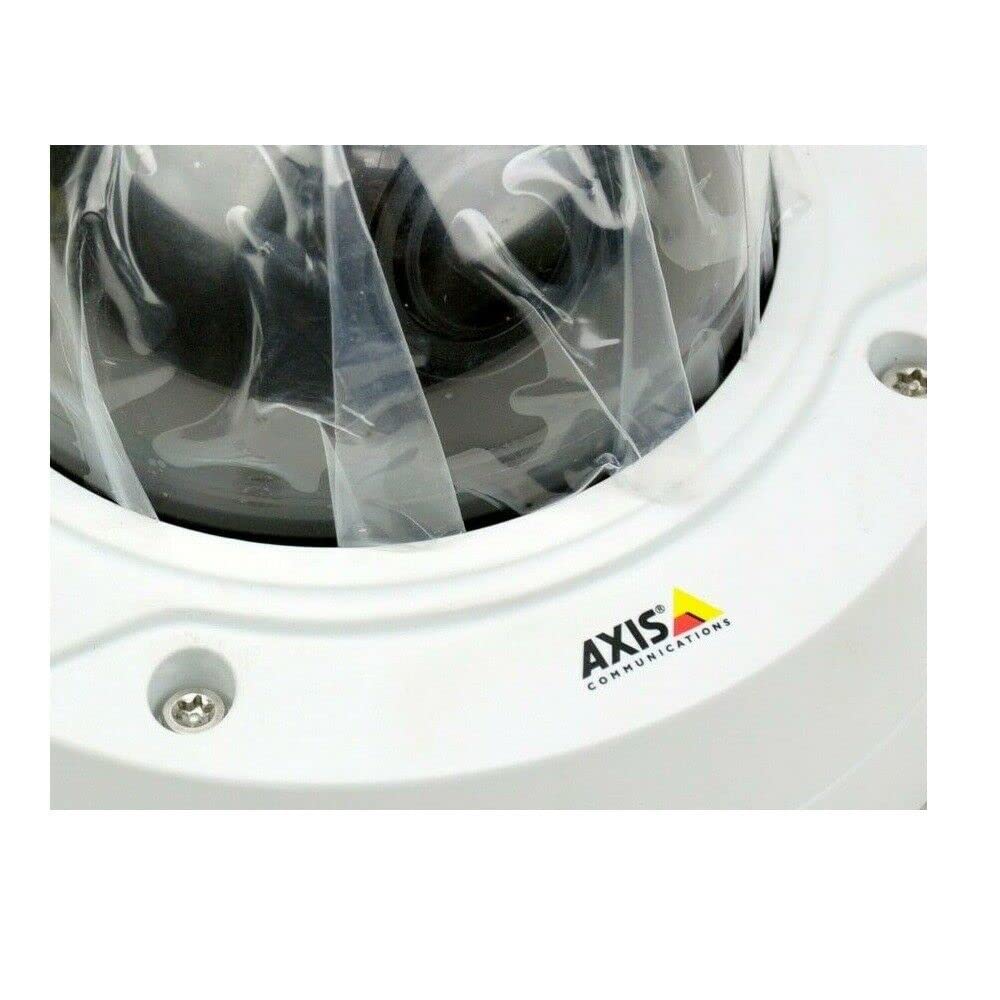
Obrázek 1: AXIS P3225-V MK II Fixed Dome IP Camera. This image shows the compact dome design of the camera, suitable for discreet installation.
2. Nastavení a instalace
This section provides instructions for the physical installation and initial setup of your AXIS P3225-V MK II camera.
2.1 Obsah balení
- AXIS P3225-V MK II Fixed Dome IP Camera (1 unit)
- Průvodce instalací
- Montážní hardware
- Napájecí kabel
2.2 Montáž fotoaparátu
The camera is designed for outdoor use and features an IP65 waterproof rating. It is typically installed using a ceiling mount. Ensure the mounting surface is strong enough to support the camera's weight.
- Choose a suitable outdoor location for optimal surveillance coverage.
- Securely attach the mounting bracket to the ceiling using the provided hardware.
- Připevněte kameru k montážnímu držáku a ujistěte se, že je pevně zajištěna na místě.
2.3 Napájení a síťové připojení
The camera operates on corded electric power. It supports wireless (Wi-Fi) connectivity for network integration.
- Connect the power cable to the camera and a suitable power outlet.
- For network connection, the camera can connect wirelessly via Wi-Fi. Refer to the detailed network configuration guide for specific steps to connect to your local network.
- Ensure the camera is powered on and the network connection is established.
3. Návod k obsluze
This section covers the basic operation of your AXIS P3225-V MK II camera, including remote viewing and video analytics.
3.1 Dálkové ovládání Viewnahrávání a nahrávání
The camera supports remote management and viewing. Once connected to your IP network, you can access the camera feed and recordings from anywhere using compatible software or a web browser. The camera adheres to the ONVIF connection protocol, ensuring compatibility with various network video management systems.
- Rozlišení videa: The camera captures video at 1080p (1920x1080 pixels).
- Snímková frekvence: Video is recorded at 30 frames per second.
- Pole View: The camera offers a 135-degree field of view.
- Optický zoom: Utilize the optical zoom feature for detailed viewkonkrétních oblastí.
- Noční vidění: The camera includes night vision capabilities, providing clear images in low-light conditions.
- Formát videa: Video is captured in MPEG-4 format.
3.2 Advanced Video Analytics
The AXIS P3225-V MK II features advanced analytics to enhance surveillance efficiency:
- Detekce pohybu: The camera can detect movement within its field of view and trigger alerts or recordings.
- Detekce zvuku: Detects unusual sounds in the monitored area.
- Tampering Alarms: Notifies you if the camera is being obstructed or moved.
Configure these features through the camera's web interface or your video management software.
4. Údržba
Pravidelná údržba zajistí optimální výkon a dlouhou životnost vašeho fotoaparátu.
4.1 Čištění
- Gently wipe the camera lens and exterior with a soft, damp tkanina.
- Avoid using harsh chemicals or abrasive materials that could damage the lens or casing.
- Před čištěním se ujistěte, že je fotoaparát vypnutý.
4.2 aktualizací firmwaru
Pravidelně kontrolujte systém Axis Communications website for firmware updates. Keeping your camera's firmware up-to-date ensures access to the latest features, security enhancements, and bug fixes.
5. Řešení problémů
This section addresses common issues you might encounter with your AXIS P3225-V MK II camera.
| Problém | Možná příčina | Řešení |
|---|---|---|
| Žádný zdroj obrázků/videí | Power issue, network disconnection, incorrect software settings. | Check power connection. Verify Wi-Fi connectivity. Ensure correct IP address and port settings in viewsoftware. |
| Detekce pohybu se nespouští | Incorrect sensitivity settings, detection area not configured, firmware outdated. | Adjust motion detection sensitivity. Define detection zones. Update camera firmware. |
| Špatná kvalita obrazu | Dirty lens, improper focus, low light conditions, network bandwidth issues. | Clean the lens. Adjust the varifocal lens for optimal focus. Ensure adequate lighting or verify night vision settings. Check network bandwidth. |
| Nelze se připojit k Wi-Fi | Nesprávné heslo k Wi-Fi, mimo dosah, rušení sítě. | Verify Wi-Fi password. Move camera closer to the router or use a Wi-Fi extender. Check for other wireless devices causing interference. |
If you continue to experience issues, please refer to the detailed support documentation on the Axis Communications webwebu nebo kontaktujte technickou podporu.
6. Technické specifikace
| Funkce | Specifikace |
|---|---|
| Značka | Axis Communications |
| Číslo modelu | 0952-001 (P3225-V MK II) |
| Typ produktu | Fixed Dome IP Camera |
| Rozlišení záznamu videa | 1080p (HDTV 1080p, 1920x1080 pixels) |
| Snímková frekvence | 30 frames per second (up to 60fps with WDR on/off) |
| Čočka | 3-10.5mm P-Iris Varifocal Lens |
| Pole View | 135 stupňů |
| Technologie připojení | Bezdrátové (Wi-Fi) |
| Protokol připojení | ONVIF |
| Zdroj napájení | Elektrický s kabelem (3.7 W) |
| Jsou vyžadovány baterie | Žádný |
| Počet kanálů | 1 |
| Počet jednotek | 1 |
| Vnitřní/venkovní použití | Venkovní |
| Hodnocení voděodolnosti | IP65 |
| Typ montáže | Stropní držák |
| Vlastnosti | Motion Sensor, Optical Zoom, Night Vision (Infrared), Audio Detection, Tampalarmy |
| Formát záznamu videa | MPEG-4 |
| Technologie fotosenzoru | CMOS |
| Vnější materiál | Kov |
| UPC | 745558709844 |
| ASIN | B07L3761K4 |
7. Záruka a podpora
For detailed warranty information and technical support, please visit the official Axis Communications webnebo se obraťte na jejich zákaznický servis. Uschovejte si doklad o koupi pro případ reklamace.
Webmísto: www.axis.com