
Zavedení
Thank you for choosing the TOZO T20 Wireless Earbuds. This manual provides comprehensive instructions to help you set up, operate, and maintain your earbuds, ensuring you get the best possible audio experience and extend the product's lifespan. Please read this guide carefully before initial use.
Obsah balení
- Bezdrátová sluchátka TOZO T20
- Bezdrátové nabíjecí pouzdro
- 6 párů nástavců do uší (XS/S/M/L/XL/XXL)
- Kabel USB-C (A na C) (20 cm)
- Stručný průvodce a uživatelská příručka
Konec produktuview
The TOZO T20 Wireless Earbuds are engineered to deliver an immersive audio experience with advanced features for convenience and durability. Below are the main components and their functions.

Obrázek: Bezdrátová sluchátka TOZO T20 v otevřeném nabíjecím pouzdřeasing the blue color and the LED digital battery display on the front of the case.
- Sluchátka: Equipped with 10mm dynamic drivers for rich, clear sound and dual microphones with ENC (Environmental Noise Cancellation) for enhanced call clarity. They feature intuitive touch controls for easy management of audio and calls.
- Nabíjecí pouzdro: A compact case that provides extended battery life for the earbuds. It features a real-time LED digital display to show battery levels and supports both USB-C cable charging and wireless charging.
Nastavení
1. Počáteční nabíjení
For optimal performance, fully charge your TOZO T20 earbuds and their charging case before first use.
- Přes kabel USB-C: Connect the provided USB-C cable to the charging port on the case and plug the other end into a compatible power adapter or USB port.
- Via Wireless Charging: Place the charging case on a Qi-compatible wireless charging pad (not included). Ensure proper alignment for efficient charging.
- The LED digital display on the case will illuminate and show the charging progress, indicating the battery percentage od 1 do 100.

Image: The TOZO T20 charging case being charged simultaneously via a USB-C cable and placed on a wireless charging pad, demonstrating its versatile charging capabilities.
2. Párování s vaším zařízením
Follow these steps to connect your TOZO T20 earbuds to your Bluetooth-enabled device.
- Open the charging case. The earbuds will automatically power on and enter pairing mode, indicated by a flashing light on the earbuds.
- On your smartphone or other device, navigate to the Bluetooth settings and ensure Bluetooth is enabled.
- Look for "TOZO T20" in the list of available devices and select it to initiate the connection.
- Once successfully paired, you will hear an audible confirmation, and the earbuds' indicator lights will stop flashing.

Image: A smartphone screen displaying "TOZO-T20" as a connected Bluetooth device, with the earbuds positioned nearby, illustrating the successful pairing process.
3. Výběr správných náušníků
A proper fit is crucial for both comfort and sound quality. The TOZO T20 includes six sizes of eartips to ensure a perfect seal.
- Experiment with the different eartip sizes (XS/S/M/L/XL/XXL) to find the pair that provides a snug and comfortable fit in your ear canal.
- A good seal will significantly improve bass response and passive noise isolation, enhancing your listening experience.

Image: The TOZO T20 earbuds displayed with a selection of silicone eartips in various sizes, emphasizing the importance of choosing the correct eartip for optimal fit and sound.
Návod k obsluze
Dotykové ovládání
The TOZO T20 earbuds feature touch-sensitive areas for easy control of music playback, calls, and voice assistants.
| Akce | Levé sluchátko | Pravé sluchátko |
|---|---|---|
| Přehrát/Pozastavit | Jedno klepnutí | Jedno klepnutí |
| Další stopa | Dvojité klepnutí | |
| Předchozí stopa | Dvojité klepnutí | |
| Zvýšení hlasitosti | Dlouhé stisknutí | |
| Snížit hlasitost | Dlouhé stisknutí | |
| Přijmout/ukončit hovor | Jedno klepnutí | Jedno klepnutí |
| Odmítnout hovor | Dlouhé stisknutí | Dlouhé stisknutí |
| Aktivujte hlasového asistenta | Trojité klepnutí | Trojité klepnutí |
Using the TOZO APP
Download the official TOZO APP to unlock additional features and customize your audio experience.
- Přizpůsobení EQ: Access a variety of preset equalizer modes or create your own custom sound profileaby odpovídaly vašim preferencím.
- Aktualizace firmwaru: Receive notifications and install the latest firmware updates to ensure your earbuds are always up-to-date with new features and performance improvements.
- White Noise Tracks: Explore a selection of carefully curated white noise tracks for relaxation, focus, or sleep.
Image: Screenshots of the TOZO App interface, demonstrating the various equalizer settings, sound effects, and the library of white noise tracks available for users.
Životnost baterie a nabíjení
The TOZO T20 earbuds are designed for extended listening sessions, complemented by a high-capacity charging case.
- Doba přehrávání sluchátek: Enjoy approximately 13 hours of continuous playback on a single full charge.
- Celková doba přehrávání s pouzdrem: The compact charging case extends the total listening time to an impressive 48.5 hours.
- Kapacita nabíjecího pouzdra: The case is equipped with a 500 mAh battery.
- Real-Time LED Display: The charging case features a clear LED digital display that shows the precise battery levels of both the case and each individual earbud, allowing you to monitor power at a glance.
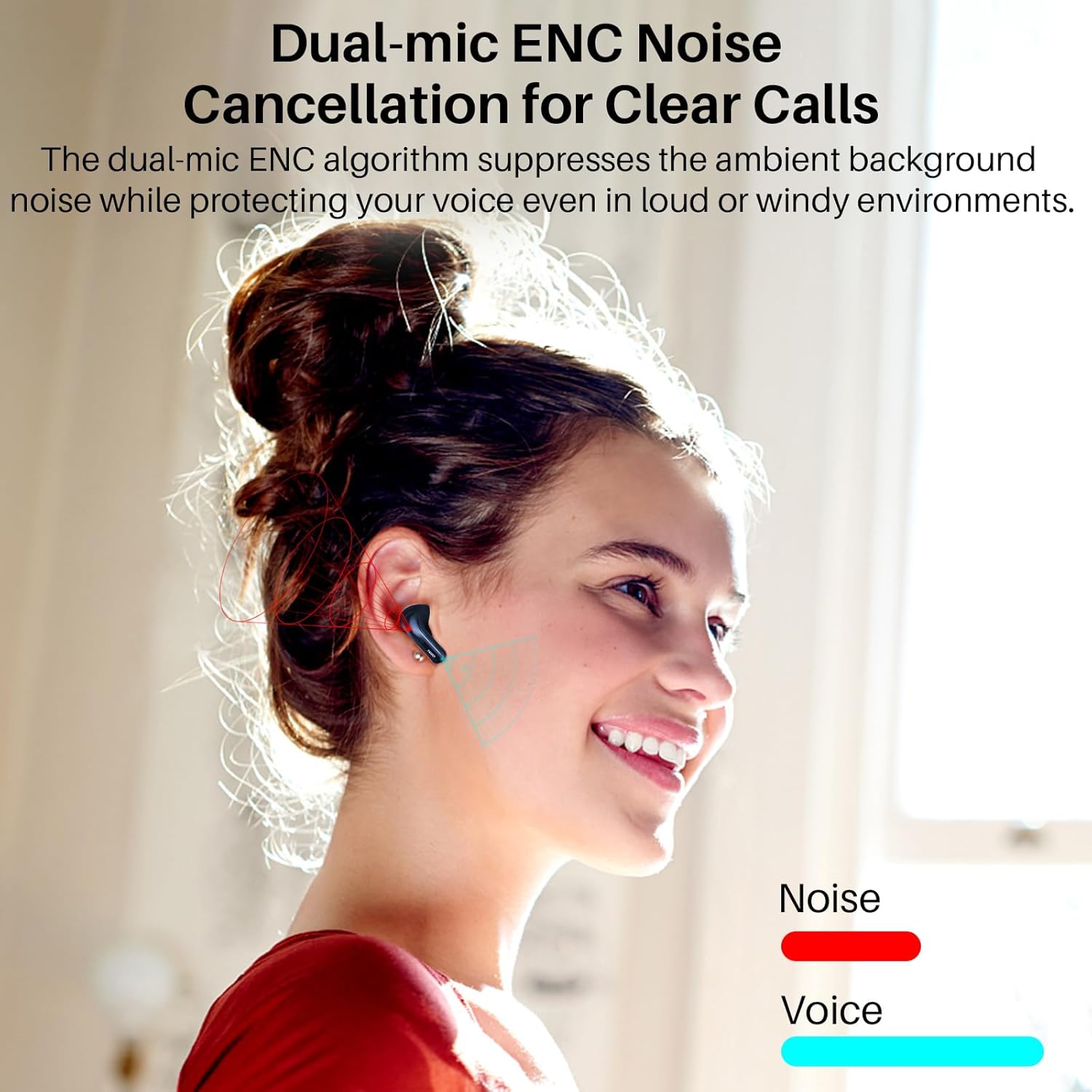
Image: A man wearing the TOZO T20 earbuds, accompanied by an infographic detailing the 13 hours of single charge playtime and the total 48.5 hours of battery life with the 500 mAh charging case.
Údržba a péče
Proper care and maintenance will help preserve the performance and extend the lifespan of your TOZO T20 earbuds.
- Čištění: Regularly wipe the earbuds and charging case with a soft, dry, lint-free cloth. Avoid using harsh chemicals, solvents, or abrasive materials.
- Eartip Hygiene: Remove the silicone eartips periodically and clean them with mild soap and water. Ensure they are completely dry before reattaching them to the earbuds.
- Voděodolnost: The earbuds boast an IPX8 waterproof rating, making them resistant to sweat, splashes, and light rain. However, they are not designed for swimming or prolonged submersion. Always ensure the charging port on the case is dry before connecting a charging cable.

Image: Two TOZO T20 earbuds partially submerged in water with visible bubbles, illustrating their IPX8 waterproof and sweat-proof capabilities, suitable for active use.
Odstraňování problémů
If you encounter any issues with your TOZO T20 earbuds, please refer to the following common solutions before contacting customer support.
- Sluchátka se nespárují nebo nepřipojují:
- Ujistěte se, že jsou obě sluchátka plně nabitá.
- Place both earbuds back into the charging case, close the lid, wait for 5 seconds, then open the lid again to reset the connection.
- Turn off and then turn on the Bluetooth function on your device.
- On your device, "forget" or "unpair" "TOZO T20" from your Bluetooth device list, then attempt to re-pair.
- Funguje pouze jedno sluchátko:
- Ujistěte se, že jsou obě sluchátka nabitá.
- Place both earbuds into the charging case, close the lid, and then open it. This often re-syncs them.
- If the issue persists, perform a factory reset (refer to the full user manual for detailed reset instructions, usually involving a long press on the case button or earbuds).
- Nízká hlasitost nebo špatná kvalita zvuku:
- Adjust the volume levels on both your connected device and the earbuds.
- Ensure the eartips are correctly sized and seated firmly in your ear to create a proper seal. Try different eartip sizes.
- Clean any earwax or debris from the earbud nozzles and eartips.
- Nabíjecí pouzdro se nenabíjí:
- Verify that the USB-C cable and power adapter are functioning correctly. Try a different cable or power source.
- If using wireless charging, ensure the case is properly aligned on the charging pad and that the pad is powered on.
Specifikace
| Funkce | Detail |
|---|---|
| Model | TOZO T20 |
| Verze Bluetooth | 5.3 |
| Doba přehrávání sluchátek (na jedno nabití) | Přibl. 13 hodin |
| Celková doba přehrávání (s nabíjecím pouzdrem) | Přibl. 48.5 hodin |
| Kapacita baterie nabíjecího pouzdra | 500 XNUMX mAh |
| Velikost ovladače reproduktoru | 10mm dynamické ovladače |
| Hodnocení voděodolnosti | IPX8 |
| Mikrofony | Dual Mic with ENC Noise Reduction |
| Typ nabíjení | USB-C and Wireless Charging |
| Umístění uší | V uchu |
| Impedance | 32 Ohmy |
Záruka a podpora
TOZO stands behind the quality of its products. The TOZO T20 Wireless Earbuds come with an 18-month warranty.
- Registrace záruky: To activate your 18-month warranty, please register your product through the official TOZO APP.
- Služby zákazníkům: For any technical assistance, troubleshooting beyond this manual, or warranty claims, please contact TOZO customer support.
- Oficiální Webmísto: For more information and support resources, visit the official TOZO webmísto: www.tozostore.com