
Zavedení
This manual provides detailed instructions for the setup, operation, maintenance, and troubleshooting of your XUNATA LED Strip Lights. These RGB LED strip lights feature Bluetooth and IR remote control, offering a wide range of colors and dynamic modes. Designed for both indoor and outdoor use, they operate on 110-120V AC power.

Image: XUNATA LED Strip Lights, showcasing the coiled strip and its vibrant colors.
Pokyny pro nastavení
- Rozbalte obsah: Carefully remove the LED strip light and all accessories from the packaging.
- Umístění: Determine the desired location for your LED strip. The strip is flexible and can be bent to various shapes.
- Cutting (Optional): The LED strip can be cut at every 1 meter interval. Locate the designated cutting marks on the strip. Use sharp scissors to cut only at these marks to avoid damaging the circuit.
- Připojení napájení: Connect the LED strip to the provided controller and then plug the controller into a standard AC 110-130V power outlet. No additional power adapter or transformer is required.
- Outdoor Installation Note: The LED strip itself is waterproof (IP67). However, the IR remote and Bluetooth controller with the plug are not waterproof. For outdoor installations, ensure these components are protected from water using a waterproof enclosure.

Image: A diagram illustrating the installation process of the LED strip lights, including connection points.

Obrázek: Detail view of the LED strip, highlighting the cutting marks and its waterproof IP67 construction.
Návod k obsluze
1. Bluetooth Control (Smartphone App)
Your LED strip lights can be controlled via a smartphone application. This app is compatible with iOS 6.0 or above and Android 4.0 or above devices.
- Stáhněte si aplikaci: Hledat and download the recommended control application (e.g., 'Lotus Lantern' or similar as indicated in product packaging) from your device's app store.
- Povolit Bluetooth: Ujistěte se, že je na vašem smartphonu povoleno Bluetooth.
- Připojení ke světelům: Open the app. The app should automatically detect and connect to your LED strip lights. If not, follow the in-app instructions to pair.
- Vlastnosti ovládání: Once connected, you can access various functions:
- Výběr barvy: Choose from 16 million colors using a color wheel or preset options.
- Dynamické režimy: Select from 20 built-in dynamic modes for various lighting effects.
- Jas a rychlost: Adjust the brightness level and the speed of dynamic effects.
- Ovládání hudby: Synchronize the lights with music playing on your phone (Music Time Control System).
- Funkce MIC: Lights can react to sound picked up by your phone's microphone.
- Funkce časovače: Nastavte si časové plány pro automatické zapínání/vypínání světel.
- Ovládání skupiny: If you have multiple compatible XUNATA LED strips, you can group them for synchronized control.
Video: Demonstration of the XUNATA LED Strip Light being controlled via a smartphone app, showcasing color changes and various functions.

Obrázek: Pohled zhora view showing a smartphone controlling LED strip lights installed in a modern room, illustrating smart control capabilities.

Image: A smartphone displaying the color selection interface of the control app, with the LED strip lights changing color in the background.
2. IR dálkové ovládání
In addition to Bluetooth control, the LED strip lights can also be operated using the included 20-key IR remote control. The effective control distance for the IR remote is approximately 10 meters.
- Point and Click: Point the IR remote directly at the receiver on the LED strip controller.
- Základní funkce: The remote allows you to:
- Zapnout/vypnout světla.
- Vyberte statické barvy (červená, zelená, modrá, bílá atd.).
- Upravte jas.
- Choose from various pre-programmed dynamic modes (e.g., Flash, Strobe, Fade, Smooth).

Image: The 20-key IR remote control positioned next to a coiled LED strip, illustrating the dual control options.
Video: A demonstration of the LED strip lights changing colors and displaying various lighting effects, highlighting their performance.
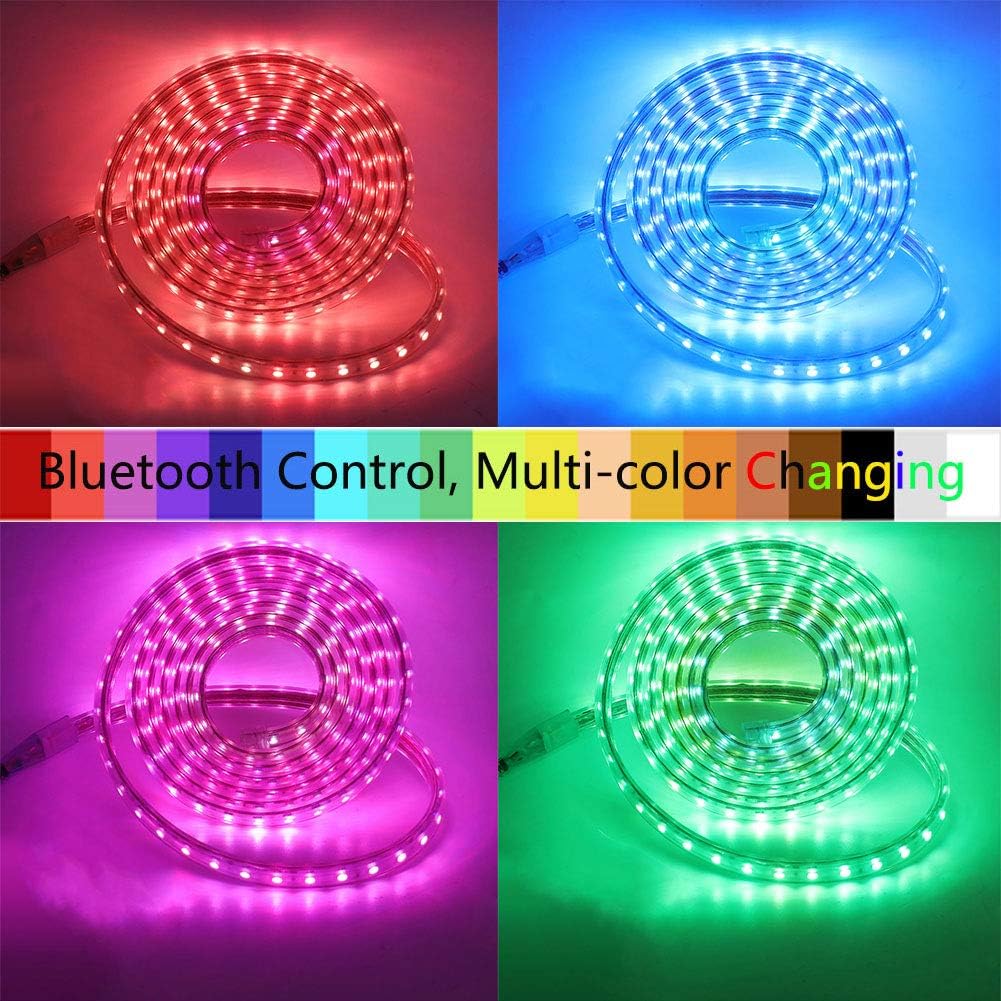
Image: Four separate coiled LED strips, each illuminated in a different color (red, blue, green, purple), demonstrating the multi-color changing capability.
Údržba
- Čištění: Gently wipe the LED strip with a soft, dry cloth to remove dust. For outdoor strips, a damp cloth can be used, but ensure no water enters the non-waterproof controller or plug.
- Vyhněte se agresivním chemikáliím: Do not use abrasive cleaners or harsh chemicals, as these can damage the PVC coating or LED components.
- Kontrola připojení: Periodically check all connections to ensure they are secure and free from corrosion, especially for outdoor installations.
- Chraňte nevoděodolné části: Always ensure the Bluetooth controller, IR remote, and power plug are protected from moisture and direct water exposure.
Odstraňování problémů
| Problém | Možná příčina | Řešení |
|---|---|---|
| Světla se nerozsvítí. | Žádné napájení, uvolněné připojení, vadný zdroj napájení. | Check if the power plug is securely inserted. Verify the power outlet is functional. Ensure all connections between the strip and controller are firm. |
| Dálkové ovládání nefunguje. | Remote battery low/dead, IR receiver blocked, remote out of range. | Replace the remote battery. Ensure there are no obstructions between the remote and the IR receiver. Operate within the 10-meter range. |
| Aplikace Bluetooth se nepřipojuje. | Bluetooth off, app not paired, device out of range, app glitch. | Ensure Bluetooth is enabled on your phone. Restart the app and try pairing again. Move closer to the controller (within 15 meters). Restart your phone if necessary. |
| Incorrect colors or partial lighting. | Damaged section of the strip, incorrect app/remote setting. | Check if any section of the strip is physically damaged. Reset the color settings in the app or remote. If a section is damaged, it may require replacement. |
Pokud kroky pro řešení potíží problém nevyřeší, obraťte se na zákaznickou podporu s žádostí o další pomoc.
Specifikace
- Značka: XUNATA
- Číslo modelu: US110V5050BL006
- Typ zdroje světla: LED (SMD 5050)
- LEDs per Meter: 60
- Barva: RGB (Red, Green, Blue) - Multicolor
- svtage: 110-120 V AC
- Wattage: 86.40W (for 20ft/6m model)
- Zdroj napájení: Elektrický kabel
- Úroveň odolnosti proti vodě: IP67 (Strip only; controller and plug are not waterproof)
- Způsob ovládání: Bluetooth App, IR Remote Control
- Bluetooth Control Distance: ≤ 15 metrů
- IR Remote Control Distance: ≤ 10 metrů
- Typ materiálu: Polyvinylchlorid (PVC)
- Speciální vlastnosti: Lead-Free, Easy to Install, Music Sync, Timer Function
- Zahrnuté komponenty: Light kit included (LED strip, controller, IR remote, power plug)
Záruka
XUNATA offers a manufacturer warranty. If you are not satisfied with our products for any reason, you may return it for a 100% no-questions-asked refund. Please refer to your purchase documentation or contact customer support for specific warranty period details and return procedures.
Podpora
For any questions, technical assistance, or warranty claims, please contact XUNATA customer support through the retailer where the product was purchased or visit the official XUNATA store page on Amazon for contact information.
Odkaz na obchod na Amazonu: XUNATA Store