
1. Úvod
Thank you for choosing the BLACK+DECKER 0.9 Cu. Ft. 900-Watt Countertop Microwave Oven. This manual provides essential information for the safe and efficient operation, maintenance, and troubleshooting of your new appliance. Please read all instructions carefully before use and retain this manual for future reference.
2. Důležité bezpečnostní pokyny
VAROVÁNÍ: Abyste snížili riziko požáru, úrazu elektrickým proudem, zranění osob nebo vystavení nadměrnému množství mikrovlnné energie, dodržujte následující základní bezpečnostní opatření:
- Před použitím spotřebiče si přečtěte všechny pokyny.
- Nepokoušejte se provozovat tuto troubu s otevřenými dvířky, mohlo by dojít k vystavení se škodlivé mikrovlnné energii.
- Mezi přední čelo trouby a dvířka nevkládejte žádné předměty a nedovolte, aby se na těsnicích plochách usazovala nečistota nebo zbytky čisticího prostředku.
- Do not allow children to use the microwave without close supervision.
- Používejte tento spotřebič pouze k účelu, ke kterému je určen, jak je popsáno v tomto návodu. V tomto spotřebiči nepoužívejte korozivní chemikálie nebo výpary.
- Do not heat liquids or other foods in closed containers as they are liable to explode.
- Do not operate this appliance if it has a damaged cord or plug, if it is not working properly, or if it has been dropped or damaged.
- Zajistěte dostatečné větrání v okolí mikrovlnné trouby.
3. Konec produktuview
The BLACK+DECKER 0.9 Cu. Ft. 900-Watt Countertop Microwave Oven features a sleek black finish with a convenient pull handle and an easy-to-read LED display. Its compact design makes it suitable for various kitchen sizes.
Komponenty:
- Vnější: Black finish, stainless steel accents, pull handle door.
- Interiér: White cavity, removable glass turntable.
- Ovládací panel: Digital display, numeric keypad, and function buttons.
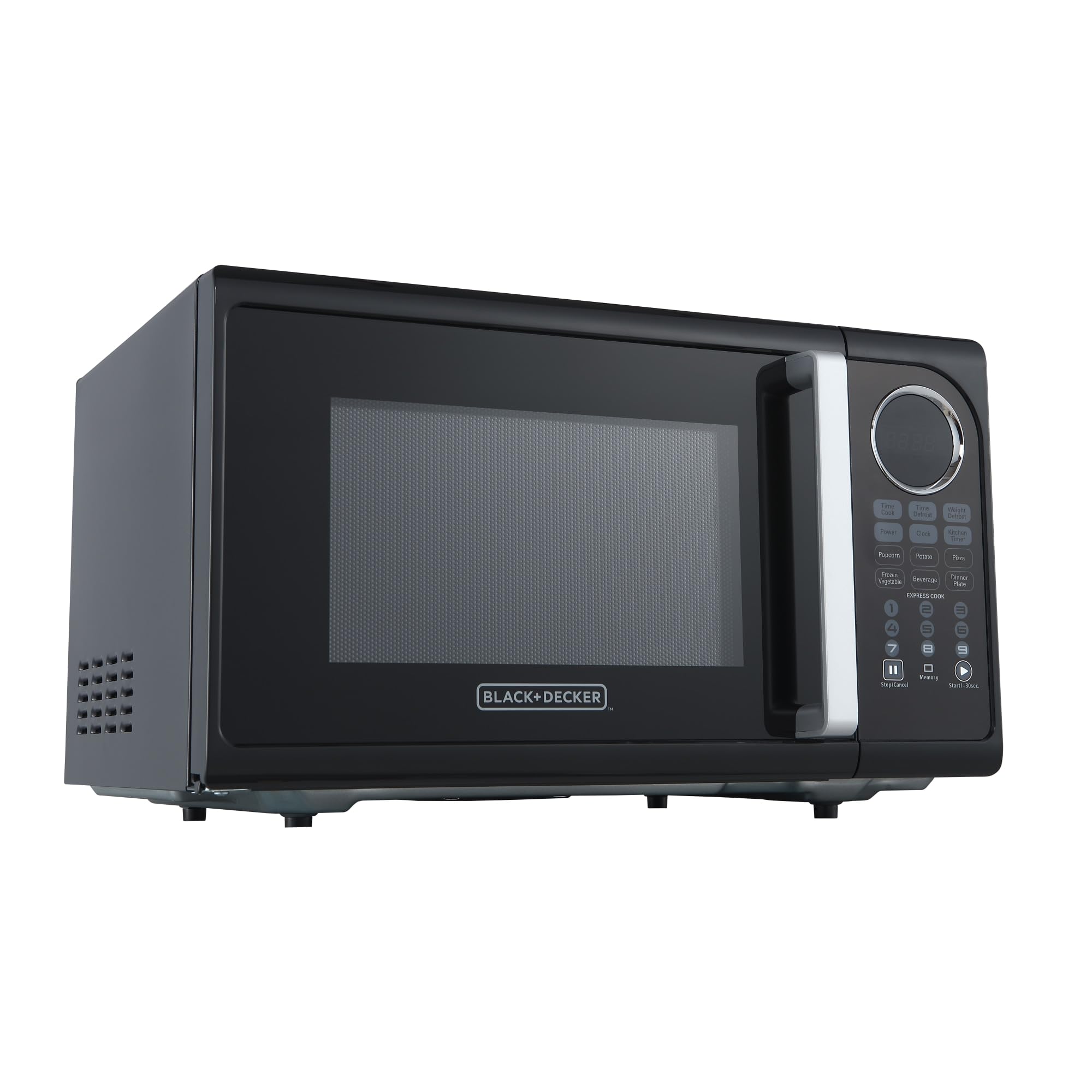
Obrázek 1: Přední strana view of the BLACK+DECKER Countertop Microwave Oven.

Figure 2: Close-up of the control panel, highlighting the LED display and function buttons.
Funkce ovládacího panelu:
| Tlačítko | Popis |
|---|---|
| Čas Cook | Manually set cooking time. |
| Časové odmrazování | Defrost food based on time input. |
| Rozmrazování hmotnosti | Defrost food based on weight input. |
| Moc | Adjust microwave power level (10 levels). |
| Hodiny | Nastavte aktuální čas. |
| Kuchyňský časovač | Use as a standalone timer. |
| Popcorn, Potato, Pizza, Frozen Vegetable, Beverage, Dinner Plate | Pre-programmed auto-menu functions for common foods. |
| Express Cook (1-6) | Quick start cooking for 1 to 6 minutes. |
| Zastavit / Zrušit | Stop cooking or clear settings. |
| Start/+30sec. | Start cooking or add 30 seconds to current cooking time. |
| Unlock (button 0) | Unlock the control panel (Child Lock feature). |
4. Nastavení
Rozbalení:
Carefully remove the microwave oven and all packing materials. Ensure all components, including the glass turntable and turntable ring, are present and undamaged. Dispose of packaging responsibly.
Umístění:
- Umístěte mikrovlnnou troubu na rovný a stabilní povrch, který unese její hmotnost.
- Ensure adequate ventilation: leave at least 4 inches (10 cm) of space on the top, back, and sides for proper airflow.
- Keep the microwave away from heat sources, strong magnetic fields, and areas with high humidity.
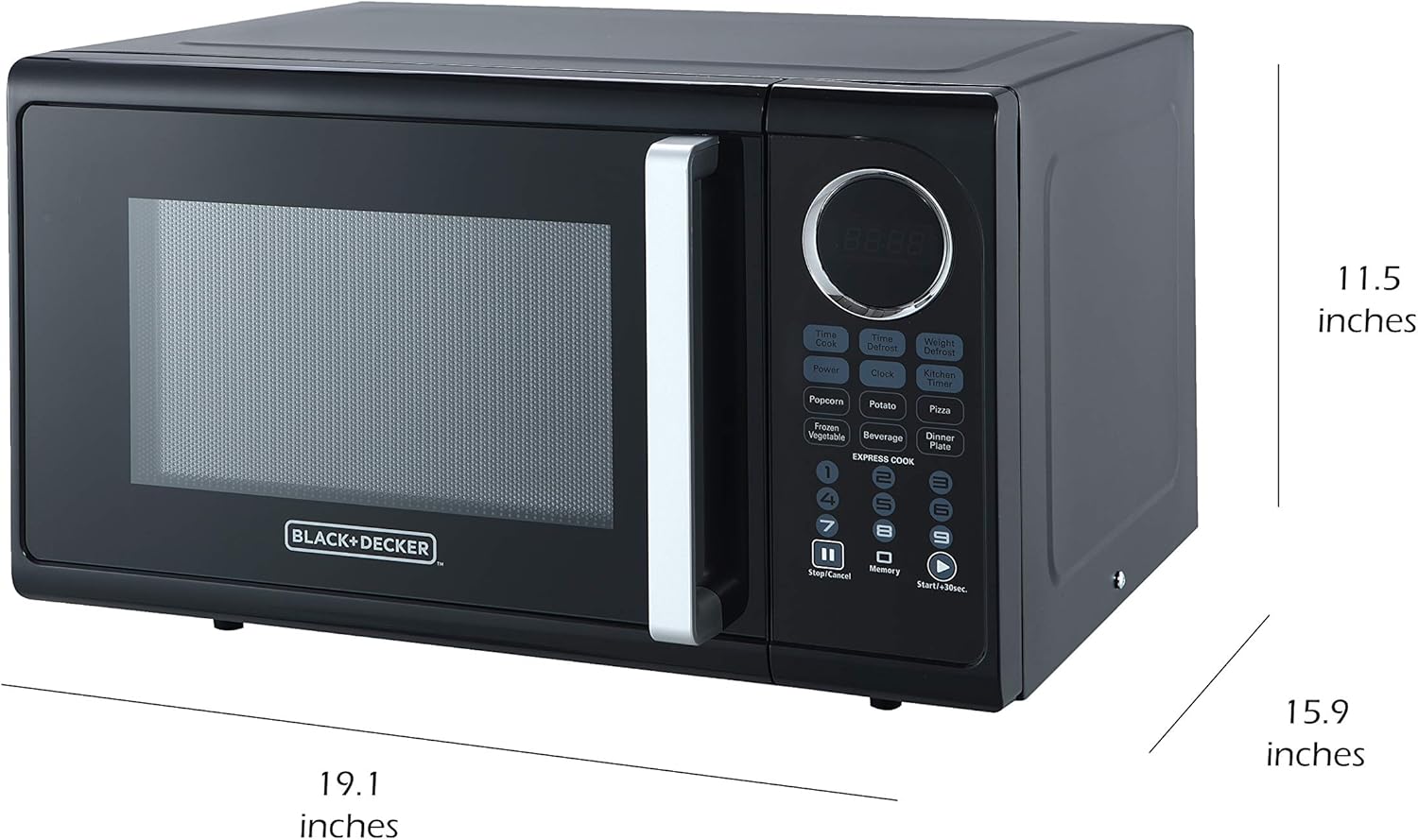
Figure 3: Microwave dimensions for proper placement.
Připojení napájení:
Plug the microwave into a grounded electrical outlet. Do not use extension cords or adapters.
5. Návod k obsluze
Základní vaření v mikrovlnné troubě:
- Umístěte jídlo v nádobě vhodné do mikrovlnné trouby na otočný skleněný talíř.
- Zavřete bezpečně dvířka.
- Stiskněte tlačítko Čas Cook tlačítko.
- Zadejte požadovaný čas vaření pomocí numerické klávesnice.
- To adjust power level (optional): Press the Moc button, then use the numeric keypad to select a power level from 1 (lowest) to 10 (highest).
- Stiskněte tlačítko Start/+30sec. tlačítko pro zahájení vaření.
Expresní kuchař:
For quick cooking, simply press any of the Expresní kuchař buttons (1-6) for instant cooking from 1 to 6 minutes at 100% power. Pressing Start/+30sec. will also start cooking for 30 seconds at 100% power, and each subsequent press adds 30 seconds.
Rozmrazování:
- Čas rozmrazování: Stiskněte Časové odmrazování, zadejte požadovaný čas rozmrazování a poté stiskněte Start/+30sec.
- Rozmrazování váhy: Stiskněte Rozmrazování hmotnosti, enter the food's weight in ounces (e.g., 10 for 10 oz), then press Start/+30sec.
Auto-Menu Functions:
For convenience, use the pre-programmed settings for common foods. Simply place the food in the microwave, press the corresponding auto-menu button (e.g., Popcorn, Brambor), and the microwave will automatically set the optimal cooking time and power level. Some functions may require multiple presses to select quantity.

Obrázek 4: Přamples of foods suitable for auto-menu or express cooking options.
Dětská pojistka:
To prevent accidental use, especially by children, activate the child safety lock:
- Aktivace: Stiskněte a podržte Zastavit / Zrušit button for 3 seconds. The display will show "LOCK" or a lock icon.
- Deaktivace: Stiskněte a podržte Zastavit / Zrušit button again for 3 seconds. The lock indicator will disappear.
6. Údržba a čištění
Pravidelné čištění pomáhá udržovat výkon a životnost vaší mikrovlnné trouby.
Čištění exteriéru:
Vnější povrch otřete měkkým, damp hadříkem. Nepoužívejte abrazivní čisticí prostředky ani agresivní chemikálie, které by mohly poškodit povrchovou úpravu.
Čištění interiéru:
Clean the interior cavity with a mild detergent and a soft cloth. For stubborn food splatters, place a bowl of water with lemon slices inside and microwave for 2-3 minutes to loosen residue, then wipe clean.

Figure 5: Interior of the microwave, showing the removable glass turntable.
Gramofon a kroužek:
The glass turntable and turntable ring are removable for easy cleaning. Wash them in warm, soapy water or in the dishwasher. Ensure they are completely dry before placing them back in the microwave.
7. Řešení problémů
Pokud narazíte na problémy s mikrovlnnou troubou, podívejte se na následující běžné problémy a jejich řešení:
| Problém | Možná příčina | Řešení |
|---|---|---|
| Mikrovlnná trouba se nespustí. | Door not closed properly; power cord unplugged; fuse blown or circuit breaker tripped; child lock activated. | Ensure door is firmly closed; check power cord connection; reset circuit breaker/replace fuse; deactivate child lock. |
| Jídlo se neohřívá. | Nesprávná doba vaření/úroveň výkonu; nebyla použita nádoba vhodná do mikrovlnné trouby. | Adjust cooking time/power; use microwave-safe cookware. |
| Otočný talíř se neotáčí. | Turntable or ring not properly seated; debris under turntable. | Ensure turntable and ring are correctly positioned; clean under the turntable. |
| Neobvyklý hluk během provozu. | Food container touching interior walls; turntable not properly seated. | Reposition food container; ensure turntable is correctly placed. |
V případě problémů, které zde nejsou uvedeny, nebo pokud problémy přetrvávají, kontaktujte zákaznickou podporu.
8. Specifikace
| Funkce | Detail |
|---|---|
| Značka | ČERNÁ+DECKER |
| Číslo modelu | EM925ACPP2 |
| Kapacita | 0.9 kubických stop |
| Wattage | 900 wattů |
| Rozměry produktu (D x Š x V) | 19.1 x 15.9 x 11.5 palce |
| Hmotnost položky | 29.6 libry |
| Barva | Černý |
| Materiál | Nerez |
| Speciální funkce | Dětská pojistka |
| Typ instalace | Pracovní deska |
| Zahrnuté komponenty | Mikrovlnná trouba |
9. Záruka a podpora
For warranty information, product registration, or technical support, please refer to the warranty card included with your purchase or visit the official BLACK+DECKER webUschovejte si doklad o koupi pro případné reklamace.