
1. Úvod
This manual provides essential information for the safe and effective operation, setup, and maintenance of your Sharp UA-HD50E-L Air Purifier with Humidification Function. Please read it thoroughly before using the appliance and keep it for future reference.
The Sharp UA-HD50E-L is designed to improve indoor air quality by combining a patented Plasmacluster ion generator with a 3-stage filtration system. It effectively removes airborne particles, allergens, viruses, pollen, dust mites, and odors. Additionally, it features an automatic humidification function to maintain a comfortable and healthy indoor climate. This unit is suitable for rooms up to 38 m² for air purification and 27 m² when using the humidification function.
2. Bezpečnostní informace
Pro zajištění bezpečného provozu vždy dodržujte tato základní opatření:
- Neprovozujte jednotku s poškozeným napájecím kabelem nebo zástrčkou.
- Neblokujte vstupy nebo výstupy vzduchu.
- Keep the unit away from water and moisture. Do not immerse in water.
- Nevkládejte žádné předměty do žádných otvorů.
- Před čištěním nebo prováděním jakékoli údržby odpojte jednotku ze zásuvky.
- Tento spotřebič není určen pro použití osobami (včetně dětí) se sníženými fyzickými, smyslovými nebo duševními schopnostmi nebo nedostatečnými zkušenostmi a znalostmi, pokud na ně nedohlíží osoba odpovědná za jejich bezpečnost nebo jim nebyla poskytnuta instrukce ohledně používání spotřebiče.
- Use only genuine Sharp replacement filters.
3. Konec produktuview
Familiarize yourself with the main components of your Sharp UA-HD50E-L air purifier.
3.1 Přední View

Figure 3.1: The front of the Sharp UA-HD50E-L air purifier, showcasing its sleek, light grey design and the Sharp logo.
3.2 Zadní View and Air Intake

Figure 3.2: The rear of the air purifier, showing the large air intake grille and the power cord connection point. This is where air is drawn into the unit for filtration.
3.3 Přístup k vodní nádrži
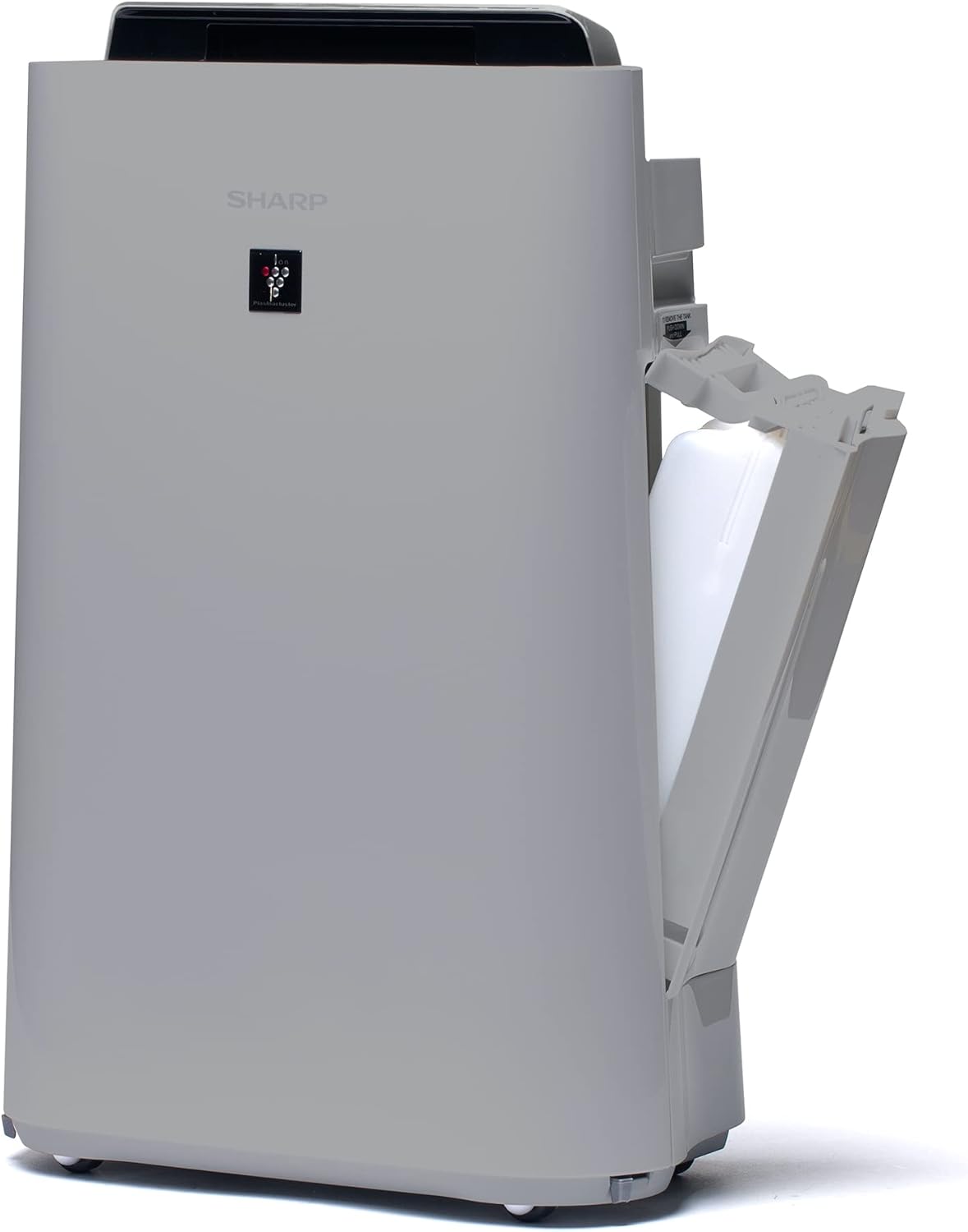
Obrázek 3.3: Strana A view of the unit with the water tank compartment door open, revealing the removable water tank for humidification.
3.4 Control Panel and Air Outlet

Obrázek 3.4: Pohled shora dolů view highlighting the intuitive control panel with various function buttons and the primary air outlet where purified and humidified air is released.
Filtrační systém 3.5
The Sharp UA-HD50E-L utilizes a multi-stage filtration system for comprehensive air purification:
- Předfiltr: Zachycuje velké částice, jako je prach a zvířecí chlupy.
- Deodorization Filter (UZ-HD4DF): Absorbs various odors, including cigarette smoke and household smells.
- HEPA Filter (UZ-HD4HF): Traps microscopic particles such as pollen, mold spores, and fine dust.
- Humidification Filter (UZ-HD6MF): Používá se pro funkci zvlhčování.

Obrázek 3.5: Rozložený view illustrating the sequence of the pre-filter, deodorization filter, and HEPA filter within the unit's rear compartment.
4. Nastavení
Follow these steps to set up your air purifier for the first time.
- Rozbalte jednotku: Carefully remove the air purifier and all its components from the packaging. Retain packaging for future transport or storage.
- Odstraňte obal filtru: Open the rear panel of the unit. Remove all plastic packaging from the HEPA filter, deodorization filter, and humidification filter.
- Instalace filtrů: Insert the filters back into the unit in the correct order: deodorization filter, then HEPA filter, followed by the pre-filter. Ensure they are securely seated. Close the rear panel.

Figure 4.1: Illustration of a filter being inserted into the side compartment of the air purifier.
- Naplnění nádrže na vodu (pro zvlhčování): Open the water tank compartment on the side of the unit. Remove the water tank, fill it with clean tap water, and securely close the cap. Reinsert the water tank into the unit.
Figure 4.2: The water tank being removed from its compartment for refilling.
- Umístění: Place the air purifier on a flat, stable surface, ensuring adequate clearance (at least 20 cm) from walls and furniture for optimal air circulation.
- Připojte napájení: Zapojte napájecí kabel do vhodné elektrické zásuvky (220 V).
5. Návod k obsluze
The control panel on the top of the unit allows you to manage all functions.

Figure 5.1: Close-up of the control panel with various buttons and indicators, including sensors for dust, odor, temperature, humidity, light, movement, and PM2.5.
5.1 Zapnutí/vypnutí napájení
- Stiskněte tlačítko MOC tlačítko pro zapnutí nebo vypnutí jednotky.
5.2 Provozní režimy
- Automatický režim: The unit automatically adjusts fan speed and humidification based on sensor readings (dust, odor, temperature, humidity, light, movement, PM2.5). This mode ensures optimal air quality and comfort.
- Manuální rychlost ventilátoru: Select desired fan speed (Low, Medium, High) for continuous operation.
- Režim zvlhčování: Activates the humidification function. The unit will maintain a comfortable humidity level. Ensure the water tank is filled.
- Air Purification Only: Disables the humidification function, focusing solely on air purification.
5.3 Plasmacluster Ion Function
- Stiskněte tlačítko PLAZMACLUSTER button to activate or deactivate the Plasmacluster ion generator.
- Ion Spot Mode: This mode provides a 10-fold more intensive airflow of Plasmacluster ions to target specific areas or strong odors. Activate it by pressing the dedicated button on the control panel.
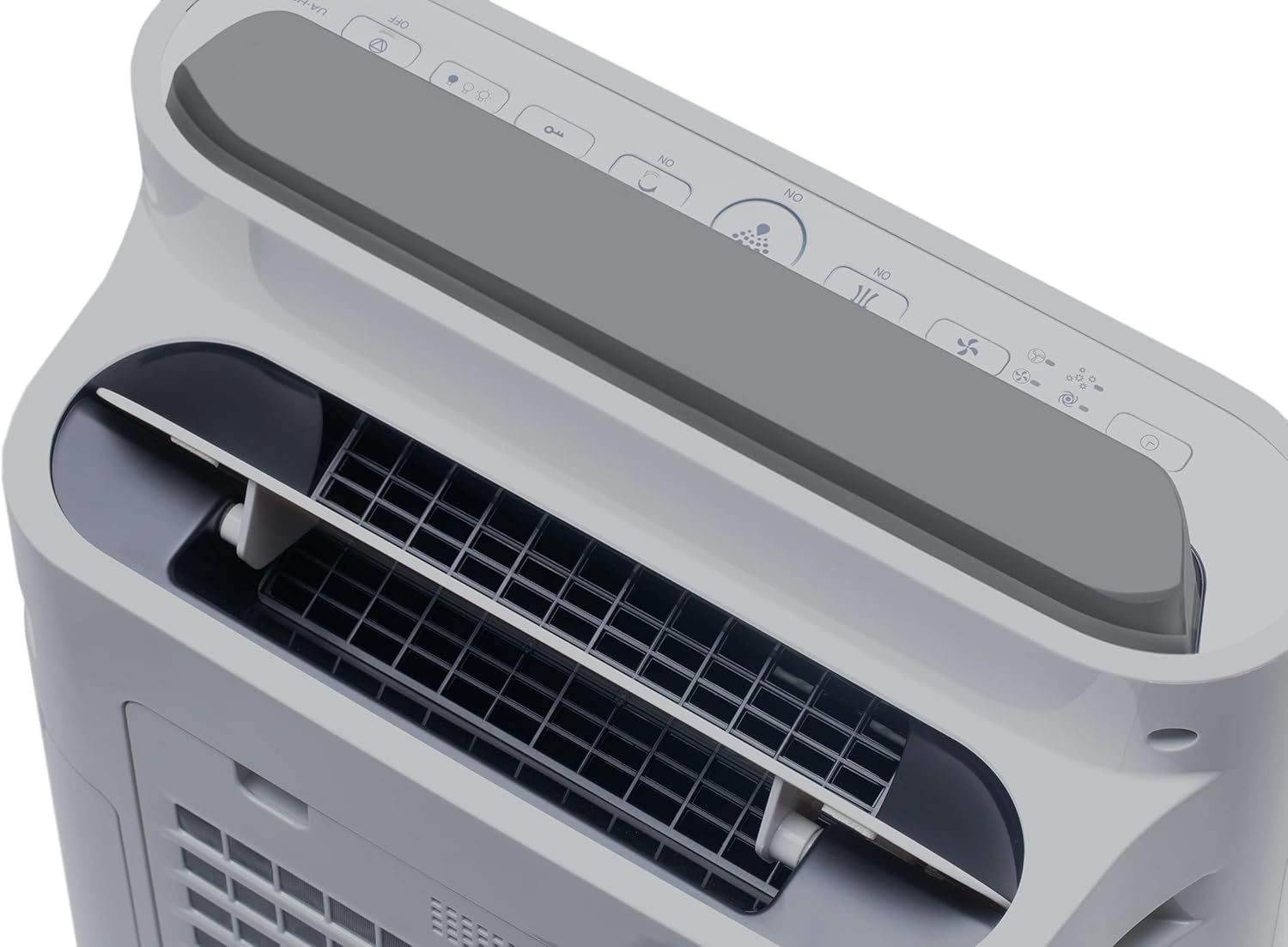
Figure 5.2: Visual representation of Plasmacluster ions being dispersed into the room, indicating the Ion Spot Mode's enhanced air circulation.
5.4 Cirkulace vzduchu
The unit features 20° back air outlets to ensure perfect air circulation throughout the room, effectively distributing purified and humidified air.
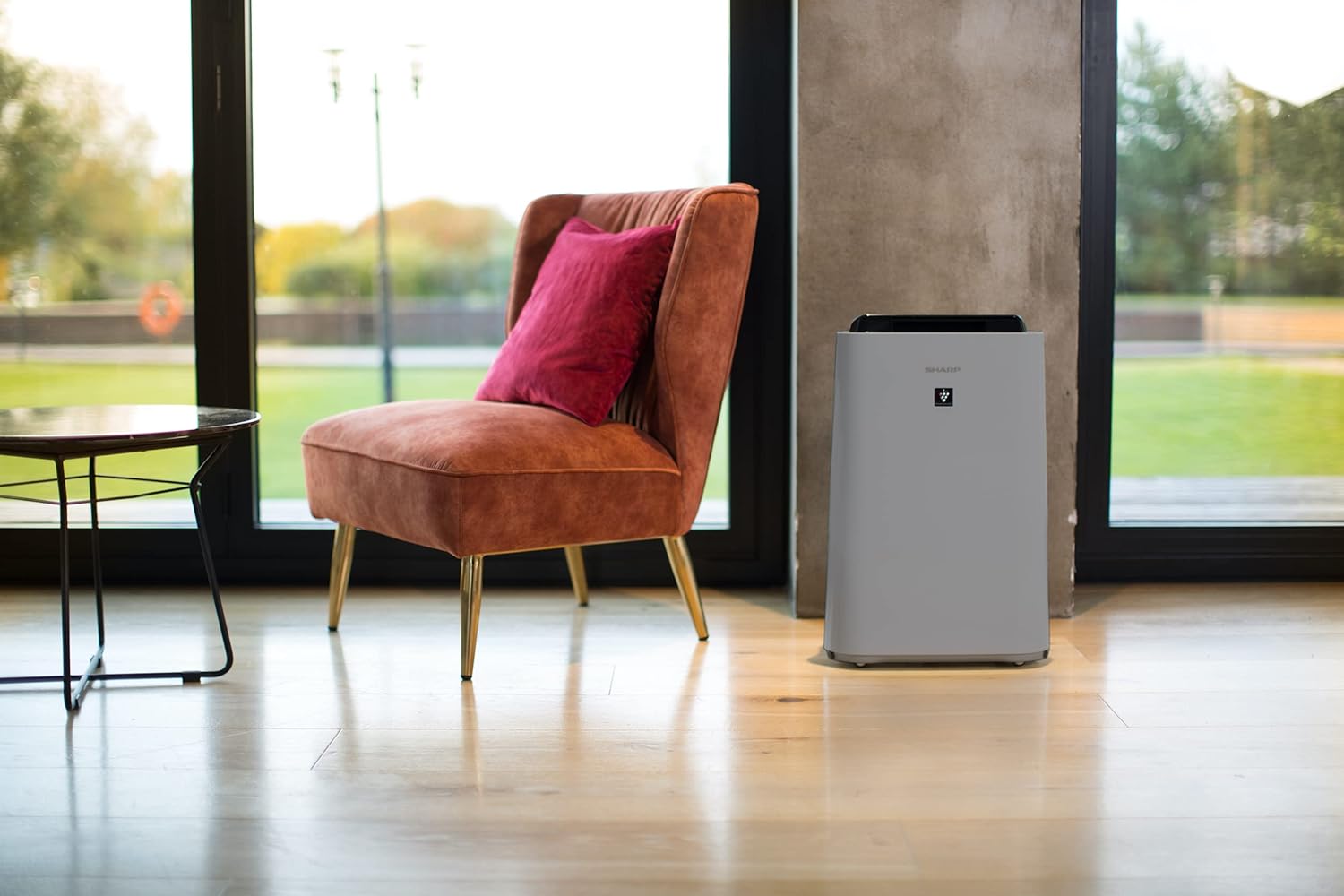
Figure 5.3: A diagram showing the optimal air circulation pattern created by the unit's design, ensuring even distribution of clean air.
6. Údržba
Pravidelná údržba zajišťuje optimální výkon a prodlužuje životnost čističky vzduchu.
6.1 Čištění předfiltru
- The pre-filter should be cleaned approximately once a month, or more frequently if used in dusty environments.
- Remove the rear panel and carefully detach the pre-filter.
- Use a vacuum cleaner to remove dust and debris. For stubborn dirt, wash with mild soap and water, then air dry completely before reinstallation.

Figure 6.1: The pre-filter being removed from the unit, with icons indicating its function against dust and pet hair.
6.2 Deodorization and HEPA Filters (UZ-HD4DF, UZ-HD4HF)
- These filters are not washable and should not be cleaned with water.
- Periodically check for excessive dust accumulation. A vacuum cleaner can be used gently on the surface of the HEPA filter to remove loose dust.
- Replace these filters approximately every 2-5 years, depending on usage and air quality. Refer to the indicator light on the control panel for replacement reminders.

Figure 6.2: The deodorization filter, designed to combat odors such as cigarette smoke and general household smells.
6.3 Humidification Filter (UZ-HD6MF) and Water Tank
- Clean the water tank daily or every few days to prevent mold and bacterial growth. Wash with mild detergent and rinse thoroughly.
- The humidification filter should be cleaned regularly (e.g., weekly) by rinsing under running water. If mineral deposits accumulate, soak the filter in a descaling solution (e.g., citric acid solution) as per product instructions.
- Replace the humidification filter approximately once a year, or when it becomes stiff or discolored.
6.4 Čištění exteriéru
- Otřete vnější část jednotky měkkým, damp tkanina. Nepoužívejte abrazivní čisticí prostředky nebo rozpouštědla.
7. Řešení problémů
Pokud narazíte na nějaké problémy, podívejte se na následující běžné problémy a jejich řešení.
| Problém | Možná příčina | Řešení |
|---|---|---|
| Jednotka se nezapne. | Power cord not properly connected; Power outage. | Ensure power cord is securely plugged in; Check household circuit breaker. |
| Slabé proudění vzduchu. | Clogged pre-filter; Blocked air inlets/outlets. | Clean the pre-filter; Ensure nothing is obstructing air passages. |
| Žádné zvlhčování. | Water tank empty; Humidification filter clogged or improperly installed. | Refill water tank; Clean or correctly install humidification filter. |
| Unusual odor from unit. | Dirty filters; Stagbez vody v nádrži. | Clean/replace filters; Clean water tank and humidification filter. |
| Silný hluk během provozu. | Foreign object in fan; Unit not on a stable surface. | Turn off and unplug, check for obstructions; Place on a flat, stable surface. |
Pokud problém přetrvává i po vyzkoušení těchto řešení, kontaktujte zákaznickou podporu.
8. Specifikace
| Značka | Ostrý |
| Číslo modelu | UA-HD50E-L |
| Barva | Světle šedá |
| Rozměry (D x Š x V) | 39.9 x 23 x 61.5 cm |
| Hmotnost | 7.9 kg |
| Kapacita vodní nádrže | 1 litrů |
| Moc | 3600 (Please refer to product label for actual wattage) |
| svtage | 220 voltů |
| Materiál | Plast |
| Funkce automatického vypnutí | Ano |
| Úroveň hluku | 23 decibelů |
| Typ filtru | HEPA |
| Kontrolní metoda | Touch, Button Control |
| Room Coverage (Purification) | Až 38 m² |
| Room Coverage (with Humidification) | Až 27 m² |
9. Záruka a podpora
Sharp provides a warranty for this product in accordance with local regulations. Please retain your proof of purchase for warranty claims.
- Dostupnost náhradních dílů: Náhradní díly pro tento model jsou k dispozici po dobu 2 let od data zakoupení.
- For technical support, service, or to purchase replacement filters, please contact your local Sharp authorized dealer or visit the official Sharp webmísto.