
Zavedení
This manual provides detailed instructions for the installation, operation, and maintenance of your NEC SL2100 IP7WW-12TXH-B1 12-Button Display Speaker Telephone. Please read this manual thoroughly before using the telephone to ensure proper functionality and to prevent damage.
Bezpečnostní informace
Při používání tohoto výrobku vždy dodržujte základní bezpečnostní opatření, abyste snížili riziko požáru, úrazu elektrickým proudem a zranění osob.
- Nepoužívejte tento výrobek v blízkosti vody, napřampv blízkosti vany, umyvadla, kuchyňského dřezu nebo prádelní vany, ve vlhkém sklepě nebo v blízkosti bazénu.
- Nepoužívejte telefon během bouřky. Může existovat malé riziko úrazu elektrickým proudem z blesku.
- Nepoužívejte telefon k nahlášení úniku plynu v blízkosti úniku.
- Use only the power source specified in this manual or marked on the product. This telephone is powered by the phone system.
- Před čištěním odpojte tento výrobek ze zásuvky. Nepoužívejte tekuté čističe nebo aerosolové čističe. Použijte reklamuamp hadřík na čištění.
Obsah balení
Ověřte, zda jsou v balení přítomny všechny položky:
- NEC SL2100 IP7WW-12TXH-B1 12-Button Display Speaker Telephone (Black)
- Sluchátko
- Kabel sluchátka
- Base Stand (for desk or wall mounting)
- Ethernet Cable (if applicable for IP connection)
Konec produktuview
The NEC SL2100 IP7WW-12TXH-B1 is a corded 12-button display speaker telephone designed for use with NEC SL2100 systems. It features a clear display for call information and menu navigation, a built-in speakerphone for hands-free communication, and 12 programmable function keys.
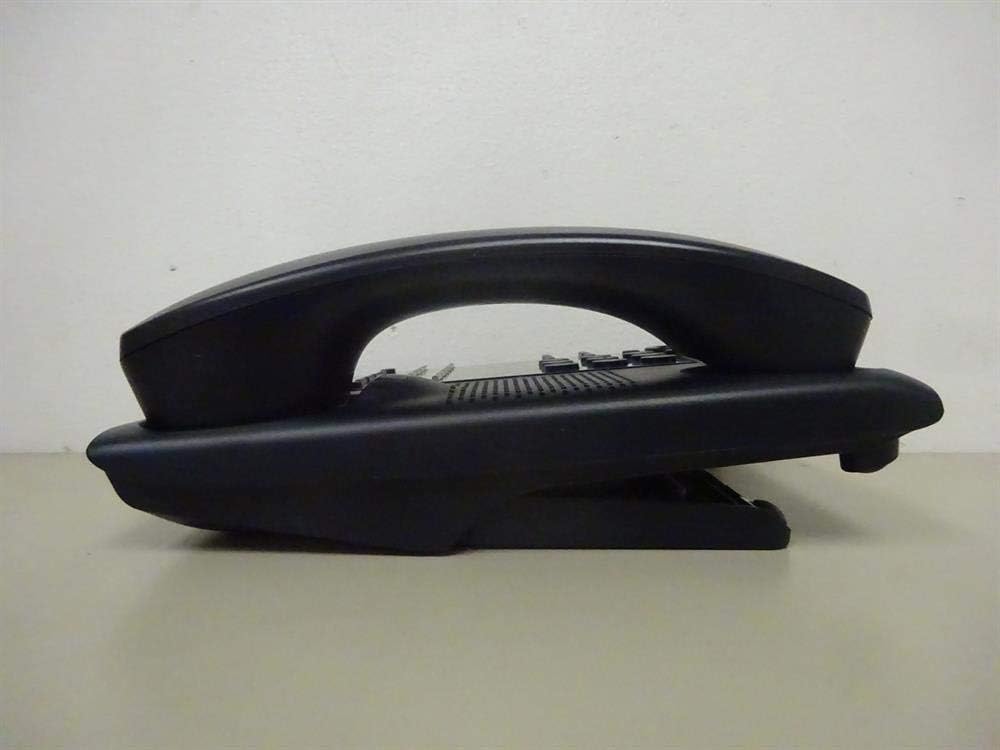
Obrázek 1: Strana view of the NEC SL2100 IP7WW-12TXH-B1 telephone, showing the ergonomic design of the handset and base unit.

Obrázek 2: Zadní view of the telephone, illustrating the various connection ports for the handset and network, as well as the integrated wall-mounting slots.
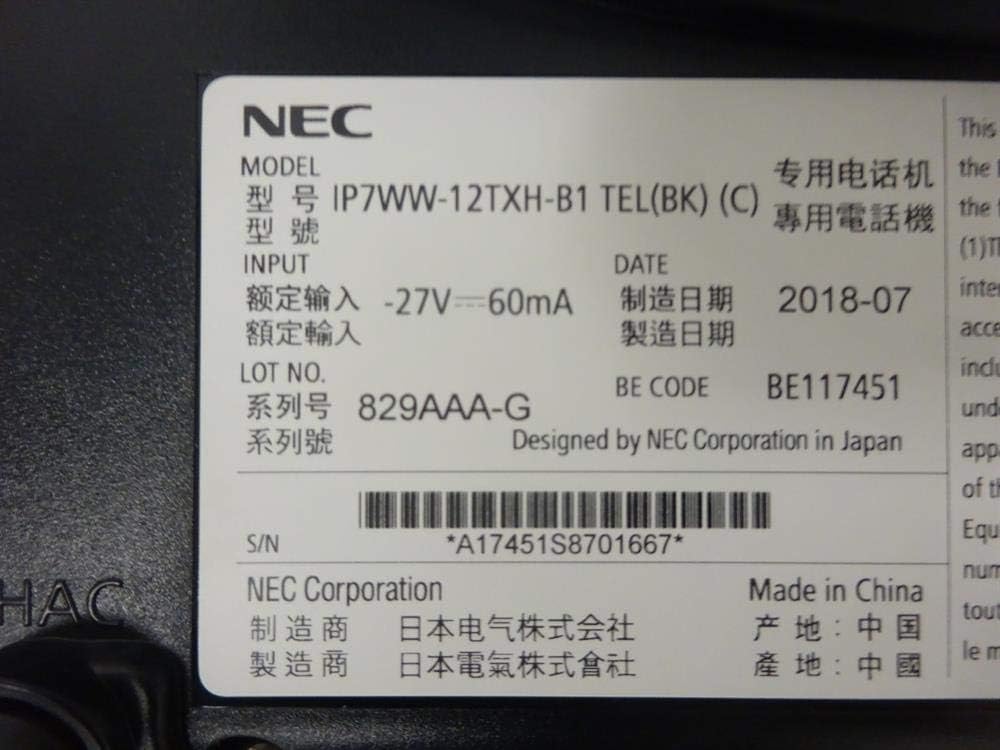
Obrázek 3: Close-up of the product label, displaying model number IP7WW-12TXH-B1, input specifications, and manufacturer details.
Nastavení
1. Assembling the Telephone
- Připevněte základní stojan: Align the base stand with the slots on the bottom of the telephone. Slide it into place until it clicks securely. The stand can be adjusted for different viewing angles or reversed for wall mounting.
- Připojení sluchátka: Plug one end of the coiled handset cord into the handset and the other end into the designated port on the side of the telephone base.
2. Connecting to the System
This telephone is designed to connect to an NEC SL2100 system. Ensure your SL2100 system is properly installed and configured.
- Připojení síťového kabelu: Plug one end of an Ethernet cable into the LAN port on the back of the telephone. Plug the other end into an available port on your NEC SL2100 system or a network switch connected to the system.
- Zapnutí: The telephone receives power directly from the NEC SL2100 system (Power over Ethernet - PoE) or via a separate power adapter (not included, if PoE is not available). Once connected, the telephone should power on automatically.
- Počáteční konfigurace: The telephone will typically register with the SL2100 system automatically. If prompted, follow the on-screen instructions or consult your system administrator for specific extension number assignment or network settings.
Návod k obsluze
Uskutečňování hovorů
- Zvedněte ruční ovladač: Zvedněte sluchátko a poslouchejte oznamovací tón.
- Vytočit číslo: Vytočte požadované telefonní číslo pomocí klávesnice.
- Hlasitý telefon: Stiskněte tlačítko REPRODUKTOR button to activate the speakerphone, then dial the number.
Přijímání hovorů
- Zvedněte ruční ovladač: When the telephone rings, lift the handset to answer.
- Hlasitý telefon: Stiskněte tlačítko REPRODUKTOR button to answer the call hands-free.
Pomocí displeje
The display shows call information, menu options, and system status. Use the navigation buttons (usually arrow keys) to scroll through menus and the ENTER or VYBRAT tlačítko pro potvrzení výběru.
Programmable Function Keys (12 Buttons)
The 12 buttons on the telephone can be programmed for various functions such as speed dial, line access, feature activation, or direct station selection. Consult your system administrator for the specific programming of these keys.
Konferenční hovory
The telephone supports 3-way conference calls. To initiate a conference call:
- Navažte hovor s první stranou.
- Stiskněte tlačítko KONF (Conference) button or the designated programmable key. The first party will be put on hold.
- Vytočte číslo druhé strany.
- Once connected to the second party, press the KONF znovu stiskněte tlačítko pro připojení všech tří skupin.
ID volajícího
When an incoming call is received, the caller's information (name and number, if available) will be displayed on the screen.
Víceřádkový provoz
This telephone supports multi-line operation, allowing you to manage multiple calls simultaneously. Use the designated line keys or programmable keys to switch between active lines or place calls on hold.
Údržba
Čištění
To clean the telephone, unplug it from the network connection. Use a soft, slightly damp cloth. Do not use harsh chemicals, abrasive cleaners, or excessive moisture. Avoid spraying cleaners directly onto the telephone.
Skladování
If storing the telephone for an extended period, ensure it is clean and dry. Store it in a cool, dry place away from direct sunlight and extreme temperatures.
Odstraňování problémů
- Žádný oznamovací tón:
- Check all cable connections, especially the network cable to the SL2100 system.
- Ensure the SL2100 system is powered on and functioning correctly.
- If using a separate power adapter (not PoE), ensure it is properly connected and receiving power.
- Displej nefunguje:
- Verify the telephone is receiving power.
- Try disconnecting and reconnecting the network cable.
- Nelze uskutečňovat/přijímat hovory:
- Zkontrolujte oznamovací tón.
- Ensure the telephone is properly registered with the SL2100 system.
- Contact your system administrator to verify line assignments and system status.
- Špatná kvalita zvuku:
- Zkontrolujte připojení sluchátka a síťového kabelu.
- Zajistěte, aby nedocházelo k rušení jinými elektronickými zařízeními.
- Test with another telephone if possible to isolate the issue.
Specifikace
| Funkce | Specifikace |
|---|---|
| Značka | NEC |
| Číslo modelu | IP7WW-12TXH-B1 (Mfr Part Number: BE117451) |
| Barva | Černý |
| Typ telefonu | Kabelové |
| Materiál | Plast |
| Zdroj napájení | Phone System (PoE compatible) |
| Typ vytáčení | Jedna klávesnice |
| Rozměry položky (D x Š x V) | 15 x 12 x 6 palce |
| Typ systému odpovědí | Digitální (závislé na systému) |
| Kompatibilní zařízení | NEC SL2100 Systems, NEC SL2100 IP7WW-082U-B1 8 Port Digital Station Card |
| Možnost konferenčního hovoru | 3-cestný |
| Víceřádkový provoz | Ano |
| ID volajícího | Ano |
Záruka a podpora
For warranty information, please refer to the documentation provided with your NEC SL2100 system or contact your NEC authorized dealer. For technical support, please contact your system administrator or NEC customer service.
Společnost NEC
For further assistance, please visit the official NEC website or contact your local support representative.