
symcode 6543841919
Symcode USB Laser Barcode Scanner User Manual
Model: 6543841919
Zavedení
Thank you for choosing the Symcode USB Laser Barcode Scanner. This handheld wired barcode scanner is designed for efficient and accurate 1D barcode reading, suitable for various applications including retail, warehouse, and office environments. Its plug-and-play design ensures ease of use across multiple operating systems.

Image: The Symcode USB Laser Barcode Scanner, a black handheld device with a green scan button, shown alongside its attached USB cable.

Image: A comparison highlighting the scanner's compact and streamlined design, which is comfortable to hold and easy to use, contrasting with a larger, heavier alternative.
Obsah balení
Po otevření balení se prosím ujistěte, že jsou přítomny všechny komponenty:
- 1 x Symcode Laser Barcode Scanner
- 1 x USB Cable (1.5m/5ft)
- 1 x Uživatelská příručka
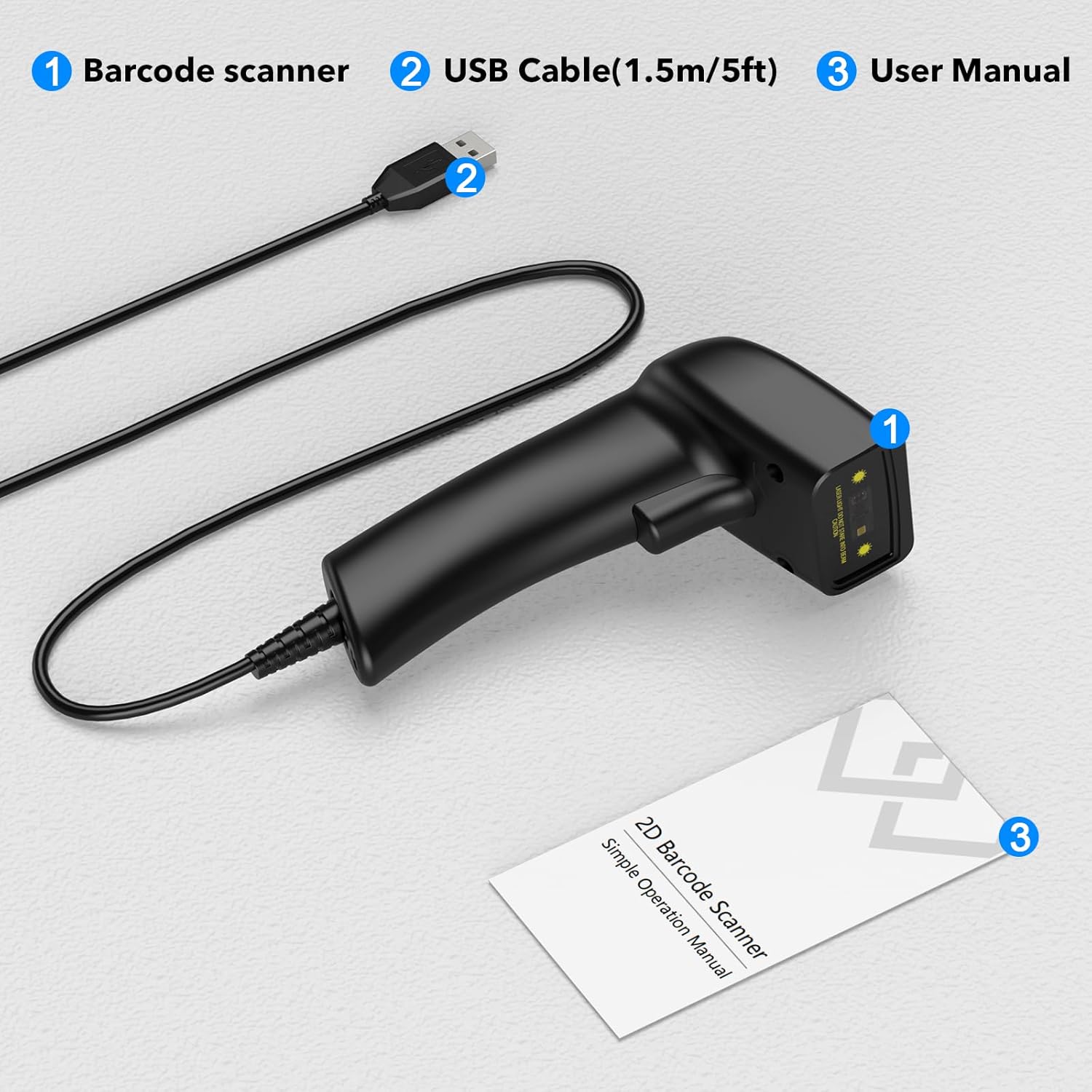
Image: A visual representation of the package contents, clearly labeling the barcode scanner, USB cable, and user manual.
Nastavení
The Symcode USB Laser Barcode Scanner is designed for simple plug-and-play operation, requiring no additional software or drivers for most systems.
Připojení skeneru
- Locate an available USB port on your computer (desktop, laptop, or compatible device).
- Insert the USB connector of the scanner's cable firmly into the USB port.
- The scanner will typically be recognized automatically by your operating system (Windows, macOS, Linux, Android, iOS). A confirmation sound or light may indicate successful connection.

Image: The barcode scanner connected via USB to a laptop, illustrating its compatibility with various operating systems including Linux, Windows, iOS, and Android.

Obrázek: Podrobný view of the USB cable connection point on the scanner, emphasizing its plug-and-play nature for both data transmission and power.
Návod k obsluze
Základní operace skenování
- Ensure the scanner is properly connected to your device.
- Open an application where you want the scanned data to appear (e.g., Notepad, Word, Excel, a POS system). The scanner acts as a keyboard input device.
- Namiřte laserový paprsek skeneru na čárový kód, který chcete skenovat. Ujistěte se, že je celý čárový kód uvnitř laserové linie.
- Press the trigger button. A successful scan will typically be indicated by a beep and/or a green light, and the barcode data will appear in your active application.
Podporované typy čárových kódů
This scanner supports a wide range of 1D barcode symbologies, including but not limited to:
- UPC/EAN (EAN-8/13, UPC-A/E)
- UCC/EAN 128
- Code 39 / Code 39 Full ASCII / Trioptic Code 39
- Code 128 / Code 128 Full ASCII
- Codabar
- Proložené 2 z 5
- Diskrétní 2 z 5
- Kód 93
- MSI
- Kód 11
- RSS variants
- čínština 2 z 5

Image: An illustration showing the scanner's ability to decode various barcode types, including Data Matrix, QR Code, PDF417, and common 1D barcodes like 20123456789, 6234567890178, 4603146002134, and 1234567890135.
Nastavení zvuku a vibrací
The scanner provides options to customize sound and vibration feedback. Refer to the included user manual for specific barcode configurations to enable or disable these features.
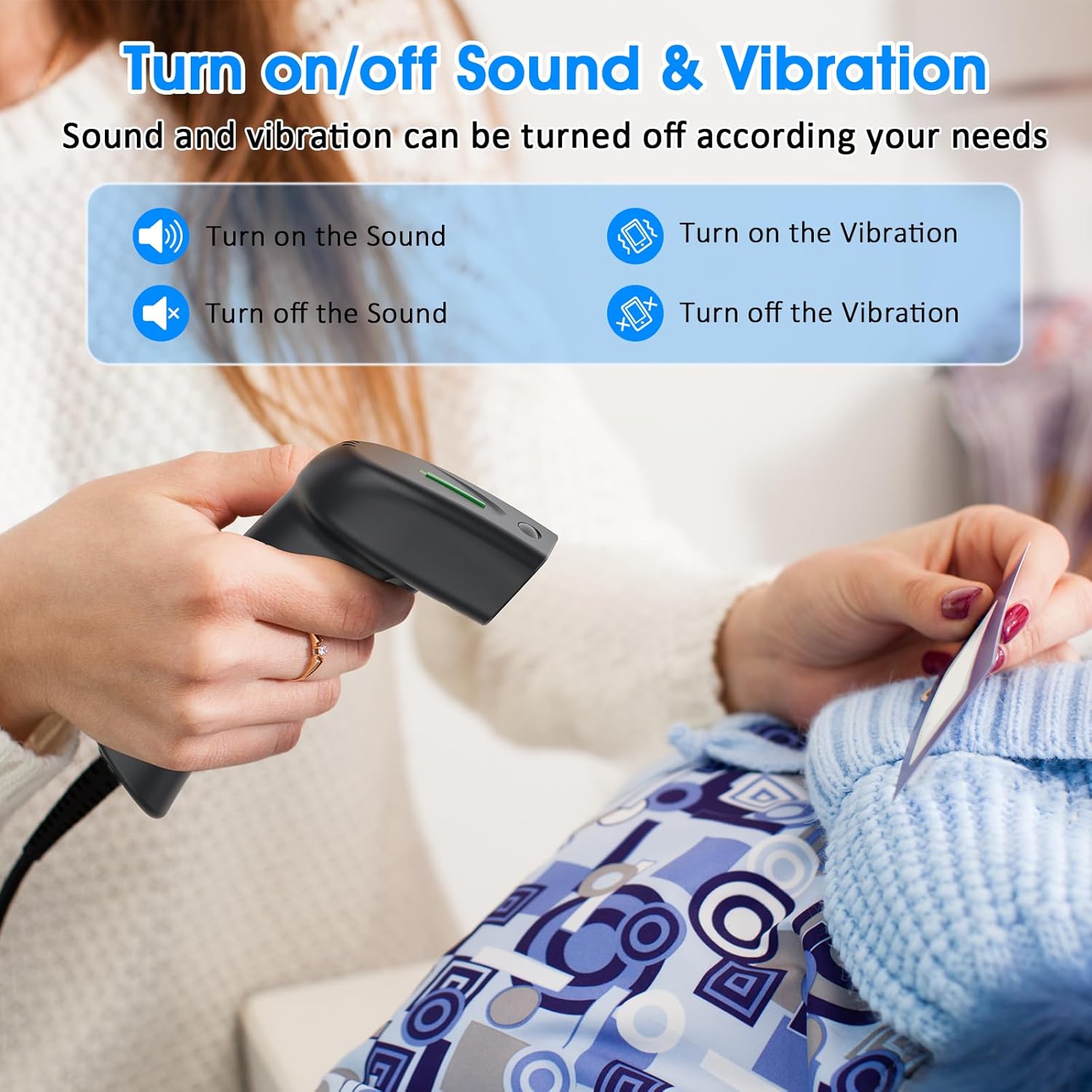
Image: A graphic detailing how to enable or disable sound and vibration feedback on the scanner, indicating user-configurable options.
Údržba
Správná údržba zajišťuje dlouhou životnost a optimální výkon vašeho skeneru čárových kódů.
- Čištění: K čištění vnější strany skeneru použijte měkký, suchý hadřík. Na skenovací okénko použijte hadřík, který nepouští vlákna, lehce osušte.ampened with a mild, non-abrasive cleaner. Avoid harsh chemicals or abrasive materials.
- Skladování: Skener skladujte na chladném a suchém místě mimo dosah přímého slunečního záření a extrémních teplot.
- Péče o kabely: Avoid bending or twisting the USB cable excessively, as this can damage internal wires.
- Zacházení: Handle the scanner with care to prevent drops or impacts, which can affect its internal components.
Odstraňování problémů
| Problém | Možná příčina | Řešení |
|---|---|---|
| Počítač nerozpoznává skener. | Loose USB connection, faulty USB port, or operating system issue. | Ensure the USB cable is securely plugged into both the scanner and the computer. Try a different USB port or a different computer to isolate the issue. Restart your computer. |
| Barcode data does not appear after scanning. | No active input field, incorrect application focus, or unsupported barcode type. | Ensure an application like Notepad, Word, Excel, or a specific POS software is open and has an active text input field. Click into the desired input area. Verify the barcode type is supported by the scanner. |
| Skener pípá, ale žádná data se nepřenášejí. | Output format issue or application compatibility. | Confirm the application is ready to receive keyboard input. Some applications may require specific settings. Refer to the scanner's full user manual for advanced configuration barcodes. |
| Scanner not reading certain barcodes. | Damaged barcode, insufficient print contrast, or barcode type disabled. | Ensure the barcode is clear and undamaged. Check the print contrast. Some barcode types might be disabled by default; refer to the user manual for enabling specific symbologies. |
Specifikace
| Funkce | Detail |
|---|---|
| Rozměry produktu | 5.83 x 3.82 x 3.54 palce |
| Hmotnost položky | 4.2 unce (156 g) |
| Světelný zdroj | 650nm~670nm visible laser |
| Rychlost skenování | 100 skenů/sec |
| Read Preciseness | 0.1 mm (4 mil) |
| Kontrast tisku | minimálně 30 %. |
| Hloubka ostrosti | 0~600mm (0.33mm, PCS 90%) |
| Scan Scope | 10-250 mm |
| Vzdálenost čtení | 2.5~600mm (100% UPC/EAN) |
| Bitová chybovost | 1 / 5 milionů |
| Current (Working/Storage) | 85mA (working) / 36mA (storage) |
| Rozhraní | USB |
| Provozní teplota | 0℃~45℃ (32°F~113°F) |
| Skladovací teplota | -20 ℃ ~ 60 ℃ (-4 ° F ~ 140 ° F) |
| Vlhkost | 5%~95% nekondenzující |
| Materiál | ABS + PC |
| Kompatibilní zařízení | Laptop, PC, POS systems |
| Zdroj napájení | Elektrický kabel (USB) |
| Provozní svtage | 4.7 voltů |
Záruka a podpora
Symcode products are manufactured to high-quality standards. For warranty information, technical support, or service inquiries, please refer to the contact details provided in your product packaging or visit the official Symcode webstránky. Uschovejte si prosím doklad o koupi pro případ reklamace.
Ask a question about this manual
Ask about setup, troubleshooting, compatibility, parts, safety, or missing instructions. Manuals+ will review the question and use this page’s manual context to help answer it.