
1. Úvod
This manual provides comprehensive instructions for the Foscam FI9902P Outdoor Security Camera. It covers product features, installation procedures, operational guidelines, maintenance tips, and troubleshooting steps to ensure optimal performance and security for your property.
The Foscam FI9902P camera provides 1080P Full HD video resolution at 25 frames per second, ensuring clear and detailed surveillance. It supports remote viewing and playback via the Foscam App or a web browser. The camera features a 105° wide viewing angle and a night vision range of up to 20 meters (66 feet) using 30 IR-LEDs. Motion and sound detection trigger real-time push alerts to your smartphone, tablet, or email. Storage options include an external SD card slot (up to 128GB), Network Video Recorder (NVR) compatibility, and optional Foscam Cloud service.
2. Konec produktuview
2.1 Obsah balení
Ověřte, zda jsou v balení přítomny všechny položky:
- Foscam FI9902P Camera
- Napájecí adaptér
- Ethernetový kabel
- Montážní šrouby a kotvy
- Šestihranný klíč
- Stručný návod k instalaci (není součástí této digitální příručky)

Image: Contents of the Foscam FI9902P camera package, showing the camera, power adapter, Ethernet cable, and mounting accessories.
2.2 Funkce fotoaparátu
The Foscam FI9902P is designed for outdoor surveillance with robust features:
- Rozlišení Full HD 1080P: Poskytuje jasné a podrobné video footage.
- Široký dynamický rozsah (WDR): Enhances image quality in varying light conditions.
- Výkonné noční vidění: Equipped with 30 IR-LEDs for up to 20 meters (66 feet) of visibility in low light.
- Detekce pohybu a zvuku: Triggers alerts and recordings upon detecting activity.
- Real-time Push Alerts: Sends notifications to your smartphone, tablet, or email.
- Více možností úložiště: Supports external SD card (up to 128GB), NVR, and Foscam Cloud service.
- Design odolný vůči povětrnostním vlivům: Built to withstand outdoor elements (thermostable, weatherproof, snow resistant).
- Široký Viewúhel: 105stupňové diagonální pole view.

Obrázek: Overview of key features including 1080P resolution, cloud service, motion detection, wide angle, night vision, external SD card slot, and weatherproof design.

Image: The Foscam FI9902P camera demonstrating its weatherproof, snow-resistant, and thermostable capabilities.
3. Nastavení a instalace
3.1 Fyzická instalace
The Foscam FI9902P is designed for wall mounting. Choose a location that provides the desired viewing angle and is within range of your Wi-Fi network or an Ethernet connection.
- Vyberte umístění: Identify a suitable outdoor wall location, ensuring a clear line of sight and access to a power outlet.
- Montážní šablona: Use the provided mounting template (if applicable) to mark drill holes on the wall.
- Vrtací otvory: Drill pilot holes and insert the wall anchors.
- Bezpečná kamera: Attach the camera's mounting bracket to the wall using the provided screws.
- Upravit úhel: Loosen the adjustment screws on the bracket to position the camera for optimal coverage, then tighten to secure.

Image: The Foscam FI9902P camera securely mounted on an exterior wall.
3.2 Napájení a síťové připojení
- Připojení napájení: Připojte napájecí adaptér k fotoaparátu a zapojte jej do elektrické zásuvky.
- Internetové připojení:
- Wi-Fi: For wireless connection, ensure the camera is within range of your Wi-Fi router. Configuration will be done via the Foscam App.
- Ethernet: For a wired connection, connect one end of the Ethernet cable to the camera and the other end to your router or network switch.
3.3 Initial Setup with Foscam App
Download the Foscam App from your device's app store (iOS or Android). Follow the in-app instructions to add your camera, which typically involves scanning a QR code on the camera or manually entering its ID.
4. Ovládání fotoaparátu
4.1 Živě Viewa přehrávání
Přístup k živým video streamům a nahraným jídlůmtage through the Foscam App or a web browser. The app provides a timeline feature for easy navigation of past recordings.
4.2 Nahrávání a ukládání
The FI9902P offers flexible storage solutions:
- Micro SD karta: Insert a Micro SD card (up to 128GB) into the external slot for local storage. The slot is located under a protective cover on the camera body.
- Síťový videorekordér (NVR): Connect the camera to a compatible NVR for continuous recording and larger storage capacity.
- Foscam Cloud: Subscribe to Foscam Cloud service for secure, remote storage of your video footage.
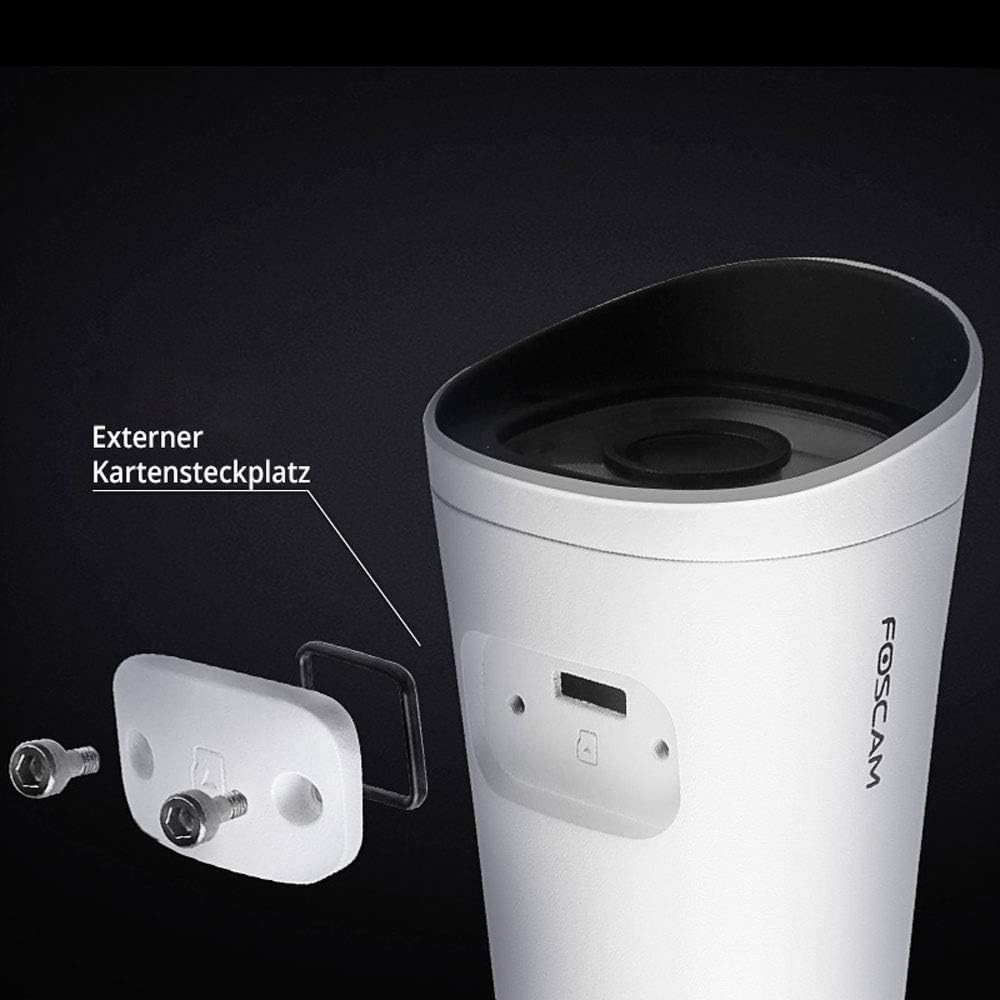
Image: The external Micro SD card slot on the Foscam FI9902P camera, accessible for local storage.
4.3 Detekce pohybu a zvuku
Configure motion and sound detection settings within the Foscam App. You can define detection zones, sensitivity levels, and schedule times for alerts.
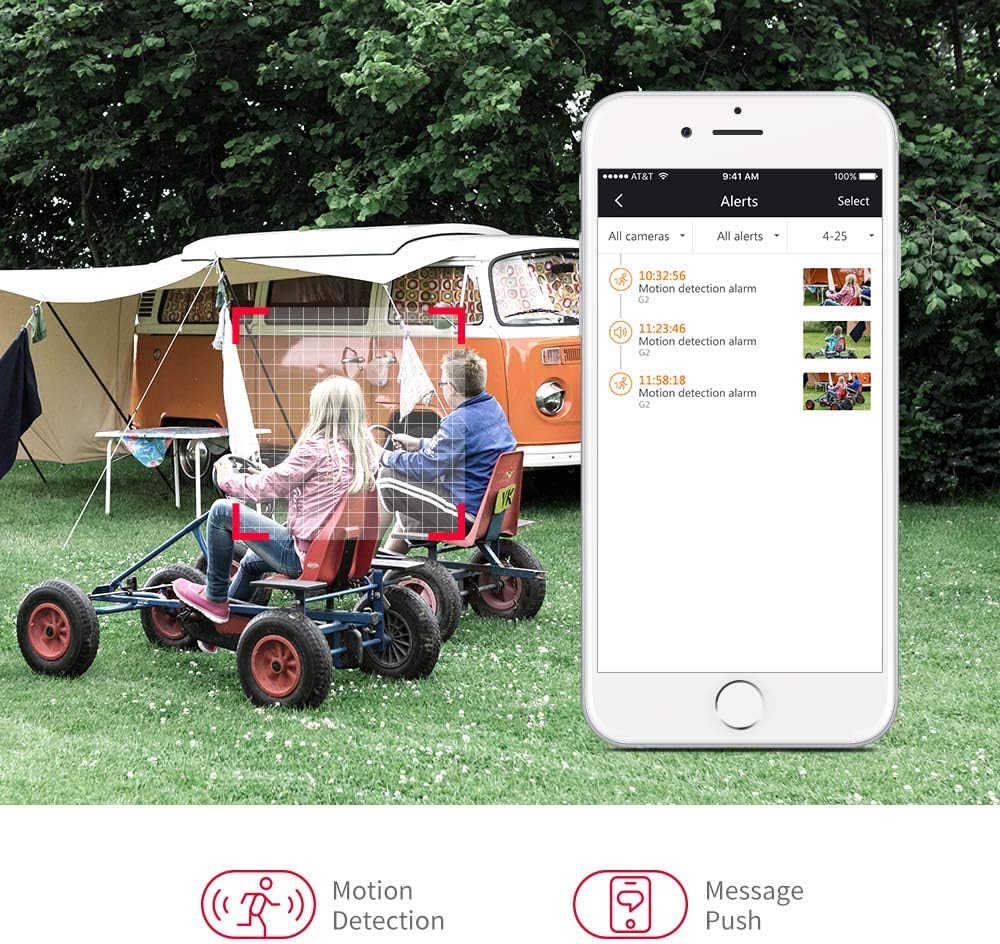
Image: A smartphone displaying motion detection alerts received from the Foscam camera.
4.4 Noční vidění
Kamera se za zhoršených světelných podmínek automaticky přepne do režimu nočního vidění a poskytne tak jasné černobílé video až do vzdálenosti 20 metrů (66 stop).

Image: Illustration of the camera's 110-degree viewing angle and 20-meter night vision capability.
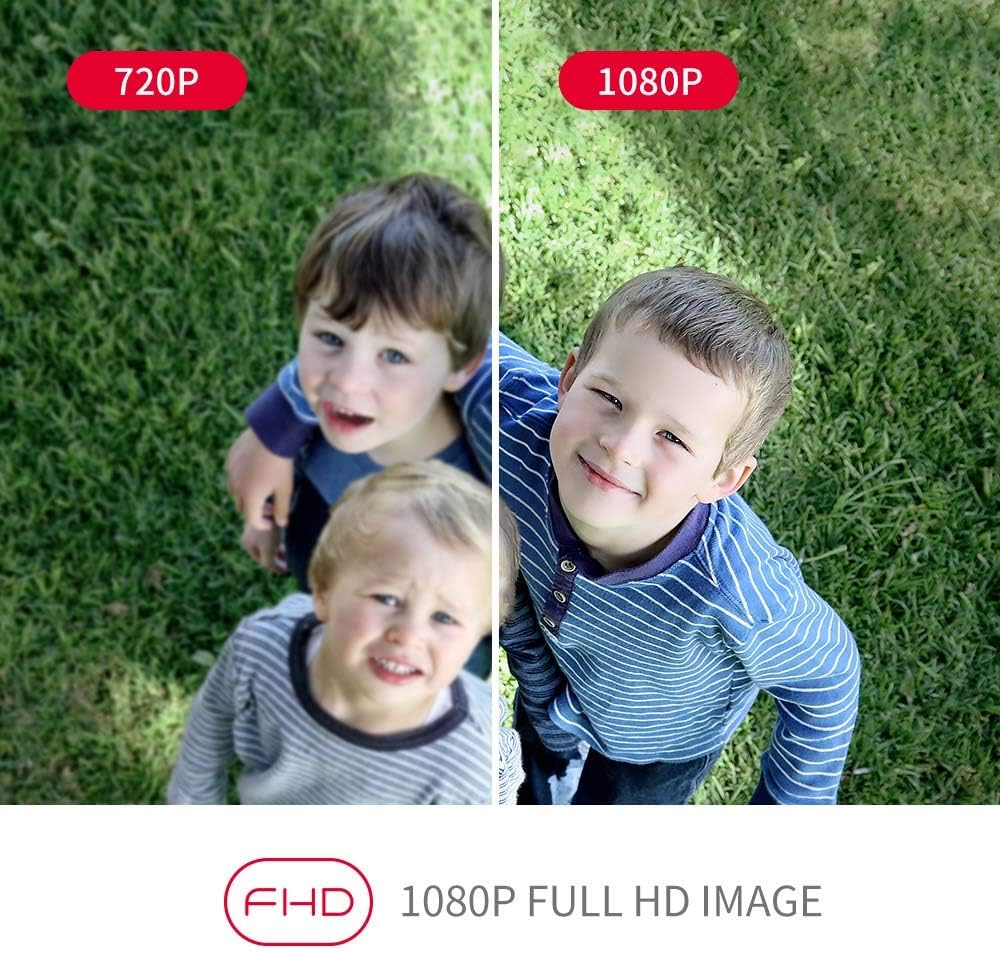
Image: A visual comparison demonstrating the enhanced clarity of 1080P Full HD video compared to 720P.
5. Údržba
Regular maintenance ensures the longevity and optimal performance of your Foscam FI9902P camera.
- Čištění: Pravidelně čistěte objektiv a kryt fotoaparátu měkkým hadříkemamp tkanina. Vyhněte se abrazivním čisticím prostředkům.
- Aktualizace firmwaru: Check the Foscam App or official website for available firmware updates to ensure your camera has the latest features and security enhancements.
- Správa SD karet: If using an SD card, regularly back up important footaga kartu pravidelně formátujte, aby byl zachován její výkon.
- Kontrola kabelů: Inspect power and Ethernet cables for any signs of wear or damage, especially in outdoor environments.
6. Řešení problémů
If you encounter issues with your Foscam FI9902P camera, refer to the following common troubleshooting steps:
- Bez napájení: Ujistěte se, že je napájecí adaptér bezpečně připojen k fotoaparátu a k funkční zásuvce.
- Žádné síťové připojení:
- Wi-Fi: Verify the camera is within Wi-Fi range and the network password is correct. Restart your router.
- Ethernet: Check the Ethernet cable connection to both the camera and the router. Try a different cable.
- Špatná kvalita videa: Ensure the lens is clean. Check your internet connection speed. For 1080P streaming, a stable and sufficient bandwidth is required.
- Detekce pohybu nefunguje: Verify that motion detection is enabled in the app and the detection zone is correctly configured. Adjust sensitivity settings.
- Nelze vzdáleně přistupovat k fotoaparátu: Ensure your home network has internet access. Check firewall settings on your router.
- Fotoaparát offline: Try restarting the camera by unplugging and replugging the power. If the issue persists, reset the camera to factory defaults (refer to the Foscam website for specific reset instructions for your model) and reconfigure.
For further assistance, visit the official Foscam support webnebo kontaktujte jejich zákaznický servis.
7. Specifikace
Detailed technical specifications for the Foscam FI9902P camera:
| Funkce | Specifikace |
|---|---|
| Model | FI9902P |
| Barva | Černá, bílá |
| Form Factor | Kulka |
| Efektivní rozlišení videa | 1080P Full HD |
| Rozlišení optického senzoru | 2 megapixelů |
| Snímková frekvence | 25 snímků za sekundu |
| Viewúhel | 105 stupňů |
| Rozsah nočního vidění | 20 metrů (66 stop) |
| Technologie připojení | Fast Ethernet + WiFi, Wireless |
| Protokol připojení | ONVIF |
| Typ instalace | Držák na zeď |
| Skladování | External Micro SD Card (up to 128GB), NVR, Cloud |
| Speciální funkce | Night Vision, Motion Detection |
| Materiál | Kov |
| svtage | 12 voltů |
| Spotřeba energie | 5 wattů |
| Rozměry (D x Š x V) | 9.7 x 6.6 x 6.4 cm |
| Hmotnost položky | 290 gramů |
| Typ zoomu | Optický zoom |
| Typ zaměření | Motion Detection Trigger (Feature) |
| Doporučená použití | Dohled |
8. Záruka a podpora
8.1 Informace o záruce
For detailed warranty information regarding your Foscam FI9902P camera, please refer to the official Foscam webwebu nebo v záručním listu dodaném s vaším produktem. Záruční podmínky se mohou lišit v závislosti na regionu.
8.2 Zákaznická podpora
If you require technical assistance or have questions about your Foscam FI9902P, please utilize the following resources:
- Oficiální Foscam Webmísto: Návštěva www.foscam.com pro časté dotazy, články podpory a kontaktní informace.
- Foscam App: The app often includes a support section with troubleshooting guides and direct contact options.