
Zavedení
The Nyko Wireless Core Controller is designed to enhance your gaming experience across multiple platforms, including Nintendo Switch, Android devices, and PC. This controller features an ergonomic design, reliable Bluetooth connectivity, and a programmable turbo function. Please read this manual thoroughly to ensure proper setup and operation of your new controller.
Co je zahrnuto
Ověřte, zda jsou v balení přítomny všechny položky:
- 1x Nyko Wireless Core Controller
- 1x nabíjecí kabel USB Type-C

Image: Contents of the Nyko Wireless Core Controller package, showing the controller and its USB Type-C charging cable.
Vlastnosti
The Nyko Wireless Core Controller offers a range of features for an optimized gaming experience:
- Bezdrátové připojení: Utilizes Bluetooth for a responsive, lag-free connection.
- Ergonomický design: Full-sized controller with comfortable grips for extended gameplay sessions.
- Funkce Turbo: Programmable turbo button for any face buttons or triggers, allowing for rapid, automatic inputs.
- Dobíjecí baterie: Internal battery provides up to 20 hours of playtime, recharged via the included USB Type-C cable.
- Ovládání pohybu: Integrated gyroscope supports games requiring motion control.
- Vibrační zpětná vazba: Poskytuje pohlcující haptickou zpětnou vazbu během hraní.
- Kompatibilita s více platformami: Works with Nintendo Switch, Android, and PC.
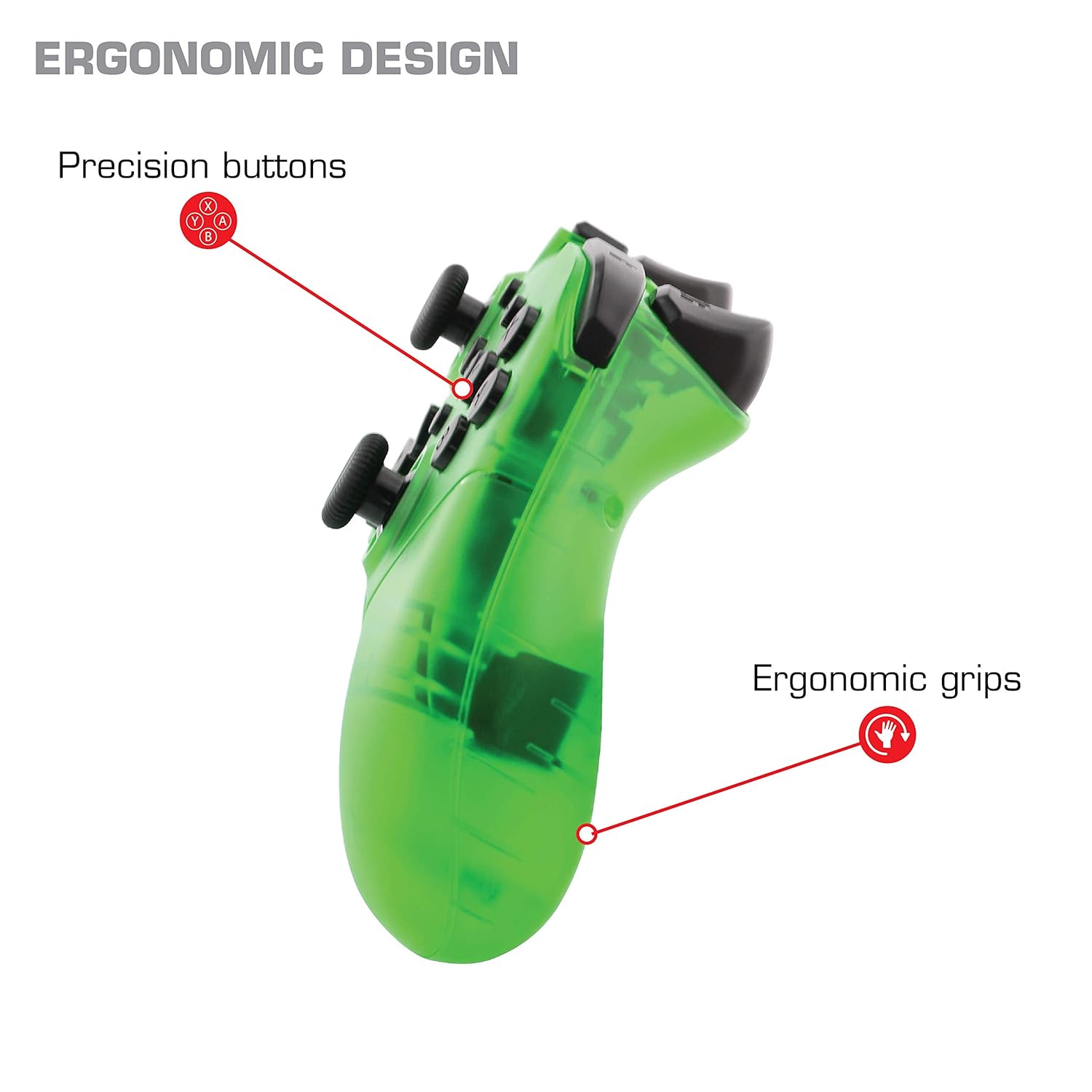
Obrázek: Detail view of the Nyko Wireless Core Controller highlighting its ergonomic design and precision buttons.

Obrázek: Přední strana view of the Nyko Wireless Core Controller, indicating its compatibility with PC, the turbo feature, and LED player indicators.
Video: A comparison between the Nyko Wireless Core Controller and a standard Nintendo Switch Pro Controller, showcasing their similar layouts and features.
Nastavení
Počáteční nabíjení
Before first use, fully charge the controller using the included USB Type-C cable. Connect the small end of the cable to the controller's USB-C port and the larger end to a USB power source (e.g., Nintendo Switch dock, PC, or USB wall adapter).
Párování s Nintendo Switch
- Ujistěte se, že je vaše konzole Nintendo Switch zapnutá a aktualizovaná na nejnovější systémový software.
- V nabídce HOME vyberte „Ovladače“ > „Změnit úchop/pořadí“.
- While on this screen, press and hold the SYNC button on the top of the Nyko controller for a few seconds until the player indicator LEDs begin to flash.
- Once the controller is recognized and paired, the player indicator LED(s) will light up solid.
- Poznámka: For the first connection, it may be necessary to connect the controller physically to the Switch dock via the USB-C cable to initiate pairing.
Pairing with Android/PC
- Ujistěte se, že je na vašem zařízení Android nebo počítači povoleno rozhraní Bluetooth.
- V zařízení přejděte do nastavení Bluetooth a vyhledejte nová zařízení.
- Press and hold the SYNC button on the top of the Nyko controller until the player indicator LEDs begin to flash, indicating it's in pairing mode.
- Select "Nyko Core Controller" (or similar name) from the list of available devices on your Android/PC.
- Once paired, the player indicator LED(s) will light up solid.
Návod k obsluze
Základní ovládací prvky
The controller features standard button layouts including A, B, X, Y buttons, D-Pad, Left and Right Analog Sticks, L/R and ZL/ZR shoulder buttons, HOME, +, -, and Screenshot buttons. Refer to your game's instructions for specific button functions.
Programmable Turbo Functionality
The turbo function allows for rapid, repeated input of a button press. This can be set for multiple buttons simultaneously.

Image: Diagram of the Nyko Wireless Core Controller indicating which buttons are programmable for turbo functionality and which are not.
Enabling Turbo and Auto-Fire
- To enable Turbo: Stiskněte a podržte Tlačítko Turbo, then press any face button (Y, X, B, A) or trigger (L, R, ZL, ZR) you wish to have turbo functionality. While holding the assigned button, it will rapidly input.
- To enable Auto-Fire: Stiskněte a podržte Tlačítko Turbo, then press the desired button dvakrát. The button will now continuously input without needing to be held down.
Disabling Turbo and Auto-Fire
- To disable Turbo/Auto-Fire for a specific button: Stiskněte a podržte Tlačítko Turbo, then press the assigned button dvakrát.
- To reset all Turbo/Auto-Fire settings: Stiskněte a podržte Tlačítko Turbo a (-) knoflík zároveň.
Changing the Speed of Turbo and Auto-Fire
This setting affects the speed of all active turbo/auto-fire enabled buttons.
- Stiskněte a podržte Tlačítko Turbo.
- To increase speed, tilt the right analog stick up.
- To decrease speed, tilt the right analog stick down.
- Uvolněte Tlačítko Turbo when your desired speed is set.
Údržba
Čištění
K čištění ovladače použijte měkký, suchý hadřík. V případě odolných nečistot lehceamphadřík vodou. Nepoužívejte agresivní chemikálie, rozpouštědla ani abrazivní čisticí prostředky, protože by mohly poškodit povrchovou úpravu a vnitřní součásti ovladače.
Péče o baterie
The controller contains a built-in Lithium Ion battery. To prolong battery life:
- Vyhněte se častému úplnému vybíjení baterie.
- Pokud regulátor delší dobu nepoužíváte, skladujte jej na chladném a suchém místě.
- Nevystavujte regulátor extrémním teplotám.
Odstraňování problémů
Controller Not Connecting/Losing Connection
- Zkontrolujte baterii: Ensure the controller is fully charged. A completely drained battery may prevent initial connection.
- Oprava párování ovladače: Follow the pairing instructions in the "Setup" section. For Nintendo Switch, try connecting via USB-C to the dock first.
- Vzdálenost a rušení: Ensure the controller is within range of the console/device and there are no major obstructions or sources of wireless interference.
- Aktualizace systému: Ensure your Nintendo Switch console or PC operating system is up to date.
Tlačítka nereagují
- Znovu synchronizovat: Try re-syncing the controller with your device.
- Restartovat: Power off and on both the controller and the console/device.
- Čistý: Ujistěte se, že se kolem tlačítek nenahromadí žádné nečistoty.
Rumble is Too Strong
The controller's vibration feature is designed to provide strong feedback. If the rumble intensity is too high, check the in-game settings of the specific game you are playing, as some games allow for rumble intensity adjustment. The controller itself does not have a direct setting to adjust rumble strength.
Specifikace
- Číslo modelu: 87264
- Konektivita: Bezdrátové Bluetooth
- Nabíjecí port: USB Type-C
- Typ baterie: Lithium Ion (součástí balení)
- Přibližná doba hraní: Až 20 hodin
- Rozměry produktu: 6.3 x 2.76 x 5.91 palce
- Hmotnost položky: 10.6 unce
- Výrobce: Nyko
- Kompatibilita: Nintendo Switch, Android, PC
Záruka a podpora
Nyko products are manufactured to high-quality standards. For specific warranty information, please refer to the warranty card included with your product or visit the official Nyko website. For technical support, troubleshooting assistance, or to inquire about replacement parts, please contact Nyko Customer Support through their official channels.
Online podpora: www.nyko.com/support