
ANSIO ANSIO 1530
Uživatelská příručka k elektrickému přenosnému mini odvlhčovači ANSIO
Model: ANSIO 1530 | Brand: ANSIO
Zavedení
The ANSIO Electric Portable Mini Dehumidifier is designed to efficiently remove excess moisture from small enclosed spaces, helping to prevent dampness, mould, mildew, and unpleasant odours. Its compact size and quiet operation make it ideal for use in wardrobes, closets, small rooms, and other areas prone to high humidity. This manual provides essential information for the safe and effective operation and maintenance of your dehumidifier.

Image: The ANSIO Electric Portable Mini Dehumidifier, a compact white and black unit.

Image: Visual representation of the benefits, including prevention of allergens, rotting wood, mould & mildew, bad smells, and condensation.
Bezpečnostní pokyny
- Před použitím spotřebiče si přečtěte všechny pokyny.
- Neponořujte spotřebič, napájecí kabel ani zástrčku do vody ani jiných kapalin.
- Ensure the power adapter is compatible with your local power supply (9V 2.5A).
- Keep the dehumidifier away from heat sources, direct sunlight, and flammable materials.
- Do not block the air inlet or outlet. Ensure adequate space around the unit for proper airflow.
- Před čištěním nebo jakoukoli údržbou vždy odpojte odvlhčovač ze zásuvky.
- Nepoužívejte spotřebič, pokud je poškozen napájecí kabel nebo zástrčka.
- Tento spotřebič je určen pouze pro vnitřní použití.
- Uchovávejte mimo dosah dětí a domácích zvířat.
- If the unit is tilted or moved, allow it to stand upright for at least 30 minutes before plugging it in.
Konec produktuview
Familiarize yourself with the components of your ANSIO Mini Dehumidifier:

Image: Labeled diagram showing the Air outlet, Power ON indicator, Tank Full indicator, Power button, Air inlet, and Water Tank.
- 1. Air Outlet: Kde je vypuzován suchý vzduch.
- 2. Power ON Indicator: Svítí, když je jednotka v provozu.
- 3. Tank Full Indicator: Illuminates when the water tank is full, and the unit automatically shuts off.
- 4. Tlačítko napájení: To turn the unit ON/OFF.
- 5. Air Inlet: Místo, kde je do jednotky nasáván vlhký vzduch.
- 6. Nádrž na vodu: Collects condensed moisture. Capacity: 250ml.
Nastavení
- Rozbalit: Opatrně vyjměte odvlhčovač a veškerý balicí materiál z krabice.
- Umístění: Place the dehumidifier on a flat, stable surface in the desired location. Ensure there is at least 10 cm (4 inches) of space around the air inlet and outlet for optimal airflow. Avoid placing it directly against walls or furniture.
- Připojení napájení: Insert the small end of the power adapter into the DC input port on the back of the dehumidifier. Plug the other end of the power adapter into a suitable electrical outlet.

Image: The compact dehumidifier placed inside a closet, demonstrating its suitability for small spaces.
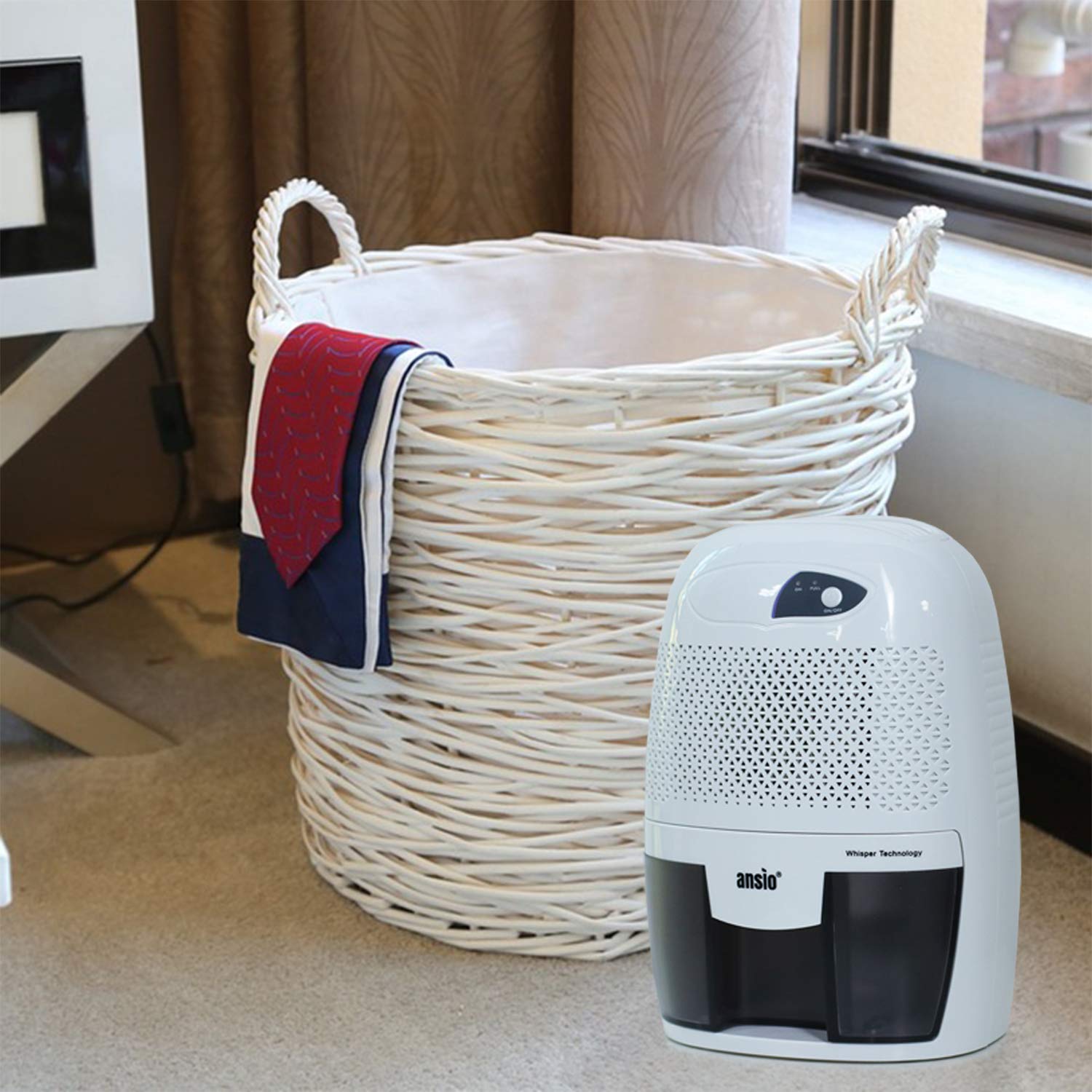
Image: The dehumidifier positioned on the floor next to a laundry basket, indicating its use in living areas.

Image: The dehumidifier placed on a desk next to a laptop, showing its suitability for office or study environments.
Návod k obsluze
- Zapnutí: Press the Power button once. The Power ON indicator light will illuminate, and the dehumidifier will begin operating.
- Automatické vypnutí: The dehumidifier is equipped with an automatic shutoff feature. When the water tank is full, the Tank Full indicator light will illuminate, and the unit will automatically turn off to prevent overflow.
- Vyprázdnění vodní nádrže: When the Tank Full indicator illuminates, carefully pull out the water tank from the front of the unit. Dispose of the collected water.
- Vyměnit nádrž: Slide the empty water tank back into the dehumidifier until it clicks into place. The unit will resume operation automatically if the power button is still on.
- Vypnout: To turn off the dehumidifier, press the Power button again. The Power ON indicator light will turn off.
Údržba
Pravidelná údržba zajišťuje optimální výkon a dlouhou životnost vašeho odvlhčovače.
Vyprázdnění a čištění vodní nádrže
- Odpojit: Always unplug the dehumidifier from the power outlet before cleaning.
- Odstraňte nádrž: Opatrně vytáhněte nádržku na vodu z přední části jednotky.
- Prázdná voda: Pour out any collected water.
- Čistá nádrž: Rinse the water tank with clean water. For thorough cleaning, use a mild detergent and a soft cloth. Do not use abrasive cleaners or scrubbers.
- Suchá nádrž: Ensure the water tank is completely dry before reinserting it into the dehumidifier.
- Vyměnit nádrž: Slide the clean, dry water tank back into the unit until it is securely in place.

Image: Illustration of the water tank being removed from the dehumidifier and emptied into a bowl.
Čištění exteriéru
- Otřete vnější část odvlhčovače měkkým, damp tkanina.
- Nepoužívejte agresivní chemikálie, abrazivní čisticí prostředky ani rozpouštědla.
- Před opětovným zapojením se ujistěte, že je jednotka zcela suchá.
Odstraňování problémů
| Problém | Možná příčina | Řešení |
|---|---|---|
| Odvlhčovač se nezapne. |
|
|
| Odvlhčovač běží, ale nesbírá vodu. |
|
|
| Unit does not automatically restart after power outage. |
|
|
Specifikace
| Značka | ANSIO |
| Číslo modelu | ANSIO 1530 |
| Barva | Bílá s černou |
| Odvlhčovací kapacita | 0.25 Liters per Day (250ml/Day) |
| Objem vodní nádrže | 250 Millilitres (0.25 litres) |
| Wattage | 21.00 W |
| Materiál | Plast |
| Hmotnost položky | 1.16 kilogramů (1 kg 160 g) |
| Rozměry položky (DxŠxV) | 15.6 x 13 x 22 centimetrů |
| Speciální funkce | Automatic Shutoff, Compact Design, Manual Operation |
| Zahrnuté komponenty | Napájecí adaptér |

Image: Visual comparison of the dehumidifier's dimensions (22 cm height, 15.6 cm width, 13 cm depth) against a 30cm ruler and a 750ml Coke bottle.
Záruka a podpora
Your ANSIO Electric Portable Mini Dehumidifier comes with a 2-letá záruka od data nákupu. Tato záruka se vztahuje na výrobní vady vzniklé při běžném používání.
For warranty claims, technical support, or any product-related inquiries, please contact ANSIO customer support:
- E-mail: support@ansio.in
Uschovejte si prosím doklad o koupi pro ověření záruky.
Ask a question about this manual
Ask about setup, troubleshooting, compatibility, parts, safety, or missing instructions. Manuals+ will review the question and use this page’s manual context to help answer it.