
Zavedení
The 70mai X200 Dash CAM Omni is designed to provide a safer driving experience with high-quality recordings. Equipped with advanced technology, the Omni is the first 360° rotatable camera, offering a complete, distortion-free view without blind spots. This dash camera captures every detail on the road and provides reliable evidence in case of an incident. It features 128GB of integrated eMMC storage, superior night vision, and 24-hour parking mode.
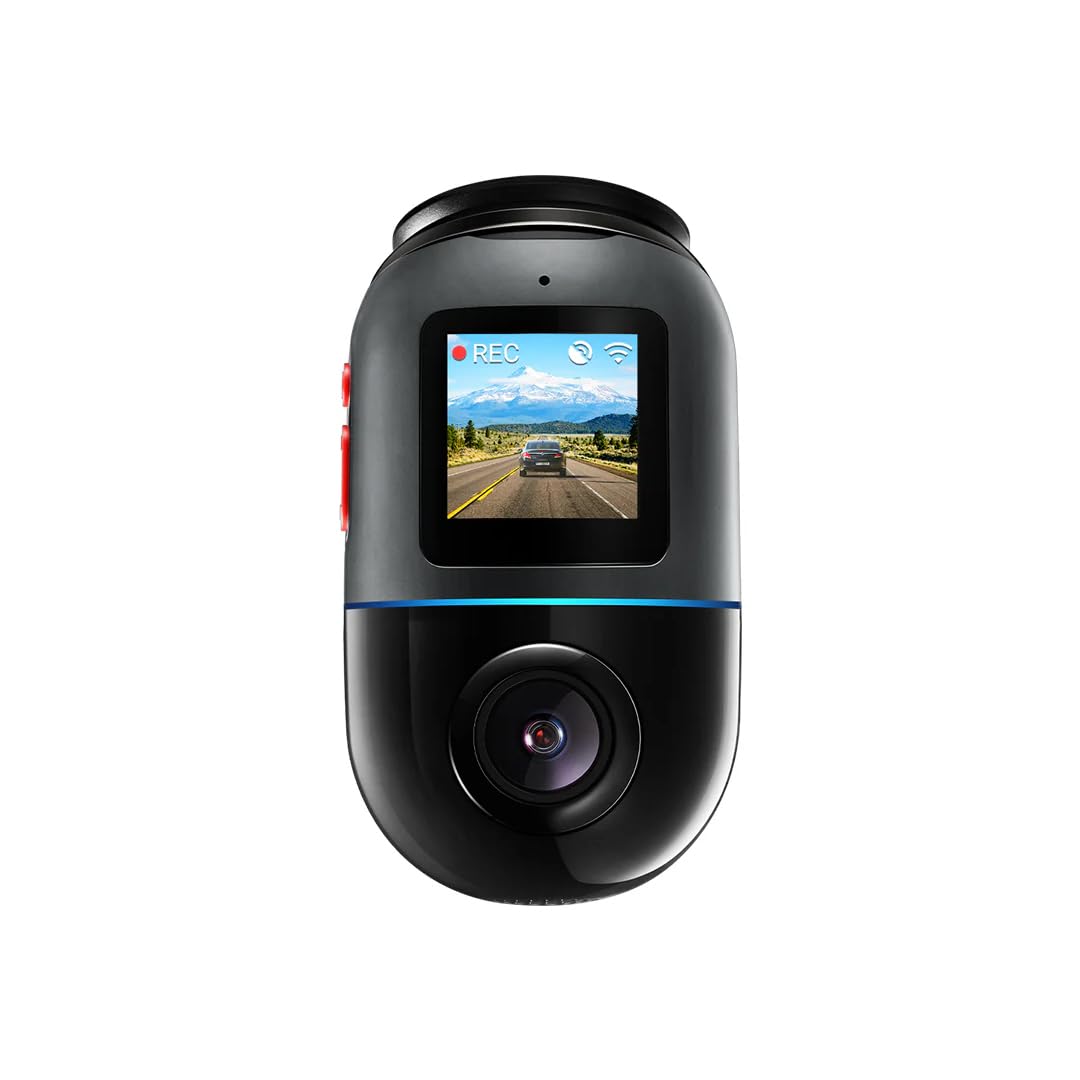
The 70mai X200 Dash CAM Omni, shown in grey, featuring its compact design and side profile.
Konec produktuview
The 70mai X200 Dash CAM Omni is a sophisticated car camera with a range of features designed for optimal performance and safety. Key components and features include:
- Otočení o 360 stupňů: Provides comprehensive coverage without blind spots.
- 128GB eMMC úložiště: Integrated high-speed storage for reliable video recording.
- Špičkové noční vidění: Enhanced clarity in low-light conditions.
- 24hodinový parkovací režim: Continuous surveillance even when the vehicle is parked.
- 4G konektivita: Enables remote monitoring and alerts.
- Hlasové ovládání: Hands-free operation for various functions.
- GPS and ADAS: Advanced Driver-Assistance Systems for improved safety.
- 60 FPS Dynamic Vision: Smooth and detailed video capture.
- Záznam videa 1080p: High-definition video quality.
- Lepicí držák: Secure and easy installation.

Strana view of the 70mai X200 Dash CAM Omni, highlighting its USB-C port and other connectors.

Přední view of the 70mai X200 Dash CAM Omni, showcasing its main camera lens and compact form factor.

Úhlové view of the 70mai X200 Dash CAM Omni, displaying its control buttons on the side.
Nastavení a instalace
Proper installation ensures optimal performance and safety. Follow these steps for setting up your 70mai X200 Dash CAM Omni.
1. Initial Device Setup and App Connection
Before mounting, connect your dashcam to the 70mai app for initial configuration and to verify functionality.
This basic user guide for the 70mai Dash Cam 4K T800 covers initial setup, app connection, and button functions. The process is similar for the X200 model.
2. Hardwire Kit Installation (for Parking Mode)
To enable the 24-hour parking surveillance mode, the dashcam requires a continuous power supply via a hardwire kit. This process involves connecting to your vehicle's fuse box.
A detailed installation guide for the 70mai Hardwire Kit, demonstrating how to connect it to your vehicle's fuse box for continuous power and parking surveillance. This guide is applicable to the X200 model.
Návod k obsluze
Understand how to use your 70mai X200 Dash CAM Omni's various functions for daily driving and parking surveillance.
1. Režimy dohledu nad parkováním
The dashcam offers multiple parking modes to protect your vehicle when you're away. These modes typically include motion detection and collision detection.
This video illustrates the four different parking surveillance modes available, including motion detection and collision detection, ensuring comprehensive vehicle protection.
2. Vynikající noční vidění
The 70mai X200 is equipped with advanced night vision technology to capture clear and detailed footage even in challenging low-light conditions.
This video demonstrates the superior night vision capabilities of the 70mai Dash Cam 4K A800SE, showcasing clear footage in low-light conditions. The X200 features similar advanced night vision.
3. Dual-Channel Recording (360-degree coverage)
With its 360-degree rotatable lens, the X200 Omni provides comprehensive recording of both the front and interior/rear of your vehicle, offering complete situational awareness.
Demonstration of the 70mai Dashcam 4K A800SE's dual-channel recording, capturing both front and rear views simultaneously. The X200 Omni provides similar multi-angle recording with its 360-degree rotation.
Údržba
To ensure the longevity and optimal performance of your 70mai X200 Dash CAM Omni, regular maintenance is recommended:
- Správa paměťových karet: Regularly format the integrated 128GB eMMC storage to prevent data corruption and ensure continuous recording. Back up important footage před formátováním.
- Čištění objektivu: Gently clean the camera lens with a soft, lint-free cloth to maintain clear video quality. Avoid abrasive materials.
- Aktualizace firmwaru: Check the 70mai app periodically for firmware updates. Keeping the firmware updated ensures you have the latest features and bug fixes.
- Úvahy o teplotě: Avoid exposing the dashcam to extreme temperatures for prolonged periods, as this can affect battery life and device performance.
Odstraňování problémů
If you encounter any issues with your 70mai X200 Dash CAM Omni, refer to the following common troubleshooting tips:
- Zařízení se nezapíná: Ensure the power cable is securely connected and the vehicle's power outlet is functioning. If using a hardwire kit, verify the fuse connections.
- Problémy s nahráváním: Check if the 128GB eMMC storage is full and needs formatting. Ensure the camera lens is clean and unobstructed.
- Problémy s připojením aplikace: Restart both the dashcam and your smartphone. Ensure Bluetooth and Wi-Fi are enabled on your phone and the 70mai app has necessary permissions.
- Špatná kvalita videa: Clean the lens. Check the video resolution settings in the app. Ensure the dashcam is securely mounted to minimize vibrations.
- Parkovací režim nefunguje: Verify that the hardwire kit is correctly installed and providing continuous power. Check parking mode settings in the app.
Pro podrobnější informace o řešení problémů nebo přetrvávající problémy kontaktujte zákaznickou podporu 70mai.
Specifikace
| Funkce | Specifikace |
|---|---|
| Značka | XIAOMI |
| Název modelu | X200 (Brax200) |
| Technologie připojení | USB, 4G |
| Speciální funkce | 4G Connectivity, Voice Control, GPS and ADAS, MaiX Emojis, 60 FPS Dynamic Vision, Superior Night Vision |
| Rozlišení záznamu videa | 1080p |
| Typ montáže | Adhezivní držák |
| Barva | Šedá |
| Pole View | 360 stupňů |
| Technologie optických senzorů | CMOS |
| Typ paměti Flash | eMMC |
| Velikost paměťové karty | 128 GB |
| Maximum Flash Memory Supported | 128 GB |
| Typ zobrazení | LCD |
| Podporované standardy | MP4 |
| Snímková frekvence | 60 FPS |
Záruka a podpora
For information regarding warranty coverage, technical support, or service inquiries for your XIAOMI 70mai X200 Dash CAM Omni, please refer to the official 70mai webwebu nebo se obraťte přímo na jejich zákaznický servis. Konkrétní záruční podmínky a kanály podpory se mohou lišit v závislosti na regionu.