
1. Úvod
This manual provides essential information for setting up, operating, maintaining, and troubleshooting your HP EliteDesk 800 G2 Desktop Mini PC. Please read this guide thoroughly to ensure proper use and longevity of your device.
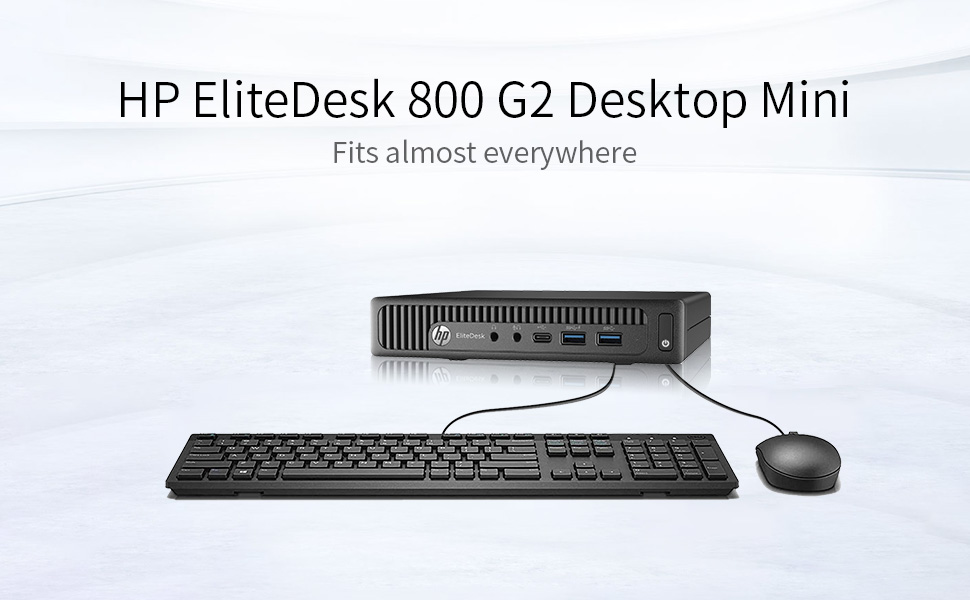
Image 1.1: HP EliteDesk 800 G2 Desktop Mini PC with included peripherals.
This image displays the compact HP EliteDesk 800 G2 Desktop Mini PC alongside a standard keyboard and mouse, illustrating its small form factor and typical desktop setup.
2. Konec produktuview
The HP EliteDesk 800 G2 Desktop Mini PC is a compact and powerful computing solution designed for business and general use. It features a robust Intel Quad-Core i5-6500T processor, 16GB DDR4 memory, and a 240GB SSD for fast performance. The system comes pre-installed with Windows 11.
2.1 Funkce předního panelu

Obrázek 2.1: Přední strana view of the HP EliteDesk 800 G2 Desktop Mini PC.
This image shows the front panel of the HP EliteDesk 800 G2, highlighting the power button, audio jacks, and USB ports for easy access.
- Vypínač: Slouží k zapnutí nebo vypnutí počítače.
- Sluchátkový jack: Připojte sluchátka nebo externí reproduktory.
- Konektor mikrofonu: Připojte mikrofon.
- Porty USB 3.0 (2): Pro připojení vysokorychlostních USB zařízení.
- Port USB Type-C: Pro připojení kompatibilních zařízení s USB-C.
2.2 Vlastnosti zadního panelu

Obrázek 2.2: Zadní strana view of the HP EliteDesk 800 G2 Desktop Mini PC.
This image displays the rear panel of the HP EliteDesk 800 G2, detailing the various video output ports, additional USB ports, and the Ethernet connection.
- Porty USB 3.0 (4): For connecting additional USB devices.
- VGA port: Connect to a monitor or projector using a VGA cable.
- DisplayPort (DP): Connect to a monitor or display using a DisplayPort cable.
- Port RJ-45 (ethernet): Připojte se ke kabelové síti.
- Napájecí konektor: Připojte napájecí adaptér.
3. Pokyny k nastavení
Follow these steps to set up your HP EliteDesk 800 G2 Desktop Mini PC.
3.1 Vybalení
- Opatrně vyjměte počítač a veškeré příslušenství z obalu.
- Verify that all components are present: HP EliteDesk 800 G2 Mini PC, power adapter, power cord, USB keyboard, and USB mouse.
3.2 Připojení periferních zařízení
- Připojení monitoru: Use a VGA or DisplayPort cable to connect your monitor to the corresponding port on the rear of the PC.
- Připojení klávesnice a myši: Plug the USB keyboard and USB mouse into any available USB ports on the front or rear of the PC.
- Připojení k síti (volitelné): For a wired connection, plug an Ethernet cable into the RJ-45 port on the rear of the PC. For wireless connectivity, ensure a compatible USB Wi-Fi adapter (if not integrated) is connected.
3.3 Zapnutí
- Connect the power adapter to the power connector on the rear of the PC, then plug the power cord into an electrical outlet.
- Press the power button on the front of the PC. The power indicator light will illuminate.
- The PC will boot up, and the Windows 11 operating system will load.
3.4 Počáteční nastavení systému Windows
Upon first boot, you may be guided through the Windows 11 Out-of-Box Experience (OOBE) to configure basic settings such as language, region, network connection, and user accounts. Follow the on-screen prompts to complete this process.
4. Návod k obsluze
Your HP EliteDesk 800 G2 Desktop Mini PC comes with Windows 11 Pro 64-bit pre-installed, offering a familiar and intuitive user experience.
4.1 Základní navigace
- Nabídka Start: Přístup k aplikacím, nastavením a možnostem napájení.
- Hlavní panel: Připněte si často používané aplikace a view otevřené programy.
- File Badatel: Manage your documents, pictures, and other files.
4.2 Připojení k internetu
- Kabelové připojení: If an Ethernet cable is connected, the PC should automatically detect and connect to the network.
- Bezdrátové připojení: If using a Wi-Fi adapter, click the network icon in the taskbar, select your Wi-Fi network, enter the password, and click Connect.
4.3 Using USB Devices
Plug any USB device (e.g., external hard drive, printer, webcam) into an available USB port. Windows 11 will typically install the necessary drivers automatically.
4.4 Výstup displeje
The PC supports multiple displays via its VGA and DisplayPort outputs. You can configure display settings (resolution, orientation, multiple displays) through Windows Display Settings.
5. Údržba
Pravidelná údržba pomáhá zajistit optimální výkon a prodlužuje životnost vašeho počítače.
5.1 Čištění
- Vnější: Použijte měkký, damp hadříkem k čištění vnějších povrchů. Vyhněte se agresivním chemikáliím.
- Průduchy: Periodically clean dust from the ventilation grilles using compressed air to prevent overheating. Ensure the PC is powered off before cleaning.
5.2 Aktualizace softwaru
Keep your Windows 11 operating system and drivers updated. Go to Nastavení > Aktualizace systému Windows zkontrolovat a nainstalovat dostupné aktualizace.
5.3 Zálohování dat
Pravidelně zálohujte důležitá data na externí disk nebo cloudové úložiště, abyste předešli jejich ztrátě.
6. Řešení problémů
Tato část se zabývá běžnými problémy, se kterými se můžete setkat.
6.1 Bez napájení
- Ujistěte se, že je napájecí kabel bezpečně připojen k počítači i k elektrické zásuvce.
- Ověřte funkčnost elektrické zásuvky zapojením jiného zařízení.
- Zkontrolujte napájecí adaptér, zda není poškozený.
6.2 Žádný displej
- Confirm the monitor is powered on and connected correctly to the PC's VGA or DisplayPort.
- Zkuste jiný kabel displeje nebo monitor, pokud je k dispozici.
- Ujistěte se, že je na monitoru vybrán správný vstupní zdroj.
6.3 Pomalý výkon
- Zavřete nepotřebné aplikace běžící na pozadí.
- Zkontrolujte a nainstalujte všechny čekající aktualizace systému Windows.
- Spusťte čištění a defragmentaci disku (pro pevný disk, pro SSD není nutné).
- Prohledejte systém, zda neobsahuje malware nebo viry.
6.4 Další pomoc
If you encounter issues not covered here, refer to the official HP support website or contact their customer service for detailed troubleshooting guides and technical assistance.
7. Specifikace
Below are the technical specifications for the HP EliteDesk 800 G2 Desktop Mini PC:
| Funkce | Specifikace |
|---|---|
| Procesor | Intel Quad-Core i5-6500T (up to 3.1 GHz) |
| BERAN | 16 GB DDR4 SDRAM |
| Skladování | 240 GB SSD (Solid State Drive) |
| Grafika | Integrovaná grafika Intel HD Graphics 4000 |
| Operační systém | Windows 11 Pro 64-bit |
| Video výstup | 1x VGA, 1x DisplayPort |
| USB porty (přední) | 2x USB 3.0, 1x USB typu C |
| USB porty (zadní) | 4x USB 3.0 |
| Síť | RJ-45 Ethernet, Bluetooth (Wireless Type) |
| Zvuk | Headphone jack, Microphone jack |
| Rozměry (DxŠxV) | 7.2 x 7.2 x 1.9 palce |
| Hmotnost | 4.1 libry |
8. Záruka a podpora
This HP EliteDesk 800 G2 Desktop Mini PC is a Certified Refurbished product. It is tested and certified to look and work like new. The refurbishing process includes functionality testing, basic cleaning, inspection, and repackaging. The product ships with all relevant accessories and includes a minimum 90-day warranty.
For warranty claims, technical support, or further assistance, please refer to the documentation provided with your purchase or visit the official HP support webmísto.