
1. Úvod
This manual provides comprehensive instructions for the Walfront LCD Digital Anemometer, a handheld device designed for measuring air speed and temperature. Please read this manual thoroughly before operating the device to ensure correct usage and optimal performance.
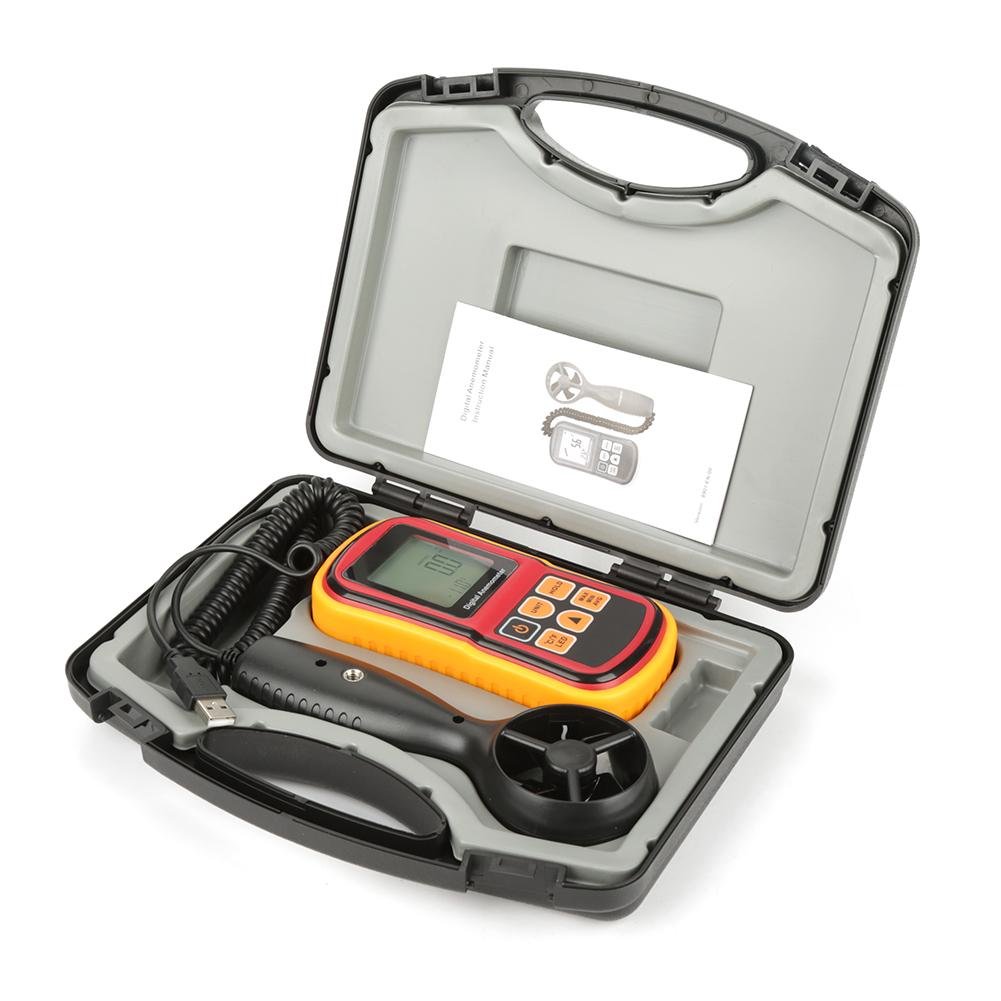
Figure 1: Walfront LCD Digital Anemometer and accessories in carrying case.
The image displays the Walfront LCD Digital Anemometer, its detachable probe, a USB cable, and an instruction manual, all neatly organized within a black protective carrying case. The main unit is red and yellow with a digital display.
2. Bezpečnostní informace
To ensure safe operation and to avoid damage to the device, please observe the following safety precautions:
- Nevystavujte zařízení extrémním teplotám, vlhkosti nebo přímému slunečnímu záření.
- Zabraňte silným nárazům nebo pádu zařízení.
- Udržujte zařízení mimo dosah silných magnetických polí.
- Nepokoušejte se zařízení rozebírat ani upravovat. Opravy by měl provádět pouze kvalifikovaný personál.
- Pokud zařízení nebudete delší dobu používat, vyjměte baterie, abyste zabránili jejich vytečení.
3. Vlastnosti produktu
The Walfront LCD Digital Anemometer offers the following key features:
- Air Speed Measurement: Measures air velocity from 0 to 45 m/s.
- Air Temperature Measurement: Measures air temperature from 0 to 45°C.
- Více jednotek: Supports m/s, ft/m, mph, km/h, Knots for air speed, and °C/°F for temperature.
- Podsvícený LCD displej: Large screen with backlight for clear readability in various lighting conditions.
- Funkce uchování dat: Zmrazí aktuální údaj na displeji.
- Max/Min/Average Measurement: Records maximum, minimum, and average air speed readings.
- Auto/Manual Power Off: Conserves battery life with automatic shutdown or allows manual control.
- Indikace slabé baterie: Upozorní, když je nutná výměna baterie.

Obrázek 2: Detailní view of the anemometer's display, battery compartment, and detachable probe.
This image shows three distinct views: the front of the anemometer with its LCD display and control buttons, the back of the main unit revealing the battery compartment, and the detachable wind speed probe with its fan blades.
4. Obsah balení
Po otevření balíku se prosím ujistěte, že jsou všechny položky přítomny a nepoškozené:
- Walfront LCD Digital Anemometer Main Unit
- Detachable Wind Speed Probe
- USB kabel
- Návod k použití (tento dokument)
- Ochranné pouzdro
5. Nastavení
5.1 Instalace baterie
- Najděte přihrádku na baterie na zadní straně hlavní jednotky.
- Posunutím otevřete kryt baterie.
- Insert the required batteries (not included, typically AAA or 9V, refer to device markings) according to the polarity indicators (+/-).
- Pevně zavřete kryt baterie.
5.2 Připojení sondy
- Connect the cable from the wind speed probe to the designated port on the main anemometer unit. Ensure a firm connection.

Figure 3: The main anemometer unit connected to its detachable wind speed probe.
This image shows the red and yellow main unit of the anemometer connected via a coiled cable to the black, handheld wind speed probe. A USB cable is also visible, connected to the main unit.
6. Návod k obsluze

Figure 4: Anemometer held in hand, showing its ergonomic design and display.
A hand is shown holding the red and yellow main unit of the digital anemometer, with the LCD display showing a reading of "0.0" and "28.0°C". The control buttons are clearly visible.
6.1 Zapnutí/vypnutí
- Stiskněte tlačítko MOC button (typically marked with a circle and vertical line) to turn the device on.
- Stiskněte a podržte MOC button to turn the device off. The device also features an auto-off function after a period of inactivity.
6.2 Převod jednotek
- Stiskněte tlačítko JEDNOTKA button to cycle through air speed units: m/s, ft/m, mph, km/h, Knots.
- Stiskněte tlačítko ° C / ° F tlačítko pro přepínání mezi hodnotami teploty ve stupních Celsia a Fahrenheita.
6.3 Zadržení dat
- Stiskněte tlačítko DRŽET tlačítko pro zmrazení aktuální hodnoty na displeji.
- Stiskněte tlačítko DRŽET button again to release the data hold function and resume live readings.
6.4 ovládání podsvícení
- Stiskněte tlačítko LED button (often combined with °C/°F) to turn the display backlight on or off.
6.5 Měření max./min./průměru
- Stiskněte tlačítko MAX / MIN / PRŮM button to cycle through maximum, minimum, and average air speed readings recorded since the device was powered on or the function was reset.
- To reset the Max/Min/Avg data, typically power off and on the device, or consult the specific button sequence if available on the device.
7. Údržba
7.1 Čištění
- Zařízení otřete měkkým, suchým hadříkem. Nepoužívejte abrazivní čisticí prostředky ani rozpouštědla.
- Ensure the wind speed probe's fan blades are free from dust and debris for accurate readings. Use a soft brush if necessary.
7.2 Skladování
- Store the anemometer in its protective carrying case when not in use.
- Skladujte na chladném a suchém místě, mimo dosah přímého slunečního záření a extrémních teplot.
- Remove batteries if storing for extended periods to prevent corrosion.

Figure 5: The main anemometer unit with its yellow protective rubber casing odstraněno.
This image shows the red main unit of the anemometer with its yellow protective rubber casing detached, revealing the device's internal structure and highlighting how the casing can be removed for cleaning or maintenance.
8. Řešení problémů
| Problém | Možná příčina | Řešení |
|---|---|---|
| Zařízení se nezapne. | Slabé nebo vybité baterie; nesprávná instalace baterií. | Vyměňte baterie; dbejte na správnou polaritu. |
| Nepřesné údaje. | Dirty or obstructed probe fan; probe not securely connected. | Clean the fan blades; ensure the probe cable is firmly connected. |
| Displej je tmavý nebo prázdný. | Slabá baterie; podsvícení vypnuté. | Replace batteries; press the LED button to activate backlight. |
| Readings are stuck (not updating). | Data Hold function is active. | Press the HOLD button to deactivate. |
9. Specifikace
| Parametr | Hodnota |
|---|---|
| Rozsah rychlosti vzduchu | 0 - 45 m/s |
| Air Speed Units | m/s, ft/m, mph, km/h, Knots |
| Rozsah teplot vzduchu | 0–45 °C (32–113 °F) |
| Jednotky teploty | °C, °F |
| Zobrazit | LCD s podsvícením |
| Zdroj napájení | (Batteries not included, typically AAA or 9V) |
| Rozměry (hlavní jednotka) | 5.71 x 2.83 x 1.38 palce (145 x 72 x 35 mm) |
| Materiál | Akrylonitrilbutadienstyren (ABS) |

Figure 6: Diagram showing the dimensions of the anemometer main unit.
This image illustrates the physical dimensions of the main anemometer unit, indicating its length (145mm / 5.85in), width (72mm / 2.83in), and thickness (35mm / 1.38in).
10. Záruka a podpora
For warranty information or technical support, please refer to the contact details provided with your purchase documentation or visit the official Walfront webwebu. Uschovejte si účtenku jako doklad o koupi.