
SUNITEC BC920
SUNITEC BC920 Bluetooth Car Speaker User Manual
Hands-Free Bluetooth Car Speaker for Cell Phone
1. Konec produktuview
The SUNITEC BC920 is a versatile Bluetooth car speaker designed to provide clear, hands-free communication and audio streaming in your vehicle. It features advanced DSP noise-cancellation technology for crystal-clear calls and supports voice assistants like Siri and Google Assistant for safe driving.

Obrázek: Přední strana view of the SUNITEC BC920 Bluetooth Car Speaker, showing its compact design and control buttons.
2. Obsah balení
Zaškrtněte prosím políčko u následujících položek:
- SUNITEC BC920SA Bluetooth Car Kit
- Nabíječka do auta
- USB nabíjecí kabel
- Quick user guide / User Manual

Image: Back of the SUNITEC BC920 product box, detailing key features and package contents.
3. Uspořádání zařízení
Familiarize yourself with the buttons and ports on your SUNITEC BC920 speakerphone.
- Volací tlačítko: Answer/End calls, Redial.
- Zvýšení hlasitosti (+): Zvyšte hlasitost.
- Snížit hlasitost (-): Snížit hlasitost.
- Tlačítko ztlumení: Ztlumit/zapnout mikrofon.
- Vypínač: Zapnuto/Vypnuto.
- Micro USB port: Pro nabíjení.
- Klip hledí: For attaching to car visor.

Obrázek: Detail view of the SUNITEC BC920, highlighting the call button, volume controls, and mute button.
4. Nastavení a nabíjení
4.1 Počáteční nabíjení
Before first use, fully charge the SUNITEC BC920. Connect the provided USB charging cable to the Micro USB port on the device and the other end to the car charger or a standard USB power adapter (not included). The LED indicator will show charging status.
The device features a long-lasting battery, providing up to 22 hours of talk time and 1000 hours of standby time on a full charge.

Image: Illustration showing the SUNITEC BC920 and its impressive battery life, with icons for 22 hours talk time and 1000 hours standby time.
4.2 Zapnutí/vypnutí
- Zapnutí: Slide the power switch to the "ON" position. You will hear a voice prompt "Power On".
- Vypnutí: Slide the power switch to the "OFF" position. You will hear a voice prompt "Power Off".
The device also features an auto power on/off function. A built-in vibration sensor automatically turns on the car kit when it detects car door opening, allowing it to reconnect with your phone. When the device is not in use for a period, it will turn off automatically to save battery.

Image: Visual representation of the SUNITEC BC920's auto power-on feature, showing the device activating when a car door is opened.
4.3 Párování Bluetooth
To connect the SUNITEC BC920 to your mobile phone:
- Ensure the speakerphone is powered on.
- V telefonu přejděte do nastavení Bluetooth a povolte Bluetooth.
- Hledat available devices. The speakerphone will appear as "BC920".
- Select "BC920" to pair. You will hear a voice prompt "Pairing" and then "Connected" upon successful connection.
The SUNITEC BC920 supports connecting two Bluetooth cell phones simultaneously, allowing for easy switching between music and calls from different devices.

Image: Diagram illustrating the dual connection capability of the SUNITEC BC920, showing two smartphones connected simultaneously.
5. Návod k obsluze
5.1 Uskutečňování a přijímání hovorů
- Přijetí hovoru: Stiskněte tlačítko Volací tlačítko jednou.
- Ukončení hovoru: Stiskněte tlačítko Volací tlačítko jednou během hovoru.
- Odmítnutí hovoru: Stiskněte a podržte Volací tlačítko po dobu 2 sekund.
- Opakované vytočení posledního čísla: Dvakrát stiskněte Volací tlačítko.
- Nastavení hlasitosti: Použijte Zvýšení hlasitosti (+) a Snížit hlasitost (-) tlačítka.
- Ztlumení mikrofonu: Stiskněte tlačítko Tlačítko ztlumení during a call. Press again to unmute.
The built-in 2W powerful speaker and DSP noise-cancellation technology ensure clear calls and high-quality audio even in noisy environments.

Image: Graphic highlighting the clear speech and high-quality audio features of the SUNITEC BC920, with sound waves emanating from the speaker.
5.2 Hlasový asistent (Siri/Google Assistant)
The SUNITEC BC920 supports voice assistants, allowing you to make calls, send texts, or get driving directions hands-free, enhancing driving safety.
- Aktivace hlasového asistenta: Stiskněte a podržte Volací tlačítko for 2 seconds to activate Siri (iOS) or Google Assistant (Android).
- Once activated, you can issue commands such as:
- „Zavolejte [jméno kontaktní osoby]“
- "Text [Contact Name] [Message]"
- "Show me directions to [Destination]"
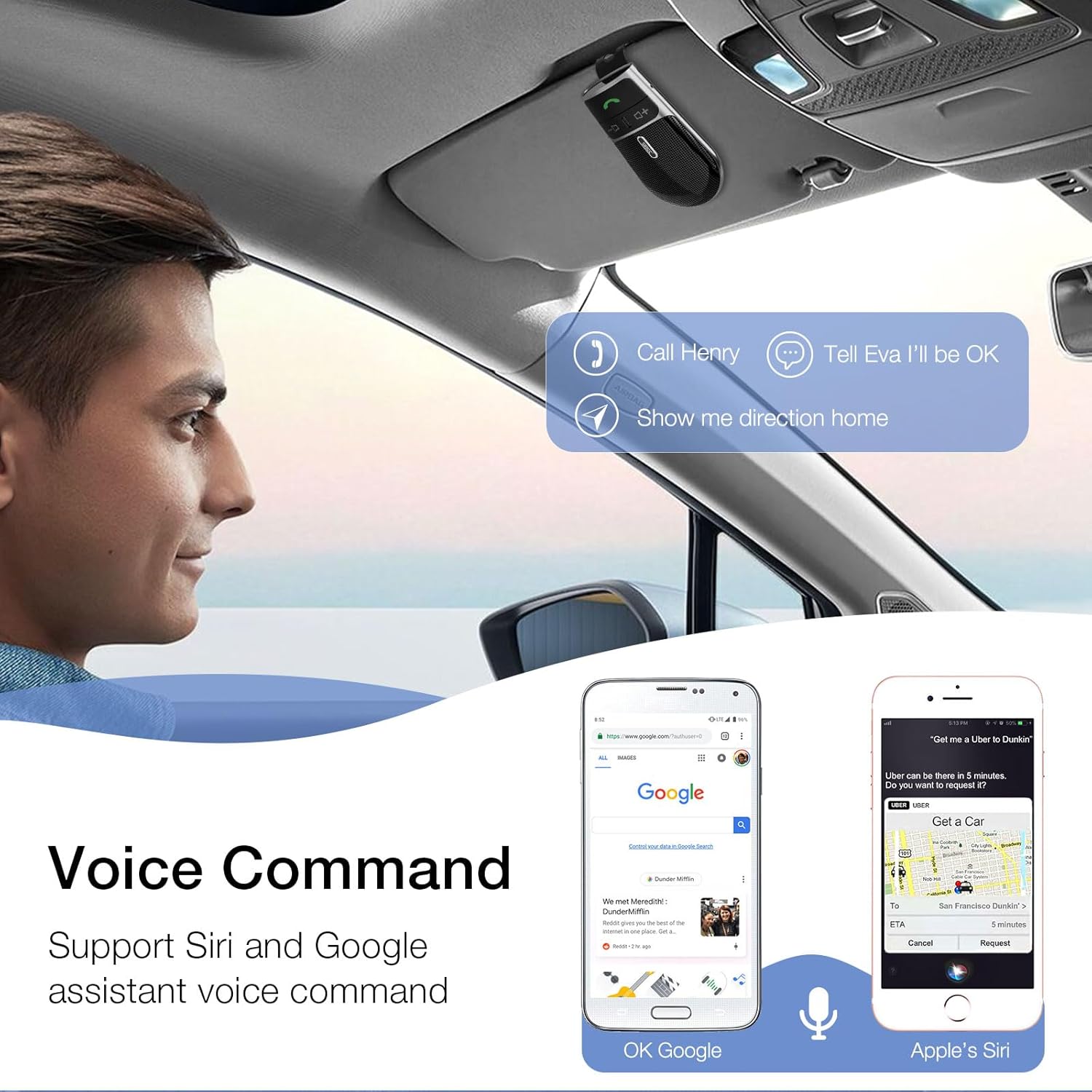
Image: A user in a car interacting with the SUNITEC BC920 to use voice commands for calling, texting, and navigation via Siri or Google Assistant.
5.3 Hlasové pokyny
The device provides clear voice prompts for various operational statuses, making it easy to use without visual confirmation.
- "Power On"
- "Power Off"
- "Pairing"
- "Connected"
- "Disconnected"
- "Battery Low"
Image: Depiction of the SUNITEC BC920 providing voice guidance, with a list of common voice prompts.
6. Údržba
- Zařízení čistěte měkkým, suchým hadříkem. Nepoužívejte abrazivní čisticí prostředky ani rozpouštědla.
- Chraňte zařízení před extrémními teplotami, vlhkostí a přímým slunečním zářením.
- Do not disassemble the device. This will void the warranty and may cause damage.
- Skladujte na chladném a suchém místě, pokud se delší dobu nepoužívá.
7. Řešení problémů
| Problém | Možná příčina | Řešení |
|---|---|---|
| Zařízení se nezapne. | Baterie je vybitá. | Zařízení plně nabijte. |
| Nelze spárovat s telefonem. | Bluetooth is off on phone; device not in pairing mode; too many paired devices. | Ensure phone Bluetooth is on. Restart both devices. Clear previous Bluetooth connections on your phone. |
| Špatná kvalita zvuku během hovorů. | Low battery; interference; device too far from phone. | Charge the device. Move closer to your phone. Avoid sources of strong electromagnetic interference. |
| Hlasový asistent nereaguje. | Not activated correctly; phone settings. | Ensure you press and hold the Call Button for 2 seconds. Check voice assistant settings on your phone. |
8. Specifikace
| Funkce | Detail |
|---|---|
| Číslo modelu | BC920 |
| Rozměry produktu | 4.5 x 2.6 x 1 palce |
| Hmotnost položky | 2.2 unce |
| Baterie | 1 lithium-polymerová baterie (součástí balení) |
| Technologie připojení | Bluetooth |
| Zdroj napájení | Napájení z baterie |
| Materiál | Plast |
| Speciální funkce | DSP Noise Cancellation, Microphone |
| Doba hovoru | Až 22 hodin |
| Pohotovostní doba | Až 1000 hodin |
9. Bezpečnostní informace
Proper usage while driving and battery handling precautions are essential. Always refer to the full user manual for comprehensive safety warnings.
- Neobsluhujte zařízení způsobem, který by vás rozptyloval od řízení. Vždy upřednostňujte bezpečnost silničního provozu.
- Nevystavujte zařízení vodě ani nadměrné vlhkosti.
- Vyhněte se extrémním teplotám.
- Baterie zlikvidujte v souladu s místními předpisy. Nespalujte.
10. Záruka a podpora
SUNITEC offers a customer-friendly policy for its products:
- Záruka: 365 Days free return for any problems.
- Služby zákazníkům: Expect a quick response within 24 hours for inquiries.
For further assistance, please contact SUNITEC support:
- Telefon: 0755-36863386/26863387/36863389
- E-mail: podpora@sunitec.net
- Webmísto: www.sunitec.net/en/

Image: Information regarding SUNITEC's customer service, including contact details and warranty period.
Ask a question about this manual
Ask about setup, troubleshooting, compatibility, parts, safety, or missing instructions. Manuals+ will review the question and use this page’s manual context to help answer it.