
Zerone H980
Zerone Mini Portable LED Projector User Manual
Model: H980
Zavedení
Děkuji za nákupasing the Zerone Mini Portable LED Projector. This compact and versatile projector is designed to provide an immersive home theater experience, allowing you to enjoy movies, videos, and games in a dark environment, whether at home or outdoors. With its multiple input interfaces and long-life LED light source, it offers a convenient and environmentally friendly solution for your entertainment needs.
This manual provides essential information on setting up, operating, and maintaining your projector to ensure optimal performance and longevity. Please read it thoroughly before use and keep it for future reference.
Obsah balení
Po otevření balíku se prosím ujistěte, že jsou všechny níže uvedené položky přítomny a v dobrém stavu:
- 1 x Zerone Mini Portable LED Projector
- 1 x Remote Control (baterie nejsou součástí balení)
- 1 x napájecí adaptér (US zástrčka)
- Kabel 1 x AV
- 1 x Uživatelská příručka (tento dokument)

Figure 1: Zerone Mini Portable LED Projector and its accessories. The image shows the compact white and yellow projector, a black remote control, a black power adapter with a US plug, and a black AV cable with red, white, and yellow connectors.
Konec produktuview
The Zerone Mini Portable LED Projector is designed for ease of use and portability. It features a compact form factor, making it suitable for various environments. Below is an overview jeho klíčových součástí a vlastností.

Obrázek 2: Shora dolů view of the projector's input and control panel. Visible ports include MicroSD, AV, and a 3.5mm earphone port. Control buttons are also visible on the top surface.
Klíčové vlastnosti:
- 1500lm High Brightness: Poskytuje jasný a zářivý obraz.
- Nativní rozlišení: 320 x 240P, supporting up to 1080P HD input.
- Long-Life LED Light Source: 30,000 hours of operation, environmentally friendly.
- Multiple Input Interfaces: HDMI, USB, AV, VGA, Micro Secure Digital, 3.5mm Earphone Port.
- Přenosný design: Small and lightweight for easy transport.

Figure 3: Connectivity options for the projector. This diagram illustrates how various devices such as laptops, desktop PCs, U disks/TF cards, DVD/VCD players, game consoles, TV boxes, and HDMI players can connect to the projector via its HDMI, AV, USB, VGA, and Micro SD inputs.
Nastavení
1. Připojení napájení:
- Connect the provided power adapter to the "DC IN" port on the projector.
- Zapojte napájecí adaptér do standardní elektrické zásuvky.
- Kontrolka napájení na projektoru se rozsvítí.
2. Positioning the Projector:
Place the projector on a stable, flat surface. Ensure there is adequate ventilation around the unit to prevent overheating. The ideal projection distance ranges from 1.0 to 2.8 meters (approximately 3.3 to 9.2 feet) to achieve a screen size of 24 to 60 inches.
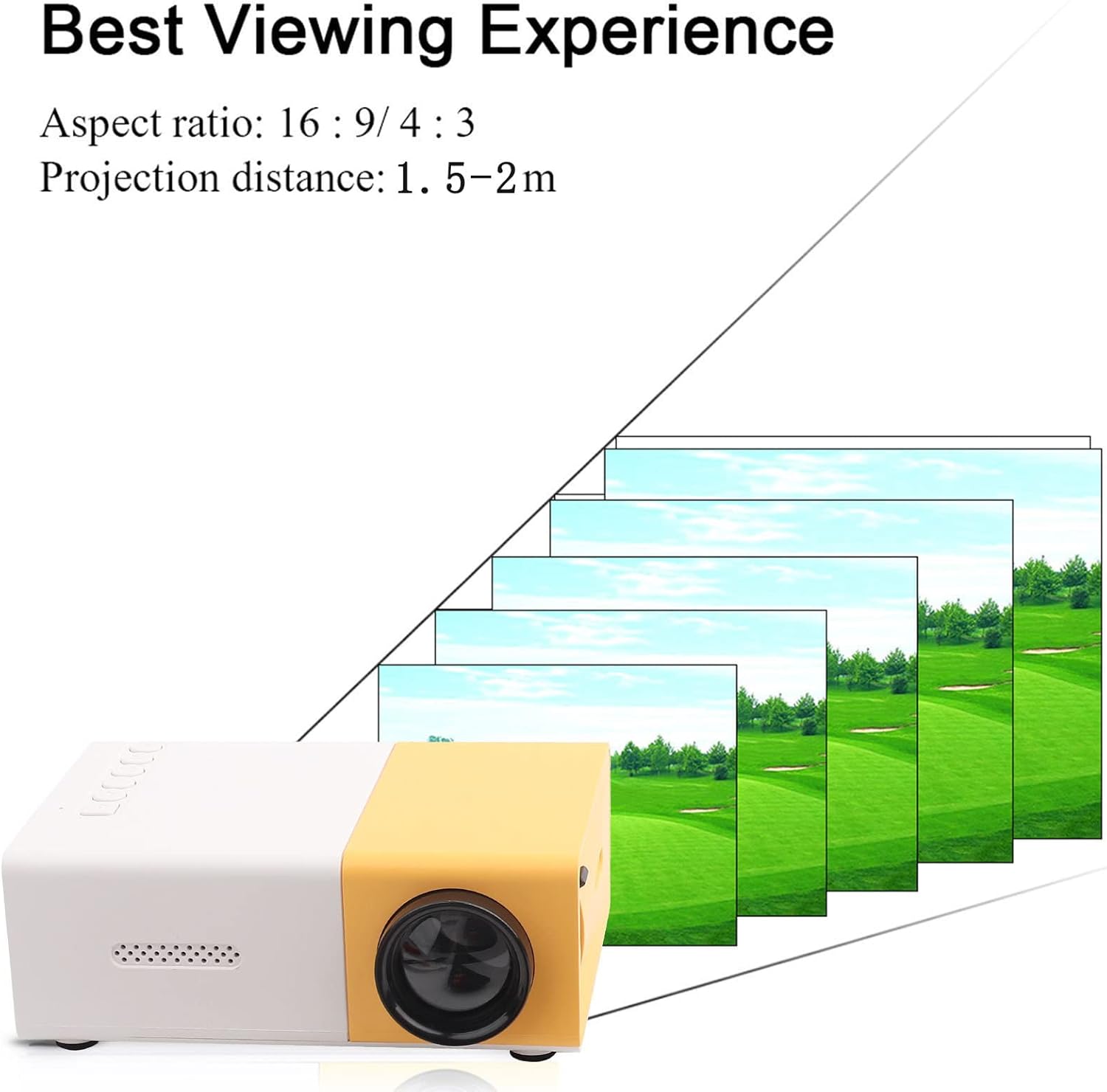
Obrázek 4: Nejlepší Viewing Experience. This image shows the projector projecting onto a screen, with text indicating an aspect ratio of 16:9/4:3 and a projection distance of 1.0-2.8m. It visually represents how the image size changes with distance.
3. Připojení vstupních zařízení:
Connect your desired media device (e.g., laptop, TV box, game console, USB drive) to the appropriate port on the projector:
- HDMI: Pro video a audio ve vysokém rozlišení.
- USB: Pro přehrávání médií filepřímo z USB flash disku.
- AV: For connecting devices using the included AV cable (e.g., older DVD players).
- VGA: Pro propojení počítačů.
- Micro Secure Digital (MicroSD): Pro přehrávání médií files directly from a MicroSD card.
- 3.5mm Earphone Port: Pro připojení externích sluchátek nebo reproduktorů.
Návod k obsluze
1. Zapnutí/vypnutí:
Stisknutím tlačítka napájení na projektoru nebo na dálkovém ovladači zapnete nebo vypnete zařízení.
2. Focusing the Image:
The projector features manual focusing. Rotate the focus ring on the lens until the projected image appears clear and sharp on the screen.
3. Výběr vstupního zdroje:
Use the "Source" button on the projector or remote control to cycle through the available input sources (HDMI, USB, AV, VGA, MicroSD) until your connected device's content is displayed.
4. Adjusting Aspect Ratio:
The projector supports aspect ratios of 16:9 and 4:3. You can adjust this setting via the projector's menu or remote control to best suit your content.
5. Přehrávání médií:
When playing media from USB or MicroSD, navigate through files using the remote control's directional buttons and "OK" button. The projector supports a wide range of formats:
- Zvuk Files: MP3, WMA, OGG, AAG, FLAC, APE, WAV
- Obraz Files: JPEG, BMP, PNG
- Video Files: Supports Full Format Files
- Text Files: TXT
Údržba
1. Čištění objektivu:
K jemnému otření čočky projektoru použijte měkký hadřík bez žmolků, speciálně určený pro optické čočky. Nepoužívejte abrazivní čisticí prostředky ani nadměrnou sílu, mohlo by dojít k poškrábání čočky.
2. Cleaning the Projector Body:
Vnější povrch projektoru otřete měkkým, suchým hadříkem. Nepoužívejte tekuté čisticí prostředky ani rozpouštědla.
3. Větrání:
Ensure that the ventilation vents on the projector are not blocked. Proper airflow is crucial to prevent overheating and maintain the lifespan of the LED light source.
4. Skladování:
Pokud projektor delší dobu nepoužíváte, skladujte jej na chladném a suchém místě mimo dosah přímého slunečního záření a nadměrného prachu. Doporučuje se použít originální obal nebo ochranné pouzdro.
Odstraňování problémů
| Problém | Možná příčina | Řešení |
|---|---|---|
| Nepromítá se žádný obraz. |
|
|
| Obrázek je rozmazaný. |
|
|
| Žádný zvuk. |
|
|
| Projektor se přehřívá nebo vypíná. |
|
|
Specifikace
| Funkce | Detail |
|---|---|
| Světelný zdroj | LED, 30,000 hours lifespan |
| Nativní rozlišení | 320 x 240P |
| Jas | 1500lm |
| Kontrastní poměr | 800:1 |
| Režim ostření | Manuální ostření |
| Zobrazitelné barvy | 1.67 mil |
| Poměr stran | 16:9 / 4:3 |
| Projekční vzdálenost | 1.0 - 2.8 m |
| Velikost projekčního plátna | 24 - 60 palce |
| Vstupní výkon | DC 12V-2A |
| Rozměry | Přibližně 127 x 81.5 x 48.5 mm (5 x 3.2 x 1.9 palce) |
| Hmotnost | Přibližně 500 g (1.1 libry) |
| Rozhraní | 1 x HDMI, 1 x USB, 1 x AV, 1 x VGA, 1 x Micro Secure Digital, 1 x 3.5mm Earphone Port |
Záruka a podpora
Informace o záruce a technickou podporu naleznete v dokumentaci k nákupu nebo se obraťte na prodejce. Uschovejte si doklad o koupi pro případné reklamace.
For further assistance, you may also visit the official Zerone store on Amazon: Zerone Store.
Ask a question about this manual
Ask about setup, troubleshooting, compatibility, parts, safety, or missing instructions. Manuals+ will review the question and use this page’s manual context to help answer it.