
1. Úvod a konecview
The Walfront JDS2900 series is a versatile and high-precision dual-channel DDS (Direct Digital Synthesis) function and arbitrary waveform generator. It integrates multiple functions including function signal generator, arbitrary waveform generator, pulse signal generator, noise generator, and counter. Utilizing advanced large-scale integrated circuits and SMT technology, it offers high reliability and excellent performance for a wide range of applications in scientific research, education, and engineering.
Key features include a 2.4-inch TFT color LCD display for intuitive operation, a high sampling rate of 266MSa/s, and a 14-bit vertical resolution for exquisite waveform generation. It supports various waveform types such as Sine, Square, Triangle, Pulse, Partial Sine, CMOS, DC level, Half-wave, Full-Wave, and user-defined waveforms. The device also provides precise control over parameters like frequency, amplitude, offset, and phase difference.

Figure 1.1: JDS2900 DDS Function Generator and its accessories, including power adapter, USB cable, and BNC cables.
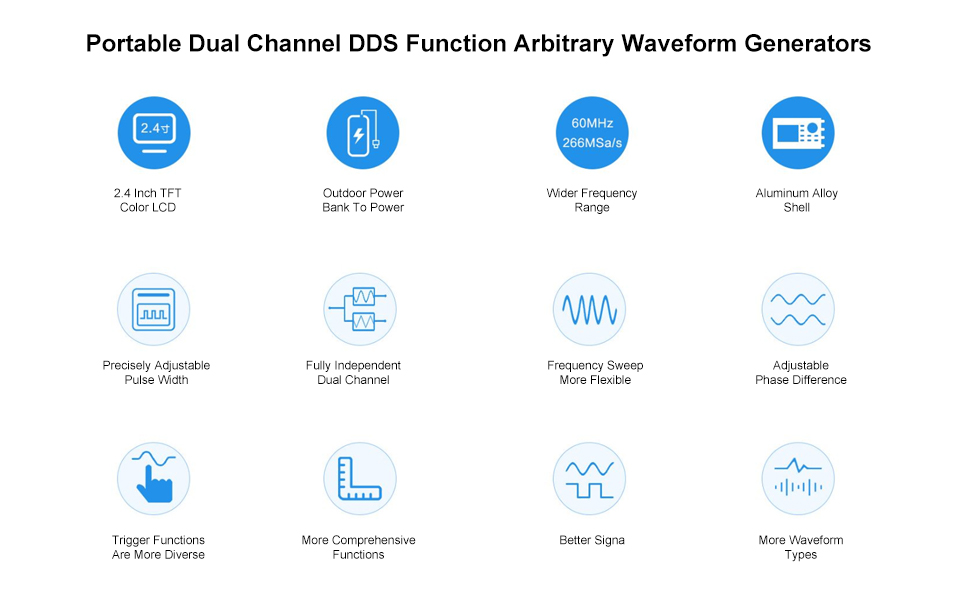
Obrázek 1.2: Přesview of JDS2900 key features and capabilities.
2. Nastavení
This section details the initial setup of your JDS2900 DDS Function Generator, including power connection and basic wiring.
2.1 Připojení napájení
Connect the provided AC adapter to the DC5V power input port on the rear panel of the device. Ensure the power switch is in the OFF position before connecting. Once connected, you can switch the device ON.

Figure 2.1: Rear panel connections, including power input and USB port.
Note: The product may ship with either a new or old type of power adapter. Both are compatible and function identically.

Figure 2.2: New and old power adapter types.
2.2 Signal Output and Measurement Connections
The JDS2900 features two independent signal output channels (CH1 and CH2) and dedicated inputs for analog and digital signal measurement.
- Channel 1 Signal Output: Connect your BNC cable to the CH1 output port for the primary waveform output.
- Channel 2 Signal Output: Connect your BNC cable to the CH2 output port for the secondary waveform output.
- Analog Signal Measurement Input: Use this port for measuring analog signals.
- Digital Signal Measurement Input: Use this port for measuring digital signals.
- Komunikace přes USB: Connect the device to a computer via the USB port for software control and arbitrary waveform generation.

Figure 2.3: Signal output and measurement ports on the rear panel.
3. Návod k obsluze
This section provides guidance on operating the JDS2900, including navigating the interface and generating various waveforms.
3.1 Přední panel Overview
The JDS2900 features a user-friendly front panel with a 2.4-inch high-definition LCD screen, an adjusting knob, function menu buttons, and shortcut buttons for quick access to common settings.

Figure 3.1: Labeled front panel of the JDS2900.
3.2 Waveform Generation
The JDS2900 can generate a wide variety of waveforms. Use the 'WAVE' button to cycle through available waveform types and the adjusting knob to modify parameters such as frequency, amplituda a ofset.
- Sinusová vlna: Smooth, continuous oscillation.
- Čtvercová vlna: Alternating between two fixed levels.
- Triangle Wave: Linear rise and fall.
- Pulse Wave: Adjustable duty cycle, pulse width, and cycle time.
- Partial Sine Wave: A portion of a sine wave.
- CMOS Wave: Digital logic level compatible waveform.
- DC Level: Konstantní objemtage output (bias adjustable).
- Half Wave / Full Wave: Rectified sine waves.
- Step Wave: Positive and negative step functions.
- Noise Wave: Random signal.
- Index Up / Index Down: Exponential rise and fall.
- Sonic Wave, Sinc Pulse, Lorentz Pulse: Specialized waveforms.
- User-Defined Waveforms: Up to 60 custom waveforms can be stored and generated.

Obrázek 3.2: Přamples of various waveform types.
3.3 Pokročilé funkce
The JDS2900 supports advanced functions such as frequency sweep, burst mode, and modulation. Refer to the on-screen menu options and the detailed software manual for comprehensive instructions on these features. The device can be controlled via PC software for more complex operations and arbitrary waveform drawing.
4. Údržba
Proper maintenance ensures the longevity and optimal performance of your JDS2900 DDS Function Generator.
- Čištění: Use a soft, dry cloth to clean the exterior of the device. Avoid using abrasive cleaners or solvents that could damage the casing nebo obrazovka.
- Skladování: Zařízení skladujte na chladném a suchém místě mimo dosah přímého slunečního záření, extrémních teplot a vysoké vlhkosti.
- Zacházení: S přístrojem zacházejte opatrně, abyste předešli fyzickému poškození. Zabraňte jeho pádu nebo silným nárazům.
- Větrání: Ensure the ventilation slots on the device are not obstructed to prevent overheating.
5. Řešení problémů
This section provides solutions to common issues you might encounter with your JDS2900.
| Problém | Možná příčina | Řešení |
|---|---|---|
| Zařízení se nezapne. | Power adapter not connected or faulty; power switch is OFF. | Ensure power adapter is securely connected. Check if the power switch is in the ON position. Test with another compatible power adapter if available. |
| Žádný výstupní signál. | Output channel disabled; incorrect waveform parameters; faulty cable. | Verify that the desired output channel (CH1/CH2) is enabled on the display. Check frequency, amplitude, and offset settings. Ensure BNC cables are properly connected and not damaged. |
| Displej je prázdný nebo zamrzlý. | Softwarová závada; dočasná chyba. | Turn off the device, wait a few seconds, then turn it back on. If the issue persists, contact customer support. |
For issues not listed here, or if the suggested solutions do not resolve the problem, please refer to the official Walfront support resources.
6. Specifikace
Detailed technical specifications for the JDS2900 DDS Function Generator.
| Parametr | Hodnota |
|---|---|
| Zobrazit | 2.4 palcový TFT barevný LCD displej |
| Typy křivek | Sine, Square, Pulse, Triangle, Partial Sine, CMOS, DC Level, Half Wave, Full Wave, Step Wave, Noise, Index Up/Down, Sonic, Sinc Pulse, Lorentz Pulse, 60 user-defined |
| Průběh Sampsazba ling | 266MSa / s |
| Waveform Vertical Resolution | 14 bit |
| Frequency Minimum Resolution | 0.01µHz (0.00000001Hz) |
| Přesnost frekvence | ±20 ppm |
| Frekvenční stabilita | ±1 ppm/3 hodiny |
| Sine Wave Frequency Range | 0.01µHz - 60MHz (model dependent) |
| Square Wave Frequency Range | 0.01µHz - 15MHz |
| Pulse Width Adjusting Range | 25nS - 4000S |
| Bias Adjustment Range | -9.99V až +9.99V |
| Harmonické potlačení | ≥45dBc (<1MHz); ≥40dBc (1MHz~20MHz) |
| Celkové harmonické zkreslení | <0.8% (20Hz~20kHz, 0dBm) |
| Skladovací množství | 100 skupiny |
| Rozměry produktu | 3.94 x 1.57 x 3.94 palce |
| Hmotnost | 1.76 libry (cca 933 g) |
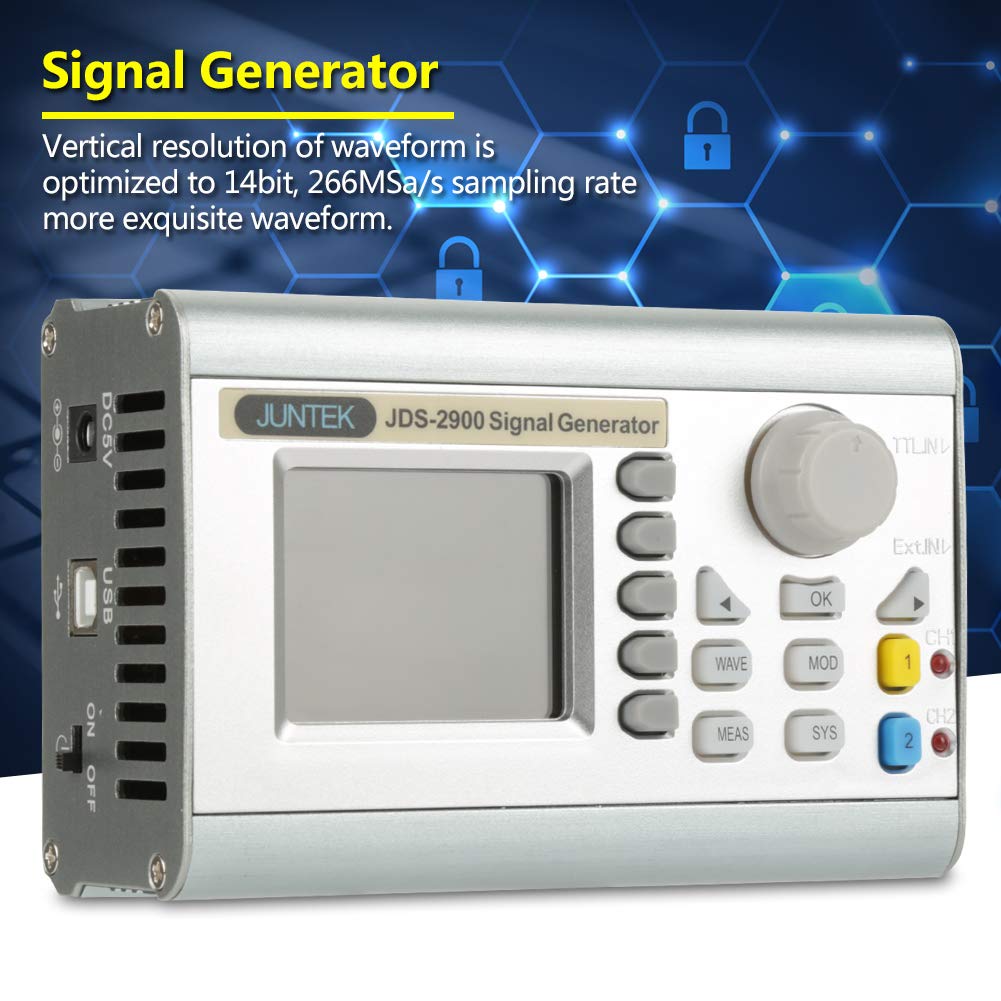
Figure 6.1: Detailed technical specifications table.
7. Záruka a podpora
Walfront products are designed for reliability and performance. For warranty information and technical support, please refer to the official Walfront webnebo se obraťte přímo na jejich zákaznický servis. Uschovejte si účtenku jako doklad o koupi pro případné reklamace.
For additional support, you may visit the Walfront Store on Amazon: Walfront Store