
1. Úvod
This user manual provides comprehensive instructions for the installation, operation, and maintenance of your NATIKA Backup/Front View Camera. Designed for versatility and durability, this camera offers enhanced visibility for various vehicle types, ensuring safer maneuvering and parking. Please read this manual thoroughly before installation and use to ensure proper functionality and longevity of your device.
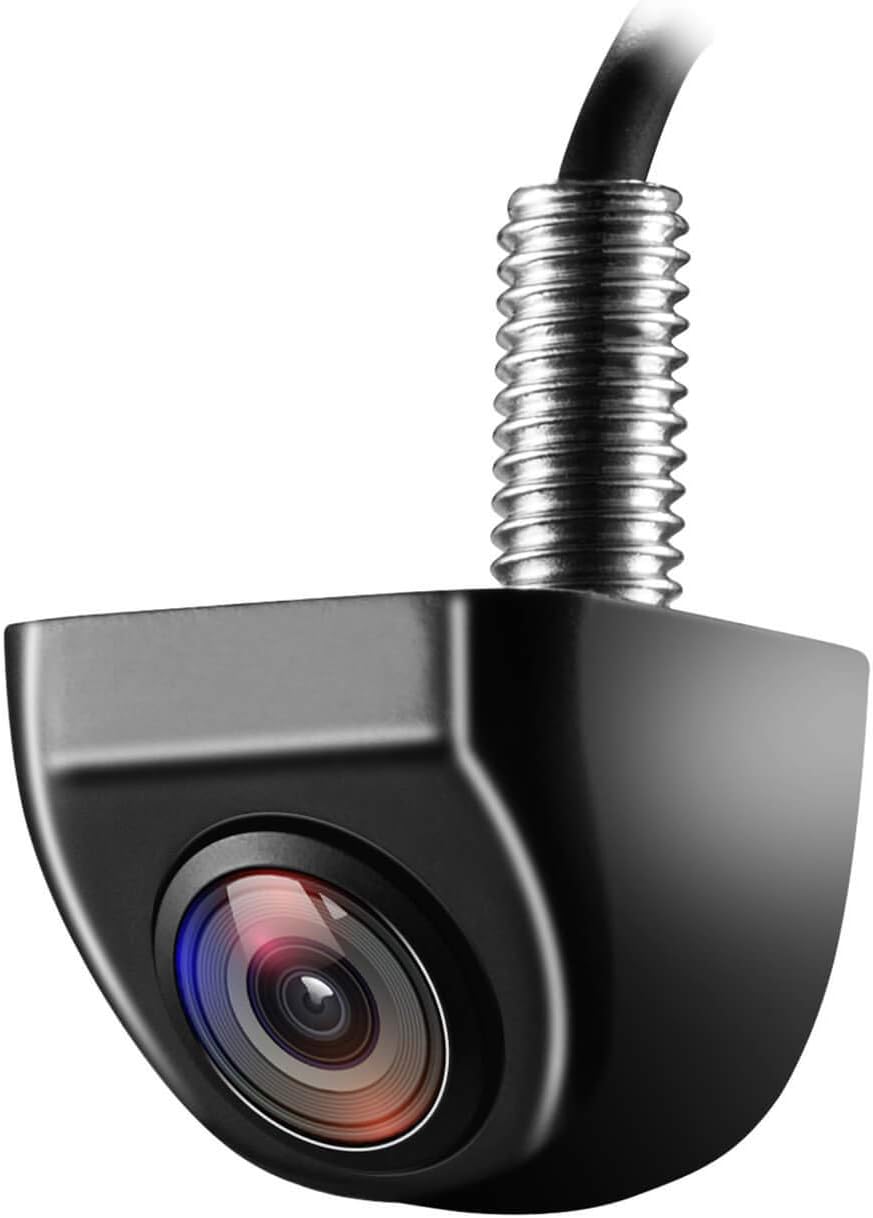
Figure 1: NATIKA Backup/Front View Camera (Black model shown)
2. Vlastnosti
- IP69K Waterproof Rating: Designed with fully sealed glue filling craft, ensuring protection against water, fog, or mist.
- Zobrazování ve vysokém rozlišení: Features a latest HD 600TVL 1/2.7inch image sensor for clear visuals.
- Super široký Viewúhel: Horizontal 135-degree lens helps eliminate blind spots for safer parking and reversing.
- Odolné kovové pouzdro: Small size and OEM style design with robust metal construction.
- Multifunctional Switching Loops: Allows switching between front view a vzadu view, and enables/disables guide lines. Supports vertical downward view for tailgate mounting.
- Široká kompatibilita s vozidly: Compatible with most DC 12-24V vehicles, including Cars, Pickup Trucks, SUVs, RVs, and Vans.
- Excellent Low Light Performance: Operates effectively in low illumination levels down to 0.01 Lux.

Figure 2: IP69K Waterproof design for durability in various conditions.

Figure 3: Visual comparison highlighting superior resolution, low-light performance, and wider view úhel.
3. Co je v krabici
Po otevření balení ověřte, zda jsou všechny součásti přítomny a v dobrém stavu:
- 1 x Záložní kamera NATIKA
- 1 x 26ft/8M prodlužovací drát/kabel
- 1 x 304 Stainless Nut
- 1 x dvojitá páska
- 1 x elektrická páska
- 3 x Gaskets (for view angle adjustment)
- 1 x Odstraňovač panelu
- 7x zavazování na zip
- 1 x Uživatelská příručka (tento dokument)
- 1 x Karta s poděkováním
- 1 x dárková krabička NATIKA

Figure 4: All items included in the NATIKA Backup Camera package.
4. Nastavení a instalace
Careful installation is crucial for optimal performance. Follow these steps:
4.1. Wire/Loop Control Configuration
The camera features small wires/loops (White, Green, and Purple) for customizable functionality:
- Purple Wire/Loop: Controls mounting style.
- Keep the purple wire/loop for hanging mounting (ideal for Sedans, SUVs).
- Cut the purple loop for sitting mounting (ideal for pickup trucks, RVs, and Vans).
- Green Wire/Loop: Controls guide lines.
- Keep the green wire/loop if you need the vodicí čára.
- Cut the green loop if you do not need the guide line.
- White Wire/Loop: Ovládací prvky view směr.
- Cut the white wire/loop for přední view fotoaparát funkčnost.
- Keep the white wire/loop for zadní view fotoaparát funkčnost.
- Přední View without Guide Line: Cut both the white and green wires/loops.
- Strana View Fotoaparát: Can only be installed on a horizontal surface (e.g., under left or right mirror), not a round, slant, or perpendicular surface.
- To look backward, keep the white wire/loop.
- To look forward, cut the white wire/loop.

Figure 5: Wire/Loop control for camera functionality (guide lines, mounting, view směr).
4.2. Montáž kamery
Mount the camera on the desired panel. Ensure the wire is routed to the inside of the vehicle. DO NOT pinch the wire/cable when routing. Drill a hole if necessary to allow the wire to pass through without damage.

Obrázek 6: Přamples of camera installation on different vehicle rear panels and tailgate handles.
4.3. Elektrické připojení
- Connect the camera's male plug to the female connector of the extension wire/cable. Ensure the arrows on the connectors align and push the plug tightly.
- Apply electrical tape for the joint of the red power wires and RCA wires to ensure secure and insulated connections.
- Use zip ties to fasten the wire securely on your vehicle, preventing loose cables.
- If your head unit has a reverse triggering wire (normally pink), connect it with the extension wire's triggering wire (small short red wire next to the RCA/AV connector).
- Poznámka: Monitor/LCD/Screen/Display/Radio are not included. If connecting to a FACTORY RADIO, you may need to separately order a suited Harness & Programmer to complete the installation, as different radios require specific components.
4.4. Seřizování View Angle (Optional)
K nastavení fotoaparátu view angle, select one of the three suitable size gaskets/shims provided. Apply silicon to seal it if needed for additional protection.

Figure 7: Gaskets provided for adjusting the camera's view úhel.
5. Návod k obsluze
Once properly installed, the NATIKA camera will provide a clear view of your surroundings. The display will typically activate automatically when the vehicle is put into reverse, or when manually switched if configured for front/side view.
- Zadní View režim: When connected to the reverse light circuit, the camera automatically displays the rear view with or without guide lines (depending on green loop configuration) when shifting into reverse.
- Přední View režim: If configured for front view (white loop cut), the camera can be activated via your head unit's input selection or a dedicated switch (if installed).
- Vodicí linie: The dynamic guide lines assist with parking by showing the projected path of your vehicle. These can be enabled or disabled during setup as described in Section 4.1.
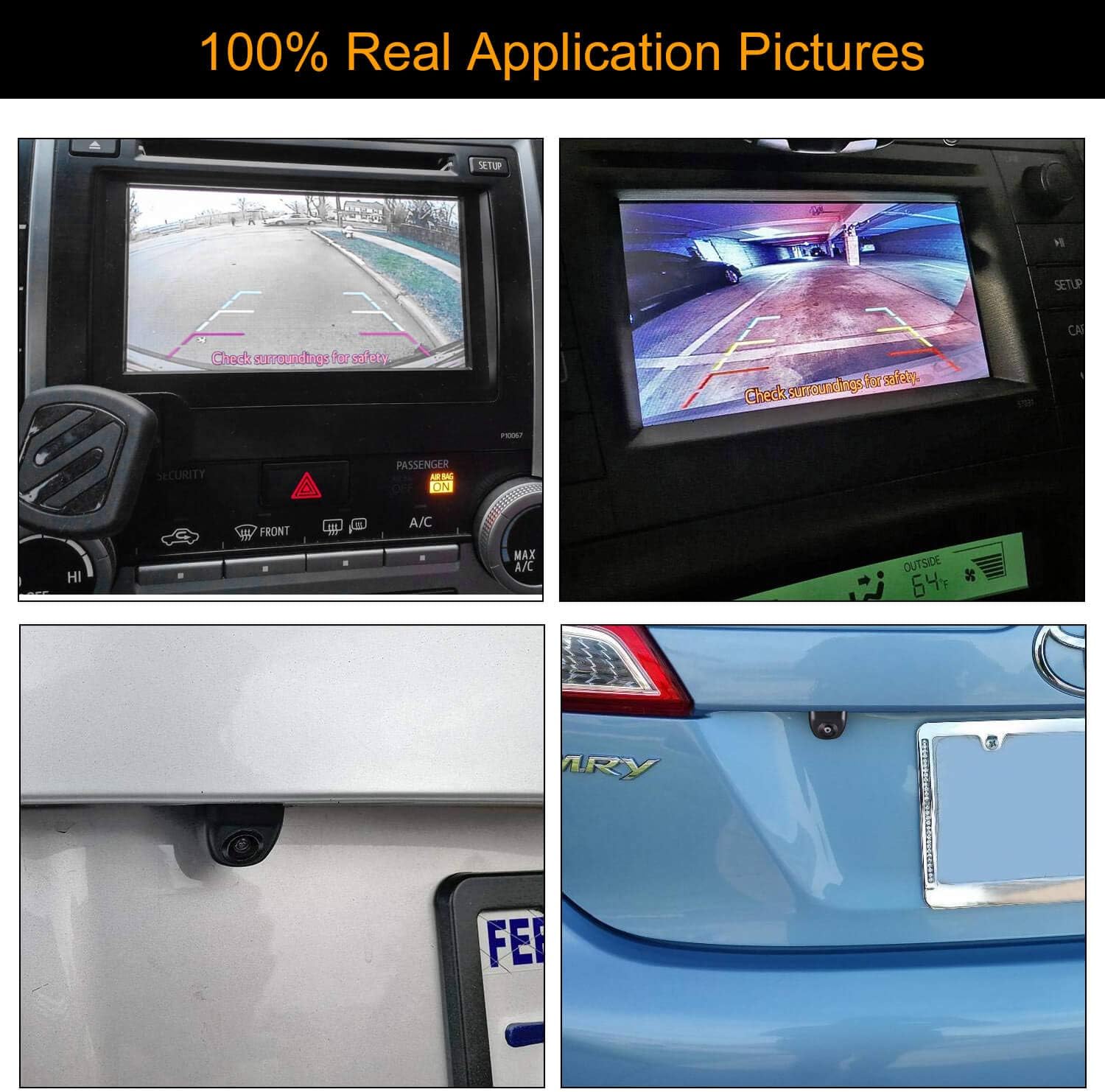
Obrázek 8: Přamples of the camera's view on a vehicle's display, showing clear visibility and guide lines.
6. Údržba
To ensure the longevity and optimal performance of your NATIKA camera, follow these maintenance guidelines:
- Vyčistěte objektiv: Pravidelně čistěte objektiv fotoaparátu měkkým hadříkemamp hadříkem odstraňte nečistoty, prach nebo skvrny od vody, které by mohly ucpat viewVyhněte se abrazivním čisticím prostředkům.
- Zkontrolujte připojení: Periodically inspect all wiring connections to ensure they are secure and free from corrosion or damage. Re-tape or re-secure any loose connections.
- Zkontrolujte montáž: Verify that the camera remains securely mounted to prevent vibrations or misalignment that could affect image quality.
- Vyhněte se agresivním chemikáliím: Do not use strong chemical cleaners or solvents on the camera body or lens, as this may damage the materials or coatings.
7. Řešení problémů
If you encounter issues with your NATIKA camera, refer to the following common problems and solutions:
| Problém | Možná příčina | Řešení |
|---|---|---|
| Na obrazovce není žádný obraz |
|
|
| Blurry, flickering, or distorted image (horizontal/vertical strips) |
|
|
| Guide lines not appearing/disappearing | Incorrect green wire/loop configuration. | Refer to Section 4.1 "Wire/Loop Control Configuration" to ensure the green wire/loop is correctly configured (kept for ON, cut for OFF). |
| Fotoaparát view is mirrored or reversed | Incorrect white wire/loop configuration. | Refer to Section 4.1 "Wire/Loop Control Configuration" to ensure the white wire/loop is correctly configured (kept for rear view, cut for front view). |
8. Specifikace
| Specifikace | Hodnota |
|---|---|
| Značka | Natika |
| Číslo modelu | backup camera WD-011 |
| Hmotnost položky | 12 unce |
| Rozměry produktu | 1 x 1 x 0.78 palce (27 mm x 27 mm x 21 mm) |
| Země původu | Čína |
| Hodnocení Lux | 0.01 Lux |
| Kompatibilní zařízení | Sony, Alpine, JVC, Boss, Atoto, Jensen, Pyle, Podofo, CAMECHO stereos receivers, Kenwood, Pioneer receivers, Any head units with a female RCA connector |
| Typ instalace | Vertical and horizontal Mount |
| Rozlišení záznamu videa | 720p |
| svtage | 12 voltů |
| Technologie optických senzorů | CMOS |
| Efektivní rozlišení | 576 XNUMX pixelů |
| Typ objektivu | Široký úhel |

Figure 9: Detailed dimensions of the NATIKA Backup Camera.
9. Záruka a podpora
NATIKA is committed to customer satisfaction. Your NATIKA Backup/Front View Camera comes with:
- 24 Months Replacement Warranty: For peace of mind regarding product defects or malfunctions.
- Doživotní záruka podpory: Průběžná podpora po celou dobu životnosti vašeho produktu.
- 7 Days-24 Hours Professional Customer Service and Technical Support: Dedicated support team available to assist with any queries or issues.
For support, please refer to the contact information provided on the NATIKA website or the included "Thanks Card".