
1. Úvod
The August Home Smart Lock + Connect Wi-Fi Bridge provides a secure and convenient way to manage access to your home. This device replaces the interior thumbturn of your existing deadbolt, transforming it into a smart lock that can be controlled remotely. It integrates with your home Wi-Fi network via the included Connect Wi-Fi Bridge, enabling features like remote locking/unlocking, virtual key sharing, and voice control through compatible smart home systems.
2. Vlastnosti produktu
- Bezklíčový vstup: Lock and unlock your door using the August app on your smartphone or Apple Watch.
- Virtuální klíče: Grant secure, time-limited, or permanent access to guests, family, or service providers. Monitor entry and exit with real-time notifications and an activity feed.
- Automatické odemykání: The lock automatically unlocks as you approach your door, eliminating the need to fumble for keys.
- Auto-Lock & DoorSense: Automatically locks your door after a set period or when the DoorSense sensor detects the door is closed and secured.
- Vzdálený přístup: The included August Connect Wi-Fi Bridge enables full voice control and remote access to your lock from anywhere.
- Integrace chytré domácnosti: Compatible with Amazon Alexa, Hey Google, Samsung SmartThings, Philips Hue, and other smart home systems.
3. Co je zahrnuto
The August Home Smart Lock + Connect Wi-Fi Bridge package includes the following components:
- August Smart Lock (Satin Nickel)
- Senzor dveří
- srpen Připojit Wi-Fi Bridge
- 4 AA baterie
- Lock Adapter and Mounting Hardware
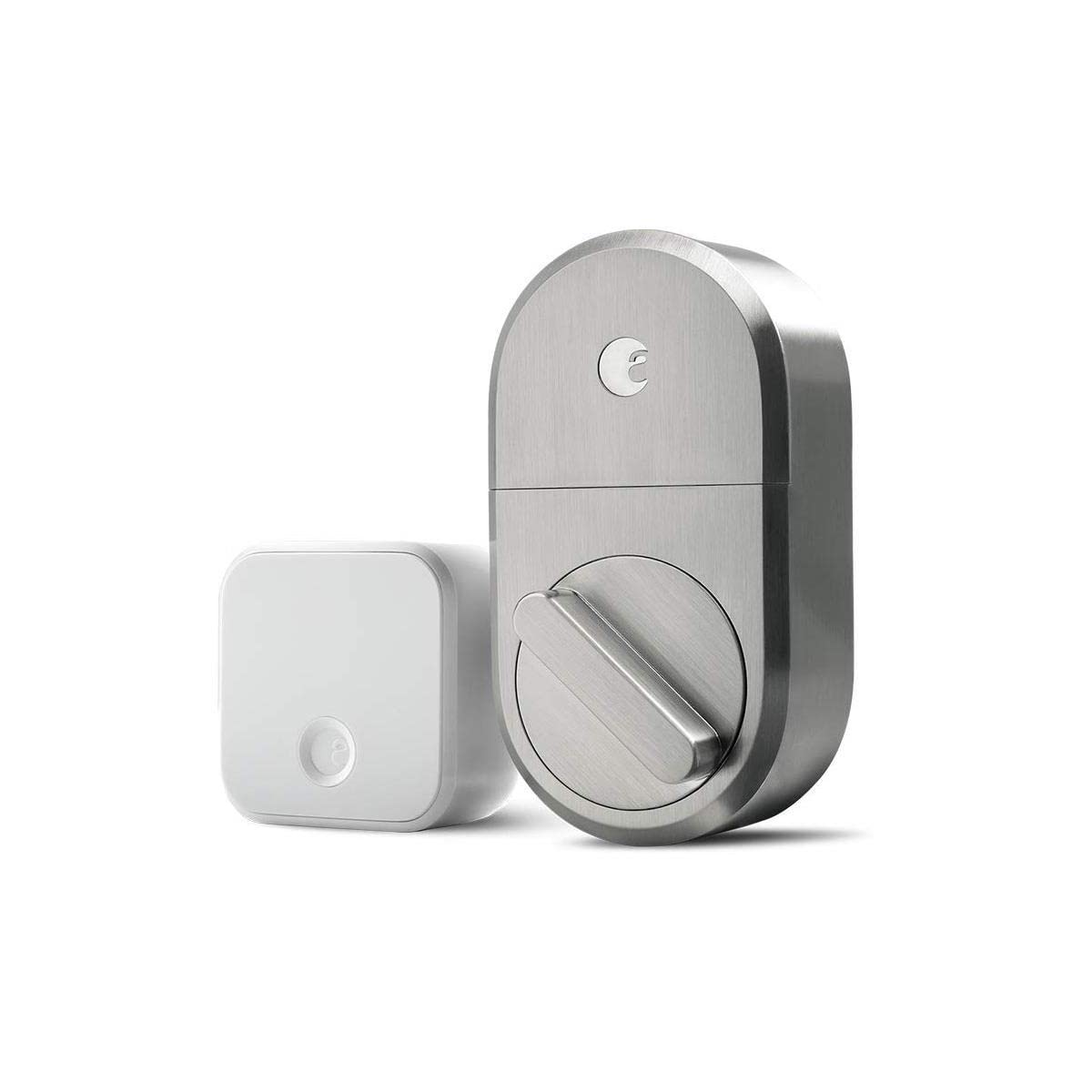
Image: August Smart Lock and Connect Wi-Fi Bridge components in packaging.
4. Instalace
The August Smart Lock is designed for easy installation on the inside of your door, replacing only the thumbturn of your existing single-cylinder deadbolt. Your existing exterior lock hardware remains unchanged.
4.1 Kontrola kompatibility
Ensure your door has a compatible single-cylinder deadbolt. The August Smart Lock is not compatible with certain older deadbolt models or multi-point locking systems. Refer to the August app for detailed compatibility information.
4.2 kroky instalace
Download the free August app for iOS or Android. The app provides step-by-step animated instructions for physical installation. Typically, this involves:
- Removing the interior thumbturn of your existing deadbolt.
- Attaching the August mounting plate to your door.
- Selecting and installing the correct lock adapter for your deadbolt.
- Mounting the August Smart Lock onto the adapter and mounting plate.
- Installing the 4 AA batteries into the Smart Lock.
- Installing the DoorSense sensor on the door frame to detect door open/closed status.

Image: August Smart Lock installed on the interior side of a door.

Obrázek: Exteriér view of a door with a standard deadbolt, compatible with August Smart Lock.
Video: Overview of the August Smart Lock and Connect Wi-Fi Bridge, demonstrating its features and installation process.
5. Nastavení
After physical installation, the August app guides you through the digital setup process.
5.1 Smart Lock Setup
- Open the August app and create an account or log in.
- Follow the in-app instructions to add your new Smart Lock.
- The app will prompt you to calibrate the lock, which involves locking and unlocking it a few times to learn its full range of motion.
5.2 August Connect Wi-Fi Bridge Setup
The Connect Wi-Fi Bridge is essential for remote access and smart home integrations.
- Plug the August Connect Wi-Fi Bridge into an electrical outlet within 15 feet of your Smart Lock.
- In the August app, navigate to the lock settings and select "Set Up Connect Device."
- Ensure your smartphone is connected to your home's 2.4GHz Wi-Fi network during setup, as the bridge may not connect on a 5GHz network.
- Follow the app's instructions to connect the bridge to your Wi-Fi network and link it to your Smart Lock.
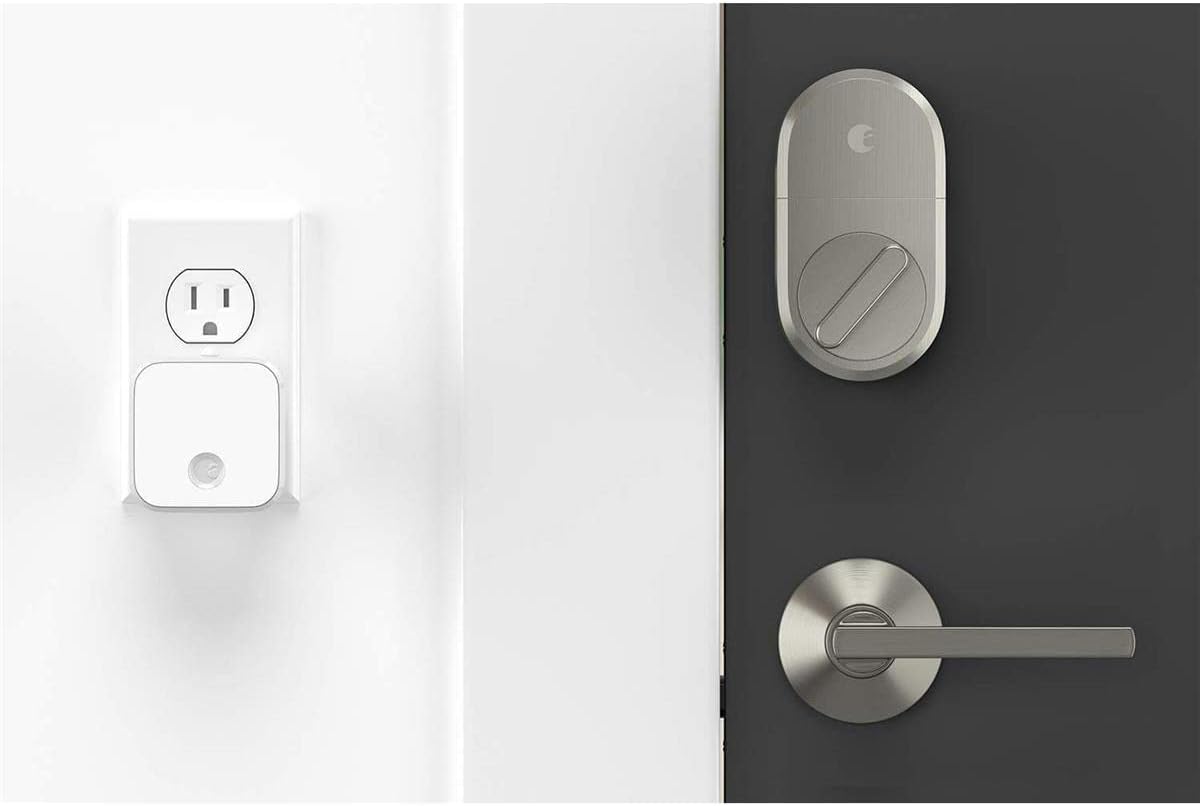
Image: August Smart Lock and Connect Wi-Fi Bridge plugged into an outlet.
6. Návod k obsluze
The August Smart Lock offers multiple ways to control your door.
6.1 Using the August App
The August app is your primary interface for managing the Smart Lock.
- Zamknout/Odemknout: Tap the large circle on the app's main screen to toggle between locked (red) and unlocked (green) states.
- Zdroj aktivity: View a chronological log of all lock and unlock events, including who accessed the door and when.
- Přístup pro hosty: From the app, you can invite guests and set their access permissions (e.g., permanent, temporary, recurring).
- DoorSense: The app displays the current status of your door (open or closed) based on the DoorSense sensor.

Image: August Home app interface showing door status as closed and unlocked.
6.2 Auto-Unlock and Auto-Lock
These features provide hands-free convenience:
- Automatické odemykání: Enabled via the app, this feature uses your phone's location to detect when you arrive home and automatically unlocks the door.
- Automatický zámek: Configurable in the app, Auto-Lock will automatically secure your door after a specified delay once it has been closed (detected by DoorSense).
6.3 Hlasové ovládání
With the August Connect Wi-Fi Bridge, you can use voice commands through compatible smart assistants:
- Amazon Alexa: Link your August account in the Alexa app to enable commands like "Alexa, lock the front door" or "Alexa, is the front door locked?"
- Asistent Google: Link your August account in the Google Home app for similar voice commands.
7. Údržba
7.1 Výměna baterie
The August Smart Lock operates on 4 AA batteries. The August app will notify you when battery levels are low. To replace the batteries:
- Press down on the August logo at the top of the lock and remove the faceplate.
- Odstraňte kryt baterie.
- Vyměňte všechny čtyři baterie typu AA za nové.
- Replace the battery cover and faceplate.
8. Řešení problémů
- Wi-Fi Bridge Connection Issues: Ensure the August Connect Wi-Fi Bridge is plugged into an outlet within 15 feet of the Smart Lock. Verify your home Wi-Fi network is 2.4GHz, as the bridge may not connect to 5GHz networks.
- Lock Calibration Errors: If the lock experiences issues during calibration (e.g., "checksum error"), try manually locking and unlocking the deadbolt a few times, then restart the August app and attempt calibration again.
- Hlasové ovládání nefunguje: Confirm that your August account is correctly linked within the Alexa or Google Home app. Ensure the Connect Wi-Fi Bridge has a stable connection to both the Smart Lock and your home Wi-Fi.
- DoorSense Inaccuracy: Check that the DoorSense sensor is securely mounted and properly aligned with the magnet on the door frame.
9. Specifikace
| Značka | srpna domů |
| Číslo modelu | AUG-SL04-C03-N04 |
| Barva | Saténový nikl |
| Materiál | Nikl |
| Rozměry položky (D x Š x V) | 2.6 x 1.63 x 4.8 palce |
| Hmotnost položky | 2.8 uncí |
| Protokol připojení | Wi-Fi |
| Kontrolní metoda | Hlas, Aplikace |
| Speciální funkce | Auto-Lock, Keyless |
| Zdroj napájení | 4 AA baterií (součástí balení) |
| svtage | 110-240V (for Wi-Fi Bridge) |
| Požadovaný OS | iOS (9.0 or higher) or Android (5.0 or higher) |
10. Záruka a podpora
The August Home Smart Lock + Connect Wi-Fi Bridge comes with a 1-year manufacturer's warranty. For technical support, warranty claims, or additional information, please visit the official August Home webnebo kontaktujte jejich zákaznický servis.