
Lexmark E460DN
Lexmark E460DN Laser Printer User Manual
Model: E460DN
Zavedení
This manual provides essential instructions for the Lexmark E460DN laser printer. Designed for small and midsize workgroups, the E460DN offers efficient, high-quality monochrome printing with advanced features. This document covers unpacking, setup, operation, maintenance, and troubleshooting to ensure optimal performance of your device.
The Lexmark E460DN is a Certified Refurbished product, meaning it has been tested and certified to function like new. It includes a toner drum and comes with a 90-day warranty.
Konec produktuview
The Lexmark E460DN is a compact laser printer featuring a light gray and dark gray exterior. It is equipped with a user-friendly control panel and supports various paper handling options.
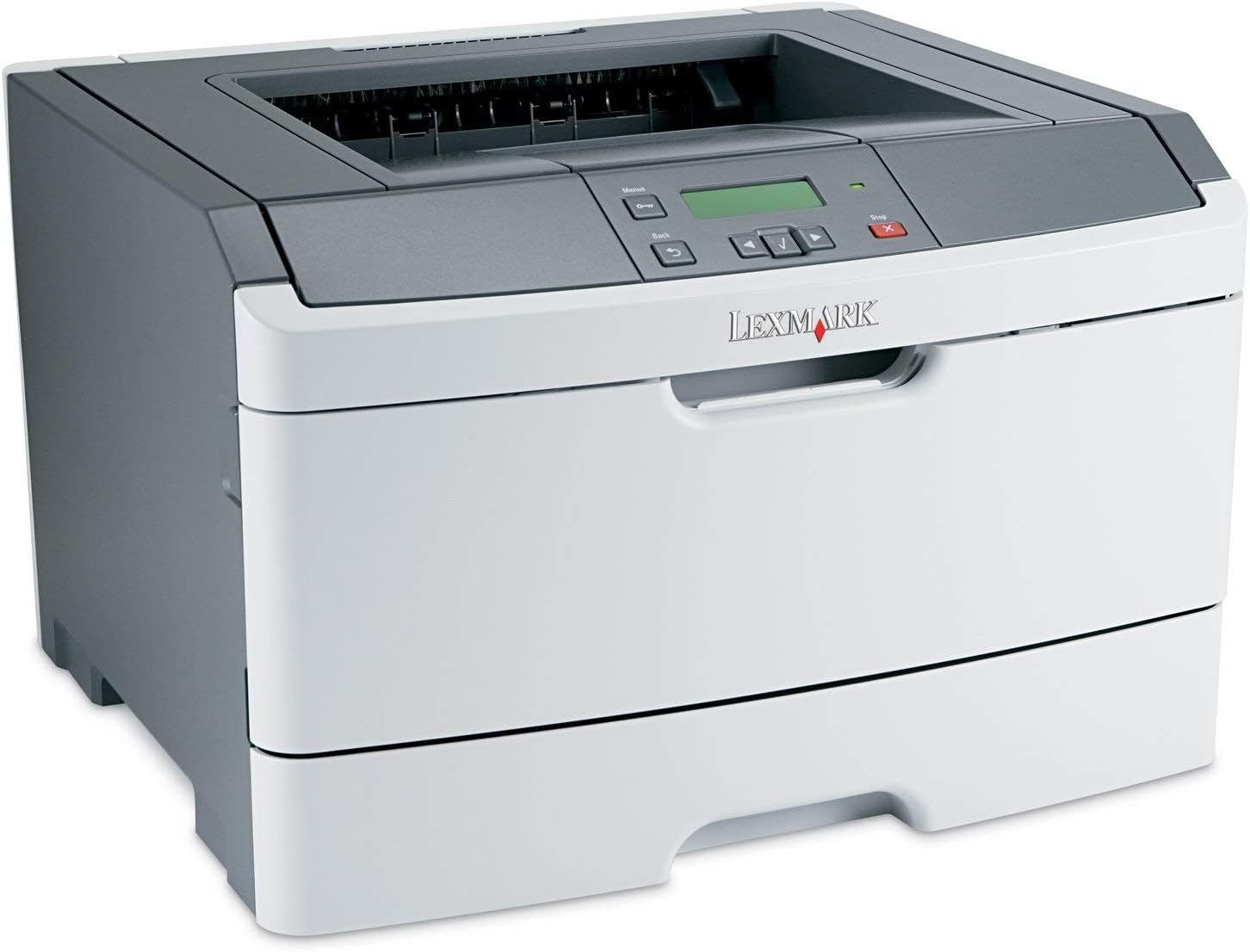
Obrázek 1: Přední view of the Lexmark E460DN Laser Printer. The image displays the printer's light gray body with a dark gray top section, including the output tray and control panel. The Lexmark logo is visible on the front panel.
Klíčové vlastnosti:
- Rychlé rychlosti tisku: Up to 40 pages per minute (ppm) for monochrome documents.
- Vysoká kvalita tisku: True 1200 x 1200 dpi resolution for sharp text and graphics.
- Automatický oboustranný tisk: Standard feature for two-sided printing, reducing paper consumption.
- Připraveno k síti: Ethernet connectivity for shared use in workgroup environments.
- Uživatelsky přívětivé rozhraní: Four-line operator panel for easy navigation and control.
- Vylepšené zabezpečení: Numeric pad for confidential printing.
- Efektivní provoz: Instant warm-up fuser for fast first-page-out times and reduced power consumption.
Pokyny pro nastavení
- Vybalení tiskárny: Carefully remove the printer from its packaging. Remove all packing materials, tapes, and protective films.
- Umístění tiskárny: Position the printer on a stable, level surface with adequate ventilation. Ensure sufficient space around the printer for paper loading and output.
- Připojte napájení: Plug the power cord into the printer's power inlet, then into a grounded electrical outlet.
- Install Toner/Drum (if applicable): If the toner cartridge and imaging drum are not pre-installed, follow the instructions provided with the consumables to install them. For refurbished units, these components are typically pre-installed.
- Vložte papír: Open the paper tray and adjust the paper guides to fit the paper size. Load the desired print media (e.g., plain paper, envelopes) into the tray.
- Připojení k síti/počítači:
- Ethernet (kabelový): Připojte ethernetový kabel z ethernetového portu tiskárny k síťovému routeru nebo přepínači.
- USB (Optional, if available): Připojte kabel USB z tiskárny k počítači.
- Nainstalujte ovladače: Turn on the printer. Install the appropriate printer drivers on your computer. Drivers can usually be found on the manufacturer's webmísto.
- Proveďte zkušební tisk: After driver installation, print a test page to confirm proper setup and connectivity.
Návod k obsluze
Control Panel Navigation:
The Lexmark E460DN features a four-line display and several buttons for navigating menus and controlling printer functions. Use the arrow buttons to scroll through options and the 'Menu' or 'Select' button to confirm selections. The 'Back' button allows you to return to previous menus, and the 'Stop' button can cancel print jobs.
Základní tisk:
- Ujistěte se, že je tiskárna zapnutá a připojená k počítači nebo síti.
- Otevřete dokument, který chcete vytisknout, v počítači.
- Vybrat File > Tisk (nebo ekvivalentní příkaz ve vaší aplikaci).
- Choose the Lexmark E460DN from the list of available printers.
- Upravte nastavení tisku podle potřeby (např. počet kopií, velikost papíru, kvalitu tisku).
- For two-sided printing, select the duplex option in your printer settings. The E460DN supports automatic duplexing.
- Klikněte Vytisknout.
Důvěrný tisk:
The printer supports confidential printing using a numeric pad. When sending a confidential print job from your computer, you will be prompted to enter a PIN. To release the job at the printer, enter the same PIN using the control panel's numeric pad.
Údržba
Toner Cartridge and Imaging Drum Replacement:
The Lexmark E460DN uses a combined toner cartridge and imaging drum unit. The printer's control panel will display early-warning alerts for low toner. When prompted:
- Otevřete přední přístupová dvířka tiskárny.
- Carefully remove the old toner/drum unit by pulling it straight out.
- Unpack the new toner/drum unit and gently shake it to distribute the toner.
- Insert the new unit into the printer until it clicks into place.
- Zavřete přední přístupová dvířka.
Dispose of used toner cartridges according to local regulations or return them to Lexmark for recycling.
Čištění tiskárny:
- Vnější: Vnější povrchy otřete měkkým, damp, hadřík, který nepouští vlákna. Nepoužívejte abrazivní čisticí prostředky ani rozpouštědla.
- Interiér: Periodically clean the paper path and other accessible interior areas to remove dust and paper debris. Refer to the printer's on-screen messages or full service manual for detailed internal cleaning procedures.
Odstraňování problémů
This section provides solutions to common issues you may encounter with your Lexmark E460DN printer. For more complex problems, consult the full service manual or Lexmark support.
Běžné problémy a řešení:
- Tiskárna nereaguje:
- Zkontrolujte připojení napájení a ujistěte se, že je tiskárna zapnutá.
- Ověřte připojení síťového kabelu nebo kabelu USB.
- Restartujte tiskárnu a počítač.
- Ujistěte se, že jsou ovladače tiskárny správně nainstalovány a aktualizovány.
- Zaseknutý papír:
- Follow the instructions on the printer's display or in the full service manual to locate and clear jammed paper.
- Ujistěte se, že je papír správně vložen a že zásobník není přeplněný.
- Používejte doporučené typy papíru.
- Špatná kvalita tisku:
- Check toner levels. Replace the toner/drum unit if low or empty.
- Ensure the imaging drum is clean and free from damage.
- Perform a print quality test from the printer's menu to diagnose issues.
- Clean the printer's interior as described in the maintenance section.
- Chybové zprávy:
Refer to the customizable operator panel messaging for specific error codes or descriptions. Consult the full service manual for detailed explanations and solutions for each error message.
Specifikace
| Funkce | Specifikace |
|---|---|
| Číslo modelu | E460DN |
| Technologie tisku | Laser |
| Tiskový výstup | Monochromatický |
| Maximální rychlost tisku (černobíle) | Up to 40 ppm (letter-size paper) |
| Rozlišení tisku | 1200 x 1200 dpi |
| Oboustranný tisk | Automatic (Dual-sided printing) |
| Technologie připojení | Wired; Ethernet |
| Hardwarové rozhraní | Ethernet |
| Kapacita paměti | 64 MB |
| Maximální vstupní kapacita listu | 300 listů |
| Výstupní kapacita listů | 150 listů |
| Podporovaná tištěná média | Obálky, obyčejný papír |
| Rozměry produktu | 14.55 x 15.98 x 10.2 palce |
| Barva | Světle šedá/tmavě šedá |
| UPC | 748926547406 |
Záruka a podpora
This Lexmark E460DN printer is a Certified Refurbished product and comes with a 90denní omezená záruka. Tato záruka se vztahuje na vady materiálu a zpracování při běžném používání.
For warranty claims, technical support, or further assistance, please refer to the documentation provided with your refurbished product or contact the seller directly. Additional support resources may be available on the official Lexmark webmísto.
Ask a question about this manual
Ask about setup, troubleshooting, compatibility, parts, safety, or missing instructions. Manuals+ will review the question and use this page’s manual context to help answer it.