
Logilink CV0077
LOGILINK CV0077 10M DisplayPort Cable User Manual
Model: CV0077
Zavedení
This manual provides comprehensive instructions for the LOGILINK CV0077 10M DisplayPort Cable. This high-quality cable is designed to transmit digital audio and video signals between DisplayPort-enabled devices, supporting high resolutions and refresh rates for an optimal viewzkušenosti.
Obsah balení
- 1 x LOGILINK CV0077 10M DisplayPort Cable
Klíčové vlastnosti
- DisplayPort to DisplayPort Connection: Designed for direct connection between DisplayPort source and display devices.
- High-Quality Signal Transmission: Ensures reliable transmission of both audio and video signals.
- Ultra HD 4K Support: Supports resolutions up to 4096 x 2160 at 60 Hz, providing crisp and clear visuals.
- 3D kompatibilita: Capable of transmitting 3D video signals.
- Secure Locking Connectors: Features locking mechanisms on both 20-pin male DisplayPort connectors for a stable and secure connection.
- Pozlacené kontakty: Gold-plated connectors resist corrosion and ensure optimal signal integrity.
- Odolná konstrukce: Features an AWG 24 cable thickness and braided design for enhanced durability.
- Délka: 10 meters (approximately 32.8 feet).
- Barva: Černý.
- Rychlost přenosu dat: Up to 12 Gigabit per second.
Nastavení a připojení
Follow these steps to connect your DisplayPort cable:
- Identifikace portů: Locate the DisplayPort output on your source device (e.g., computer, laptop) and the DisplayPort input on your display device (e.g., monitor, HDTV, projector).
- Připojení zdroje: Insert one end of the LOGILINK CV0077 DisplayPort cable into the DisplayPort output of your source device. Ensure the connector clicks into place, indicating the locking mechanism is engaged.
- Připojení displeje: Insert the other end of the cable into the DisplayPort input of your display device. Again, ensure it clicks securely.
- Zapnutí zařízení: Zapněte zdrojové zařízení i zobrazovací zařízení.
- Vyberte vstup: On your display device, select the correct DisplayPort input source using the monitor's OSD (On-Screen Display) menu or input selection button.

Figure 1: Connection Diagram. This image illustrates how to connect the DisplayPort cable from a source device like a laptop or PC to a display device such as a monitor, HDTV, or projector.
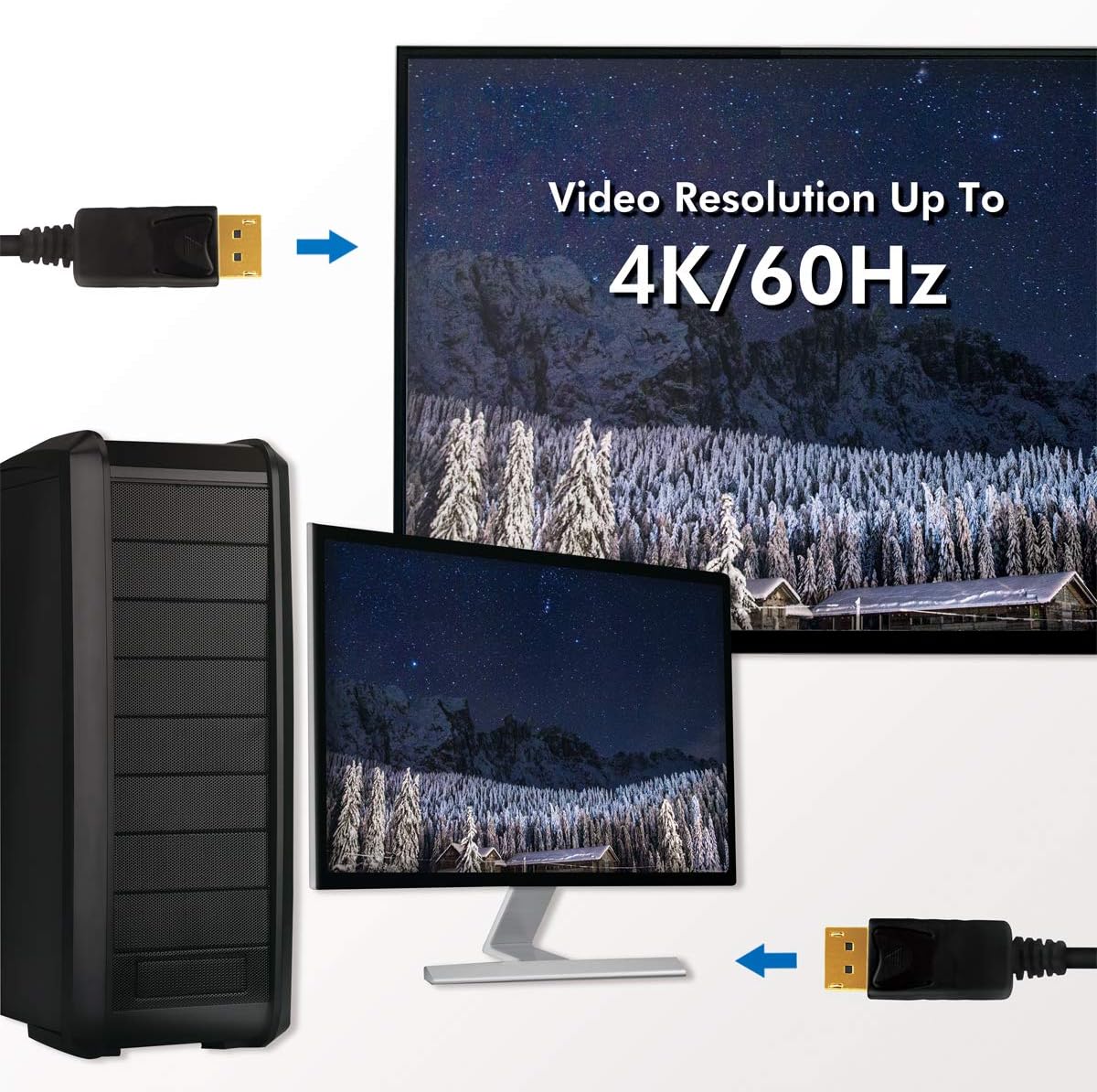
Figure 2: 4K/60Hz Resolution Support. This image demonstrates the cable's capability to transmit video signals up to 4K resolution at 60Hz, connecting a computer to a monitor.
Návod k obsluze
The LOGILINK CV0077 DisplayPort cable is a passive component designed for plug-and-play operation. Once properly connected as described in the "Setup and Connection" section, it will automatically transmit audio and video signals between your compatible devices.
- No additional drivers or software are required for the cable itself.
- Ensure your source and display devices are configured to output and receive DisplayPort signals, respectively.
- For optimal performance, especially with 4K resolutions, ensure your source device, display device, and graphics drivers are up-to-date and support the desired resolution and refresh rate.
Údržba
To ensure the longevity and optimal performance of your LOGILINK CV0077 DisplayPort cable, follow these maintenance guidelines:
- Skladování: When not in use, store the cable in a cool, dry place, away from direct sunlight and extreme temperatures. Avoid tightly coiling the cable to prevent internal damage.
- Čištění: Use a soft, dry cloth to gently wipe the cable and connectors. Do not use liquid cleaners, solvents, or abrasive materials, as these can damage the cable's insulation or connector plating.
- Zacházení: Always grasp the connector housing when plugging or unplugging the cable. Avoid pulling directly on the cable itself, as this can strain the internal wires and connections.
- Ochrana: Protect the connectors from dust and debris by using dust caps if available, especially when the cable is not connected.

Figure 3: LOGILINK CV0077 DisplayPort Cable. A general view of the 10-meter black DisplayPort cable with its gold-plated connectors.

Figure 4: DisplayPort Connector Detail. A close-up view of one of the 20-pin male DisplayPort connectors, highlighting its gold-plated contacts and locking mechanism.
Odstraňování problémů
If you encounter issues with your LOGILINK CV0077 DisplayPort cable, refer to the following common problems and solutions:
| Problém | Možná příčina | Řešení |
|---|---|---|
| No video or audio signal. |
|
|
| Flickering screen or intermittent signal. |
|
|
| Žádný zvuk. |
|
|
Specifikace
| Model | CV0077 |
| Značka | Logilink |
| Typ kabelu | DisplayPort to DisplayPort |
| Konektory | 2 x DisplayPort 20-pin Male |
| Délka | 10 metrů (32.8 stop) |
| Barva | Černý |
| Podporovaná rozlišení | Up to 4096 x 2160 @ 60 Hz (Ultra HD 4K) |
| Vlastnosti | Gold-plated contacts, Locking connectors, Braided cable, 3D support |
| Tloušťka kabelu | AWG 24 |
| Rychlost přenosu dat | 12 Gigabit per second |
| Materiál | ABS (connector housing) |
| Hmotnost produktu (přibližně) | 1 gram (Note: This weight is as provided in product data and may refer to packaging or a component, not the full cable.) |
Záruka a podpora
For warranty information and technical support, please refer to the official Logilink webnebo se obraťte přímo na jejich zákaznický servis. Uschovejte si účtenku jako doklad o koupi pro případné reklamace.
Logilink Official Webmísto: www.logilink.eu
Ask a question about this manual
Ask about setup, troubleshooting, compatibility, parts, safety, or missing instructions. Manuals+ will review the question and use this page’s manual context to help answer it.