
1. Úvod a konecview
The BONECO F100 Desktop Air Shower Fan is a compact and efficient air circulator designed to provide a refreshing 'air shower' feeling or direct cooling. Its innovative design ensures optimal air movement throughout your space, making it suitable for various rooms and year-round use. This manual provides essential information for the safe and effective operation, maintenance, and troubleshooting of your BONECO F100 fan.

Image: The BONECO F100 Desktop Air Shower Fan, showcasing jeho kompaktním a moderním designem.
2. Důležité bezpečnostní pokyny
Please read and follow all safety instructions before using your BONECO F100 fan to prevent injury or damage.
- Always unplug the fan from the power outlet before cleaning, performing maintenance, or when not in use.
- Do not operate the fan with a damaged cord or plug. If the cord or plug is damaged, contact BONECO customer support for assistance.
- Do not place the fan in or near water or other liquids. Avoid using the fan in wet or damp prostředí.
- Keep fingers, hair, and loose clothing away from the fan blades and openings during operation.
- Tento spotřebič není určen pro použití osobami (včetně dětí) se sníženými fyzickými, smyslovými nebo duševními schopnostmi nebo nedostatečnými zkušenostmi a znalostmi, pokud na ně nedohlíží osoba odpovědná za jejich bezpečnost nebo jim nebyla poskytnuta instrukce ohledně používání spotřebiče.
- Ujistěte se, že ventilátor je umístěn na stabilním, rovném povrchu, aby se zabránilo jeho převrácení.
- Do not block air openings or operate the fan near curtains or other materials that could obstruct airflow.
3. Vlastnosti produktu
The BONECO F100 is engineered with features designed for optimal air circulation and user convenience:
- Natural Air Shower Feeling: Designed to move a higher volume of air at faster speeds, creating a powerful stream for superb room circulation. It keeps the room's air in constant motion, creating a shower of air all around you.
- Smart, Modern, Compact Design: Features 3-speed levels, adjusted using a simple touch control with LED indicators. The elegantly shaped foot stand ensures stability on any tabletop or desktop.
- Use Throughout Whole House: Versatile for use at its highest level for the air shower feeling or lower quiet levels for direct cooling. Ideal for placement by a window, in the kitchen, garage, or on your desk.
- Snadná údržba: This personal, compact vortex fan has a removable blade cover for simple and low maintenance access to the 6-inch fan blade.
- Use Year Round: Provides a year-round solution for temperature regulation, enhancing comfort in any season.

Image: Diagram illustrating the powerful air circulation created by the BONECO F100 fan.

Image: The BONECO F100 fan effectively circulating air throughout a living room space.
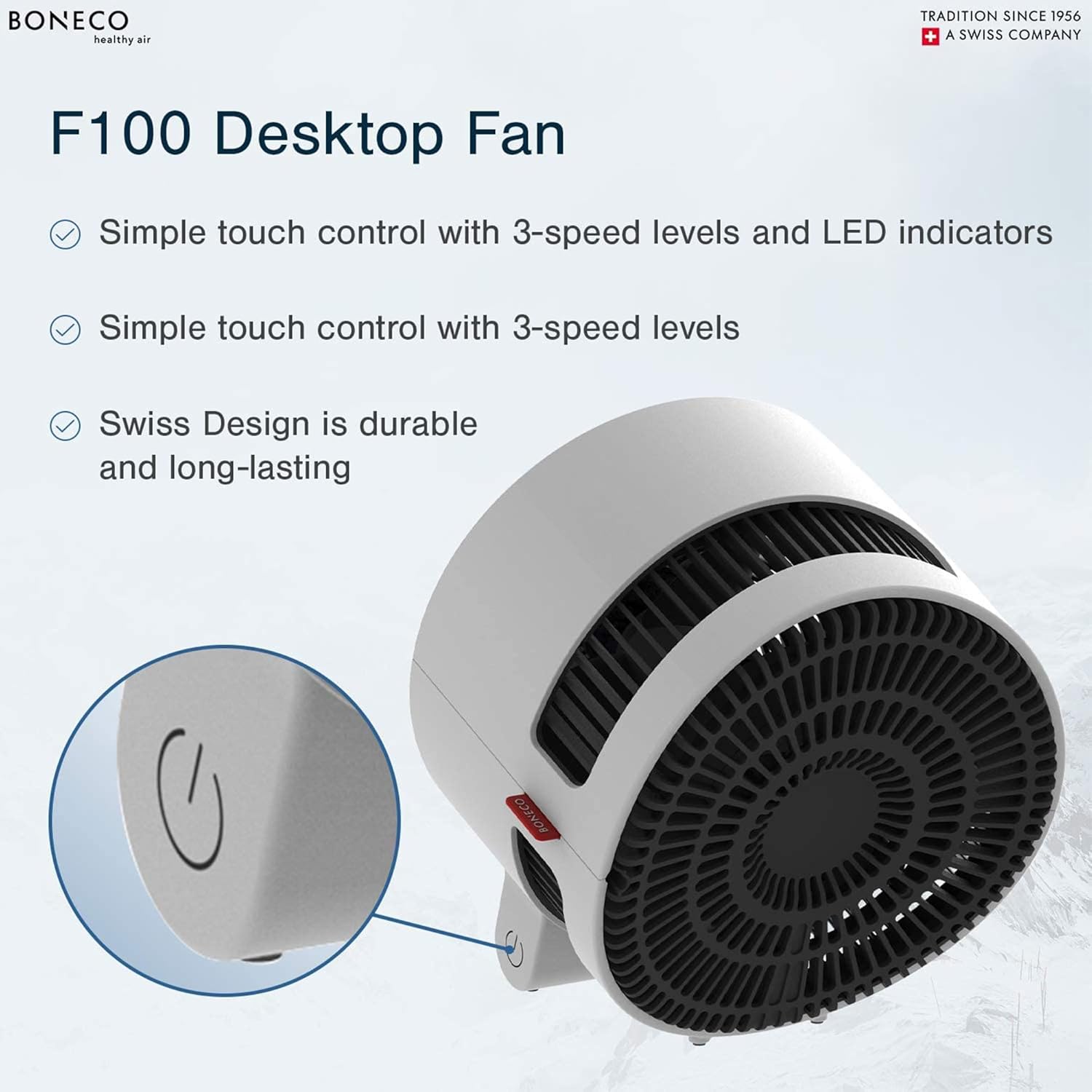
Image: Detail of the BONECO F100's touch control panel and sleek Swiss design.

Image: The BONECO F100 fan, emphasizing its compact size and energy efficiency.
4. Nastavení
Follow these steps to set up your BONECO F100 fan:
- Rozbalit: Carefully remove the fan and all packaging materials from the box. Retain packaging for future storage or transport.
- Umístění: Place the fan on a firm, level surface. Ensure there is adequate space around the fan for optimal airflow, avoiding obstructions like walls, furniture, or curtains.
- Připojení napájení: Insert the power plug into a standard 120V / 60Hz electrical outlet.

Obrázek: Zadní view of the BONECO F100 fan, showing the power cord connection.
5. Návod k obsluze
The BONECO F100 features simple touch controls for ease of use:
- Zapnutí/vypnutí: To turn the fan on, gently touch the power symbol on the base of the unit. The fan will start at the lowest speed setting. To turn the fan off, cycle through all speed settings until the fan powers down.
- Nastavení rychlosti: The fan has 3 speed levels. Each subsequent touch of the power symbol button will cycle through the speed settings (Low → Medium → High).
- LED indikátory: The LED lights on the base indicate the current speed setting. One light for low, two for medium, and three for high.
6. Údržba
Regular cleaning ensures optimal performance and longevity of your BONECO F100 fan:
- Generální úklid: Vnější povrchy ventilátoru otřete měkkým hadříkemamp tkanina. Nepoužívejte abrazivní čisticí prostředky nebo rozpouštědla.
- Čištění čepele: The blade cover is removable for easy access to the fan blade. To remove, locate the screw on the back of the unit, unscrew it, and carefully detach the cover. Clean the fan blade with a soft cloth or brush. Ensure all parts are dry before reassembling.
- Skladování: Pokud budete ventilátor skladovat delší dobu, odpojte jej ze zásuvky, důkladně jej vyčistěte a uložte na chladném a suchém místě, nejlépe v originálním obalu.
7. Řešení problémů
If you encounter issues with your BONECO F100 fan, refer to the following common problems and solutions:
| Problém | Možná příčina | Řešení |
|---|---|---|
| Ventilátor se nezapne. | Žádné napájení. Tlačítko napájení nebylo správně stisknuto. | Ujistěte se, že je napájecí kabel bezpečně zapojen do funkční zásuvky. Press the touch control button firmly and directly. |
| Slabé nebo žádné proudění vzduchu. | Otáčky ventilátoru nastaveny příliš nízko. Zablokovaný přívod/výstup vzduchu. Lopatky ventilátoru jsou znečištěné. | Increase the fan speed using the touch control. Ujistěte se, že žádné předměty neblokují přední ani zadní mřížku. Clean the fan blades as described in the Maintenance section. |
| Neobvyklý hluk během provozu. | Ventilátor nestojí na stabilním povrchu. Nečistoty zachycené v lopatkách ventilátoru. | Umístěte ventilátor na rovný a stabilní povrch. Unplug the fan and check for any foreign objects in the blades. Clean if necessary. |
Pokud problém přetrvává i po vyzkoušení těchto řešení, kontaktujte zákaznickou podporu BONECO.
8. Specifikace
Detailed technical specifications for the BONECO F100 Desktop Air Shower Fan:
| Specifikace | Hodnota |
|---|---|
| Název modelu | F100 |
| Rozměry (D x Š x V) | 8 x 8.2 x 9.4 palce |
| Hmotnost položky | 3.5 libry (1.6 kg) |
| Velikost čepele | 5.9 palců / 150 mm |
| Zdroj napájení | Elektrický kabel |
| svtage | 120 V |
| Frekvence | 60 Hz |
| Wattage | 25 wattů |
| Úroveň hluku | 42 dB |
| Počet úrovní výkonu | 3 |
| Kontrolní metoda | Dotek |
| Materiál čepele | Plast |
| Vnitřní/venkovní použití | Krytý |
| Barva | Bílý |

Image: BONECO F100 fan with key dimensions highlighted.
9. Záruka a podpora
Your BONECO F100 Desktop Air Shower Fan comes with a 3-letá záruka od data nákupu. Tato záruka se vztahuje na vady materiálu a zpracování při běžném používání.
For warranty claims, technical support, or any questions regarding your product, please contact BONECO North America Corp. customer service. Please have your model number (F100) and proof of purchase ready when contacting support.
Společnost BONECO North America Corp.
For contact information, please visit the official BONECO webwebu nebo se podívejte na kontaktní údaje uvedené na obalu produktu.