
1. Úvod
Thank you for choosing the Sygonix PYO-813 Wired Video Intercom System. This manual provides detailed instructions for the safe and efficient installation, operation, and maintenance of your new intercom system. Please read this manual thoroughly before use and retain it for future reference.
2. Bezpečnostní pokyny
- Ensure all electrical connections are made by a qualified electrician to prevent electric shock or fire hazards.
- Do not expose the outdoor unit to extreme temperatures, direct sunlight for prolonged periods, or heavy rain/snow beyond its water-resistant rating.
- Neotevírejte zařízení casings. Refer all servicing to qualified personnel.
- Keep the indoor monitor away from water and high humidity.
- Use only the power adapter supplied with the system.
- Before cleaning, disconnect the power supply. Use a soft, dry cloth for cleaning.
3. Obsah balení
Zkontrolujte prosím obsah balení, abyste se ujistili, že jsou všechny položky přítomny a nepoškozené:
- 1x Outdoor Camera Unit
- 1x Indoor Monitor Unit (7" TFT LCD)
- 1x napájecí adaptér
- Montážní šrouby a hmoždinky
- Uživatelská příručka (tento dokument)
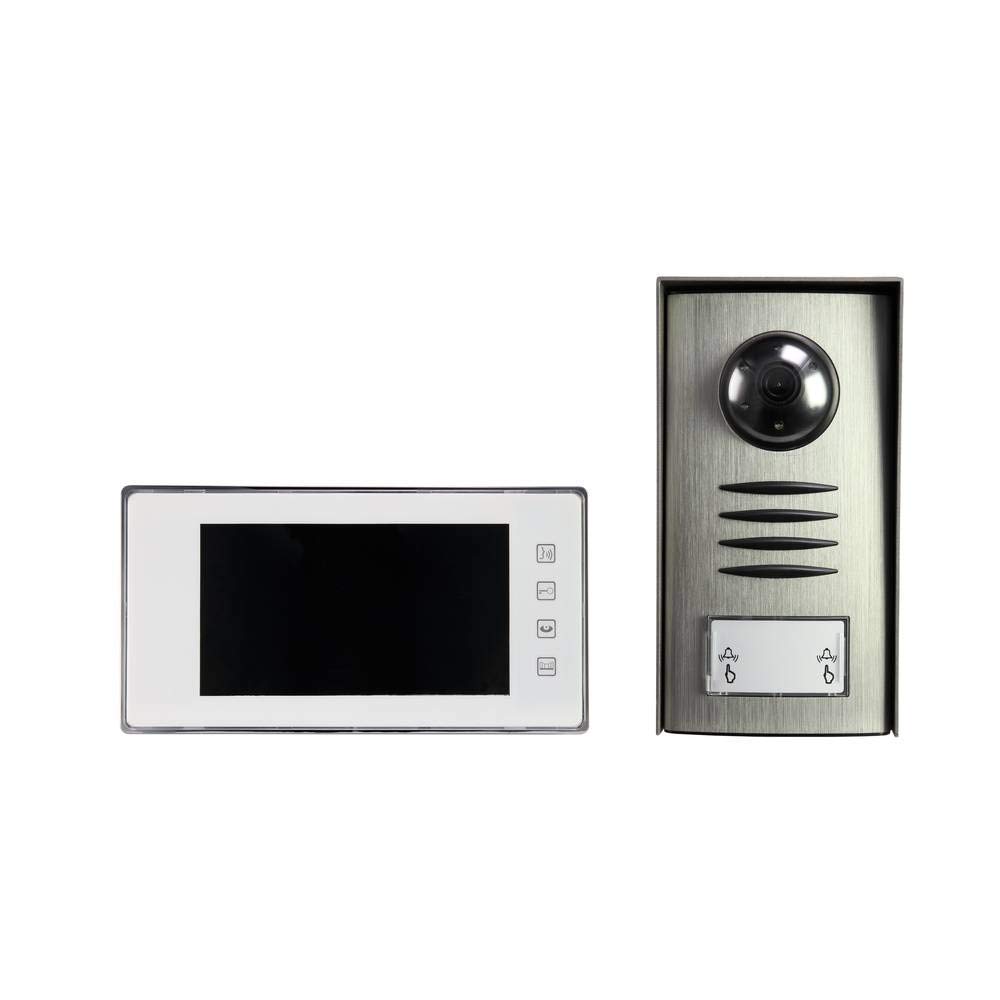
Image: Complete package contents of the Sygonix PYO-813 intercom system.
4. Konec produktuview
The Sygonix PYO-813 is a wired video intercom system designed for secure and convenient communication with visitors at your door. It features a hands-free system for clear two-way communication.
4.1 Outdoor Camera Unit
- Adjustable Angle Camera: Umožňuje optimální viewvání návštěvníků.
- Integrated Speaker and Microphone: Umožňuje obousměrnou zvukovou komunikaci.
- Water-Resistant Casing: Protects components from splashes.
- Integrované LED diody: Automatically illuminate in low light conditions for night vision.
- Volací tlačítko: For visitors to initiate a call to the indoor monitor.
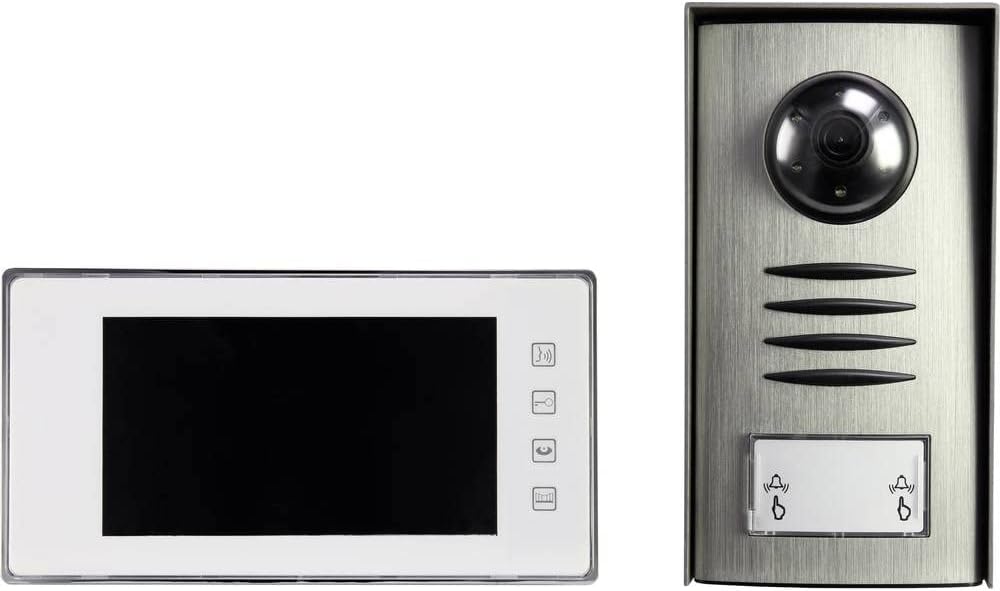
Image: The outdoor camera unit (right) and indoor monitor (left) of the Sygonix PYO-813.
4.2 Indoor Monitor Unit
- 7" TFT LCD displej: Provides a clear display of the visitor.
- Dotyková tlačítka: For intuitive control of the system functions.
- Integrated Speaker and Microphone: For hands-free two-way communication.
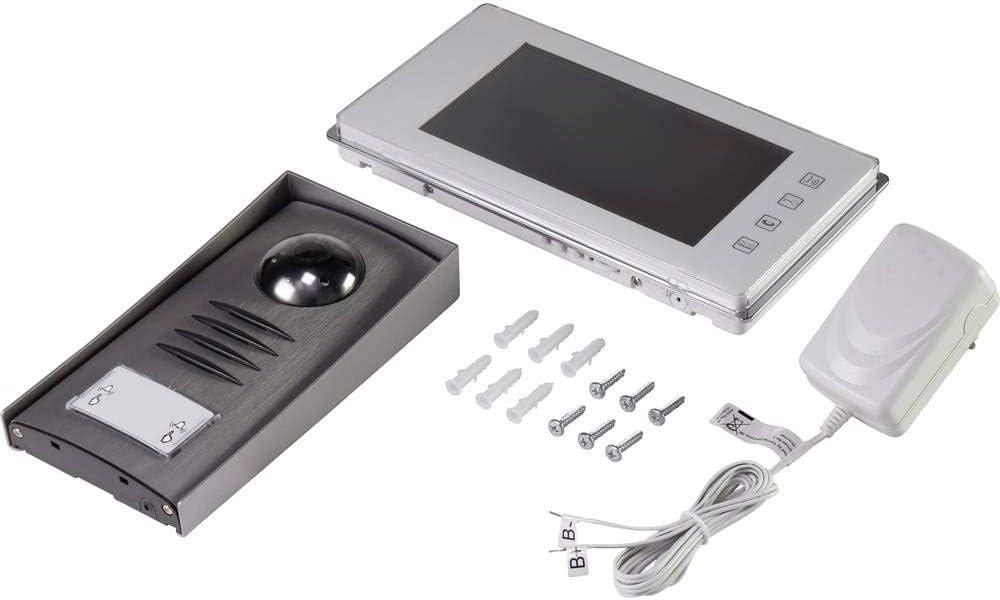
Obrázek: Detail view of the Sygonix PYO-813 indoor monitor and outdoor camera unit.
5. Nastavení a instalace
Správná instalace je klíčová pro optimální výkon. Doporučuje se, aby instalaci provedl kvalifikovaný technik.
5.1 Mounting the Outdoor Camera Unit
- Choose a suitable location near your entrance, ensuring it is protected from direct heavy weather and at an appropriate height for visitors.
- Označte si body pro vrtání pomocí jednotky jako šablony.
- Vyvrtejte otvory a vložte hmoždinky.
- Připevněte venkovní jednotku ke zdi pomocí dodaných šroubů.
- Adjust the camera angle as needed for the best view vašeho vstupního prostoru.
5.2 Mounting the Indoor Monitor Unit
- Vyberte si vhodné vnitřní umístění, obvykle poblíž hlavního vchodu nebo v centrální obytné části.
- Mark and drill holes, then insert wall plugs.
- Secure the mounting bracket (if separate) or the monitor directly to the wall.
5.3 Zapojení kabeláže
Connect the outdoor camera unit to the indoor monitor unit using appropriate wiring (not explicitly listed as included, but implied by "wired intercom"). Ensure all connections are secure and correctly polarized according to the wiring diagram in the full product manual (if available, otherwise general advice).
Connect the power adapter to the indoor monitor unit and then plug it into a suitable power outlet.
Důležité: Během všech zapojení se ujistěte, že je odpojeno napájení.6. Návod k obsluze
6.1 Přijetí hovoru
- Když návštěvník stiskne tlačítko volání na venkovní jednotce, vnitřní monitor zazvoní a zobrazí obraz návštěvníka.
- Stiskněte tlačítko Odpověď button (typically a phone icon) on the indoor monitor to establish two-way communication.
6.2 Obousměrná komunikace
Once the call is answered, you can speak with the visitor hands-free through the integrated speakers and microphones on both units.
- Chcete-li konverzaci ukončit, stiskněte tlačítko Ukončit hovor button (typically a hang-up icon) or wait for the call to automatically disconnect after a set period.
6.3 Monitoring the Entrance
Můžete ručně view the outdoor camera feed at any time without a visitor pressing the call button.
- Stiskněte tlačítko Monitor button (typically an eye or camera icon) on the indoor monitor to activate the outdoor camera view.
- The integrated LEDs on the outdoor unit will automatically activate in dark conditions to provide clear night vision.
6.4 Úprava nastavení
The indoor monitor may have touch buttons for adjusting settings such as ringtone volume, display brightness, and contrast. Refer to the icons on your monitor for specific functions.
7. Údržba
- Čištění: Use a soft, dry, lint-free cloth to clean the indoor monitor screen and the outdoor unit lens. Do not use abrasive cleaners or solvents.
- Inspekce: Periodically check all wiring connections for wear or damage.
- Ochrana životního prostředí: Ensure the outdoor unit's water-resistant seals are intact.
8. Řešení problémů
| Problém | Možná příčina | Řešení |
|---|---|---|
| Na vnitřním monitoru není žádný obraz. |
|
|
| Během komunikace není slyšet žádný zvuk. |
|
|
| Špatná kvalita obrazu v noci. |
|
|
9. Specifikace
| Značka: | Sygonix |
| Číslo modelu: | SY-3313340 (1656670) |
| Obrazovka vnitřního monitoru: | 7" TFT LCD displej |
| Barva: | Stříbro |
| Materiál: | Hliník |
| Typ napájení: | Mains Powered (via included adapter) |
| Rozměry balení: | 32.5 x 32.5 x 7 cm |
| Hmotnost: | 9.07 gramů |
10. Záruka a podpora
For warranty information, please refer to the documentation provided with your purchase or contact your retailer. For technical support or service inquiries, please contact Sygonix customer service or your local distributor.
Výrobce: Sygonix