
1. Úvod
This manual provides essential instructions for the setup, operation, and maintenance of your Canon ImageFORMULA DR-C225 II Office Document Scanner. Designed for efficiency and ease of use, this compact scanner converts paper documents into digital formats, supporting various document types and cloud integration.

2. Co je v krabici
Ověřte, zda balení obsahuje všechny následující položky:
- ImageFORMULA Sheetfed Scanner
- Průvodce nastavením
- USB kabel
- Záruční list
- AC adaptér
- Insert for eCarePak Information
- Power Cable for 120V
- License Key for eCopy PDF Pro Office
- Insert for Cardiris
- Insert for Call Center
- Obalové materiály
3. Pokyny k nastavení
3.1. Fyzické připojení
- Vybalení skeneru: Opatrně vyjměte skener a veškeré příslušenství z obalu.
- Připojte napájení: Connect the AC adaptor to the scanner's power input and then plug the power cable into a wall outlet.
- Připojení k počítači: Use the provided USB cable to connect the scanner to an available USB port on your computer.

3.2. Instalace softwaru
Before operating the scanner, install the necessary drivers and software from the Canon website or the included media.
- Stáhnout ovladače: Visit the official Canon support website for the DR-C225 II model and download the latest drivers and CaptureOn Touch software.
- Instalace softwaru: Follow the on-screen instructions to install the drivers and bundled scanning software. Ensure TWAIN drivers are installed for broad compatibility.
- Restartujte počítač: It is recommended to restart your computer after installation to ensure all drivers are properly loaded.

4. Návod k obsluze
4.1. Načítání dokumentů
- Ensure documents are free of staples, paper clips, or any obstructions.
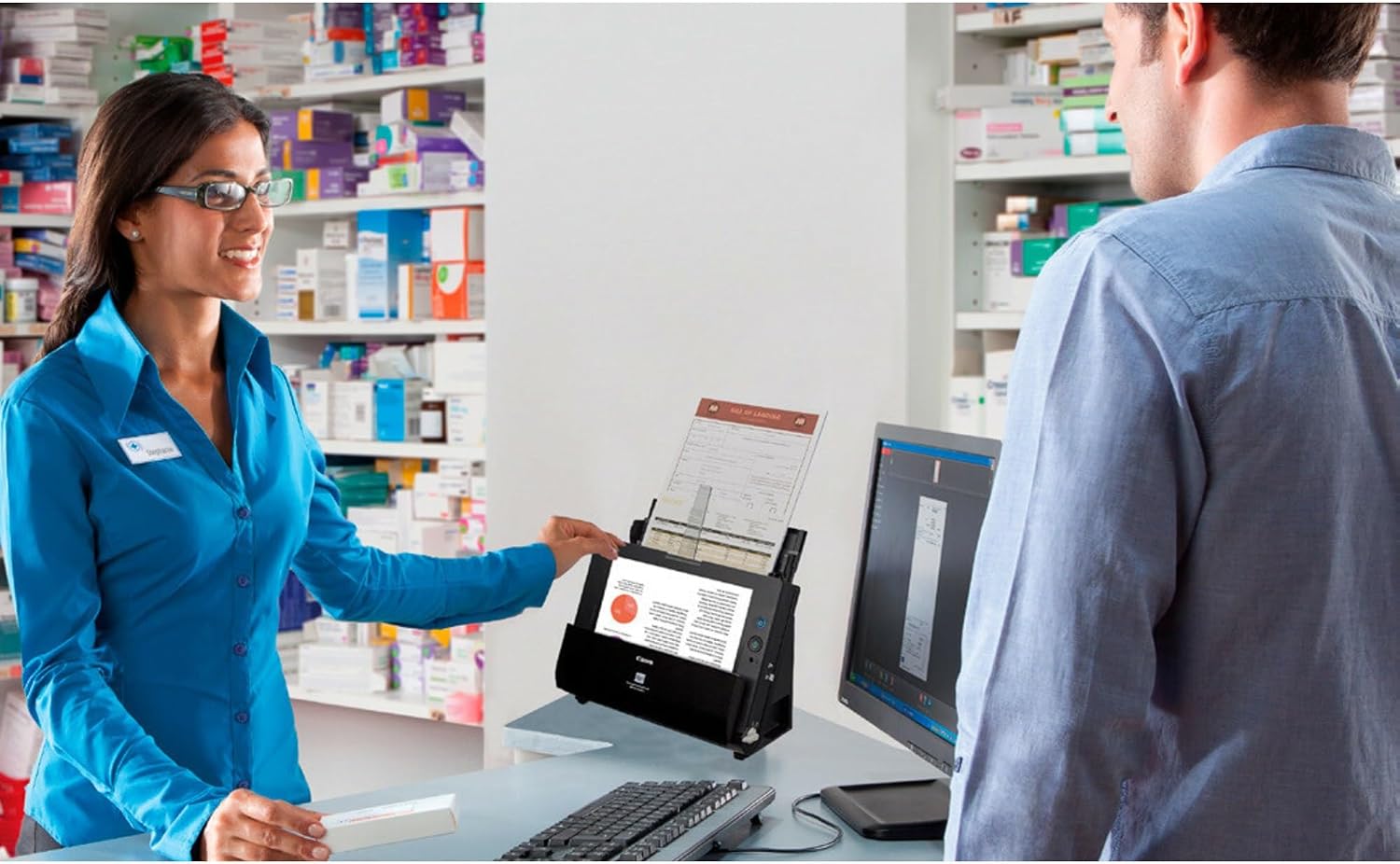
- Place documents face-down in the automatic document feeder (ADF). The scanner supports various document types including receipts, photos, business cards, plastic cards, and long documents.
- Adjust the paper guides to fit the width of your documents. The ADF has a capacity of up to 30 sheets.
4.2. Proces skenování
- Zapnutí: Stiskněte tlačítko napájení na skeneru.
- Spustit software: Open the Canon CaptureOn Touch software on your computer.
- Select Scan Profile: Choose a pre-configured scan profile or customize settings such as color mode, resolution, and destination. The scanner supports duplex scanning (both sides simultaneously) at up to 25 pages per minute.
- Začni skenovat: Press the scan button on the scanner or initiate the scan from the software.
- Review a Uložit: Po skenování znovuview the digitized documents. You can save them as searchable PDF, JPG, or other formats, or directly to cloud services like Dropbox, Google Drive, OneDrive, and Evernote.
5. Údržba
Pravidelná údržba zajišťuje optimální výkon a dlouhou životnost vašeho skeneru.
5.1. Čištění skeneru
- Vypnout: Před čištěním vždy skener vypněte a odpojte ze zásuvky.
- Čištění exteriéru: Vnější povrch skeneru otřete měkkým, suchým hadříkem, který nepouští vlákna. Nepoužívejte abrazivní čisticí prostředky ani rozpouštědla.
- Čištění interiéru: Open the scanner cover and gently wipe the rollers and glass scanning surface with a soft cloth lightly dampened with water or an approved scanner cleaning solution. Ensure all components are dry before closing the cover and powering on.
6. Řešení problémů
This section addresses common issues you might encounter. For more detailed troubleshooting, refer to the software's help section or Canon's support webmísto.
6.1. Běžné problémy
- Zaseknutý papír: If a paper jam occurs, carefully open the scanner cover and remove the jammed document. Ensure paper guides are correctly set for the document size.
- Špatná kvalita skenování: Clean the scanner's interior components, especially the glass scanning surface and rollers. Ensure documents are clean and flat.
- Skener nebyl detekován: Verify that the USB cable is securely connected to both the scanner and the computer. Check if the scanner is powered on. Reinstall drivers if necessary.
7. Specifikace
Key technical specifications for the Canon ImageFORMULA DR-C225 II Office Document Scanner:
| Funkce | Specifikace |
|---|---|
| Rozměry produktu | 11.8 cm Š x 6.1 cm H x 8.7 cm V |
| Hmotnost položky | 5.95 libry |
| Název modelu | ImageFORMULA DR-C225 II |
| Číslo modelu položky | 3258C002 |
| Typ skeneru | Dokument |
| Technologie připojení | USB |
| Rezoluce | 600 dpi |
| Standardní kapacita listů | 30 listů |
| Technologie optických senzorů | CIS (kontaktní obrazový snímač) |
| Wattage | 13 wattů |
| Datum první dostupnosti | 19. července 2018 |

8. Záruka a podpora
The Canon ImageFORMULA DR-C225 II Office Document Scanner is backed by a 3-letá záruka. For technical assistance, please contact Canon's US-based technical support. You can find contact information and additional resources on the official Canon support webmísto: www.usa.canon.com/support