
TSL LTCMIP7342W-28M
LTS LTCMIP7342W-28M Platinum Network Vandal Dome IP Camera User Manual
Model: LTCMIP7342W-28M
Zavedení
This manual provides comprehensive instructions for the installation, operation, and maintenance of your LTS LTCMIP7342W-28M Platinum Network Vandal Dome IP Camera. Please read this manual thoroughly before using the product to ensure proper setup and functionality. Keep this manual for future reference.
The LTS LTCMIP7342W-28M is a 4MP high-definition network vandal dome IP camera designed for robust surveillance applications. It features a 2.8mm fixed lens, True WDR (120dB), Matrix IR 2.0 with up to 100 feet range, and supports H.265/H.265+/H.264/H.264+ video compression. It is rated IP67 for weather resistance and IK10 for vandal resistance, making it suitable for outdoor use. The camera also includes a MicroSD slot supporting up to 128GB for local storage and can be powered by DC 12V or Power over Ethernet (PoE).
Obsah balení
Před zahájením instalace ověřte, zda jsou v balení přítomny všechny položky.
- LTS LTCMIP7342W-28M Platinum Network Vandal Dome IP Camera
- Šablona cvičení
- Montážní šrouby a hmoždinky
- Šestihranný klíč
- Sada vodotěsných konektorů
- Stručný průvodce (podrobné pokyny naleznete v tomto návodu)
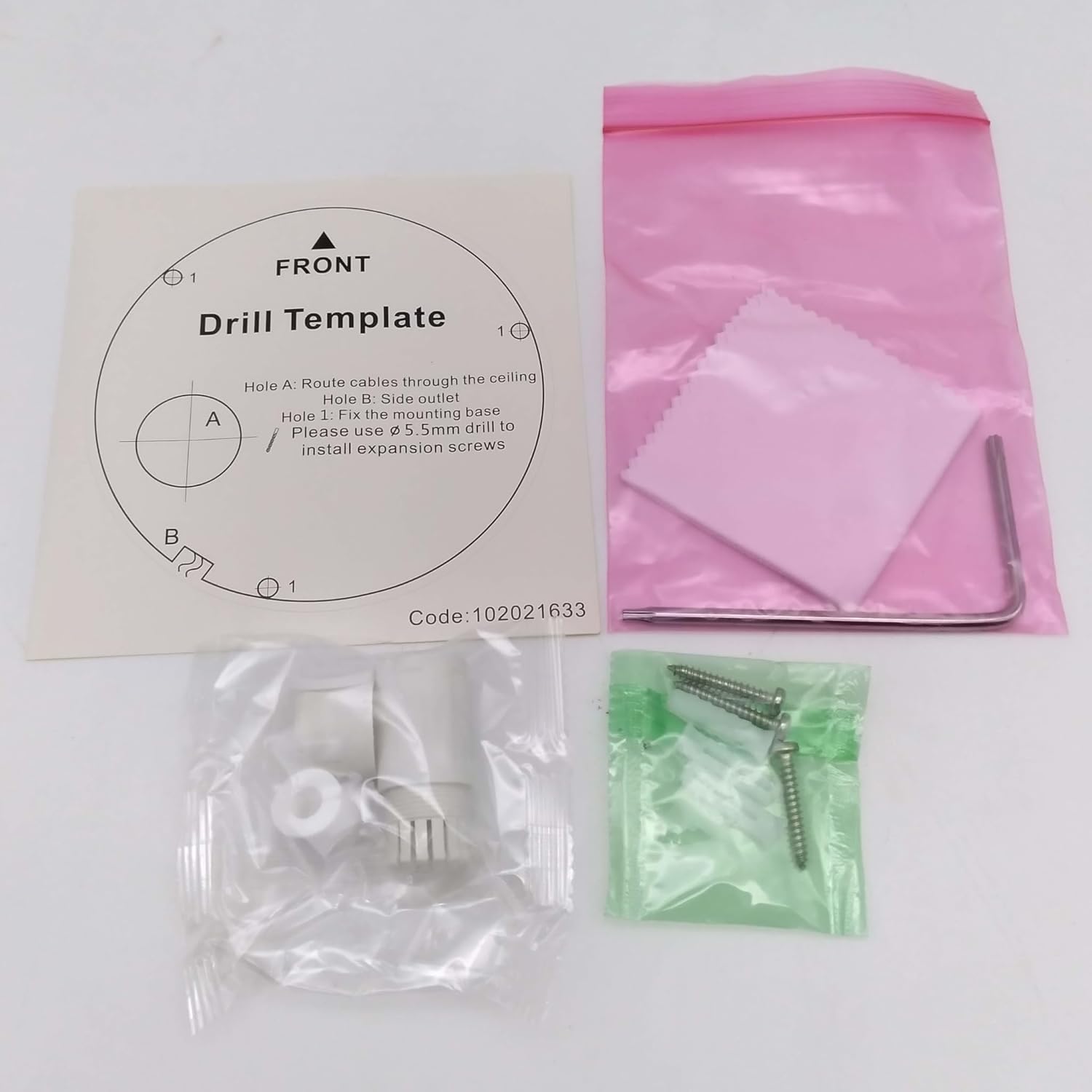
Obraz: Contents of the camera package. This includes a drill template, mounting hardware (screws and wall plugs), a hex wrench for adjustments, and a waterproof connector kit for network cables. These components are essential for proper installation.
Nastavení
1. Bezpečnostní opatření
- Před instalací nebo údržbou se ujistěte, že je odpojeno napájení.
- Use only specified power adapters (DC 12V) or PoE (Power over Ethernet) compliant equipment.
- Nevystavujte fotoaparát extrémním teplotám, vlhkosti nebo korozivnímu prostředí.
- Do not attempt to disassemble the camera. Refer all servicing to qualified personnel.
2. Fotoaparát skončilview
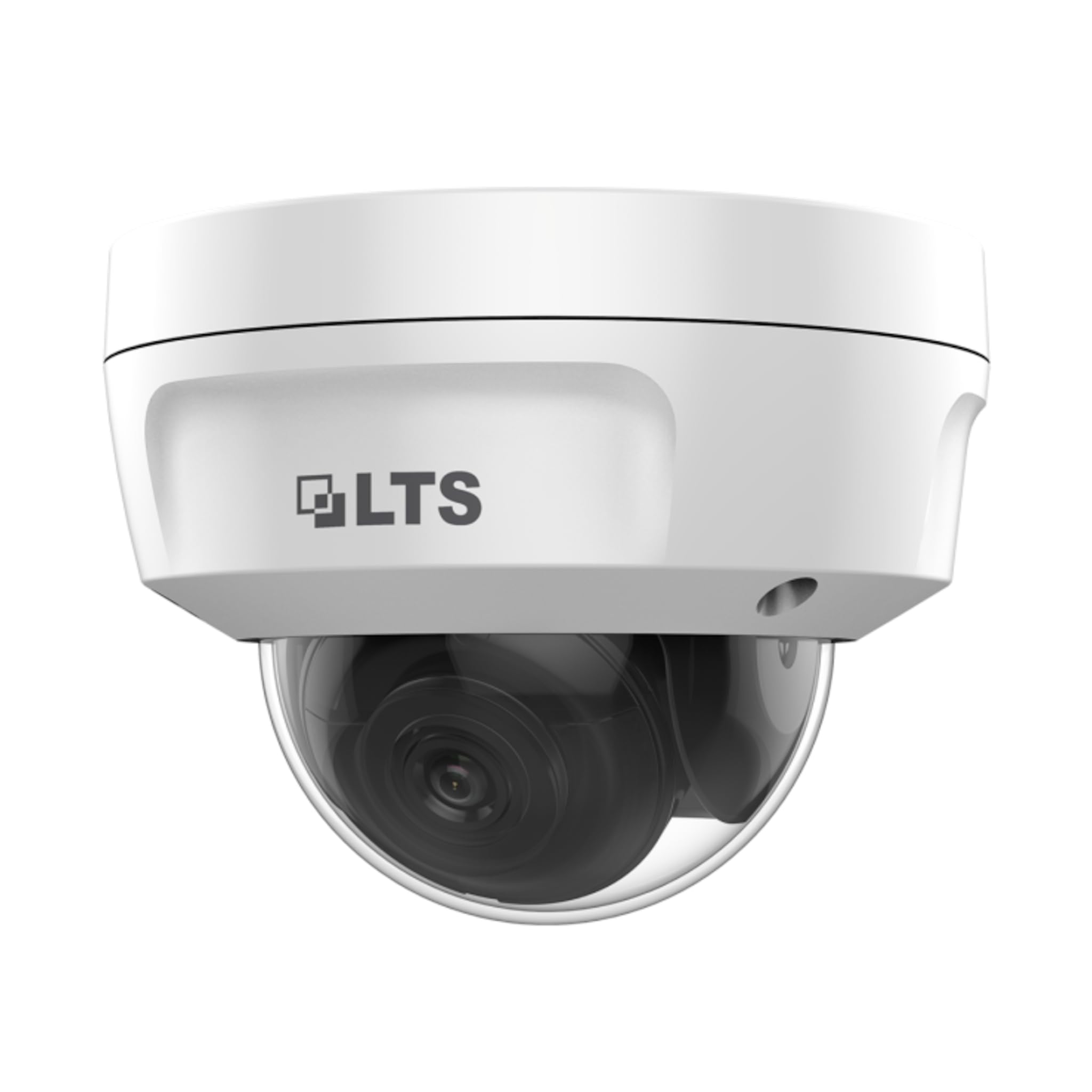
Obraz: Přední view of the LTS LTCMIP7342W-28M dome camera. This image shows the main body of the camera with its dome cover, indicating its compact and discreet design.

Obraz: Strana view of the LTS LTCMIP7342W-28M dome camera, showing the attached cables for power and network connectivity. This view highlights the integrated cable management for installation.
3. Zapojení a konektivita
The LTCMIP7342W-28M camera primarily uses a network cable for both data and power (PoE). It is not compatible with traditional DC power and BNC video connections.

Obraz: This diagram illustrates the correct and incorrect wiring methods. On the left, a network cable (RJ45) is circled in green, indicating compatibility for both video and Power over Ethernet (PoE). On the right, DC power and BNC video connectors are circled in red, indicating they are not compatible with this camera model.
- Internetové připojení: Connect a standard Ethernet cable (Cat5e or Cat6) from the camera's RJ45 port to a PoE-enabled switch or NVR. If not using PoE, connect to a standard network switch and provide 12V DC power separately.
- Moc: The camera supports Power over Ethernet (PoE) or a 12V DC power supply. Ensure the power source meets the camera's requirements.
- Vodotěsný konektor: Use the provided waterproof connector kit for outdoor installations to protect the RJ45 connection from moisture.
4. Montáž kamery
- Připravte montážní povrch: Choose a suitable location, typically a ceiling or wall, ensuring it can support the camera's weight.
- Use the Drill Template: Place the provided drill template on the desired mounting surface. Mark the positions for the mounting screws and cable routing hole.
- Vrtací otvory: Drill pilot holes for the mounting screws (typically 5.5mm diameter for expansion screws) and a larger hole for cable routing, if necessary.
- Trasa kabelů: Pass the network cable through the cable routing hole.
- Zajistěte základnu kamery: Align the camera base with the drilled holes and secure it using the provided mounting screws and wall plugs.
- Upravit úhel kamery: Loosen the adjustment screws (if applicable) to position the camera lens for the desired viewúhel. Po nastavení šrouby utáhněte.
Provozní
1. Initial Power-Up and Network Configuration
- After connecting the camera to power and the network, it will boot up. This may take a few minutes.
- Use the manufacturer's IP search tool (e.g., SADP Tool) to discover the camera's IP address on your network.
- Přístup k fotoaparátu web rozhraní zadáním jeho IP adresy do a web prohlížeč.
- Follow the on-screen prompts to set a strong password for the camera (if it's a new installation or reset).
- Configure network settings (IP address, subnet mask, gateway, DNS) as required by your network infrastructure.
2. Nastavení videa
- Rezoluce: The camera supports up to 4MP (2560x1440) resolution at 30 frames per second. Adjust as needed for bandwidth and storage considerations.
- Komprese: Utilize H.265+ or H.265 for efficient video storage and bandwidth usage. H.264+ and H.264 are also supported.
- WDR (široký dynamický rozsah): Enable True WDR (120dB) in challenging lighting conditions to balance bright and dark areas in the image.
- Noční vidění: The camera features Matrix IR 2.0 with a range up to 100 feet. IR LEDs automatically activate in low light.
3. Záznam a ukládání
- Nahrávání z NVR: Connect the camera to a compatible Network Video Recorder (NVR) for continuous or event-based recording.
- MicroSD karta: Insert a MicroSD card (up to 128GB) into the camera's slot for local storage. Configure recording schedules and event triggers via the web rozhraní.
- Detekce pohybu: Set up motion detection zones and sensitivity to trigger recordings or alerts.
4. Vzdálený přístup
Na dálku viewing, configure port forwarding on your router or use a P2P/Cloud service provided by the manufacturer (if available) to access the camera feed via a mobile app or client software.
Údržba
- Čištění objektivu: Periodically clean the camera lens and dome cover with a soft, damp hadříkem. Vyhněte se abrazivním čisticím prostředkům, které by mohly poškrábat povrch.
- Aktualizace firmwaru: Zkontrolujte výrobce website for firmware updates to ensure optimal performance and security. Follow update instructions carefully.
- Kontrola kabelů: Regularly inspect all cables and connections for signs of wear or damage, especially in outdoor installations.
- Kontroly vlivů na životní prostředí: Ensure the camera's environment remains within its specified operating temperature and humidity ranges.
- Správa hesel: Change passwords regularly and use strong, unique passwords for enhanced security.
Odstraňování problémů
| Problém | Možná příčina | Řešení |
|---|---|---|
| Žádný zdroj obrázků/videí | No power; Network cable disconnected; Incorrect IP address; Camera malfunction. | Check power supply/PoE connection; Verify network cable is securely connected; Use IP search tool to find camera; Contact technical support if malfunction suspected. |
| Špatná kvalita obrazu | Dirty lens/dome; Low light conditions; Incorrect video settings; Network bandwidth issues. | Clean lens/dome; Ensure IR is active in low light; Adjust resolution, WDR, and other image settings; Check network connection speed. |
| Nelze vzdáleně přistupovat k fotoaparátu | Incorrect port forwarding; Firewall blocking access; Dynamic IP address changed; P2P/Cloud service offline. | Verify router port forwarding rules; Check firewall settings on router/NVR; Use DDNS service for dynamic IPs; Check status of P2P/Cloud service. |
| SD karta nenahrává | SD card full or faulty; Incorrect recording schedule; SD card not formatted. | Check SD card status and remaining space; Format SD card via camera interface; Verify recording schedule and event triggers. |
Specifikace
| Funkce | Detail |
|---|---|
| Model | LTCMIP7342W-28M |
| Rozlišení záznamu videa | 4 MP (2560x1440) |
| Snímková frekvence | 30 snímků za sekundu |
| Čočka | Pevná čočka 2.8 mm |
| WDR | Skutečný WDR 120 dB |
| IR Dosah | Up to 100 feet (Matrix IR 2.0) |
| Minimální osvětlení | 0.018 Lux @ F1.6 |
| Komprese videa | H.265, H.265+, H.264, H.264+ |
| Skladování | MicroSD Slot (up to 128GB) |
| Napájení | DC 12V, PoE (802.3af) |
| Ochrana proti vniknutí | IP67 |
| Odolnost proti vandalům | IK10 |
| Technologie připojení | Kabelové (ethernet) |
| Typ montáže | Stropní držák |
| Provozní teplota | (Refer to manufacturer's full datasheet for exact range) |
| Rozměry | Přibližně 7 x 7 x 7 cm (rozměry balení) |
| Hmotnost | Přibl. 2.5 libry |
Záruka a podpora
For warranty information, technical support, and service inquiries, please contact your authorized TSL dealer or visit the official TSL webUschovejte si účtenku jako doklad o koupi pro případ reklamace.
Výrobce: LTS
Značka: TSL
Ask a question about this manual
Ask about setup, troubleshooting, compatibility, parts, safety, or missing instructions. Manuals+ will review the question and use this page’s manual context to help answer it.