
Koss BT232i
Uživatelská příručka k bezdrátovým Bluetooth sluchátkům Koss BT232i
Model: BT232i | Brand: Koss
Zavedení
Thank you for choosing the Koss BT232i Wireless Bluetooth Earclips. These earclips are designed to provide high-quality wireless audio with the convenience of Bluetooth connectivity, an in-line microphone, and remote controls. Their sweat-resistant design makes them ideal for active lifestyles. Please read this manual carefully to ensure proper use and maintenance of your device.

Image: The Koss BT232i Wireless Bluetooth Earclips, dark grey and black, featuring the earclip design and the in-line remote control.
Co je v krabici
Your Koss BT232i package should contain the following items:
- Koss BT232i Wireless Bluetooth Earclips
- Three (3) pairs of ear cushion sizes (Small, Medium, Large)
- Spona na vedení kabelů
- USB charging cable (not explicitly listed but implied for rechargeable battery)
Konec produktuview
The Koss BT232i features an intuitive design for ease of use and comfort.
Earclips and Earbuds
The earclips are designed to securely fit over your ears, providing stability during movement. The earbuds are equipped with soft silicone cushions for comfortable in-ear placement and optimal sound delivery.
Obrázek: Detail view of the Koss BT232i earclips and earbuds, highlighting the ergonomic design.
In-Line Microphone and Remote
The in-line remote control is conveniently located on the cable, allowing easy access to various functions without needing to interact directly with your connected device.

Obrázek: Podrobný view of the in-line remote control on the Koss BT232i, showing the buttons for volume, play/pause, and call management.
Nastavení
1. Charging the Earclips
Before first use, fully charge your BT232i earclips. A full charge provides over 6 hours of battery life.
- Locate the charging port on the in-line remote.
- Connect the provided USB charging cable to the earclips and a compatible USB power source (e.g., computer USB port, wall adapter).
- The LED indicator on the remote will show charging status (refer to LED indicator section for details, if available).
- Po úplném nabití odpojte kabel.

Image: An illustration showing the Koss BT232i earclips connected to a power source, indicating the charging process and battery icon.
2. Párování Bluetooth
To connect your BT232i earclips to a Bluetooth-enabled device:
- Ensure the earclips are turned off.
- Stiskněte a podržte multifunkční tlačítko na integrovaném dálkovém ovladači, dokud LED indikátor nezačne blikat modře a červeně, což signalizuje režim párování.
- Na svém zařízení (chytrý telefon, tablet, počítač) přejděte do nastavení Bluetooth a povolte Bluetooth.
- Hledat dostupná zařízení a ze seznamu vyberte „Koss BT232i“.
- Once paired, the LED indicator on the earclips will flash blue slowly or turn solid blue (refer to LED indicator section for specifics).
- The earclips are now ready for use.
3. Fitting the Earclips
For optimal comfort and sound quality, select the correct ear cushion size and adjust the cable.
- Polštářky do uší: Experiment with the three included ear cushion sizes (Small, Medium, Large) to find the best fit for your ears. A good seal improves bass response and noise isolation.
- Cable Management Clip: Use the cable management clip to secure any excess cable, preventing tangles and ensuring a snug fit during activities.

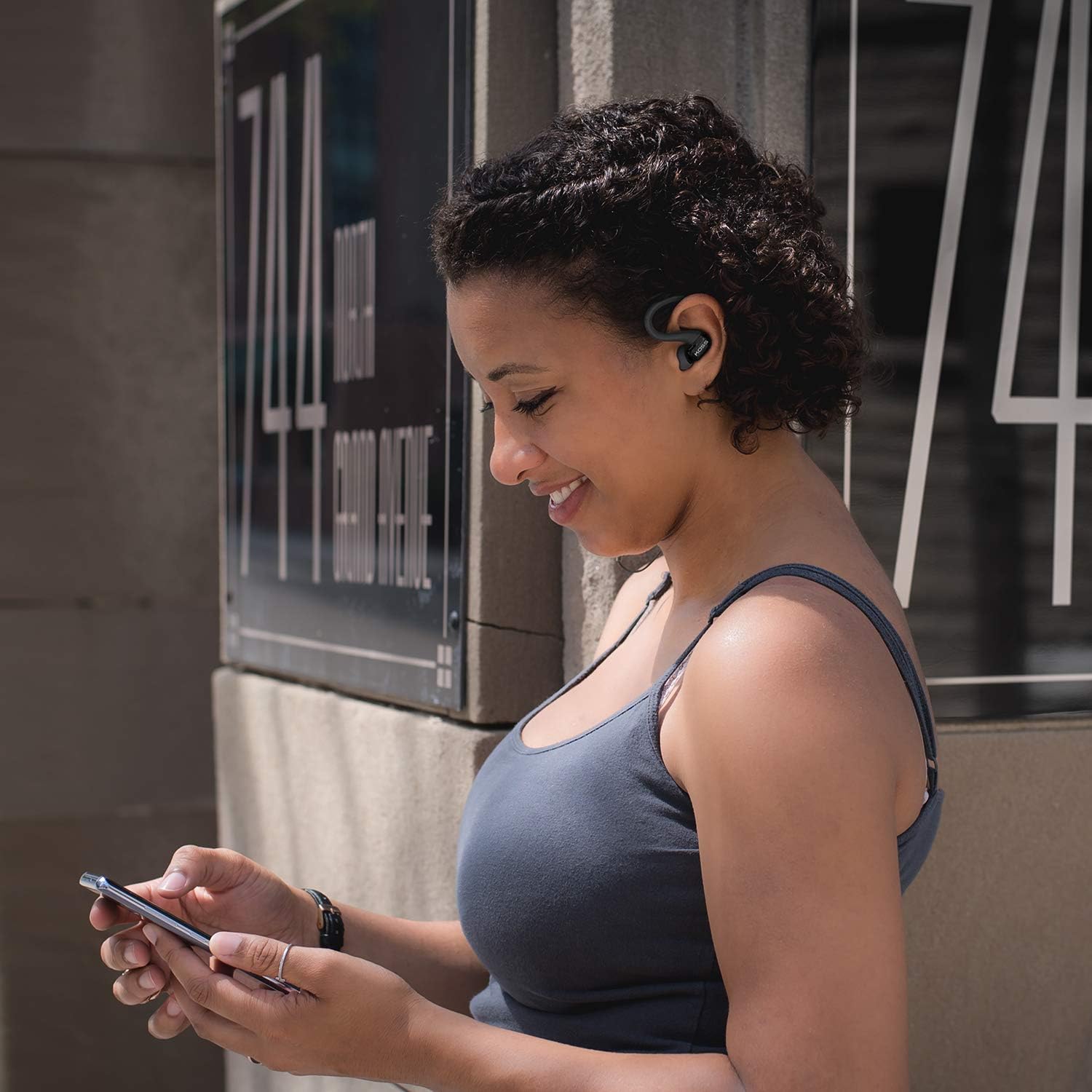
Image: A person wearing the Koss BT232i earclips, demonstrating the over-ear fit and in-ear placement.
Návod k obsluze
Dálkové ovládání na kabelu umožňuje pohodlné ovládání zvuku a hovorů.
| Tlačítko/Akce | Funkce |
|---|---|
| Zapnutí/vypnutí | Stiskněte a podržte multifunkční tlačítko. |
| Přehrát/Pozastavit hudbu | Stiskněte jednou multifunkční tlačítko. |
| Další stopa | Stiskněte a podržte tlačítko pro zvýšení hlasitosti (+). |
| Předchozí stopa | Stiskněte a podržte tlačítko pro snížení hlasitosti (-). |
| Zvýšení hlasitosti | Press the Volume Up (+) button once. |
| Snížit hlasitost | Press the Volume Down (-) button once. |
| Přijmout/ukončit hovor | Během příchozího nebo aktivního hovoru stiskněte jednou multifunkční tlačítko. |
| Odmítnout hovor | Během příchozího hovoru stiskněte a podržte multifunkční tlačítko. |
| Aktivujte hlasového asistenta | Double-press the multi-function button (functionality may vary by device). |
Údržba
Proper care will extend the life and performance of your Koss BT232i earclips.
- Čištění: Gently wipe the earclips and earbuds with a soft, dry cloth. For ear cushions, remove them and clean with a mild soap solution if necessary, then rinse and dry thoroughly before reattaching. Do not use harsh chemicals or abrasive materials.
- Odolnost proti potu: The BT232i earclips are sweat resistant. After intense workouts, it is recommended to wipe them dry to prevent moisture buildup. Do not submerge the earclips in water.
- Skladování: When not in use, store the earclips in a clean, dry place away from extreme temperatures and direct sunlight. Avoid tangling the cable.
Odstraňování problémů
If you encounter issues with your Koss BT232i earclips, try the following solutions:
| Problém | Možné řešení |
|---|---|
| Earclips won't turn on. | Ujistěte se, že je baterie nabitá. Připojte ji ke zdroji napájení a nechte ji nabíjet alespoň 30 minut, než se ji pokusíte znovu zapnout. |
| Nelze spárovat se zařízením. |
|
| Žádný zvuk nebo nízká hlasitost. |
|
| Zvuk je zkreslený nebo vynechává. |
|
Specifikace
| Funkce | Detail |
|---|---|
| Název modelu | Bezdrátová Bluetooth sluchátka BT232i |
| Číslo modelu položky | 196651 |
| Technologie připojení | Bezdrátový |
| Technologie bezdrátové komunikace | Bluetooth 4.2 |
| Životnost baterie | 6 hodiny |
| Doba nabíjení | 6 hodiny |
| Frekvenční rozsah | 18-20,000 Hz |
| Úroveň odolnosti proti vodě | Voděodolný (odolný vůči potu) |
| Typ ovládání | Volume Control, Touch-based In-Line Remote |
| Mikrofon | In-line mikrofon |
| Umístění uší | V uchu |
| Form Factor | Přes ucho |
| Materiál | Plast |
| Hmotnost položky | 1.94 unce (0.06 kilogramů) |
| Rozměry produktu | 0.98 x 0.98 x 0.98 palce |
Záruka a podpora
Informace o záruce
The Koss BT232i Wireless Bluetooth Earclips come with a Jednoletá omezená záruka. Please retain your proof of purchase for warranty claims. For detailed warranty terms and conditions, please refer to the official Koss webwebu nebo kontaktujte zákaznickou podporu Koss.
Zákaznická podpora
For further assistance, technical support, or warranty inquiries, please visit the official Koss webnebo kontaktujte jejich oddělení zákaznických služeb. Více informací a produktů naleznete na Obchod Koss na Amazonu.
Ask a question about this manual
Ask about setup, troubleshooting, compatibility, parts, safety, or missing instructions. Manuals+ will review the question and use this page’s manual context to help answer it.